Best mmWave Presence Sensors: What Actually Holds a Room
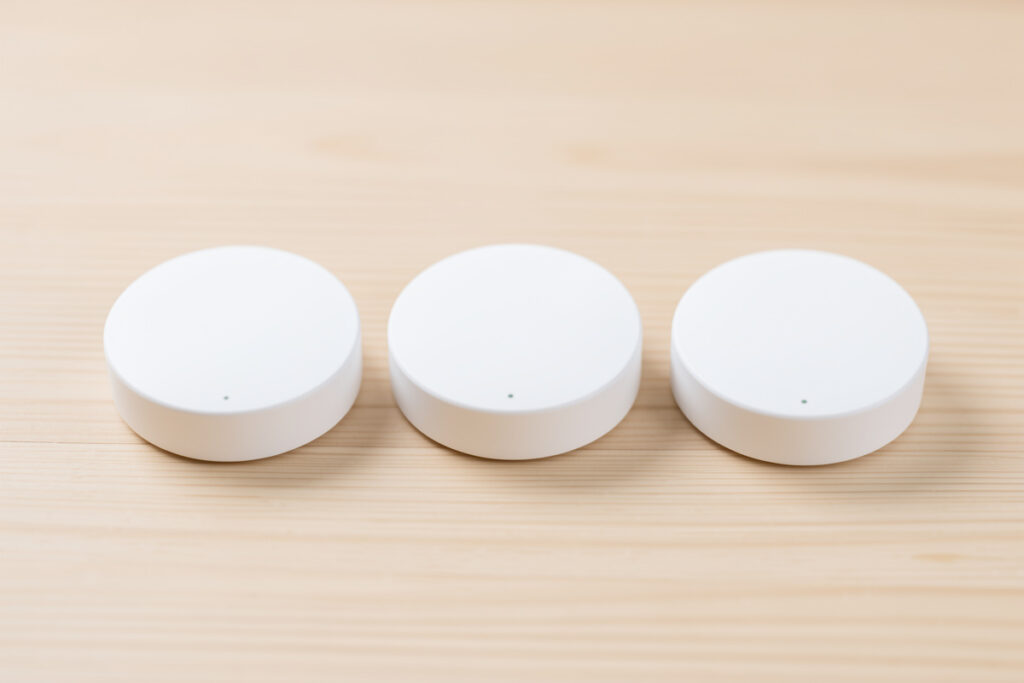
The best mmWave presence sensors in 2026 are the Everything Presence One for fully local DIY builds, the Aqara FP2 for a polished zone-mapping experience, and the Seeed Studio MR24HPC1 kit for a middle-ground ESPHome project — all three genuinely hold a still body, and they range from about $25 for the Seeed kit to $80-plus for the Aqara. The right pick comes down to one question: do you want to draw zones on your phone, or own the sensor data on your own hub?
I’ve run mmWave in my own house long enough to have a clear opinion, and it’s not “buy the most expensive one.” The sensor that wins is the one that matches how much you want to tinker versus how much you want it to just work, because every option on the market makes a different tradeoff between price, local control, and configurability. This is the field I recommend from when people ask what to actually buy, with the cheap-module trap called out honestly so you don’t repeat my mistake. For the wider context of where mmWave fits a presence system, the presence detection guide is the parent read.
What Makes a Good mmWave Presence Sensor?
A good mmWave presence sensor does three things: it holds a still body reliably (the whole point), it lets you tune out false triggers, and it reports locally to your hub instead of through a vendor cloud. The radar chip itself is almost a commodity — the 24 GHz modules inside most of these sensors are similar — so what separates a great sensor from a frustrating one is the firmware, the configurability, and the integration path.
I weight local control heavily, because a presence sensor that phones home to a manufacturer’s server is a sensor that stops working the day that server is retired, and presence is load-bearing infrastructure in my house. I also want per-gate sensitivity and a way to distinguish moving targets from static ones, because that’s exactly what you need to tune out a ceiling fan or a curtain. If you want the deeper reasoning on why mmWave holds a room where a PIR can’t, the mmWave vs PIR comparison covers the physics; here we’re talking about which specific module to buy.

The market has consolidated around a handful of sensors that real self-hosters actually run, and the table below is the shortlist. Prices move, but the relative positioning has been stable.
The mmWave Sensors Worth Buying
| Sensor | Price range | Integration | Zones | Best for |
|---|---|---|---|---|
| Everything Presence One (EP1) | $30–40 | ESPHome / Wi-Fi, fully local | Distance gates + target tracking | DIY local-control installs |
| Aqara FP2 | $80–100 | Aqara app, Matter, HA | Up to 30 mapped zones | Polished, draw-zones-on-phone |
| Seeed Studio MR24HPC1 kit | $20–30 | ESPHome via XIAO ESP32 | Distance gates | Compact ESPHome projects |
| HLK LD2410B / LD2450 module | $5–15 | DIY ESPHome or Tuya | Multi-gate tuning | Cheap custom builds, with effort |
| Aqara FP1 (older) | $60–80 | Aqara app | Up to 16 zones | Budget Aqara alternative |
Read the table as a decision tree, not a ranking. If you want local control and you’re comfortable in ESPHome, the EP1 or the Seeed kit is your answer. If you want to walk into a room, draw zones on your phone, and never open a YAML file, the Aqara FP2 is the one. If you want to spend as little as possible and you don’t mind debugging firmware, the bare LD2410B module will get you there eventually. Everything else is a variation on those three philosophies.
The Everything Presence One: My Default Pick
The Everything Presence One (EP1) is an ESPHome-based sensor built around an LD2410-class radar (with a target-tracking LD2450 variant for the newer units), and it’s what I run in my office. It reports over Wi-Fi directly to Home Assistant, exposes presence, motion, illuminance, and per-gate energy as separate entities, and there is no cloud anywhere in the path. At roughly $30–40 it’s the best value in the field if you’re willing to flash and configure it.
I picked the EP1 over the Aqara specifically because I wanted the sensor data to live on my hub, not pass through a vendor bridge, and because ESPHome lets me write automations against the individual distance gates — so I can say “someone is in the chair at 3 meters” rather than just “someone is in the room.” That granularity is what makes the false-trigger tuning possible later. The tradeoff is that you’re responsible for firmware updates and Wi-Fi reliability, and the initial setup assumes you’re comfortable with ESPHome. If you want to source one, search for the Everything Presence One on Amazon, or just grab an ESP32 board and an LD2410B module and roll your own.
The Aqara FP2: Best If You Want Zones Without Code
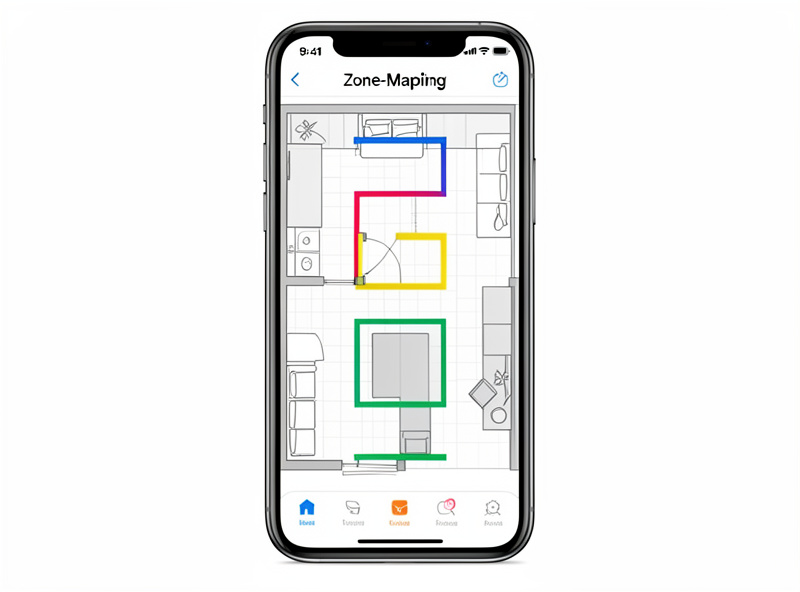
The Aqara FP2 is the polished, no-YAML option, and for a lot of people it’s the right one. It maps a room into up to 30 zones that you draw on a floor plan in the Aqara app, and each zone becomes its own presence entity you can trigger on — so you can light just the couch zone of an open-plan living room without firing the kitchen. It works with Home Assistant through the Matter standard or the Aqara hub, and the build quality and reliability are a step above the DIY modules.
The reason I don’t run it everywhere is philosophical as much as technical: the FP2’s zone config lives in the Aqara ecosystem, and while Matter has improved the local story, the cleanest local-control path is still the ESPHome modules. If that doesn’t bother you — and for most people it shouldn’t — the FP2 is the most capable zone-mapping presence sensor you can buy, and the setup experience is genuinely pleasant in a way the DIY modules will never be. It’s the sensor I recommend to friends who like the idea of presence detection but have no interest in ESPHome.
The Seeed Studio MR24HPC1 and the ESPHome Middle Ground
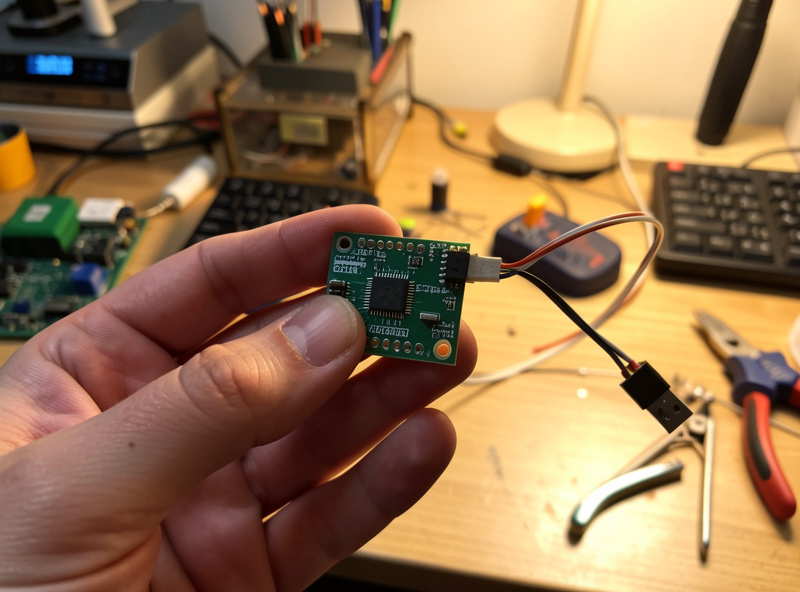
The Seeed Studio MR24HPC1 is a compact 24 GHz mmWave module, usually paired with one of Espressif’s ESP32-based XIAO boards, and it sits between the EP1 and a bare LD2410B — more assembled than a bare module, cheaper and smaller than a full EP1, and fully ESPHome-compatible. It’s the right pick when you want local control and you want a tidy little package for a single room without paying for the EP1’s full feature set.
I’ve used the MR24HPC1 in a tight guest-bathroom install where the EP1’s enclosure would have been overkill — the module is small enough to tuck behind the mirror trim, out of sight, with just a thin USB cable running down to the outlet — and it behaves well: holds presence, exposes the standard distance gates, and stays local. The configuration experience is the same ESPHome workflow as the EP1, so if you can set up one you can set up the other. For anyone building out multiple rooms on a budget, mixing a couple of EP1s for the main rooms with Seeed modules for the small spaces is a perfectly sensible plan.
The Cheap-Module Trap: Bare LD2410 and Tuya Boards
The HLK-LD2410B and LD2450 radar modules cost $5–15 and they will, technically, detect presence. The trap — and I fell into it — is that a bare module is not a finished sensor. The firmware on the generic Tuya-branded versions is inconsistent, the sensitivity drifts over weeks, and the configuration tooling is fiddly in a way that eats evenings. My first mmWave install was a bare Tuya LD2410 board, and I spent more time debugging it than the $20 I’d “saved” was worth by a factor of ten.
The LD2410 and LD2450 chips are genuinely good — the EP1 and Seeed kits use them — but the value of those kits is the enclosure, the power supply, the firmware, and the ESPHome config that turns a bare chip into a reliable device. If you enjoy the firmware side as its own hobby, a bare module on a custom ESP32 board is a fun project. If you just want a presence sensor that works, pay the extra $15 and buy something assembled. The honest cost of a bare module is the chip price plus your weekend, and your weekend isn’t free.
Which mmWave Sensor for Which Room?
Match the sensor to the room the same way you’d match PIR vs mmWave to a room. The main living spaces — office, living room, master bedroom — deserve the best sensor you’re willing to buy, because those are the rooms where presence detection pays off every day. In my house those are EP1 units, chosen for their local control and per-gate granularity. Secondary spaces — a guest room, a landing, a study nook — are fine with a Seeed kit or even a tuned Aqara FP1. Closets and tiny rooms rarely need mmWave at all; a PIR does the job there.
The one piece of advice that overrides all of this: whatever you buy, plan to spend an evening tuning it after install. An out-of-the-box mmWave sensor in a room with a fan, a window, and a pet will false-trigger, and the tuning — distance gates, sensitivity, the moving-vs-static balance — is what separates a sensor you love from a sensor you curse. The full tuning playbook is in the mmWave false triggers guide, and I’d read it before you mount anything.
What I’d Buy Starting Today
If I were starting fresh, I’d buy three Everything Presence Ones — one for the office, one for the living room, one for the bedroom — and accept the ESPHome setup as the price of full local control. That’s under $120 for the three rooms that matter most, and the sensors will outlast several generations of cloud-dependent gear because they report to my hub, not a vendor. If you’d rather not touch ESPHome, buy the Aqara FP2 for those same three rooms, draw your zones, and enjoy a setup experience I genuinely can’t match with the DIY gear.
What I would not do, having learned it the hard way, is fill the house with the cheapest bare modules to save twenty dollars per room. The frustrating firmware and the sensitivity drift will cost you more in time than the EP1 ever costs in money, and you’ll end up buying the assembled sensors anyway. Buy fewer, better sensors, mount them where people sit still, and tune them properly — that’s the formula for a presence layer that actually holds a room for years.
As an Amazon Associate I earn from qualifying purchases.
Related Reading
- The Complete Smart Home Presence Detection Guide
- mmWave vs PIR: When True Presence Beats Cheap Motion
- mmWave False Triggers: Tuning Out Fans, Pets, and Curtains
- Room-Occupancy Logic: Lights That Never Leave You in the Dark
What is the best mmWave presence sensor for Home Assistant?
For a fully local Home Assistant setup, the Everything Presence One is the most popular choice, because it runs ESPHome over Wi-Fi and exposes presence, motion, and per-gate data directly to the hub with no cloud. The Seeed Studio MR24HPC1 kit is a cheaper ESPHome alternative for smaller rooms.
Is the Aqara FP2 better than the Everything Presence One?
It depends on what you value. The Aqara FP2 offers up to 30 phone-mapped zones and a polished setup with no code, which suits most users. The Everything Presence One gives fuller local control and per-gate data through ESPHome, which suits self-hosters who want no vendor dependency. Both hold a still room reliably.
Are the cheap Tuya LD2410 mmWave modules any good?
The LD2410 and LD2450 radar chips are good, but the cheapest bare Tuya boards have inconsistent firmware and sensitivity drift that eats setup time. Assembled ESPHome kits like the Everything Presence One use the same chips with reliable firmware and enclosures, and are worth the extra money unless firmware is your hobby.
How many mmWave presence sensors do I need in my home?
One per room where people sit still, typically the office, living room, and bedroom. That is usually three sensors. Smaller or transit-only rooms are better served by cheaper PIR motion sensors, since mmWave earns its price only where continuous presence matters.
Do mmWave presence sensors need a hub subscription?
No. ESPHome-based sensors like the Everything Presence One report to a self-hosted hub like Home Assistant with no subscription and no cloud. The Aqara FP2 can work locally via Matter or the Aqara hub, also without a mandatory subscription. Either way, presence detection does not require an ongoing fee.