mmWave vs PIR Motion Sensors: When True Presence Beats Cheap Motion
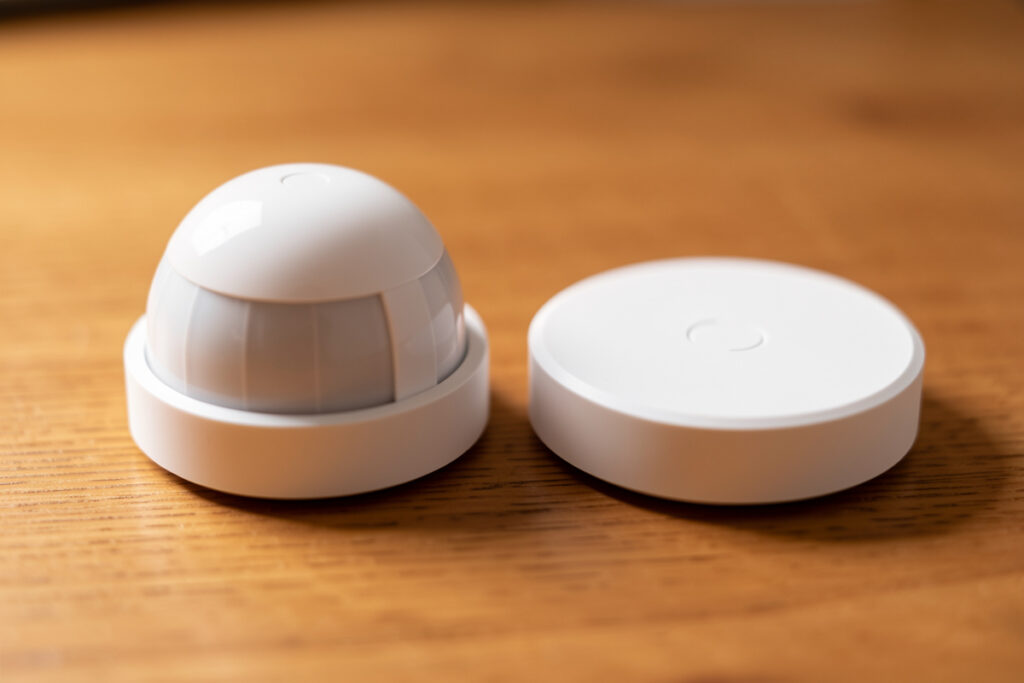
The difference between an mmWave presence sensor and a PIR motion sensor is that PIR fires on a moving warm body and then goes blind, while mmWave radar watches for the micro-motion of breathing and keeps reporting you as long as you’re in the room. A $10 PIR is the right tool for a hallway you walk through; a $30–60 mmWave is what stops your office lights from timing out while you sit on a video call. Most homes need both, in different rooms.
I ran PIR sensors everywhere for my first year of Home Assistant, and the failure was always the same: any room where I sat still — the desk, the couch, the reading chair — would eventually decide nobody was home and drop me into darkness. The mmWave radar fixed that, but it introduced its own problems, which is why this isn’t a “mmWave good, PIR bad” article. The honest answer is that the two sensors fail in opposite directions, and matching each room to the failure it can tolerate is the whole skill. For the broader map of how presence detection fits a local-first smart home, that’s the complete presence detection guide.
What Does a PIR Motion Sensor Actually Detect?
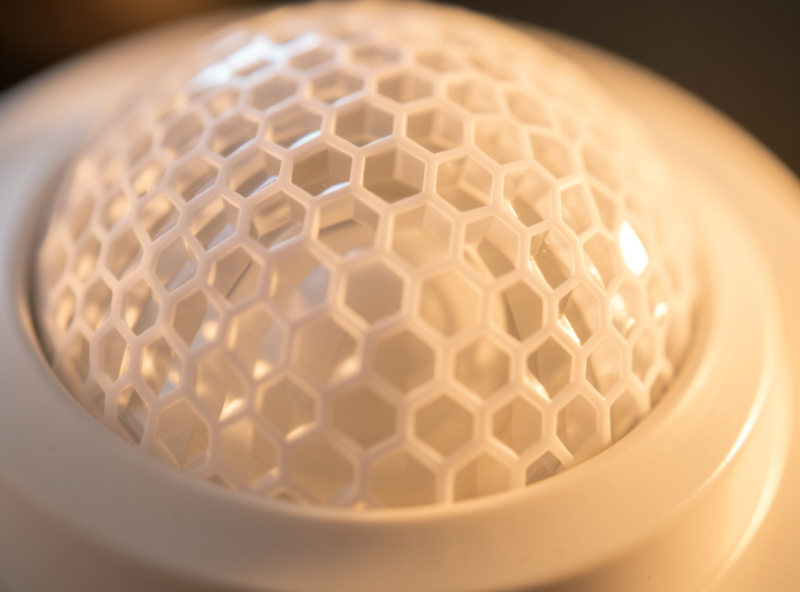
A passive infrared (PIR) sensor is a heat-change detector. Behind its honeycomb Fresnel lens is a pyroelectric element split into halves; when a warm body moves from one half’s field to the other, the voltage differential spikes and the sensor fires. It draws almost nothing, costs $8–15, reacts in well under a second, and runs for a year-plus on a coin cell — which is exactly why it dominates the cheap smart-home sensor market.
The catch is in the word “passive” and the word “infrared.” PIR needs two things to fire: warmth, and movement across the lens segments. A person walking across the room trips it instantly. A person sitting perfectly still does not, because there’s no heat boundary crossing the lens. That’s not a flaw — it’s the physics — and it’s why every PIR has a reset timer, typically 60 to 90 seconds, that holds the “motion detected” state after the last movement. Set that timer short and a still reader gets strobed; set it long and the room thinks you’re there for a full minute after you leave. The reset-timer compromise is the entire PIR experience, and there’s no dial that makes it perfect.
On my Zigbee mesh I run Aqara and Sonoff PIR sensors for the transitional zones — the hallway, the staircase landing, the garage entry — because in those spaces you’re always moving through, the sub-second reaction feels instant, and the year-long battery life means I never think about them. That click of the PIR firing, the tiny mechanical relay snap on the older ones, is the sound of a hallway light coming on before your hand finds the switch. PIR is genuinely excellent at the job it’s built for. It’s just not built for presence.
What Does an mmWave Radar Presence Sensor See?
An mmWave (millimeter-wave) presence sensor is an active radar. It emits radio waves — 24 GHz on most consumer modules, 60 GHz on the denser ones — and listens for reflections, then runs signal processing to separate a moving target from a static one and to pick out the tiny periodic motion of a chest rising and falling. Because it’s not waiting for heat movement, a person sitting dead still reading a book is still detectable for as long as they’re breathing.
That is the entire reason mmWave exists in a smart home. Where a PIR’s reset timer is a compromise between strobing and ghost-occupancy, mmWave just reports continuously: you’re there, you’re there, you’re there, gone. The office automation I care about most — “lights on while I’m at the desk, off two minutes after I actually leave” — is physically impossible with a PIR and trivial with mmWave. I run an Everything Presence One on ESPHome in the office for exactly this, fully local over Wi-Fi, exposing presence, motion, and illuminance as separate entities I can write rules against.
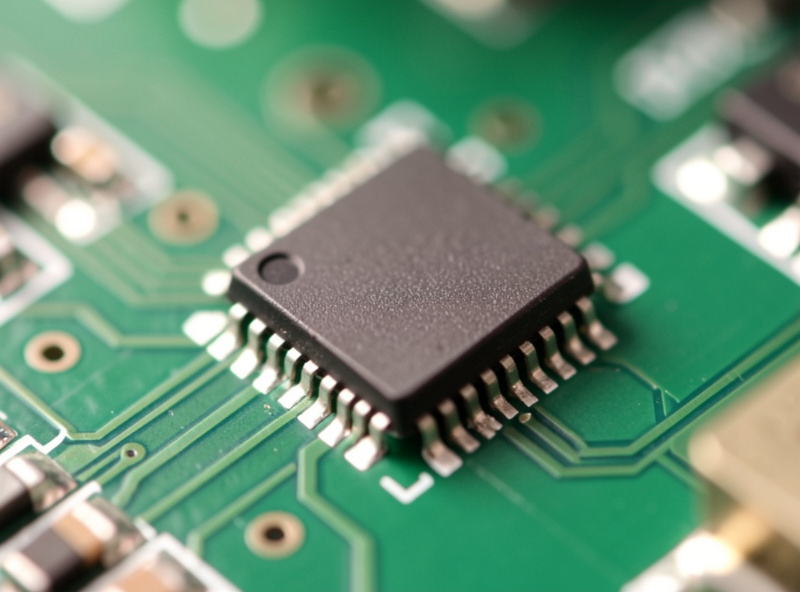
The tradeoffs are real, though. mmWave costs three to six times what a PIR does, draws too much current for coin-cell battery operation (plan on USB or mains power), and takes one to two seconds to confirm a static target on entry — slightly slower than a PIR’s instant snap. And it has a whole failure mode PIR doesn’t: false triggers from fans, curtains, and pets, which is a big enough topic that the mmWave false-trigger tuning guide covers it on its own. mmWave is the right tool for stillness, but it is not a drop-in PIR replacement.
mmWave vs PIR: What Actually Differs
Strip the marketing and the two sensors differ on five things that matter: what they need to fire, how they handle a still body, their reset behavior, their power draw, and their failure mode. The table below is how I keep them straight when I’m deciding a room.
| Attribute | PIR motion sensor | mmWave presence sensor |
|---|---|---|
| Trigger requires | Warm body moving | Body present (movement or breathing) |
| Still person | Not detected after reset | Detected continuously |
| Reset behavior | Timer-based, 60–90s typical | Continuous hold until room clears |
| Typical price | $8–15 | $25–90 |
| Power | Coin cell, ~1 year | USB or mains, not battery-friendly |
| Reaction on entry | Sub-second | 1–2 seconds |
| Main failure mode | False “empty” (lights off on a still person) | False “occupied” (fans, pets, curtains) |
Read the failure-mode row twice, because it’s the decision-maker. PIR fails toward declaring a room empty when it isn’t, which is annoying (lights off mid-task). mmWave fails toward declaring a room occupied when it isn’t, which is wasteful (lights on in an empty room). Neither is catastrophic, but they’re opposite annoyances, and the room tells you which one you can live with.
When Is PIR the Right Answer?
PIR is the right answer anywhere people are always moving through and never sitting still — hallways, staircases, walk-in closets, the garage entry, the laundry room. In those spaces the sub-second reaction and the year-long battery life matter more than continuous presence ever would, and the $10 price means you can blanket every transit zone without thinking about the budget.
The test I use is simple: does anyone ever stand still in this room for more than two minutes? If the honest answer is no, PIR is not just adequate, it’s better — faster, cheaper, and zero-maintenance. My hallway PIRs have been running on their original coin cells for over a year and I’ve never touched them. The only thing I’d warn against is the classic mistake I made: putting a PIR in a room where you do sit still and then cranking the reset timer up to compensate. A 10-minute reset timer on a bathroom PIR just means the fan runs for 10 minutes after you shower. It doesn’t solve the presence problem; it hides it.
When Do You Actually Need mmWave?
You need mmWave in any room where people sit still for long stretches and the lights (or climate, or other automations) must stay active — the home office, the living room, the reading nook, the dining table, the bed. These are the rooms where a PIR’s reset-timer compromise becomes unbearable, because either the lights strobe on a still person or the room falsely reports occupied for minutes after you leave.
The office is the textbook case. I spent months fighting a PIR there — waving my arm every four minutes during long Zoom calls to keep the light alive — before I accepted that no reset-timer setting would fix it. The mmWave solved it in an afternoon. If you’re assembling the shopping list, the field of worthwhile mmWave modules is covered in the best mmWave presence sensor roundup, but the short version is that any ESPHome-friendly or Aqara-class module will do the job in a stillness room. Don’t reach for mmWave in the hallway; do reach for it the moment a room has a chair someone reads in.
Can You Run PIR and mmWave in the Same Room?
Yes, and in a few rooms I do, because together they cover each other’s blind spots — the PIR gives instant-on when you walk in, and the mmWave holds the room while you sit. You don’t wire them as two independent sensors, though; you wire both into a single room-occupancy helper that turns on the moment either fires and turns off only when both agree the room is clear.
This is the room-occupancy logic layer, and it’s where PIR and mmWave stop being rivals and start being teammates. The PIR handles the fast entry; the mmWave handles the long stay; the logic helper handles the graceful exit. The blueprint for that helper — the timer values, the door-condition trick, the exact way I combine sensor inputs — is in the room-occupancy automation logic guide. The combination is more reliable than either sensor alone, at the cost of a second device and a little YAML.
What About Latency, Power, and Total Cost?
On entry latency, PIR wins: it fires the instant a warm body crosses its lens, while mmWave needs a beat to confirm a static target, so a hallway lit by mmWave can feel a half-second sluggish where a PIR-lit hallway feels instant. On power, PIR wins again: a coin cell lasts roughly a year, while mmWave’s radar chip draws too much for battery operation and practically demands a USB or mains feed. On price, PIR wins a third time at $8–15 versus $25–90 for mmWave.
So PIR wins on speed, power, and price — and loses on the only thing that matters in a stillness room, which is continuous presence. That’s why “which is better” is the wrong question. The right question is whether the room needs to hold a still body, and if it does, the extra $30 and a USB cable are a rounding error against years of lights that actually behave. Total cost of ownership includes your frustration, and a $10 PIR that turns the lights off on you every day for five years is the expensive option.
The Verdict: Match the Sensor to the Room
If I were specifying a house from scratch, I’d put PIR in every transit zone — hallways, stairs, closets, garage — and mmWave in every stillness zone — office, living room, bedroom, reading chair. A few rooms get both, combined through occupancy logic. That’s not a hedge; it’s the design that falls out of understanding how each sensor fails. PIR fails toward false-empty, which is fine where people never sit still. mmWave fails toward false-occupied, which is fine where you’d rather the light stay on an extra minute than click off on you.
What I’d do starting today, if you have one PIR making you miserable in a sitting room: don’t buy a more expensive PIR, don’t lengthen the reset timer, and don’t blame the brand. Move that PIR to a hallway where it belongs and put an mmWave in the room where you actually sit. The sensor isn’t wrong; the room was. The full framework for turning whichever sensors you end up with into reliable room state is in the presence detection guide — start there, then come back here for the sensor-by-sensor decision.
As an Amazon Associate I earn from qualifying purchases.
Further Reading
- The Complete Smart Home Presence Detection Guide
- Best mmWave Presence Sensors: What Actually Holds a Room
- mmWave False Triggers: Tuning Out Fans, Pets, and Curtains
- Room-Occupancy Logic: Lights That Never Leave You in the Dark
Is mmWave better than PIR for a smart home?
Only in rooms where people sit still, like an office or living room. mmWave detects a still or breathing person continuously, where a PIR stops seeing you after its reset timer. In hallways and transit zones where people are always moving, a PIR is faster, cheaper, and runs a year on a coin cell.
Why does my PIR motion sensor turn the lights off while I am still in the room?
Because PIR detects moving heat, not presence. When you sit still, no heat boundary crosses the lens, so after the reset timer (often 60 to 90 seconds) the sensor decides the room is empty. This is a PIR limitation, not a defect, and it is the main reason to switch that room to an mmWave presence sensor.
What is the reset timer on a PIR sensor and why does it matter?
The reset timer is how long the sensor holds its motion-detected state after the last movement, typically 60 to 90 seconds. Set it short and a still person gets strobed by the lights; set it long and the room falsely reports occupied after you leave. It is a compromise that presence sensors like mmWave avoid.
Can I combine a PIR and an mmWave sensor in the same room?
Yes, and it works well. The PIR gives instant reaction when you walk in, and the mmWave holds the room while you sit still. Wire both into a single room-occupancy helper that turns on when either fires and turns off only when both agree the room is clear.
Do mmWave presence sensors run on batteries?
Generally no. The radar chip draws too much current for coin-cell operation, so mmWave sensors are almost always USB or mains powered. PIR sensors, by contrast, run for about a year on a single coin cell, which is one reason they suit battery-powered Zigbee and Z-Wave contacts.