Smart Bulb vs Smart Switch: Complete Comparison Guide (2026)
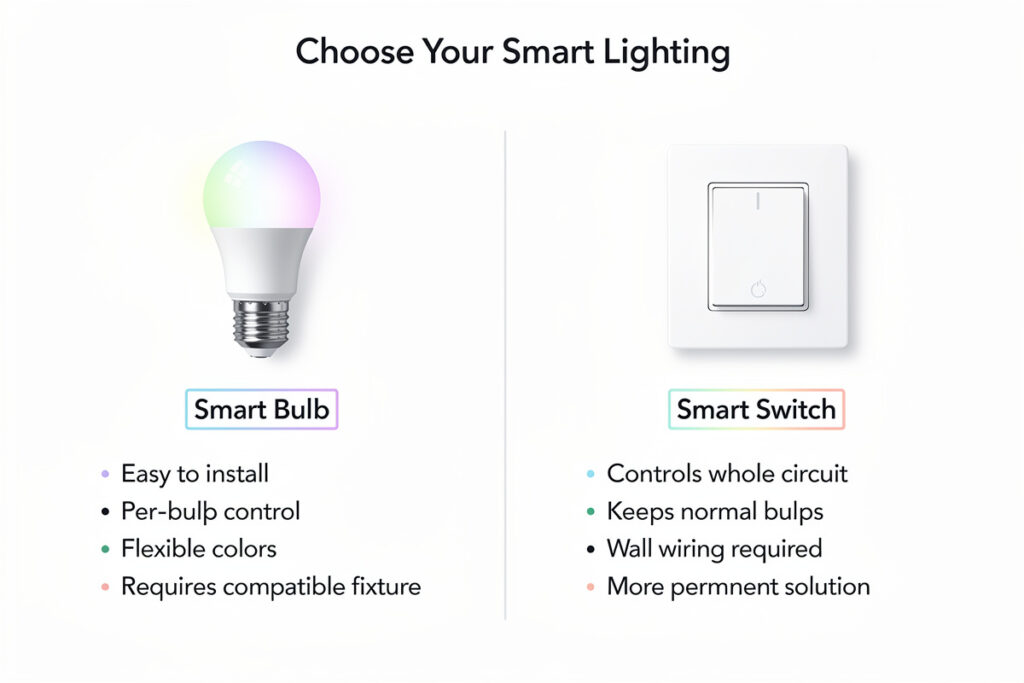
Smart bulbs replace your existing bulbs and offer color options, while smart switches replace your wall switches and control any bulb connected to that circuit. If you want simple dimming and on/off control for standard bulbs, a smart switch is usually the better long-term choice. If you want color-changing capabilities or need to control lamps without wiring changes, smart bulbs make more sense.

Choosing between smart bulbs and smart switches depends on your existing setup, your budget, and how you want to interact with your lighting. Both have pros and cons that affect installation difficulty, cost, functionality, and day-to-day use.
Smart Bulbs vs Smart Switches: Core Differences
| Feature | Smart Bulbs | Smart Switches |
|---|---|---|
| Installation | Screw in like regular bulb | Replace wall switch (electrical work) |
| Controls | Color, brightness, scheduling | On/off, dimming (if dimmer model) |
| Physical switch | Must stay ON for smart control | Works normally even when offline |
| Cost per light | $10-50 per bulb | $15-40 per switch |
| Multi-bulb fixtures | Expensive (need bulb for each socket) | One switch controls all bulbs |
| Portability | Take with you when moving | Stays with the house |
When Smart Bulbs Are the Better Choice
Smart bulbs excel in these scenarios:
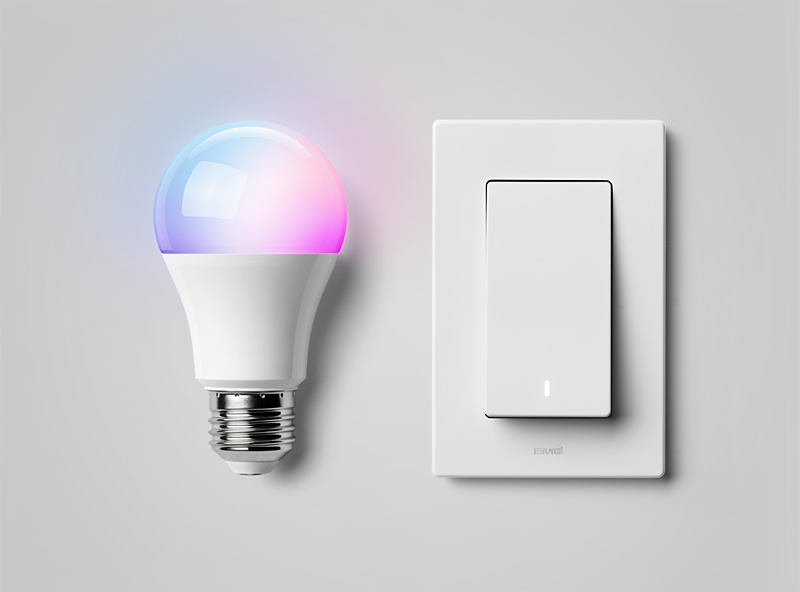
Color and Mood Lighting
If you want to change colors, adjust color temperature, or create mood lighting, smart bulbs are your only option. Smart switches can only control power — they cannot change the color or warmth of light. Color-changing smart bulbs let you shift from cool white (6500K) for focused work to warm amber (2700K) for relaxation, all from your phone or voice commands.
Lamps and Plug-in Fixtures
For table lamps, floor lamps, and any plug-in lighting, smart bulbs are the simplest solution. Just screw them in and connect to your app. No electrical work needed. Alternatively, you can use smart plugs with regular bulbs for basic on/off control of lamps.
Renters and Temporary Setups
If you rent or plan to move, smart bulbs travel with you. Smart switches require installation that you may need to reverse when leaving. Smart bulbs simply unscrew and pack away.
Single-Fixture Control
For a reading lamp, bedside light, or accent fixture, a single smart bulb costs $10-15 and installs in seconds. Installing a smart switch for one light is overkill.
When Smart Switches Are the Better Choice
In my own house I started with smart bulbs in the bedroom lamps — then realized every time someone used the wall switch the automation broke. I swapped those circuits to smart switches and moved the bulbs to floor lamps where the cords have inline switches that never get touched. That one lesson saved me from repeating the mistake in every room.
Smart switches win in these situations:
Multi-Bulb Fixtures
Recessed lighting, chandeliers, and vanity lights with multiple bulbs become prohibitively expensive with smart bulbs. A 6-bulb chandelier would cost $60-300 in smart bulbs versus $15-40 for one smart switch that controls all of them.
Household Consistency
Smart switches maintain normal physical control. Anyone can flip the switch on or off without learning an app or voice command. This is critical in households with children, elderly members, or guests who may not know how to operate smart lighting.
Long-Term Cost Efficiency
While smart switches cost more upfront ($15-40 each), they work with any standard bulb. Over time, this is cheaper than replacing every bulb with a smart version. Standard LED bulbs cost $2-5 each and last 15,000+ hours.
Whole-Home Lighting
Automating an entire home’s lighting with smart bulbs would cost $500-2,000+. Smart switches for the same coverage typically cost $200-600, depending on the number of circuits.
Smart Dimmer Switches: The Middle Ground
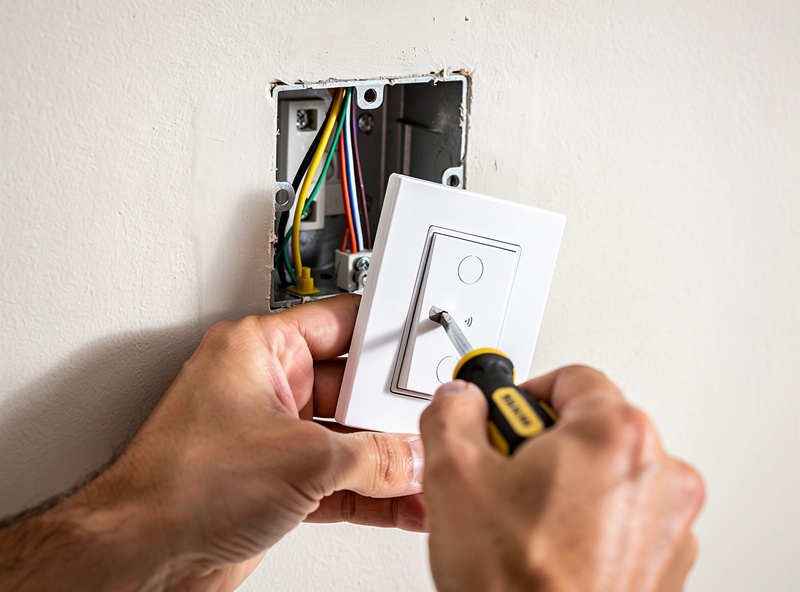
Smart dimmer switches combine the benefits of smart switches with brightness control. They replace your existing wall switch and let you adjust light levels from the wall, app, or voice commands.
Installation Process
Installing a smart dimmer switch takes 15-30 minutes:
- Turn off power at the circuit breaker
- Remove the existing switch plate and switch
- Connect the smart dimmer wires (line, load, neutral, ground)
- Mount the dimmer in the electrical box
- Restore power and connect to your app
Important: Most smart dimmers require a neutral wire in the switch box. Older homes may not have neutral wires at switch locations. Check before purchasing. Some models work without a neutral wire but are more limited.
Dimmer Compatibility
Smart dimmers work with standard LED and incandescent bulbs. However, they should NOT be used with smart bulbs — the dimmer changes the voltage, which can damage smart bulb electronics or cause flickering. Use smart dimmers with regular bulbs, and smart bulbs with regular (non-dimming) switches that stay on.
Smart Bulb Color Temperature Explained
Color temperature affects how light feels in a room and can influence mood, productivity, and sleep quality. Understanding color temperature helps you choose the right lighting for each space.
Color Temperature Scale
| Kelvin (K) | Description | Best For |
|---|---|---|
| 2700K | Warm White | Bedrooms, living rooms, relaxation |
| 3000K | Soft White | General living spaces |
| 4000K | Cool White | Kitchens, bathrooms, workspaces |
| 5000K+ | Daylight | Home offices, garages, task lighting |
Tunable white smart bulbs let you adjust color temperature throughout the day — cool white in the morning for alertness, warm white in the evening for relaxation. This circadian lighting approach can improve sleep quality and daily energy levels.
Do Smart Bulbs Use Electricity When Off?
Yes, smart bulbs draw a small amount of standby power even when turned off — typically 0.2-0.5 watts per bulb. This is because the WiFi, Zigbee, or Bluetooth radio must stay active to receive commands. Here is what that means for your electricity bill:
- Per bulb: 0.2-0.5 watts × 24 hours × 365 days = 1.75-4.38 kWh yearly
- Cost per bulb: At $0.15/kWh, that’s $0.26-0.66 yearly per bulb
- 10 bulbs: $2.60-6.60 yearly in standby power
This standby cost is minimal compared to the energy savings of using LED bulbs (which use 75% less energy than incandescent bulbs) and the convenience benefits. However, it is worth noting that smart switches do not have this standby draw since they cut power completely when off.
To minimize standby power:
- Use Zigbee or Z-Wave bulbs instead of WiFi — they draw less standby power
- Group bulbs and turn off entire groups when not needed
- Consider smart switches for rooms where lights are rarely used
Product Comparison: Smart Bulbs vs Smart Switches
| Product | Type | Price | Best For |
|---|---|---|---|
| Philips Hue White and Color | Smart Bulb | $50 | Premium color lighting |
| Wyze Bulb Color | Smart Bulb | $15 | Budget color lighting |
| TP-Link Kasa Smart Bulb | Smart Bulb | $12 | WiFi bulbs without hub |
| Lutron Caseta Smart Dimmer | Smart Switch | $50 | Premium dimming |
| TP-Link Kasa Smart Dimmer | Smart Switch | $20 | Budget dimming |
| GE Cync Smart Switch | Smart Switch | $25 | No-neutral-wire homes |
Hybrid Approach: Best of Both Worlds
Most households benefit from using both smart bulbs and smart switches in different areas:
- Smart switches for overhead lighting, recessed lights, and multi-bulb fixtures
- Smart bulbs for lamps, accent lighting, and bedrooms where color temperature matters
- Smart plugs for floor lamps and plug-in fixtures where bulbs are hard to reach
This approach maximizes functionality while minimizing cost. Use smart switches where you need reliable physical control, and smart bulbs where you want color, scheduling, or portability.
Smart bulbs are the right answer for lamps and color scenes; smart switches are the right answer for ceiling fixtures and any circuit where a wall switch already exists. Mix them deliberately rather than picking a side — the kitchen ceiling gets a switch, the bedside lamp gets a bulb, and the hallway gets whatever keeps the automation running when someone flips the physical toggle without thinking.
Related Articles
- Smart Light Strip Behind TV — Setup Guide
- Best Smart Lights for Apartment Renters
- Best Smart Home Devices 2026
- Smart Home for Beginners: Complete Setup Guide
- Smart Lights That Work Without a Hub
Should I use smart bulbs or smart switches?
Use smart bulbs for lamps, accent lighting, and rooms where you want color control. Use smart switches for overhead lighting, multi-bulb fixtures, and areas where physical switch control matters. Most homes benefit from a hybrid approach using both.
Do smart bulbs use electricity when turned off?
Yes, smart bulbs draw 0.2-0.5 watts of standby power to maintain their network connection. This costs about $0.26-0.66 yearly per bulb. Smart switches do not have this standby draw since they cut power completely.
Can I use a smart dimmer with smart bulbs?
No. Smart dimmers should NOT be used with smart bulbs. The dimmer changes voltage, which can damage smart bulb electronics or cause flickering. Use smart dimmers with regular bulbs, and smart bulbs with regular switches that stay on.
What color temperature should I use for different rooms?
Use 2700K (warm white) for bedrooms and living rooms, 3000K (soft white) for general spaces, 4000K (cool white) for kitchens and bathrooms, and 5000K+ (daylight) for home offices and task lighting. Tunable white bulbs let you adjust throughout the day.
Do smart switches need a neutral wire?
Most smart switches require a neutral wire in the switch box. Older homes may not have neutral wires at switch locations. Some models work without a neutral wire but are more limited. Check your wiring before purchasing.
Which is cheaper: smart bulbs or smart switches?
For single fixtures, smart bulbs are cheaper ($10-15 each). For multi-bulb circuits, smart switches are more cost-effective — one $20 switch controls all bulbs on that circuit, while smart bulbs would cost $10-50 per bulb.