Best Smart Lights That Work Without a Hub (2026)
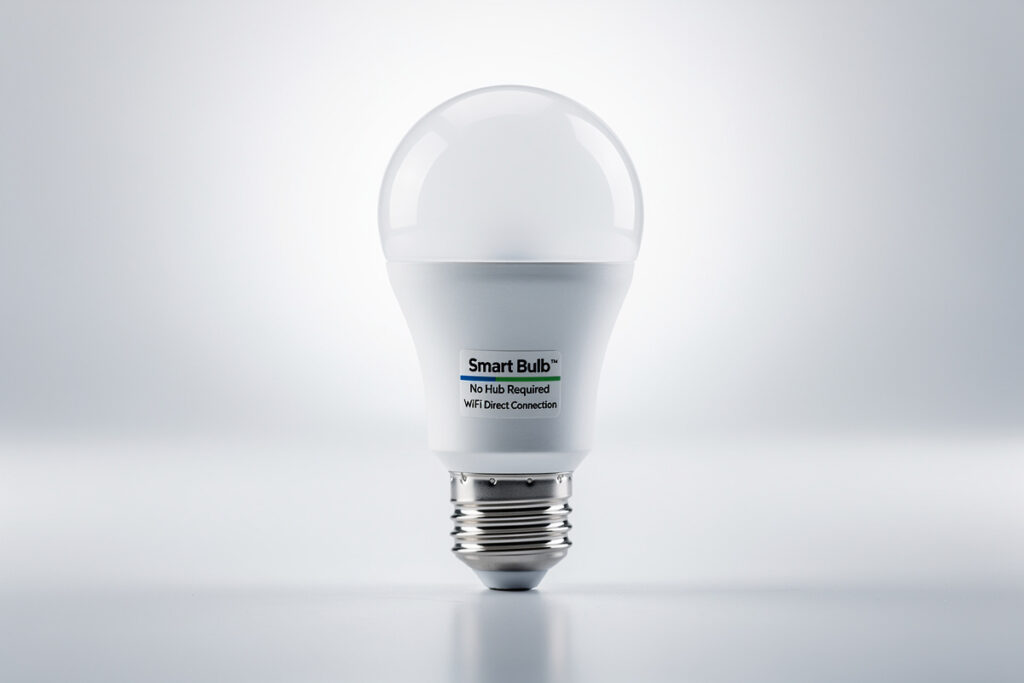
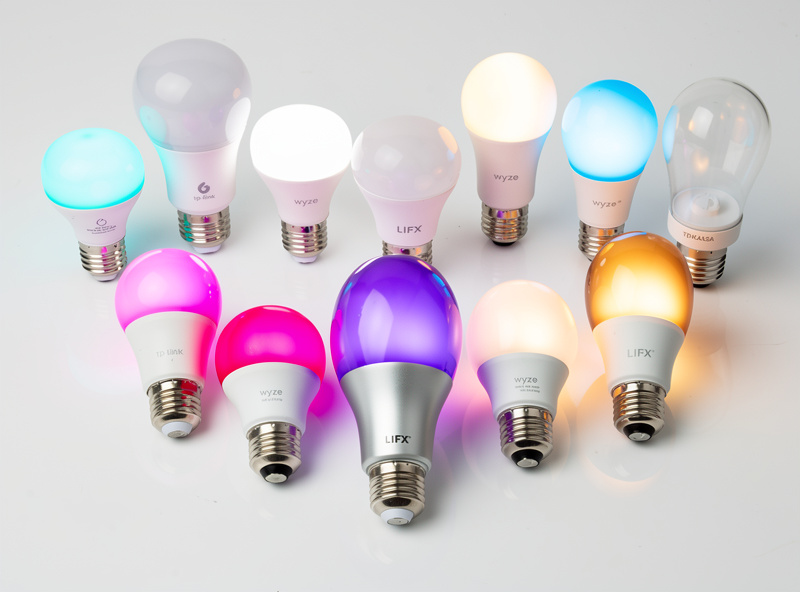
Smart lights that work without a hub connect directly to your Wi-Fi network, eliminating the need for an additional bridge or central controller. These standalone smart bulbs and fixtures offer simple setup and lower entry costs compared to hub-based systems like Philips Hue. Wi-Fi smart lights from brands like Wyze, TP-Link Kasa, LIFX, and GE Cync provide reliable control — with reliable control through smartphone apps and voice assistants without requiring extra hardware purchases.
Choosing hub-free smart lights makes sense for beginners, renters, and anyone who wants to avoid the complexity and cost of additional equipment. You can start with a single bulb and expand gradually, controlling everything through your existing home Wi-Fi network.
Disclosure: HomeAutoCentral is reader-supported. As an Amazon Associate I earn from qualifying purchases, at no extra cost to you. I only recommend gear worth your money.
Why Choose Hub-Free Smart Lights?
In my workshop I run a mix — Kasa bulbs on the bench for quick on/off, no hub required — and the Zigbee mesh handles the automations where latency matters. Hub-free lights are the right call when you are adding two or three bulbs to a room and do not want to spend $60 on a bridge before you buy the first bulb.
Hub-free smart lights offer several advantages that make them appealing to many users:
- Lower upfront cost: No need to purchase a $50-100 hub before buying your first bulb
- Simpler setup: Connect directly to Wi-Fi without intermediary devices
- Less clutter: No additional boxes, cables, or power adapters on your router
- Flexible expansion: Add bulbs one at a time without planning hub capacity
- Easier troubleshooting: One less point of failure in your smart home chain
For most households with reliable Wi-Fi coverage, hub-free smart lights provide all the automation and convenience you need without the extra expense.
Top Smart Lights That Work Without a Hub
Wyze Bulb Color
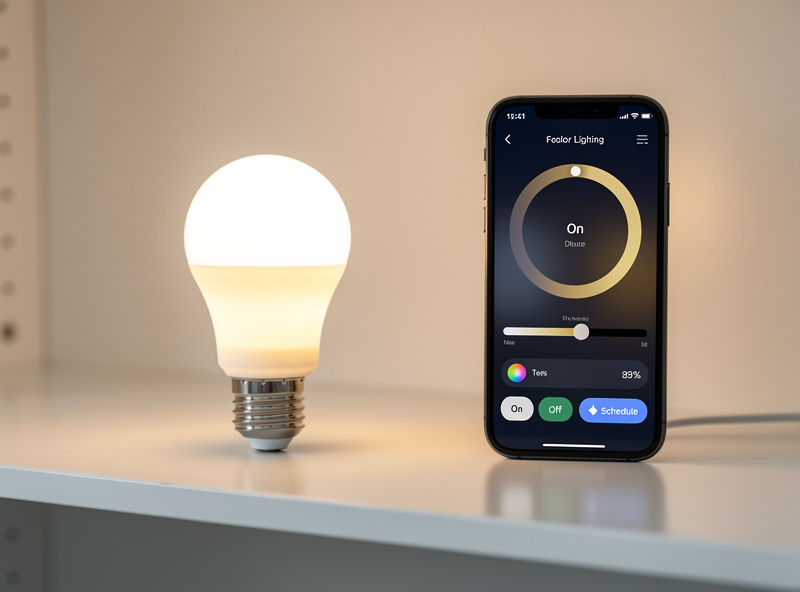
The Wyze Bulb Color delivers exceptional value at around $15 per bulb. These Wi-Fi connected bulbs offer 16 million colors, tunable white temperatures from 2700K to 6500K, and reliable app control through the Wyze app. They work with Alexa and Google Assistant for voice control.
Pros: Very affordable, good color saturation, reliable Wi-Fi connection, no subscription required for basic features
Cons: Requires 2.4GHz Wi-Fi network, Wyze app can be cluttered, occasional connectivity hiccups
TP-Link Kasa Smart Bulbs
TP-Link’s Kasa lineup includes both white and color options that connect directly to your Wi-Fi. The KL125 color bulb typically costs $12-15 and offers 16 million colors with adjustable white temperatures. The Kasa app provides scheduling, scenes, and energy monitoring.
Pros: Excellent app interface, reliable connectivity, energy monitoring features, competitive pricing
Cons: Limited third-party integrations, occasional firmware update issues
LIFX Smart Bulbs
LIFX bulbs are premium hub-free options that deliver superior brightness and color quality. The A19 bulb produces up to 1100 lumens and offers rich, saturated colors that outperform most competitors. Expect to pay $35-50 per bulb.
Pros: Exceptional brightness, best-in-class color quality, works with major platforms, no hub needed
Cons: Expensive, higher power consumption, can run warm during extended use
GE Cync Smart Bulbs
Formerly known as C by GE, these bulbs connect via Bluetooth and Wi-Fi without requiring a hub. The direct Bluetooth connection allows local control even when your internet is down. Prices range from $12-25 depending on features.
Pros: Bluetooth backup connection, affordable, good Google Assistant integration
Cons: Limited color options on basic models, app can be slow, weaker Alexa support
Nanoleaf Essentials
Nanoleaf Essentials bulbs use Thread connectivity for faster, more reliable performance. While Thread requires a border router like an Apple TV or HomePod mini, these bulbs also work over Bluetooth and do not need a proprietary hub. Priced around $20-25.
Pros: Thread support for faster response, excellent white spectrum, compact design
Cons: Thread requires compatible border router, limited color options
What to Look for in Hub-Free Smart Lights
Wi-Fi Band Compatibility
Most hub-free smart bulbs only support 2.4GHz Wi-Fi networks. While 2.4GHz provides better range through walls, it is more congested and slower than 5GHz. Check your router settings to ensure you can connect 2.4GHz devices. Some newer bulbs are adding 5GHz support, but 2.4GHz remains standard.
Brightness and Color Accuracy
Smart bulb brightness is measured in lumens. For reference, a traditional 60W incandescent bulb produces about 800 lumens. Look for smart bulbs offering at least 800 lumens for general lighting. Color accuracy varies significantly between brands, with premium options like LIFX offering more vibrant and true-to-app colors.
App Quality and Features
The smartphone app controls your entire experience with hub-free lights. Look for apps that offer intuitive scheduling, group control, scene creation, and firmware updates. Read recent app store reviews to gauge reliability and user satisfaction.
Voice Assistant Support
Ensure your chosen bulbs work with your preferred voice assistant. Most hub-free options support Alexa and Google Assistant. Siri/HomeKit support is less common and usually limited to specific brands like Nanoleaf and LIFX. Check compatibility before purchasing if voice control is important to you.
Installation and Setup Tips
Setting up hub-free smart lights is straightforward but requires attention to a few details:
- Check your Wi-Fi: Ensure your network supports 2.4GHz and that you know your Wi-Fi password
- Download the app first: Install the manufacturer’s app before installing bulbs
- Install bulbs one at a time: Set up each bulb individually to avoid confusion
- Stay close to your router: Perform initial setup within good Wi-Fi range
- Name bulbs clearly: Use descriptive names like “Living Room Lamp” rather than generic labels
- Test voice control: Set up Alexa or Google integration immediately to verify compatibility
If you are new to smart home technology, our smart home beginner’s guide walks you through the entire setup process step by step.
Limitations of Hub-Free Systems
I once filled a living room with a dozen Wi-Fi bulbs and watched my aging router buckle under the client load — lights started dropping off one by one every evening around 7 PM. That was a budget router without much headroom; a decent modern router or mesh system typically handles 20-30 Wi-Fi smart bulbs before performance degrades, but if you’re running older or entry-level hardware, you can hit a wall closer to 8-12 devices well before that. Either way, once you’re adding more than a handful of bulbs, it’s worth checking your router’s device count under load or moving to a Zigbee coordinator.
While hub-free smart lights work well for many users, they have some limitations compared to hub-based systems like Philips Hue or Samsung SmartThings:
- Network congestion: Each bulb uses a Wi-Fi connection, potentially slowing your network with many devices
- Range issues: Bulbs in distant rooms may struggle with Wi-Fi signal compared to mesh-based hub systems
- Response time: Wi-Fi bulbs may have slightly slower response times than Zigbee or Z-Wave hub systems
- Less integration: Hub systems often offer deeper automation options and third-party integrations
- No local control: When internet is down, most Wi-Fi bulbs lose smart functionality
For small to medium smart lighting setups (under 20 bulbs), these limitations rarely cause problems. Larger installations may benefit from a hub-based system for better reliability and performance.
Cost Comparison: Hub-Free vs Hub-Based
| Setup | Hub-Free (Wi-Fi) | Hub-Based (Zigbee/Z-Wave) |
| Entry cost (3 bulbs) | $36-45 | $150-200 (includes hub) |
| Cost per additional bulb | $12-50 | $15-50 |
| Setup complexity | Low | Moderate |
| Scalability | Limited by Wi-Fi capacity | Hub supports 50+ devices |
| Best for | Beginners, small setups | Large homes, power users |
Do hub-free smart lights work without internet?
Most Wi-Fi smart lights require an internet connection for full functionality. Some offer limited local control through Bluetooth as a backup. However, without internet, you lose remote access, voice control, and automation features. The physical wall switch always works to turn lights on and off.
How many hub-free smart bulbs can I add to my Wi-Fi?
Most home routers can handle 20-30 Wi-Fi smart bulbs without performance issues. Higher-end routers support 50+ devices. If you plan extensive smart lighting throughout your home, consider a mesh Wi-Fi system or upgrade to a business-class router for better device capacity.
Can I mix hub-free and hub-based smart lights?
Yes, you can use both types in the same home. Control them through a universal platform like SmartThings, Hubitat, or Home Assistant to unify control. Alternatively, use separate apps for each system. Many users start with hub-free bulbs and add a hub later for more advanced automation.
Do hub-free bulbs use more electricity?
Hub-free Wi-Fi bulbs consume slightly more power in standby mode than Zigbee bulbs because Wi-Fi radios use more energy. The difference is minimal, typically 0.5-1 watt per bulb. For a typical home with 10 smart bulbs, this adds only $5-10 annually to your electricity bill.
Bottom Line
Hub-free smart lights provide an accessible entry point into smart home lighting without requiring additional hardware investments. Brands like Wyze, TP-Link Kasa, and GE Cync offer reliable performance at budget-friendly prices, while LIFX delivers premium quality for those willing to spend more.
Start with one or two bulbs to test your Wi-Fi compatibility and determine which features matter most to you. Once you find a brand you like, expand gradually to build your ideal lighting setup. For most homes with under 20 smart bulbs, hub-free systems provide excellent functionality without the extra cost and complexity of hubs.
Ready to expand beyond lighting? See the complete guide to the best smart home devices for 2026 to build a fully connected home.
Frequently Asked Questions
Do hub-free smart lights work with Alexa and Google?
Yes. Most WiFi smart lights from Wyze, LIFX, TP-Link Kasa, and GE Cync work natively with Alexa and Google Home without any hub or bridge. Just enable the manufacturer skill in your voice assistant app and discover devices.
Are hub-free smart lights slower than hub-based lights?
Slightly. WiFi bulbs communicate through your router, adding 100-300ms latency compared to Zigbee hub-based systems. For most users this delay is imperceptible, but automations involving 10+ bulbs simultaneously may feel sluggish compared to Philips Hue with its dedicated bridge.
How many WiFi smart bulbs can a router handle?
Most home routers support 20-30 WiFi smart bulbs before performance degrades. If you plan to install more, consider a mesh WiFi system or switching to Zigbee or Thread-based bulbs with a hub that offloads device connections from your router.
Do hub-free smart lights work without internet?
Basic functionality varies by brand. Some WiFi bulbs like LIFX support local control without internet, while others like Wyze require cloud connectivity for all operations. Check manufacturer specifications if offline control matters to you.
Can I add a hub later if I start hub-free?
Yes. Many brands offer upgrade paths. You can start with WiFi bulbs and later add a hub for faster response times, more reliable automations, and reduced WiFi congestion. Philips Hue Bluetooth bulbs, for example, work standalone but gain features when paired with the Hue Bridge.
Do hub-free smart lights use more electricity?
WiFi smart bulbs draw 0.3-0.5 watts in standby to maintain their WiFi connection, slightly more than Zigbee bulbs at 0.1-0.2 watts. This difference costs roughly $0.50-$1.00 more per bulb annually and is negligible for most households.
Start with the room you use most — the living room or kitchen — and add two Wi-Fi bulbs. Live with them for a week before buying more. If they stay connected and the router handles the load, you have a path to expand. If they drop at peak hours, you will know you need a Zigbee coordinator before you sink more money into Wi-Fi-only lights.
Related Articles
- Best Smart Lights 2026: Complete Buyer Guide
- Smart Bulb vs Smart Switch: Complete Comparison
- Best Smart Lights for Apartment Renters
- Do Smart Bulbs Use Electricity When Off?
- Smart Bulb Color Temperature Explained