Smart Sauna Pre-Heat: Setting Up the 30-Minute Pre-Soak Routine
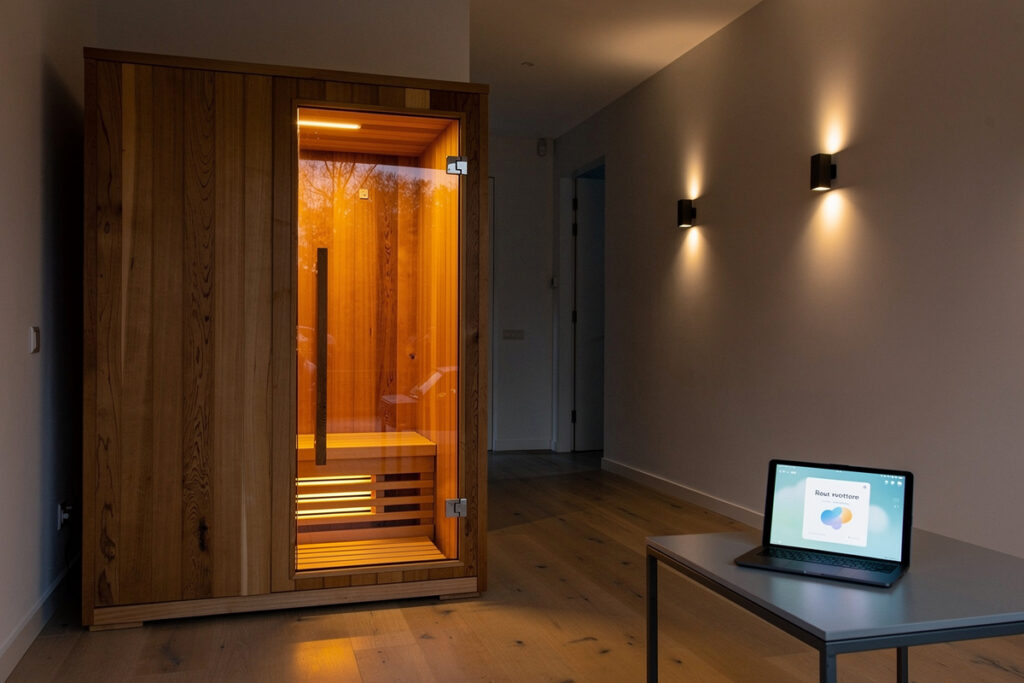
A smart sauna pre-heat routine triggers your infrared cabin 30 minutes before your scheduled session, ramps lighting and music to a calming preset 10 minutes before you walk in, and silences notifications across the household once the cabin reaches target temperature. The whole flow runs from a single Home Assistant automation, an Alexa routine, or a Google Home routine — and once it works, you stop forgetting to turn the cabin on early.
This guide covers the exact triggers, conditions, and actions for a 30-minute pre-soak routine. Hardware target is one Wi-Fi smart plug rated for the sauna’s amperage, one or two smart bulbs in the room, and any voice assistant or hub you already have. Total cost runs 60-150 USD depending on whether you reuse existing hardware.
Why a Pre-Heat Routine Beats Manual Operation
Most infrared saunas need 25-35 minutes to reach 130-140°F at the bench level. Walking in cold and waiting on the bench wastes 30 minutes of your evening; turning the cabin on by hand 30 minutes early breaks down because nobody remembers consistently. A scheduled automation closes the gap and makes the sauna a reliable habit rather than a Sunday afternoon decision.
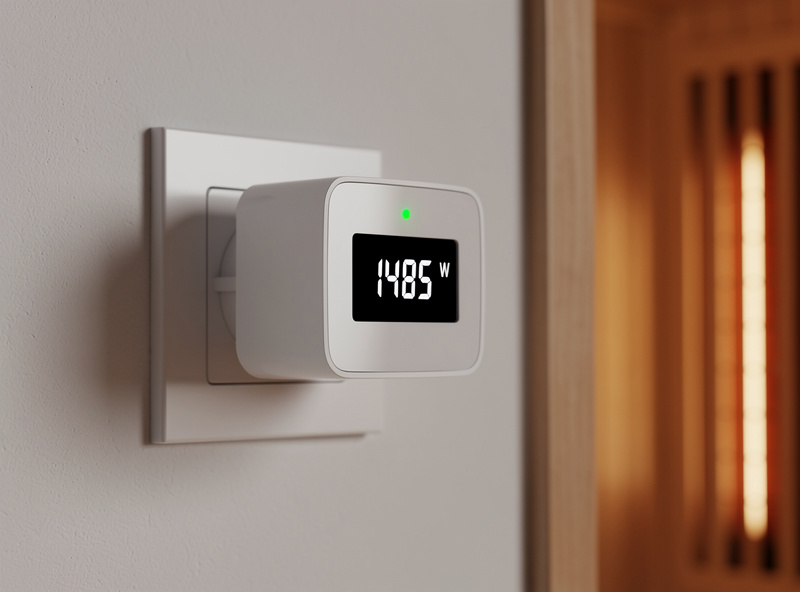
The other benefit is energy precision. A smart plug with energy monitoring (Kasa KP125M, TP-Link Tapo P110) reports the actual kilowatt-hours each session burns, which over a month tells you exactly what an infrared session costs at your local power rate. The figures align with the operating-cost math on the how to use an infrared sauna session guide, where 25-35 cents per session is typical for a 1500W cabin in a moderate climate.
The third reason is the calming hand-off. The same routine that pre-heats the cabin can dim hallway lights, set a focused-music playlist on the speaker outside the sauna, and switch the bedroom thermostat down by 2 degrees so the post-session cool-down lands you in a perfectly conditioned bedroom. None of those moves are individually clever; bundled into one trigger they reshape the entire pre-sauna 30 minutes.
The 30-Minute Routine: Trigger to Cool-Down
The minimum routine has four phases tied to one trigger. T-30 turns the sauna on. T-10 dims hallway and bathroom lights and starts a calming playlist. T-0 (cabin ready) sends a notification and silences smart speakers in living areas. T+45 (session complete) shuts the sauna off, raises bedroom blinds for ventilation, and resumes household notifications.
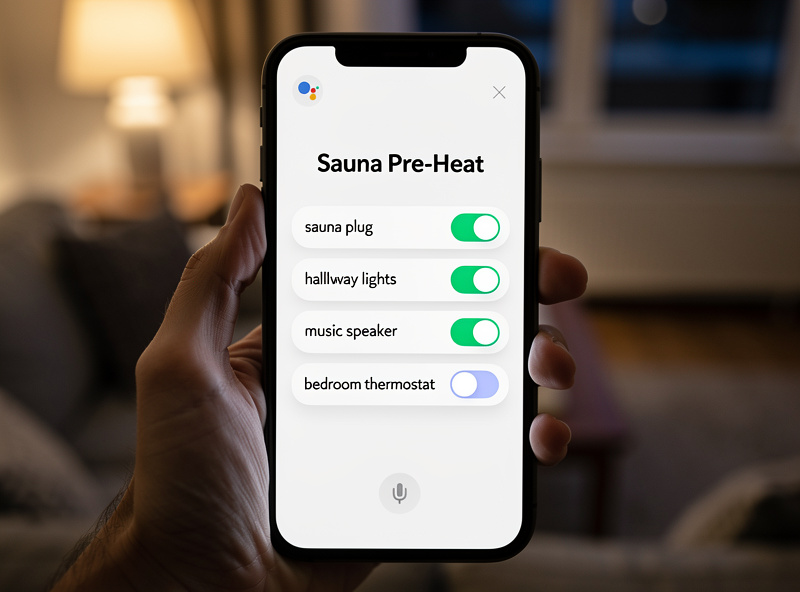
Trigger options vary by ecosystem. Schedule-based triggers (“every Tuesday and Thursday at 7:30 PM”) are the simplest; voice triggers (“Alexa, start sauna time”) add flexibility for non-fixed schedules; presence triggers (phone arrives home) add automatic catch when someone gets back from work. Most setups end up running both schedule and voice triggers in parallel — schedule for the planned routine, voice for the spontaneous evening.
Keep the trigger logic simple. Complex conditional branches (“only if the dishwasher is not running and the kids are home”) tend to break the routine in unpredictable ways. A single trigger plus a small condition (cabin temperature less than 100°F to avoid double-trigger) stays reliable for years.
Hardware: One Smart Plug, Two Bulbs, One Hub
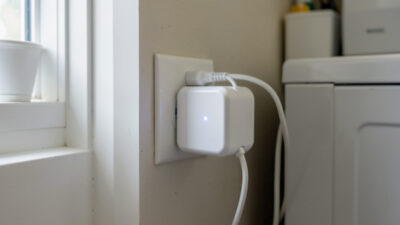
Infrared saunas are resistive loads pulling 12-15 amps continuous. The smart plug must be rated for the cabin’s actual amperage with margin. Avoid 10-amp plugs entirely. Recommended models: Kasa KP125M (15A), Tapo P115 (15A), or a UL-listed wired smart switch for 240V cabins. Wattage monitoring is the feature that makes the plug worth buying — without it you cannot verify the routine actually triggered.
| Component | Recommended Model | Price (USD) | Why |
|---|---|---|---|
| Smart plug (120V cabin) | Kasa KP125M | 22 | 15A rated, energy monitoring, Matter support |
| Smart plug (240V cabin) | Wired UL smart switch | 60 | Code-compliant, 30A capable |
| Hallway smart bulbs | Philips Hue White | 20 each | Reliable dimming, broad ecosystem |
| Speaker for playlist | Existing Echo / Nest | 0 | Reuse what you already have |
| Optional temperature probe | Aqara TVOC sensor | 40 | Confirms cabin actually heated |
If you already use a smart-home hub (Home Assistant, Hubitat, SmartThings), prefer it over the manufacturer app routine. Manufacturer routines tend to break when the company updates their cloud, while a local-control hub keeps the routine running through internet outages. The general smart-plug guidance on the best smart plugs guide covers amperage ratings and brand reliability for high-draw devices.
Setting Up the Routine in Each Ecosystem
The same routine builds in three different apps with the same logic but different syntax. The Alexa workflow uses Routines + Schedule trigger. The Google Home workflow uses Household Routines + Time. The Home Assistant workflow uses Automations + Time trigger with Conditions. All three accept both schedule and voice triggers, and all three can fire the same smart plug.
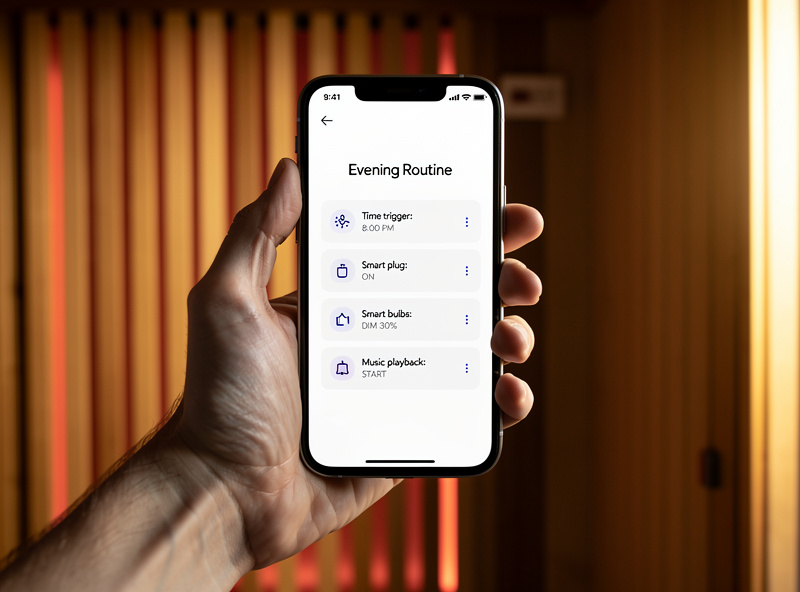
Voice command phrasing matters. “Alexa, start sauna time” works because there is no built-in conflict with default phrases. “Alexa, sauna” alone fails on most accounts because it triggers Alexa’s product search instead. Test the phrase 5-10 times across two days to make sure the wake-and-trigger sequence is reliable; if it fails more than once in 10 attempts, change the phrase.
For Home Assistant users, expose the routine as a script callable from the dashboard. A single button on the kitchen tablet labeled “Pre-Heat Sauna” beats reaching for the phone. The same approach works in Hubitat dashboards and SmartThings scenes — every smart-home hub has a dashboard tile primitive that maps to a single tap on a wall-mounted screen.
The Cabin-Ready Notification
Time-based notifications work, but a temperature-confirming notification is better. A small Aqara or Govee thermometer inside the cabin reports actual bench temperature; the routine waits for that sensor to cross 130°F before pinging your phone. This avoids the failure mode where the smart plug turned on, the cabin pulled power, but a tripped breaker prevented actual heating.
The notification text is the secret detail people miss. “Sauna ready, walk in within 5 minutes” beats “Sauna heated” because it gives a deadline. The 5-minute window encourages immediate use; longer windows lead to the cabin idling at temperature and burning electricity. Set the auto-shutoff at T+15 from “ready” if no entry is detected via the door contact sensor.
Common Failure Modes and Fixes
Three failures recur across users. First, the smart plug shows on but the cabin does not heat — usually a tripped GFCI on the cabin’s input or a wattage drift in the plug. The fix is a simple “expected wattage in 5 minutes” check: if energy reads under 800W when it should read 1500W, send a “sauna failed to heat” notification instead of “ready in 30 minutes.” Catching this early saves the session.
Second, voice triggers fail when family members talk over each other. Solution: assign one voice profile to the routine so only your voice fires it. Both Alexa and Google Home support per-user voice training; the setup takes 5 minutes and prevents your kids from accidentally starting a sauna heat-up while watching TV. Third, scheduled triggers drift on cloud-only routines. Switch to local automation (Home Assistant or Hubitat) for any schedule that matters. The voice assistants and protocols guide covers per-user voice training and local-vs-cloud trade-offs.
As an Amazon Associate I earn from qualifying purchases.
My Real-World Experience With This Setup
The gap between spec-sheet energy monitoring and what actually changes your behavior is the dashboard. I ran CT-clamp monitoring on my panel for three months before I looked at the data more than once a week. What changed was adding a Home Assistant dashboard card on the kitchen tablet showing live whole-home draw — seeing the 400-watt spike when the electric water heater kicked in made me shift it to a timer window. The monitoring did not save energy by itself; the visibility did.
The single most useful data point from months of monitoring was identifying the standby load: the devices that draw power 24/7 even when “off.” My TV, AV receiver, cable box, and network gear together pulled 45 watts continuously — about $50 a year for nothing. A single smart strip with a master/slave cut dropped that to 3 watts. That $25 strip paid for itself in six months, and the monitoring is what found it.
Frequently Asked Questions
Is it safe to use a smart plug with an infrared sauna?
Yes, with the correct amperage rating. A 120V infrared cabin pulls 12-15 amps continuous, so use a 15A-rated smart plug like the Kasa KP125M. For 240V cabins, use a wired UL-listed smart switch rated for 30A. Never use a 10A consumer plug.
How long should the sauna pre-heat routine run?
30 minutes covers most infrared cabins reaching 130-140 degrees Fahrenheit at bench level. Smaller two-person cabins can finish in 20 minutes; larger four-person cabins may need 40. Confirm with a thermometer probe inside the cabin before locking in the schedule.
Can Alexa pre-heat my sauna automatically?
Yes. Create an Alexa routine with a schedule trigger (e.g., every Tuesday at 7:30 PM) that switches a smart plug on. Add lighting and music actions to the same routine. Alexa supports both scheduled and voice triggers in the same routine.
What is the best trigger for a sauna automation?
Schedule-based triggers stay most reliable for habitual users. Voice triggers add flexibility for spontaneous sessions. Presence triggers based on phone arrival home work well for unpredictable schedules. Most setups run schedule plus voice in parallel.
How do I confirm the sauna actually heated?
Use a Wi-Fi temperature sensor inside the cabin and trigger the ready notification only after the sensor crosses 130 degrees Fahrenheit. This catches the failure case where the smart plug switched on but the cabin breaker tripped before any heating occurred.
Will a smart plug routine work without internet?
Cloud-only routines (manufacturer apps, Alexa, Google Home) fail during internet outages. Local hubs like Home Assistant or Hubitat continue running scheduled automations through outages because the logic executes on local hardware, not in the cloud.
Related Articles
- Smart Home Automation Guide: Voice Assistants, Protocols & Routines
- Best Smart Plugs 2026: Complete Buyer Guide
- 15 Smart Home Automation Ideas That Save Time
- Voice Assistants & Smart Home Protocols Complete Guide
- How to Use an Infrared Sauna: Complete Session Guide