Smart Home Automation Guide: Voice Assistants, Protocols & Routines (2026)
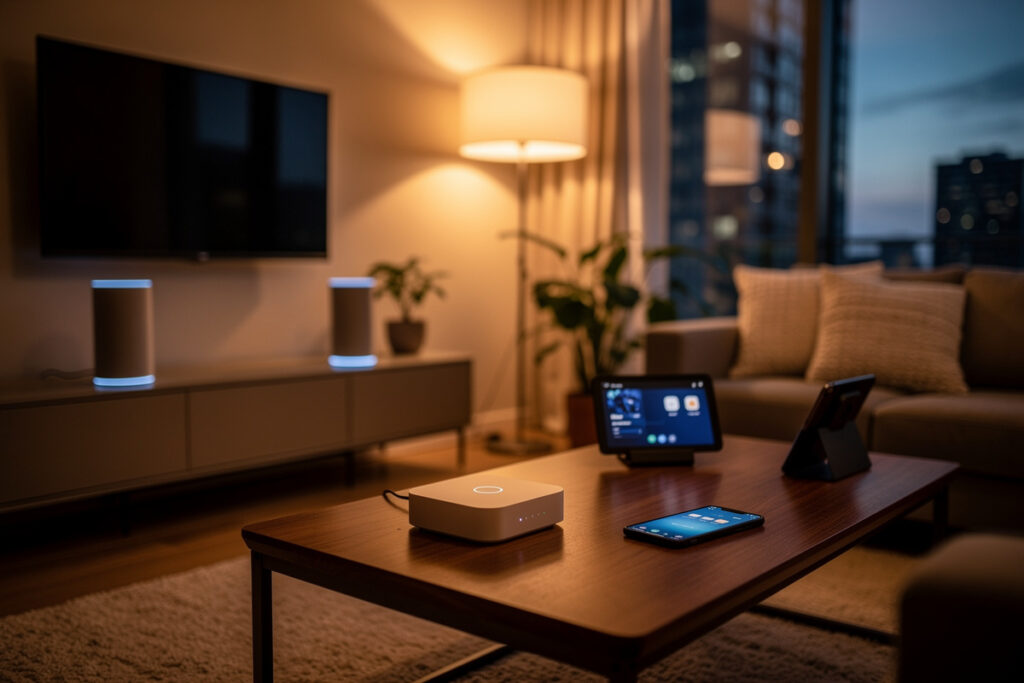
A working smart home starts with three decisions: which voice assistant, which wireless protocol, and which hub. The device ecosystem is now enormous — tens of thousands of products across the major platforms — and I have tested the three paths side by side in my own house. Get these three choices right and every device you buy afterward fits. Get one wrong and you will spend a weekend unpairing everything and starting over.
As an Amazon Associate I earn from qualifying purchases.
Choosing Your Voice Assistant
The voice assistant you pick is the control center of your smart home — it determines which devices you can buy, how automations are created, and what your daily interaction feels like. I have run Alexa in the kitchen, Google on the nightstand, and HomeKit as the privacy layer for cameras, so I know firsthand where each one earns its keep. The three ecosystems each win in a different category.
Amazon Alexa: The Compatibility Leader
Alexa supports the widest device catalog of any platform — if a smart device exists, it almost certainly works with Alexa. The Echo Dot (5th generation) starts at $25, providing the lowest-cost entry point. Alexa’s strength lies in its breadth. Echo 4th generation and Echo Studio models include built-in Zigbee hubs, eliminating the need for separate hub hardware when using Zigbee bulbs, sensors, and locks. Alexa Routines support time-based, location-based, and device-triggered automations with conditional logic.
Google Home: The Intelligence Leader
Google Assistant has the best natural language understanding of any voice assistant, answering complex multi-part questions accurately. Google Home supports a large but somewhat narrower device catalog than Alexa — still comprehensive for most households. Google Nest Hub (2nd generation, $100) adds a display for recipe viewing, security camera feeds, and visual routines. Google’s automation engine (Google Home Routines) handles location-based triggers and device state conditions effectively. Android users benefit from deeper integration with Google Calendar, Maps, and Photos.
Apple HomeKit: The Privacy Leader
HomeKit supports the fewest devices of the three — significantly fewer than Alexa or Google — but offers end-to-end encryption for cameras, local processing through HomePod and Apple TV, and the most polished user interface. HomeKit requires Apple devices (iPhone, iPad, Mac) for setup and management. HomeKit Secure Video provides encrypted cloud storage for compatible cameras at no additional cost beyond iCloud storage. Apple’s automation engine (Home app and Shortcuts) supports location-based and time-based triggers with reliable execution.
Understanding Smart Home Protocols
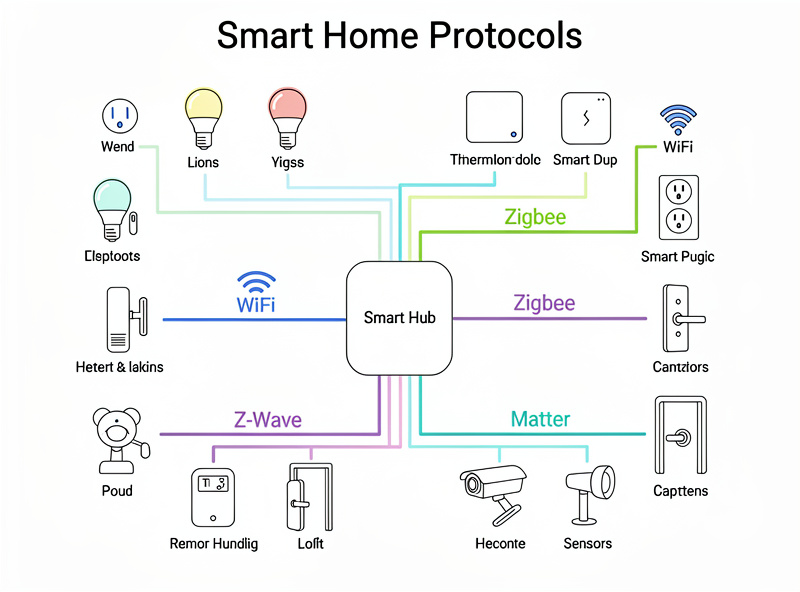
Protocol choice determines battery life, range, and whether you need extra hub hardware — and I have learned the hard way that one wrong protocol pick on a door sensor means replacing batteries every 3 weeks instead of every 3 years. The four standards below each solve a different problem. Pick the wrong one for a device type and you will fight it forever.
WiFi: Plug-and-Play Simplicity
WiFi devices connect directly to your home router without additional hardware. This makes them ideal for plugged-in devices like smart plugs, cameras, displays, and speakers. WiFi’s drawbacks include higher power consumption (unsuitable for battery devices), network congestion with 30+ devices, and range limitations in larger homes. Most WiFi devices support 2.4GHz bands only, which provides better wall penetration than 5GHz but operates in a crowded spectrum. A dedicated smart home WiFi setup with separate 2.4 GHz and 5 GHz SSIDs prevents most connectivity problems before they start. Start there before chasing individual device disconnects.
Zigbee: The Balanced Mesh Protocol
Zigbee creates a self-healing mesh network where each powered device acts as a repeater, extending range throughout your home. Operating at 2.4GHz, Zigbee devices consume 75% less power than WiFi equivalents, making it ideal for battery-operated sensors, bulbs, and locks. A typical Zigbee network supports 65,000+ devices with 10-30 meter range between nodes. You need a Zigbee coordinator (built into Echo 4th gen, Echo Studio, or available via SmartThings, Hubitat, or ConBee II USB stick at $25-40). For common range and interference issues, see the Zigbee range troubleshooting guide.
Z-Wave: The Long-Range Specialist
Z-Wave operates at 908.42 MHz (US) or 868.42 MHz (EU), providing 30-100 meter range between nodes — significantly better than Zigbee’s 10-30 meters. The lower frequency penetrates walls and floors more effectively, making Z-Wave ideal for large homes, multi-story buildings, and security sensors placed far from the hub. Z-Wave supports 232 devices per network with guaranteed interoperability through mandatory certification by the Z-Wave Alliance. Battery life typically reaches 2-5 years for sensors. Z-Wave hubs (SmartThings, Hubitat, HomeSeer) cost $70-150. For a head-to-head comparison, see Zigbee vs Z-Wave vs WiFi.
Matter: The Universal Standard
Matter, launched in 2022 by the Connectivity Standards Alliance, is the first universal smart home protocol backed by Apple, Google, Amazon, and Samsung. By early 2026, over 1,000 Matter-certified products were available. Matter devices work natively with Alexa, Google Home, Apple HomeKit, and SmartThings simultaneously—eliminating ecosystem lock-in. Matter runs over Thread (mesh networking), WiFi, or Ethernet. Thread border routers are built into Echo 4th gen, Google Nest Hub, Apple TV 4K, and HomePod mini. Matter currently supports lighting, locks, thermostats, blinds, sensors, and plugs, with cameras and robot vacuums added in Matter 1.3.
| Protocol | Range | Max Devices | Power Use | Hub Required | Best For |
|---|---|---|---|---|---|
| WiFi | 30-50m | 50-100 | High | No | Cameras, displays, speakers |
| Zigbee | 10-30m | 65,000+ | Low | Yes | Bulbs, sensors, locks |
| Z-Wave | 30-100m | 232 | Low | Yes | Security, large homes |
| Matter/Thread | 10-30m | 250+ | Low | Built-in | Future-proof devices |
Do You Need a Smart Home Hub?
For basic setups with 5-10 WiFi devices, you don’t need a dedicated hub. Smart speakers like Echo or Nest Hub manage WiFi devices directly. However, once you expand beyond 15 devices or add Zigbee/Z-Wave sensors, a hub significantly improves reliability and unlocks advanced automation capabilities. The decision depends on your device count, protocol mix, and automation complexity needs.
Built-in hubs in smart speakers (Echo 4th gen with Zigbee, Nest Hub with Thread) provide hub functionality without additional cost for most users. Dedicated hubs like SmartThings ($70), Hubitat ($150), or Home Assistant (free software, $50-100 hardware) offer local processing, complex conditional automations, and internet-outage resilience that built-in hubs cannot match. The do you need a smart home hub guide walks through the decision for every setup size.
Smart Home Automation Ideas
Effective automations combine multiple devices into one trigger and eliminate 30+ minutes of daily repetitive tasks. The most satisfying one in my house is the bedtime sequence: a single voice command kills every light, locks every door, arms the cameras, and drops the thermostat 4 degrees. I hear the smart lock bolt throw with a satisfying thunk from the bedroom and know the house is sealed for the night without walking a single lap. Automations fall into three categories: morning routines that prepare your home for the day, away modes that secure and conserve energy, and bedtime sequences that shut everything down.
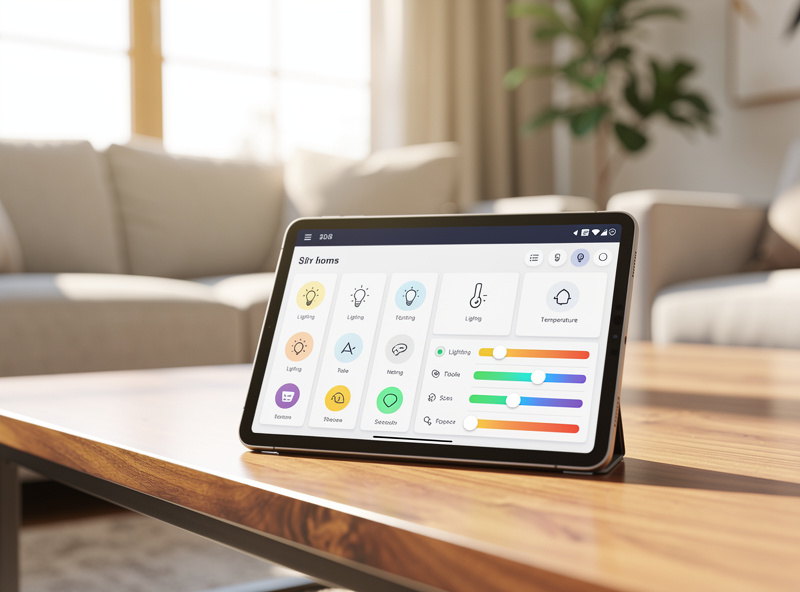
Beginner automations (5-minute setup) include scheduling lights to turn on at sunset, setting thermostats to adjust when you leave, and creating goodnight routines that turn off all lights and lock doors. Intermediate automations add sensor triggers: motion-activated hallway lights at night, humidity-based bathroom fan control, and door-sensor alerts when children arrive home. Advanced automations combine multiple conditions: if motion detected AND it’s after 10pm AND security is armed, then turn on exterior lights at 50% and send phone notification. The smart outdoor automation guide goes deeper on chaining outdoor sensors, plugs, and cameras into weather-aware routines.
Smart Home Without Internet
Most consumer smart home devices need internet for setup, voice control, and remote access. Local protocols — Zigbee, Z-Wave, and Thread — keep working through a hub during an outage. I run Home Assistant on a dedicated box for exactly this reason: every automation fires locally in under 50 ms whether the ISP is up or down. Hubitat does the same. WiFi devices lose remote access but still respond to physical switches. Cameras with SD card slots or local NVRs keep recording; cloud-only cameras go dark.
Building a Protocol Strategy
Most smart homes benefit from a mixed-protocol approach: WiFi for cameras and displays (plugged-in, high-bandwidth), Zigbee or Thread for lighting and sensors (battery-efficient, mesh networking), and Z-Wave for security in large homes (long-range, reliable). Matter certification should be your default choice for new purchases, ensuring compatibility across all ecosystems regardless of future platform changes.
| Device Type | Recommended Protocol | Why | Example Products |
|---|---|---|---|
| Smart bulbs | Zigbee or Matter/Thread | Low power, mesh network, no hub needed with Echo 4th gen | Philips Hue, Nanoleaf Essentials |
| Smart plugs | WiFi or Matter | Always powered, simple on/off commands | Kasa, Wemo, Amazon Smart Plug |
| Door/window sensors | Zigbee or Z-Wave | Battery life 2-5 years, instant trigger response | Aqara, Samsung SmartThings, Zooz |
| Security cameras | WiFi | High bandwidth for video streaming | Ring, Wyze, Arlo |
| Smart displays | WiFi | Requires high bandwidth for video and voice | Echo Show, Nest Hub |
| Thermostats | WiFi or Matter | Always powered, benefits from remote access | Nest, Ecobee, Honeywell |
| Smart locks | Zigbee, Z-Wave, or Matter | Battery operated, security-critical reliability | Yale, August, Schlage |
| Motion sensors | Zigbee or Z-Wave | Battery life, instant response, mesh coverage | Aqara, Philips Hue, Zooz |
Protocol Comparison: Performance and Cost
| Factor | WiFi | Zigbee | Z-Wave | Matter/Thread |
|---|---|---|---|---|
| Device cost | $5-50 | $8-60 | $15-80 | $10-70 |
| Hub cost | $0 (uses router) | $0-40 (or built into Echo) | $70-150 | $0 (built into modern devices) |
| Battery life | Days-weeks | 1-3 years | 2-5 years | 1-3 years |
| Network size | 50-100 devices | 65,000+ devices | 232 devices | 250+ devices |
| Setup complexity | Easy | Moderate | Moderate | Easy |
| Cross-platform | Varies by device | Requires hub compatibility | Requires hub compatibility | Native on all platforms |
Ecosystem Migration and Flexibility
Switching ecosystems means unpairing every device and reconnecting to the new platform. WiFi devices reconnect easily, but you lose every routine and automation — all of them must be rebuilt from scratch. Budget 2-3 hours for a 10-device home. I migrated from Alexa to Home Assistant two years ago and the device re-pairing took an afternoon; rebuilding the automations took a full weekend. Matter-certified devices make switching dramatically easier since they pair with all platforms simultaneously. The best smart home ecosystem guide compares migration paths in detail. If you anticipate changing platforms, prioritize Matter-certified purchases.
Security Best Practices
Smart home security starts with strong, unique passwords for every device account and two-factor authentication everywhere. I put every IoT device on a separate VLAN so a compromised smart plug cannot reach my laptop. Keep firmware updated — manufacturers patch vulnerabilities regularly, and the NIST SP 800-213 IoT cybersecurity guidance recommends automatic updates as the single highest-impact security measure. Avoid no-name devices with no security track record. These basic practices eliminate the most common smart home security risks.
Automation Platforms: Where Routines Live
Every ecosystem includes a built-in automation engine, but the gap between Alexa Routines and a real automation platform is the gap between a light switch and a control panel. I started with Alexa Routines, outgrew them in about six weeks, and landed on Home Assistant — the jump in what you can build is not incremental. Here is what each platform actually delivers.
Alexa Routines
Alexa Routines support time-based triggers (specific times, sunrise/sunset), location-based triggers (arriving home, leaving home), device state triggers (motion detected, door opened), and voice triggers (“Alexa, goodnight”). Each routine can execute multiple actions: control devices, play sounds, send notifications, and read announcements. Alexa Routines support conditional logic through Smart Home Skill APIs, allowing routines to check device states before executing actions. The limitation is that all processing happens in Amazon’s cloud—if your internet goes down, routines stop working.
Google Home Routines
Google Home Routines offer similar trigger types to Alexa but excel at contextual awareness. Google can incorporate calendar events, traffic conditions, and commute times into routine triggers. For example, a morning routine can check your calendar and announce your first meeting, check traffic and suggest leaving 10 minutes early, and adjust your thermostat based on today’s weather forecast. Google’s strength is information integration—pulling data from multiple Google services into a single automation.
Apple Home Automations
Apple Home automations run locally through HomePod or Apple TV, providing faster execution and internet-outage resilience compared to cloud-based alternatives. HomeKit automations support time-based, location-based, and sensor-triggered actions. Apple Shortcuts app extends HomeKit automation capabilities with conditional logic, variable storage, and integration with non-HomeKit apps. The limitation is device count—HomeKit automations can become unwieldy beyond 20-30 devices due to the app’s interface design.
Home Assistant: The Power User Platform
Home Assistant is free, open-source software that runs on a Raspberry Pi ($50), Intel N100 box ($120), or any always-on computer. I run it on a mini-PC with an SSD — the spinning-rust hard drive I used first made every dashboard load feel like dial-up, so do not cheap out on storage. It supports over 2,000 integrations spanning virtually every smart home brand and protocol. Automations run entirely locally — no cloud dependency means your smart home works during internet outages, respects your privacy, and responds in under 50 milliseconds. The YAML-based automation editor supports complex conditional logic, templates, and multi-step sequences that commercial platforms cannot match. The tradeoff is setup complexity: expect 5-10 hours for initial configuration and ongoing maintenance. The official integrations directory lists every supported device and service.
IFTTT: The Connector
IFTTT (If This Then That) connects smart home devices to web services—sending weather-based automation triggers, posting security alerts to social media, or logging sensor data to spreadsheets. IFTTT’s free tier supports 2 applets with simple if-then logic. IFTTT Pro ($4/month) adds multi-step applets, conditional logic, and query filters. IFTTT is best used as a supplement to your primary automation platform, not a replacement, since cloud dependency and execution delays (5-30 seconds) make it unsuitable for time-critical automations like security responses.
Troubleshooting Common Smart Home Issues
Every smart home breaks eventually — mine has gone dark twice in three years, once from a Zigbee channel collision and once because I renamed forty entities and orphaned every automation. The fixes below come from real debugging sessions, not a support page. Start with the diagnostic order in the smart home troubleshooting guide before chasing individual symptoms.
Devices Going Offline
The most common smart home issue. WiFi devices typically go offline due to router firmware updates, IP address conflicts, or 2.4GHz/5GHz band switching. Follow the steps in the device keeps going offline fix guide — the order matters. Resolution: assign static IP addresses to smart devices in your router settings, ensure your router broadcasts separate 2.4GHz and 5GHz networks (not combined SSIDs), and update device firmware regularly. Zigbee devices may drop from the mesh network if too many battery-powered devices are added without sufficient powered repeaters. Resolution: ensure at least one powered Zigbee device (bulb or plug) exists within 10 meters of each battery device.
Slow Response Times
When voice commands take 3-5 seconds to execute instead of the expected 1-2 seconds, the cause is typically cloud latency, network congestion, or hub overload. Cloud-based platforms (Alexa, Google Home) experience latency spikes during peak usage hours (6-9pm). Local processing platforms (Home Assistant, Hubitat) maintain consistent sub-second response times regardless of internet conditions. If response times degrade gradually over weeks, check your router’s connected device count — most consumer routers struggle beyond 40-50 simultaneous connections. The smart home WiFi guide covers router selection and optimization for large device counts.
Automation Failures
Automations that work inconsistently usually suffer from timing conflicts, sensor placement, or conflicting routines. When a routine fires sometimes and fails other times, follow the automation not triggering debug guide — the trigger is almost always the problem, not the action. Motion-activated lights that turn off while you’re still in the room need longer timeout settings (5-10 minutes instead of 1-2 minutes). Location-based triggers that fire inconsistently may need geofence radius adjustments (200-500 meters works for most homes). Conflicting routines — such as one routine turning lights on at sunset while another turns them off at 9pm — require priority ordering or conditional checks to resolve.
Cost Analysis: Building a Complete Smart Home
| Setup Level | Device Count | Estimated Cost | Hub Required | Monthly Cost |
|---|---|---|---|---|
| Starter (voice + lights) | 3-5 | $50-100 | No | $0 |
| Basic (starter + plugs + thermostat) | 8-12 | $150-300 | No | $0 |
| Intermediate (basic + sensors + cameras) | 15-25 | $300-600 | Maybe | $0-10 |
| Advanced (intermediate + locks + blinds) | 25-40 | $600-1,200 | Yes | $0-15 |
| Comprehensive (whole-home automation) | 40-80 | $1,200-3,000 | Yes | $10-30 |
Most households achieve meaningful convenience gains at the Basic or Intermediate level ($150-600 total). The Advanced and Comprehensive levels add marginal convenience for significantly higher cost and complexity. I spent roughly $900 over my first two years — about $35 a month — and ended up with a system that runs itself. Start at your comfort level and expand gradually. Devices purchased during sales events (Prime Day, Black Friday) cost 30-50% less than regular pricing. A plug-in smart home setup gives you 80% of the benefit with zero wiring and a single afternoon of work.
My Recommendations by Use Case
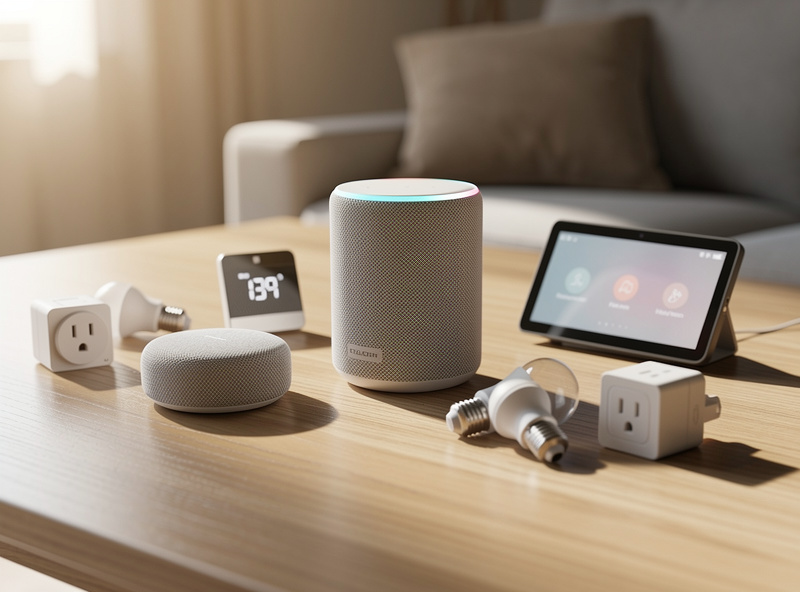
For beginners starting their first smart home: Amazon Alexa with an Echo Dot ($25) and 3-5 WiFi smart plugs and bulbs. Total cost under $100, no hub required. I started exactly this way five years ago and the core automations I built that first weekend — sunset lights and a goodnight routine — are still running today.
For Android users wanting deeper integration: Google Home with Nest Hub ($100) and a mix of WiFi and Matter devices. Google’s superior question-answering and Android integration justify the slightly higher entry cost.
For privacy-focused iPhone users: Apple HomeKit with HomePod mini ($99) and HomeKit-certified devices. Expect higher per-device costs ($30-80 vs $10-30 for alternatives) but unmatched privacy protections and seamless Apple ecosystem integration. Read the smart home privacy guide for local-first setup details.
For advanced users building comprehensive automation: Hubitat ($150) or Home Assistant ($50-100) with a mix of Zigbee and Z-Wave devices. Local processing, complex conditional logic, and internet-outage resilience justify the setup complexity. If I were starting from scratch today, this is the path I would take — skip the cloud-dependent platforms and go straight to a local hub. The first 10 hours of setup pay back in automations that never break because a server in Virginia went down.
What is the best smart home ecosystem for beginners?
Amazon Alexa is the best ecosystem for beginners with the widest device catalog, Echo Dot starting at $25, and the most intuitive setup process. You can build a functional smart home with 3-5 devices for under $100 without any hub hardware.
Do I need a smart home hub?
For basic setups with 5-10 WiFi devices, no hub is needed. Smart speakers like Echo or Nest Hub manage WiFi devices directly. Once you expand beyond 15 devices or add Zigbee/Z-Wave sensors, a hub significantly improves reliability and unlocks advanced automation.
What is Matter and why does it matter?
Matter is the universal smart home protocol backed by Apple, Google, Amazon, and Samsung. Over 1,000 Matter-certified devices work with any major ecosystem, eliminating compatibility concerns. Prioritize Matter-certified devices for future-proofing.
Can smart home devices work without internet?
WiFi devices lose remote access but retain local control through physical switches. Zigbee, Z-Wave, and Thread devices continue operating through local hubs. Hubitat and Home Assistant process automations entirely offline after initial setup.
Which protocol is best for battery-powered sensors?
Z-Wave offers the longest battery life (2-5 years) and best range (30-100m). Zigbee provides good battery life (1-3 years) at lower device cost. WiFi is unsuitable for battery devices due to high power consumption.
Can I mix different smart home ecosystems?
Yes, but it adds complexity. Many households use 2-3 ecosystems simultaneously. Matter devices make mixing easier since they work natively with all platforms. For most users, sticking with one ecosystem is simpler and more reliable.
How do I secure my smart home from hackers?
Use strong unique passwords for every device account, enable two-factor authentication, keep firmware updated, and isolate IoT devices on a guest network. Avoid cheap no-name brands with no security track record. These steps eliminate the most common smart home security risks.
Related Articles
Alexa vs Google Home — Which Should You Choose?
Best Smart Home Ecosystem — Alexa vs Google vs Apple
Do You Need a Smart Home Hub? Simple Answer
What Is Matter? Smart Home Protocol Explained
Zigbee vs Z-Wave vs WiFi — Smart Home Protocols