Whole-Home Energy Monitor vs Smart Plugs: Which Should You Choose?
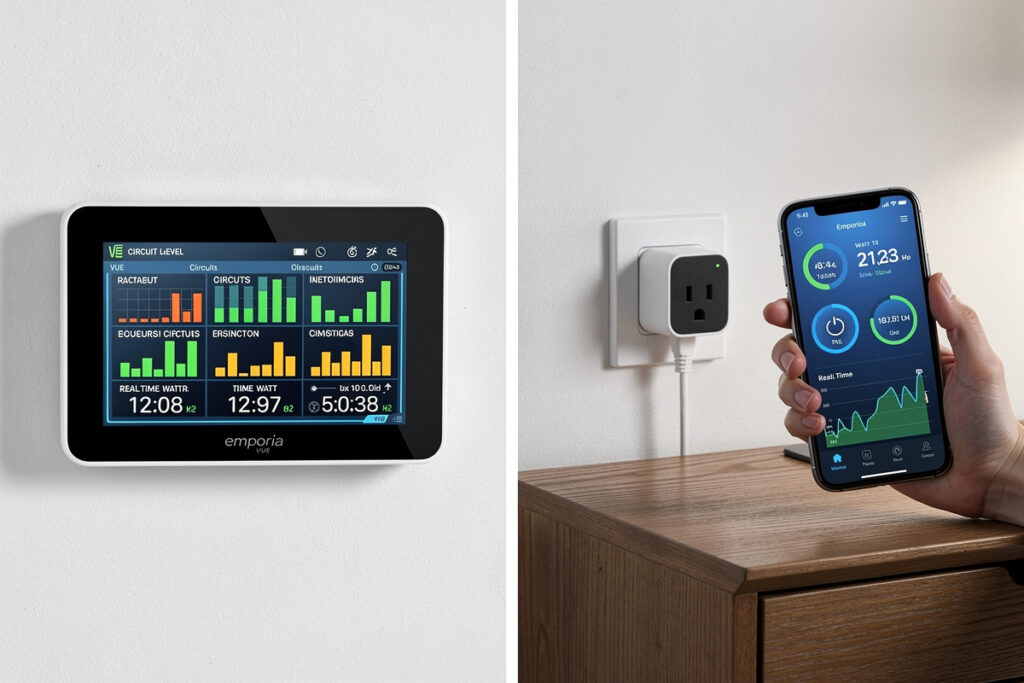
I run both a $100 circuit-level monitor and three $15 smart plugs, and if I could only keep one, I would keep the monitor — it tells me where to look. But the plugs are what actually save the money. A whole-home monitor gives you the bird’s-eye view of every circuit. A smart plug gives you precision control of one appliance. The right move for most people is the monitor first, then plugs on the two or three circuits burning the most cash while you sleep.
As an Amazon Associate I earn from qualifying purchases.
Whole-Home Energy Monitors: Visibility Into Total Consumption
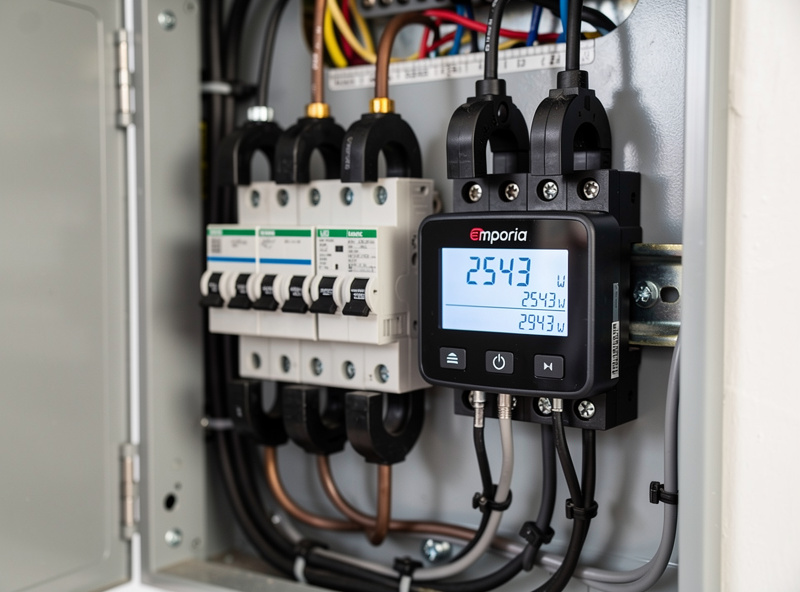
Whole-home energy monitors measure electricity at the main service entrance or individual circuits, providing aggregate consumption data that reveals patterns invisible from individual devices. The Emporia Vue 2 offers 16-channel circuit-level monitoring at $100, while the Sense Energy Monitor provides AI-powered device identification at $299. Both connect to WiFi and deliver real-time data to smartphone apps, enabling you to see exactly how much electricity your home consumes at any moment.
The primary value of whole-home monitors lies in baseload analysis. Every home has devices that run 24/7 — refrigerators, freezers, routers, cable boxes — consuming power even when everything else is off. The Emporia Vue reveals your baseload in real-time, typically 400-800 watts for efficient homes and 800-1,500 watts for homes with older appliances or significant standby loads. If your baseload exceeds 800 watts, you have a mystery load worth investigating.
Circuit-level monitoring adds actionable specificity. By tracking individual breakers, you can see exactly how much your HVAC system, water heater, kitchen outlets, and garage consume independently. When your kitchen circuit shows 3kWh for a day when you only used the coffee maker, something else on that circuit is consuming more than expected. This granularity identifies targets for optimization that whole-home monitoring alone cannot provide.
Smart Plugs: Per-Device Control and Monitoring
Smart plugs provide per-outlet control and energy monitoring for individual devices, costing $15-30 each. The TP-Link Kasa KP125 with energy monitoring tracks the connected device’s consumption in real-time, displays historical usage, and can automatically cut power when consumption drops below a threshold or during scheduled periods. This enables phantom load elimination and scheduled operation that whole-home monitors cannot provide.
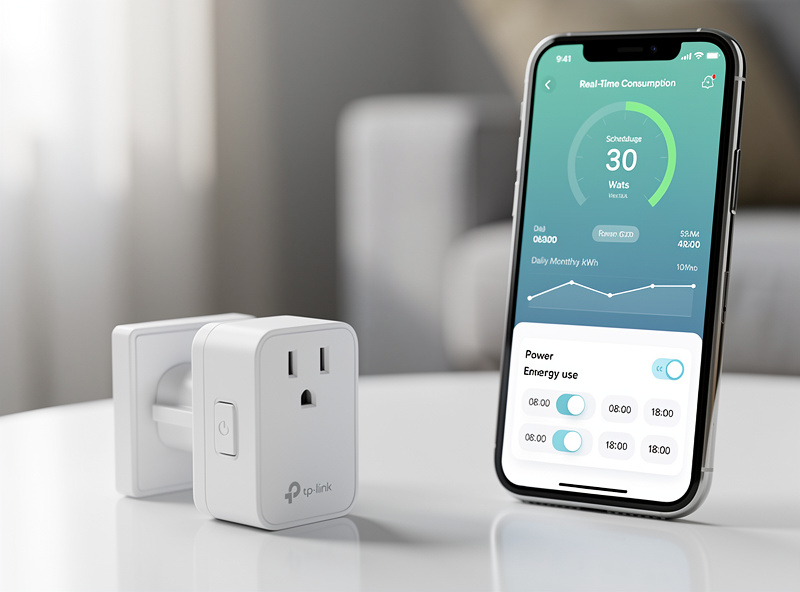
The key advantage of smart plugs is actionable control. A whole-home monitor tells you your entertainment center consumes 150 watts continuously. A smart plug on that entertainment center lets you do something about it — automatically cutting power at midnight when you typically stop watching TV, restoring it at 6pm when you might use it again. This automation eliminates the 150-watt baseload from your entertainment center without any lifestyle impact.
Smart plugs also provide device-level troubleshooting that circuit monitors cannot. When a refrigerator starts consuming more power, it may be approaching failure or simply due for cleaning. When a space heater’s consumption spikes, you know exactly when and how long it ran. This granularity helps you understand device behavior and identify appliances that may need maintenance or replacement.
Key Differences: Monitors vs Smart Plugs
The fundamental difference between whole-home monitors and smart plugs is visibility versus control. Monitors tell you what’s happening; plugs let you do something about it. Monitors measure consumption passively; plugs actively manage it. You cannot control a device with a monitor alone, and you cannot see total consumption patterns with plugs alone.
Installation complexity differs significantly. Whole-home monitors require electrical panel access, either by clipping CT clamps on main service wires or connecting to individual breakers. This typically takes 30-90 minutes and requires turning off breakers to safely route wires. Smart plugs require no electrical work — just plug into an outlet and connect to WiFi. This makes plugs accessible to renters and anyone unwilling to work inside their electrical panel.
Cost per monitored point also differs. A $100 Emporia Vue monitors 16 circuits, averaging $6.25 per circuit. A $25 smart plug monitors 1 device, but provides control capability that circuits cannot match. For high-consumption dedicated devices like water heaters, air conditioners, or entertainment centers, smart plugs provide better ROI than circuit monitoring because they can actually change consumption rather than just reporting it.
Which Should You Choose?
Choose a whole-home monitor first if you have no visibility into your consumption patterns, suspect you have high baseload from unknown sources, or want to identify which circuits or appliances consume the most. Monitors cost $50-300 and provide the foundation for optimization by revealing where to focus effort. Without this visibility, smart plug purchases are guesswork.
Choose smart plugs if you already know your consumption patterns or want to target specific high-consumption devices. Plugs work best for devices you want to schedule, automate, or completely shut off during certain hours. Entertainment centers, space heaters, air conditioners, and water heaters are ideal smart plug targets because their consumption is predictable and schedulable.
Choose both for a complete energy management system. Start with a $100 circuit-level monitor to identify your highest consumption areas. Then invest $50-150 in smart plugs for the top 3-5 targets your monitor identifies. This approach spends money where it delivers the most return rather than guessing which devices to optimize.
Using Monitors and Plugs Together
The most effective energy management strategy combines monitors and plugs in a layered approach. Use the monitor to establish baselines and identify anomalies across all circuits. Use plugs on the highest-consumption and most schedulable devices to actively reduce consumption. The monitor verifies the impact of plug automation over time.
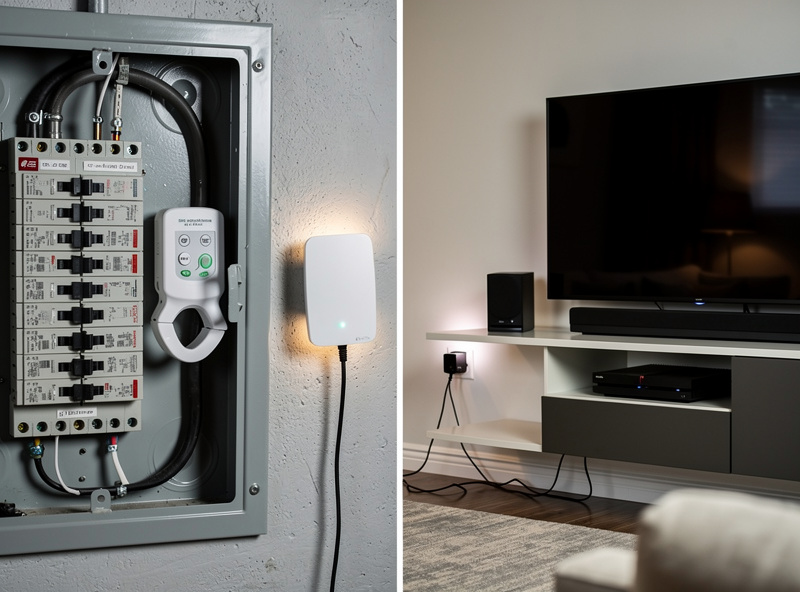
Example integration: An Emporia Vue identifies that your HVAC system consumes 40% of total consumption, water heater 18%, entertainment center 8%, and office equipment 6%. You add smart plugs to the entertainment center and office equipment, scheduling them off during work hours and overnight. The monitor shows whether this intervention reduced consumption as expected, and identifies any consumption increases elsewhere that might indicate compensatory behavior.
For households with solar, combine monitors and plugs to maximize self-consumption. A monitor tracking solar production and home consumption feeds data to home automation that decides when to charge batteries, when to run high-consumption appliances like dishwashers and pool pumps, and when to pull from the grid. Smart plugs on individual devices execute these automation decisions in real-time.
Start with the whole-home monitor. Mine found the garage circuit burning $34/month before I even knew there was a problem — a space heater the previous tenant had left on low for weeks. Once the monitor showed me which circuits were the hogs, I put smart plugs on the top two and automated them. The $115 total investment (monitor + 2 plugs) paid back in under 4 months. If your budget is exactly one device, get the monitor first — without it, you are guessing which smart plug to buy.
My Real-World Experience With This Setup
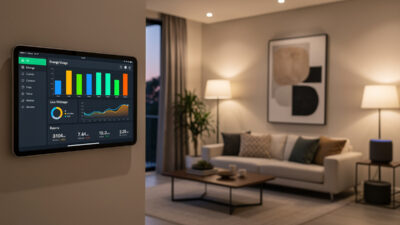
The gap between spec-sheet energy monitoring and what actually changes your behavior is the dashboard. I ran CT-clamp monitoring on my panel for three months before I looked at the data more than once a week. What changed was adding a Home Assistant dashboard card on the kitchen tablet showing live whole-home draw — seeing the 400-watt spike when the electric water heater kicked in made me shift it to a timer window. The monitoring did not save energy by itself; the visibility did.
The single most useful data point from months of monitoring was identifying the standby load: the devices that draw power 24/7 even when “off.” My TV, AV receiver, cable box, and network gear together pulled 45 watts continuously — about $50 a year for nothing. A single smart strip with a master/slave cut dropped that to 3 watts. That $25 strip paid for itself in six months, and the monitoring is what found it.
Frequently Asked Questions
What is the difference between a whole-home energy monitor and smart plugs?
Whole-home monitors measure total or circuit-level consumption without controlling devices, while smart plugs measure and control individual devices. Monitors provide visibility; plugs provide both visibility and control. You need both for complete energy management: monitors identify optimization targets, plugs act on those targets by automating device operation.
Do I need both a whole-home monitor and smart plugs?
Yes. Whole-home monitors and smart plugs serve complementary purposes. Start with a monitor to identify your highest consumption areas, then add smart plugs to the top 3-5 targets. This approach spends money where it delivers the most return. The monitor also verifies that plug automation is actually reducing consumption.
Can smart plugs replace whole-home energy monitors?
No. Smart plugs cannot replace monitors because they only track individual devices, not your home total or individual circuits. A single smart plug cannot tell you what your HVAC system consumes or what your baseload is. Plugs are for control and per-device tracking; monitors are for whole-home visibility and circuit-level analysis.
How much do whole-home energy monitors cost?
Whole-home monitors cost $50-350. Budget options like the P3 International P4400 ($50) measure single outlets. Mid-range options like the Emporia Vue 2 ($100) monitor 16 circuits. Premium options like the Sense Energy Monitor ($299) add AI-powered device identification. Circuit-level monitoring in the $100-150 range offers the best value for most households.
How much do smart plugs with energy monitoring cost?
Smart plugs with energy monitoring cost $15-30 each. The TP-Link Kasa KP125 at $25 offers 15-amp monitoring with scheduling and away mode. The Amazon Smart Plug at $15 provides basic scheduling without monitoring. For high-draw appliances, the Wyze Plug Outdoor at $20 provides weather-resistant monitoring for exterior devices.
Which devices should I target with smart plugs?
Target devices with predictable consumption patterns that you can schedule or automate. Entertainment centers (TVs, gaming consoles, streaming devices), space heaters, air conditioners, water heaters, and office equipment are ideal. Avoid smart plugs on devices that need instant-on functionality like coffee makers or devices that must run continuously like refrigerators (use a monitor instead).
Related Articles
- Best Smart Home Energy Management Systems 2026: Complete Guide
- Best Smart Electricity Monitors for Home
- Best Smart Power Strips — Monitor Energy Usage
- Best Smart Plugs 2026: Complete Buyer’s Guide
- How to Reduce Your Electric Bill with Smart Home Devices