Best Smart Electricity Monitors for Home (2026)
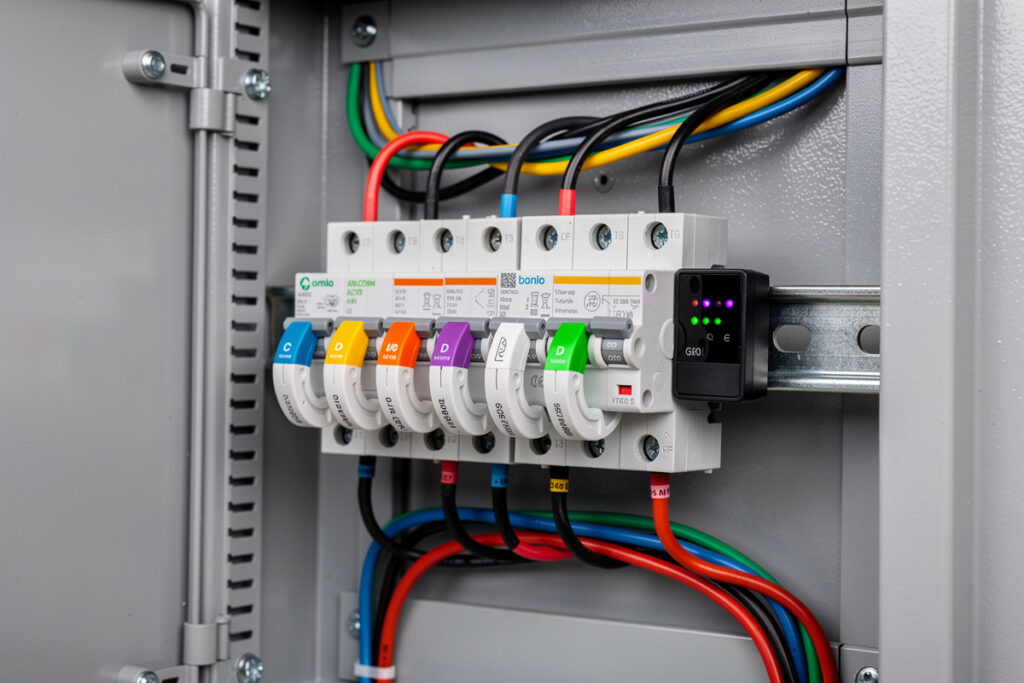
The best smart electricity monitors for home use are the Emporia Vue Gen 2, Sense Energy Monitor, and Eyedro. These devices install in your electrical panel and provide circuit-level or whole-home monitoring via smartphone apps, helping identify waste and reduce bills by 10-30%. The average US household wastes $200-400 annually on phantom loads and inefficient appliances that monitors identify within the first week.
Disclosure: HomeAutoCentral is reader-supported. As an Amazon Associate I earn from qualifying purchases, at no extra cost to you. I only recommend gear worth your money.
Why Home Electricity Monitoring Matters
Home electricity monitoring reveals exactly where your power goes, identifying wasted energy from phantom loads, inefficient appliances, and poor usage habits. The average US household uses 877 kWh monthly at $0.16/kWh, spending $140 per month on electricity — with 20-30% wasted on devices consuming power unnecessarily. A smart monitor pays for itself within 6-12 months by highlighting these hidden costs.
You cannot manage what you cannot measure. Most homeowners have no idea which appliances drive their electric bills. Is the old refrigerator in the garage costing $30 or $100 monthly? Does the pool pump need to run 8 hours daily? Are space heaters destroying your winter budget? The right smart plug setup lets you monitor their exact cost? See the guide to using smart plugs with space heaters safely?
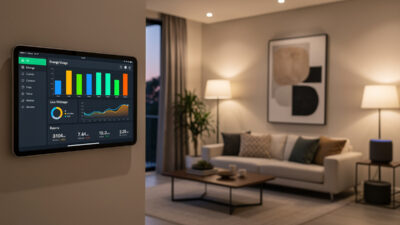
Smart electricity monitors answer these questions with real-time data, historical trends, and cost projections. For a complete guide to managing all your home energy, see the smart home energy management hub. Studies show households with energy monitoring reduce consumption by 10-30% simply through awareness and behavioral changes — no efficiency upgrades required. For a complete overview of smart home accessories including energy monitors, pet feeders, and more, see the best smart home accessories guide.
The Average Home Electricity Breakdown
- HVAC: 40-50% of usage
- Water Heating: 15-20%
- Appliances: 10-15%
- Lighting: 5-10%
- Electronics: 5-10%
- Other: 5-10%
Knowing where your 1,000+ kWh monthly usage goes enables targeted interventions with maximum impact.

How Smart Electricity Monitors Work
Smart electricity monitors use current transformer (CT) clamps installed around your electrical panel wires to measure power flow in real-time. They sample voltage and current thousands of times per second, transmitting data via WiFi to smartphone apps that display usage breakdowns, cost projections, and appliance-level identification. Installation takes 30-90 minutes and costs $100-500 depending on the model.
Installation Types
Whole-Home Monitors (Panel-Mounted)
These devices install inside or adjacent to your main electrical panel. Current transformer (CT) clamps attach to incoming service lines or individual circuit breakers, measuring current flow in real-time. Data transmits via WiFi to cloud servers or local processing units.
Pros: Comprehensive data, circuit-level detail, accurate cost tracking
Cons: Requires electrical panel access, professional installation recommended
Smart Meter Integration
Some utilities offer smart meter data access through apps like SmartHub, MyEyedro, or utility-specific portals. No additional hardware needed — just authorize data sharing. Limited to whole-home data without circuit breakdown.
Pros: Free (if utility supports), no installation
Cons: Limited detail, delayed data (15-60 minutes), utility-dependent
Individual Device Monitors
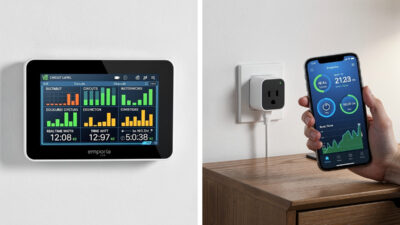
Smart plugs with energy monitoring (TP-Link Kasa, Amazon Smart Plug) track individual devices. Less comprehensive but easier to install and useful for targeting specific suspects. See the best smart plugs guide for energy-monitoring options.
Data Collection and Analysis
Modern monitors sample current and voltage thousands of times per second, calculating:
- Real-time wattage: Instant power draw
- Energy consumption: Kilowatt-hours (kWh) accumulated over time
- Power factor: Efficiency of electricity usage
- Voltage stability: Electrical quality indicators
AI-powered monitors (Sense) analyze electrical signatures to identify individual appliances automatically. Others require manual labeling or circuit-based identification.
Top Smart Electricity Monitors for 2026
The best smart electricity monitors for home use are the Emporia Vue Gen 2, Sense Energy Monitor, and Eyedro. These devices install in your electrical panel and provide circuit-level or whole-home monitoring via smartphone apps, helping identify waste and reduce bills by 10-30%. The average US household wastes $200-400 annually on phantom loads and inefficient appliances that monitors identify within the first week.
| Monitor | Type | Circuits | AI Detection | Price |
|---|---|---|---|---|
| Emporia Vue Gen 2 | Panel-mounted | Up to 16 | No (circuit-based) | $100-130 |
| Sense Energy Monitor | Panel-mounted | Whole-home | Yes (ML-based) | $300-350 |
| Eyedro HEM | Wireless mesh | Up to 6 | No | $150-200 |
| CURB | Panel-mounted | Up to 18 | No | $400-500 |
| Smart Plug + Meter | Plug-in | Per device | No | $50-100 |
1. Emporia Vue Gen 2 — Best Overall
The Emporia Vue offers the best balance of features, accuracy, and price. Install the main unit on your service lines for whole-home monitoring, then add up to 16 circuit-level sensors to track specific breakers. The app provides detailed dashboards, bill forecasting, and solar monitoring (if applicable).
Key Features:
- Whole-home monitoring (1-second data refresh)
- Expandable to 16 circuit monitors
- Solar/net metering support
- Detailed app with cost projections
- Compatible with standard 200A residential panels
- 1-year cloud data storage
Price: $100-130 (8 sensors included)
Best For: Most homeowners wanting comprehensive monitoring
2. Sense Energy Monitor — Best AI Detection
Sense uses advanced machine learning to identify individual devices by their unique electrical signatures — no circuit sensors needed. It “learns” your refrigerator, microwave, and HVAC system over time. The device identification is impressive but not perfect.
Key Features:
- AI-powered device detection (no sensors needed)
- Solar monitoring (Flex model)
- Meter-grade accuracy
- Time-of-use rate support
- Community device library improves detection
- Integration with Schneider Electric Wiser
Price: $300-350
Best For: Tech enthusiasts wanting automatic device identification
3. Eyedro Home Energy Monitor — Best Web Dashboard
Eyedro emphasizes real-time monitoring with an excellent web-based dashboard accessible from any browser. No app required — works on phones, tablets, and computers. The wireless mesh sensors are easier to install than hardwired alternatives.
Key Features:
- Excellent web dashboard (real-time graphs)
- Wireless mesh sensors (easier installation)
- Multiple sensor support (up to 6)
- Free basic monitoring (premium features subscription)
- Business-grade features available
Price: $150-200
Best For: Users wanting browser-based access and wireless sensors

Installation Requirements
Installing a smart electricity monitor requires opening your main electrical panel, attaching CT clamps to service wires, and connecting the monitor to a 240V breaker and WiFi network. Professional installation costs $100-200 and is strongly recommended for safety. You need two adjacent breaker slots, 14-10 AWG wire, and strong 2.4GHz WiFi signal at the panel location.
Panel Access
All comprehensive monitors require opening your main electrical panel. This is hazardous — panels contain live components even with main breakers off. Professional electrician installation ($100-200) is strongly recommended unless you are experienced with electrical work.
Breaker Space
Most monitors connect to a 240V double-pole breaker. You need:
- Two adjacent breaker slots available
- 15-30 amp breaker (depending on monitor)
- Proper wire gauge (usually 14-10 AWG)
WiFi Connectivity
Monitors need strong 2.4GHz WiFi at the electrical panel location. If your panel is in a basement or garage with weak signal:
- Add WiFi extender nearby
- Use powerline adapters to bring ethernet to the panel
- Choose monitors with external antenna options
Using Your Energy Monitor Effectively
Get the most from your energy monitor by spending the first week observing baseline usage, weeks 2-4 investigating energy hogs, and month 2+ implementing targeted changes. Most users find their biggest surprise within 48 hours — often an old appliance or phantom load consuming $30-50 monthly. The key is acting on the data, not just collecting it.
First Week: Baseline Discovery
Do not change behavior immediately. Simply observe:
- What is your average daily kWh?
- What time of day is usage highest?
- Which circuits consume most power?
- Any unexpected overnight drains?
Week 2-4: Identify Energy Hogs
Investigate major consumers:
- Run the suspected device and watch real-time wattage
- Calculate monthly cost: (watts x hours/day x 30) / 1000 x $/kWh
- Identify the biggest surprises (old dehumidifier? faulty water heater?)
Month 2+: Implement Changes
Target interventions based on data:
- Replace inefficient appliances identified
- Adjust HVAC setpoints (small changes = big savings)
- Schedule pool pumps and water heaters for off-peak hours
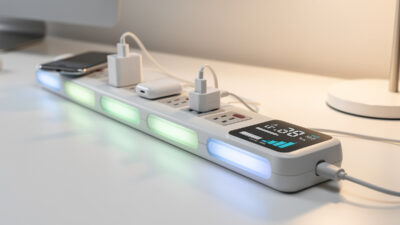
- Eliminate phantom loads with smart power strips
- Fix faulty devices drawing excessive power
Real Savings Examples
Real-world energy monitor users save $25-60 monthly through targeted interventions. HVAC optimization alone reduces cooling costs by $25-40/month. Eliminating vampire loads saves $35-50/month. Time-of-use scheduling cuts bills by $40-60/month for households on variable rate plans.
Example 1: HVAC Optimization
Discovery: Monitor shows AC using 4.5 kWh per cooling hour
Intervention: Increase thermostat 2 degrees F, clean filters, seal window leaks
Result: Usage drops to 3.8 kWh/hour
Savings: $25-40/month during cooling season
Example 2: Vampire Load Elimination
Discovery: 300W continuous draw overnight when house should be “off”
Investigation: Old freezer in garage drawing 220W, entertainment center 80W
Intervention: Replace freezer with efficient model, smart strip on entertainment
Savings: $35-50/month
Example 3: Time-of-Use Optimization
Discovery: Utility charges $0.08/kWh off-peak, $0.22/kWh on-peak
Intervention: Schedule dishwasher, laundry, and EV charging for off-peak
Savings: $40-60/month (depends on usage patterns)

Integration with Smart Home Systems
Smart electricity monitors integrate with IFTTT, Home Assistant, and other platforms to create automations that respond to energy usage patterns. Sense and CURB support IFTTT triggers like “if usage exceeds 5000W, send alert.” Emporia Vue and Eyedro work with Home Assistant for local control and custom dashboards.
IFTTT and Automation
Sense and CURB support IFTTT (If This Then That), enabling automations like:
- “If total usage exceeds 5000W, send phone alert”
- “If HVAC runs more than 4 hours continuously, check filter”
- “If daily usage exceeds 40 kWh, notify family”
Home Assistant and Open Platforms
Emporia Vue and Eyedro have Home Assistant integrations for power users wanting local control and custom dashboards. Advanced users can create energy-focused automations and detailed visualizations. For a deeper dive into energy dashboard setup, see the guide on setting up a smart home energy dashboard.
Frequently Asked Questions
Are smart energy monitors worth the cost?
For most homeowners, yes. A $130 Emporia Vue saving 15% on a $150 monthly bill pays for itself in 6 months, then saves $270/year ongoing. Even modest 5% reductions ($7.50/month) pay back in 18 months. The visibility alone justifies the cost for most users.
Can I install an electricity monitor myself?
Technically yes, but working inside an electrical panel is dangerous. One mistake can cause severe injury or death. Professional installation ($100-200) is strongly recommended. Some monitors offer plug-in versions that clamp to main lines outside the panel, reducing risk.
Do monitors work with solar panels?
Most modern monitors (Emporia, Sense, CURB) support solar monitoring, showing generation, consumption, and net export to the grid. Essential for solar households wanting to optimize self-consumption and track ROI. Verify solar compatible before purchasing if you have PV.
How accurate are whole-house energy monitors?
Quality CT clamp systems provide plus or minus 1-2% accuracy for total consumption. Machine learning device identification achieves 80-95% accuracy depending on device distinctiveness and electrical noise. Circuit-level monitoring provides definitive 100% accuracy for monitored circuits.
Can I monitor individual devices without circuit-level monitoring?
Machine learning systems like Sense identify many individual devices automatically. For unidentified loads, smart plugs with energy monitoring provide plug-level visibility for devices you want to track specifically. Some users combine whole-house monitoring with targeted smart plugs for comprehensive coverage.