Smart Home Equipment Guide: What You Actually Need (And What You Can Skip)
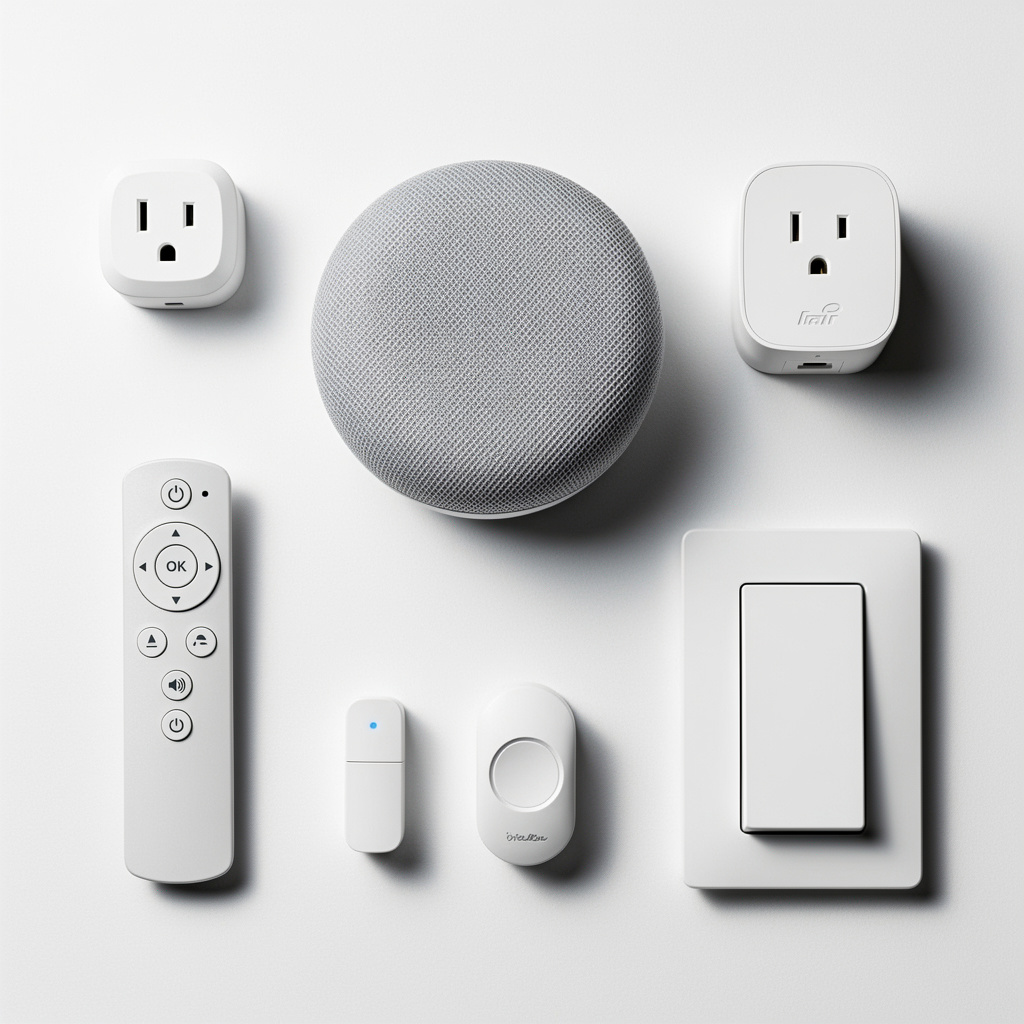
Walk into any electronics store and the smart home section is overwhelming. Hundreds of devices, dozens of brands, and no clear guidance on what you actually need versus what is just nice to have. The result? Many people either buy too much too soon or skip useful devices because they seem complicated.
This guide cuts through the noise. I will walk you through each category of smart home equipment, explain what it does, and help you decide whether it belongs in your home. No product recommendations here – just the knowledge you need to shop smart. For specific product picks, check out the best smart home devices guide.
As an Amazon Associate I earn from qualifying purchases.
The Smart Home Equipment Hierarchy
Not all smart home devices are equally important. Some form the foundation that everything else builds on. Others are nice additions that enhance specific areas. Understanding this hierarchy helps you prioritize purchases and build a system that actually works.
Foundation Layer: Smart speaker/hub, networking equipment, smart lighting
Comfort Layer: Smart thermostat, smart plugs, basic sensors
Security Layer: Video doorbell, smart locks, cameras, security sensors
Advanced Layer: Motorized blinds, smart appliances, whole-home audio, irrigation
Start at the foundation and work your way up. Each layer builds on the previous one, and skipping ahead often leads to frustration.
Foundation Equipment: Start Here
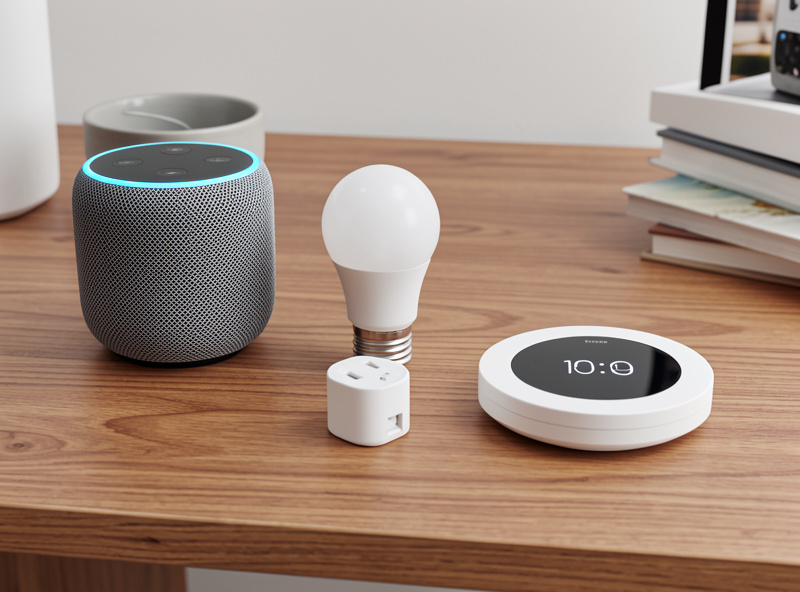
Smart Speakers and Displays
A smart speaker is your command center. It provides voice control for everything else you add and serves as the hub that ties your smart home together.
What they do:
- Voice control for all compatible devices
- Play music, podcasts, and audio
- Answer questions and set timers
- Make announcements throughout your home
- Intercom between rooms (with multiple speakers)
Speaker vs Display: Smart displays add a touchscreen for visual feedback, video calls, and acting as a control dashboard. They cost more but provide a better experience in kitchens and common areas. Basic speakers work fine for bedrooms and offices.
How many do you need? Start with one in your most-used room. Add more for whole-home voice coverage – most households end up with 2-4 speakers.
Do you need one? Yes. While you can control smart devices through phone apps, voice control is what makes a smart home feel smart. This is the one essential purchase. For a deeper look at how voice assistants, protocols, and routines work together, see the smart home automation guide.
Networking Equipment
Your Wi-Fi network is the invisible foundation of your smart home. Every wireless device depends on it, and a weak network causes endless frustration with devices that disconnect, respond slowly, or fail to update.
What to consider:
- Coverage: Can you get strong signal everywhere you will place devices?
- Capacity: Can your router handle dozens of connected devices?
- Reliability: Does your connection stay stable or frequently drop?
Mesh Wi-Fi systems solve most coverage problems. They use multiple access points to blanket your home in consistent signal. If you have dead zones or a larger home, mesh is worth the investment before adding more smart devices.
Smart home specific routers include features like automatic IoT device isolation, Thread border router capability for Matter devices, and optimized handling of many simultaneous connections.
Do you need to upgrade? If your current Wi-Fi works well throughout your home, you may be fine. If you have dead zones or an older router, upgrade before building out your smart home.
Smart Lighting
Lighting is where most people start, and for good reason. You interact with lights constantly, the upgrade is immediately noticeable, and the convenience compounds with every room you add.
Three approaches to smart lighting:
Smart Bulbs: Replace individual bulbs with smart versions. Easy to install – just screw them in. Can change colors and color temperature. Main downside: if someone turns off the physical switch, the bulb loses power and becomes unresponsive until switched back on.
Smart Switches: Replace wall switches with smart versions. Works with any standard bulb. Physical switch still works normally. More complex installation requiring basic electrical work or an electrician. Best for permanent fixtures and multi-bulb setups like recessed lighting.
Smart Plugs: Plug lamps into smart plugs to control power. Easiest solution for table and floor lamps. No installation required. Limited to on/off control – no dimming or color changes unless combined with smart bulbs.
Which approach is best? Most households use a combination. Smart switches for overhead lights and built-in fixtures. Smart bulbs for accent lighting where color matters. Smart plugs for simple lamps and holiday decorations.
Do you need smart lighting? This is the highest-impact upgrade for daily convenience. Strongly recommended as an early purchase.
Comfort Equipment: Daily Quality of Life
Smart Thermostats
A smart thermostat learns your schedule, responds to occupancy, and optimizes heating and cooling for comfort and efficiency. It is one of the few smart devices that pays for itself through energy savings.
Key features:
- Learning capability: Automatically adjusts based on your patterns
- Remote control: Adjust temperature from anywhere via app
- Geofencing: Detects when you leave and return, adjusting accordingly
- Energy reports: Shows usage patterns and saving opportunities
- Room sensors: Some models include remote sensors to balance temperatures across rooms
Compatibility note: Not all thermostats work with all HVAC systems. Check compatibility before purchasing, especially if you have heat pumps, multi-stage systems, or older equipment.
Do you need one? If you have central heating and cooling, a smart thermostat is a smart investment. ENERGY STAR’s own field data puts typical HVAC savings around 8% of heating/cooling bills, with payback running anywhere from about 6 months to a few years depending on your climate and which thermostat you buy — colder climates with high heating bills tend to pay it back fastest.
Smart Plugs and Outlets
Smart plugs are the most versatile and affordable smart home devices. They turn any plugged device into a smart device, letting you control power remotely and on schedules.
Common uses:
- Lamps and seasonal lighting
- Coffee makers and small appliances
- Window AC units and space heaters
- Phone and device chargers
- Fans and air purifiers
- Holiday decorations
Features to look for:
- Energy monitoring: Track power consumption of connected devices
- Compact design: Some plugs block adjacent outlets – look for slim profiles
- Outdoor rated: For exterior lights and decorations, get weatherproof versions
Smart outlets replace your wall outlets entirely, providing a cleaner look and not taking up plug space. They require installation but offer a more permanent solution.
Do you need them? Every smart home benefits from a few smart plugs. They are inexpensive and useful for devices that do not have smart versions. Start with 2-4 and add as needed.
Environmental Sensors
Sensors add awareness to your smart home, enabling automations that respond to conditions rather than just schedules or voice commands.
Temperature and humidity sensors: Monitor conditions in specific rooms. Useful for wine storage, nurseries, garages, or anywhere climate matters. Some integrate with thermostats for multi-room temperature balancing.
Air quality monitors: Track particulates, VOCs, CO2, and other air quality metrics. Useful for allergies, asthma, or general health awareness. Can trigger air purifiers or ventilation automatically.
Water leak sensors: Place under sinks, near water heaters, washing machines, and anywhere leaks could cause damage. Early detection prevents minor leaks from becoming major disasters. Some can trigger automatic water shutoff valves.
Do you need them? Water leak sensors are worth adding anywhere water damage is a risk. Other sensors are optional but valuable if you have specific needs like health conditions or valuable items requiring climate control.
Security Equipment: Protection and Peace of Mind
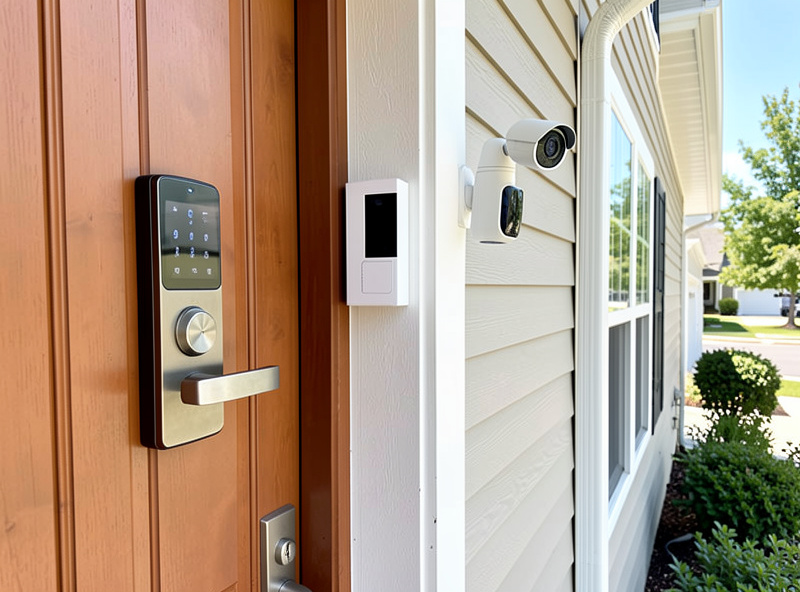
Video Doorbells
A video doorbell lets you see and speak with visitors from anywhere. It records activity at your front door and sends alerts when motion is detected or someone rings.
Key features:
- Live video: See who is at the door in real-time
- Two-way audio: Speak with visitors through the app
- Motion detection: Alerts when someone approaches, not just when they ring
- Video recording: Save and review footage (usually requires subscription)
- Package detection: Some models specifically identify delivered packages
Wired vs battery: Wired doorbells connect to your existing doorbell wiring for constant power. Battery versions install anywhere but require periodic recharging. Wired is more reliable if you have existing wiring.
Do you need one? A video doorbell is one of the most useful security upgrades. It deters package theft, lets you handle deliveries remotely, and provides peace of mind about who approaches your home.
Smart Locks
Smart locks replace or augment your deadbolt, allowing keyless entry through codes, apps, or voice commands. They add convenience and security features impossible with traditional locks.
Key features:
- Keyless entry: Use codes, fingerprint, app, or voice instead of keys
- Remote access: Lock and unlock from anywhere
- Guest codes: Create temporary codes for visitors, cleaners, or dog walkers
- Auto-lock: Automatically locks after a set time
- Activity log: See who locked or unlocked and when
Installation types: Some replace your entire deadbolt. Others retrofit over existing deadbolts, keeping your current keys as backup. Retrofit options are easier to install and do not require rekeying.
Do you need one? Smart locks shine if you frequently have guests, service providers, or family members who need access. They also eliminate the worry of whether you remembered to lock up.
Security Cameras
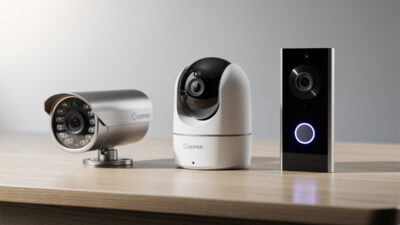
Indoor and outdoor cameras let you monitor your home remotely and record footage of activity. They range from simple indoor cameras to sophisticated outdoor systems.
Indoor cameras: Monitor interior spaces. Useful for keeping an eye on pets, checking on elderly family members, or general security. Many include two-way audio for communication.
Outdoor cameras: Weather-resistant cameras for exterior monitoring. Cover driveways, yards, and entry points. Look for night vision, weatherproof ratings, and sturdy mounting.
Key considerations:
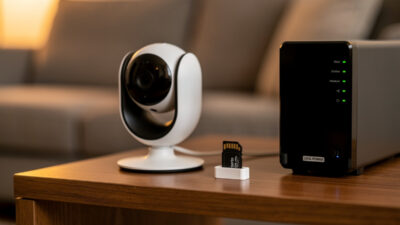
- Cloud vs local storage: Cloud storage requires subscription but allows remote access. Local storage (SD card or NVR) has no fees but limited remote viewing
- Resolution: 1080p is minimum for useful footage. 2K and 4K provide more detail
- Power: Wired cameras need installation but run continuously. Battery cameras install easily but require charging
- Privacy: Consider which rooms truly need cameras and who has access to footage
Do you need them? Outdoor cameras add meaningful security for monitoring property. Indoor cameras depend on your specific needs – many people find them unnecessary except for specific purposes like pet monitoring.
Door and Window Sensors
Contact sensors detect when doors and windows open or close. They enable automations and provide security awareness.
Uses beyond security:
- Turn on lights when doors open
- Get alerts if doors are left open
- Pause HVAC when windows open
- Monitor cabinet or medicine access
Do you need them? Very useful for automations and security-conscious households. Start with entry doors and expand to windows if desired.
Advanced Equipment: Nice to Have
These categories enhance your smart home but are not essential for most people.
Motorized blinds and shades: Automatic window coverings that adjust on schedule or command. Expensive but dramatic for large windows or hard-to-reach locations.
Smart appliances: Refrigerators, ovens, washers, and dryers with smart features. Often expensive with limited practical benefit. The smart features rarely justify premium pricing.
Whole-home audio: Multi-room speaker systems for synchronized music throughout your home. Great for audio enthusiasts but not essential.
Smart irrigation: Automated sprinkler controllers that adjust watering based on weather and soil conditions. Valuable for large yards and water conservation.
Robot vacuums: Automated floor cleaning with smart navigation and scheduling. Not technically a smart home device but integrates well and genuinely useful.
What You Do Not Need
Some heavily marketed smart devices provide little real value:
- Smart refrigerators: The tablet on the door sounds cool but rarely gets used. Buy a good regular fridge instead
- Smart faucets: Voice-activated water sounds useful until you realize hands-free faucets do the same thing for less
- Smart beds: Expensive and the smart features rarely justify the premium over a regular good mattress
- Smart mirrors: Displaying weather and calendar on your bathroom mirror is novelty, not utility
The best smart home devices solve real problems or provide daily convenience. Gadgets that are smart for the sake of being smart usually end up unused.
Building Your Equipment List
Here is a practical order for building out your smart home equipment:
Phase 1 – Foundation (first month):
- Smart speaker (your command center)
- 2-4 smart bulbs or plugs (immediate convenience)
- Upgrade router if needed (reliability foundation)
Phase 2 – Comfort (months 2-3):
- Smart thermostat (energy savings)
- More lighting in key rooms
- Water leak sensors (insurance)
Phase 3 – Security (months 3-6):
- Video doorbell (high impact)
- Smart lock for main entry
- Door sensors for automations
Phase 4 – Expansion (ongoing):
- Additional cameras if desired
- Room-specific sensors and devices
- Advanced equipment based on your needs
This phased approach lets you learn the system gradually, spread out costs, and discover what you actually use before overbuying.
Next Steps
Now that you understand the equipment categories, you are ready to start shopping. Check out the best smart home devices guide for specific product recommendations in each category. Or if you want to understand the platforms these devices connect to, read the smart home ecosystems guide.
For a quick start with minimal decisions, the weekend quick start guide gives you a simple shopping list to get automated fast.
What is the minimum equipment for a smart home?
A voice assistant, 2-3 smart bulbs, and 1-2 smart plugs form a complete starter smart home for $60-150. This covers voice-controlled lighting, scheduled appliances, and basic routines without overspending on equipment you may not use.
Do I need a smart home hub?
For basic setups with 5-10 devices, a smart speaker like Echo or Nest Hub handles WiFi devices directly. As you expand beyond 15-20 devices or add Zigbee/Z-Wave sensors, a dedicated hub improves reliability.
Which smart home devices are worth skipping?
Smart refrigerators, smart faucets, smart beds, and smart mirrors provide novelty rather than utility. Focus spending on lighting, plugs, thermostats, and security devices that deliver daily convenience.
How much does smart home equipment cost?
A starter kit costs $60-150. A moderately equipped home runs $800-1500. A comprehensive system can exceed $5000. Start small and expand based on actual needs.
Should I buy equipment from one brand or mix?
Matter certification means basic functions — on/off, dimming, locking — work across brands, so a TP-Link plug alongside Philips Hue bulbs is a safe mix. It is not fully seamless: brand-specific features (custom light animations, some sensor types) still often need the manufacturer’s own app, and not every device category or every brand has adopted Matter yet. Check for Matter certification on the box rather than assuming any two smart devices will cooperate.
Is professional installation necessary?
Most smart home devices are DIY-friendly. Smart bulbs, plugs, and speakers require no technical skill. Smart thermostats, switches, and wired cameras benefit from professional installation if you are uncomfortable with electrical work.