Best Smart Security Cameras 2026: Complete Buyer Guide
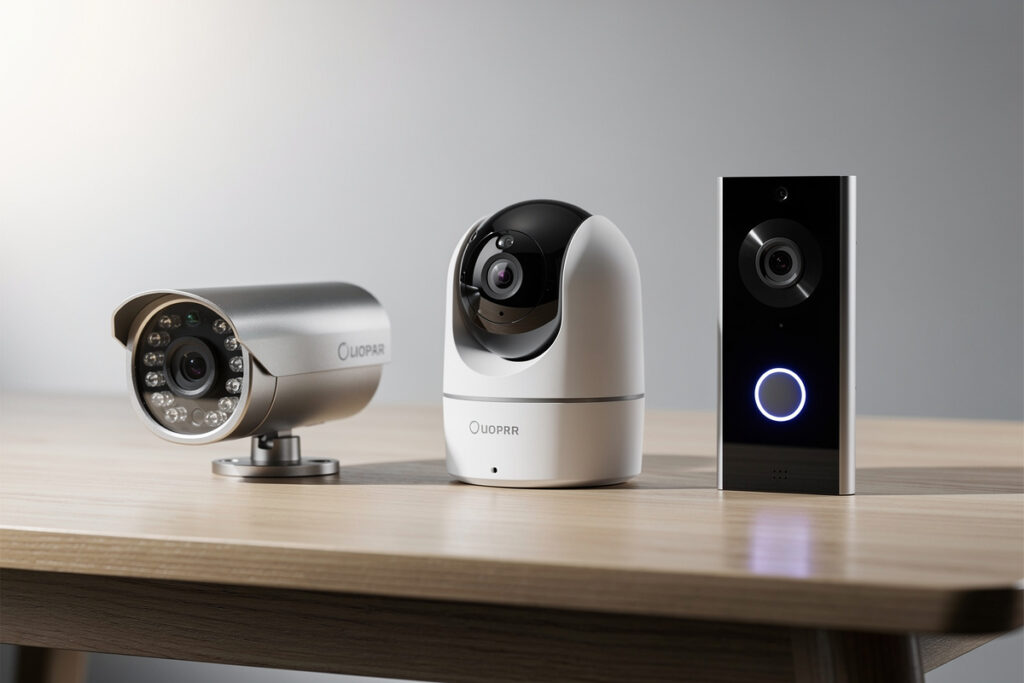
The best smart security cameras for 2026 combine high-resolution video, reliable motion detection, local or cloud storage options, and seamless smart home integration. The Eufy Cam 2C Pro leads for subscription-free outdoor monitoring with 2K resolution and 180-day battery life, while the Nest Doorbell dominates AI-powered detection with free person and package alerts. For indoor privacy, Apple HomeKit Secure Video offers end-to-end encryption that no other brand matches. This guide covers every camera type, subscription cost, installation method, and privacy consideration to help you build a complete home security system.
Smart security cameras have evolved from simple recording devices into intelligent monitoring systems that distinguish between people, packages, animals, and vehicles. The global smart security camera market reached $11.2 billion in 2025 and is projected to grow 23% annually through 2030. Yet most homeowners still choose the wrong cameras because they focus on resolution numbers instead of detection quality, storage costs, and ecosystem compatibility. This guide corrects those mistakes.
Disclosure: HomeAutoCentral is reader-supported. As an Amazon Associate I earn from qualifying purchases, at no extra cost to you. I only recommend gear worth your money.
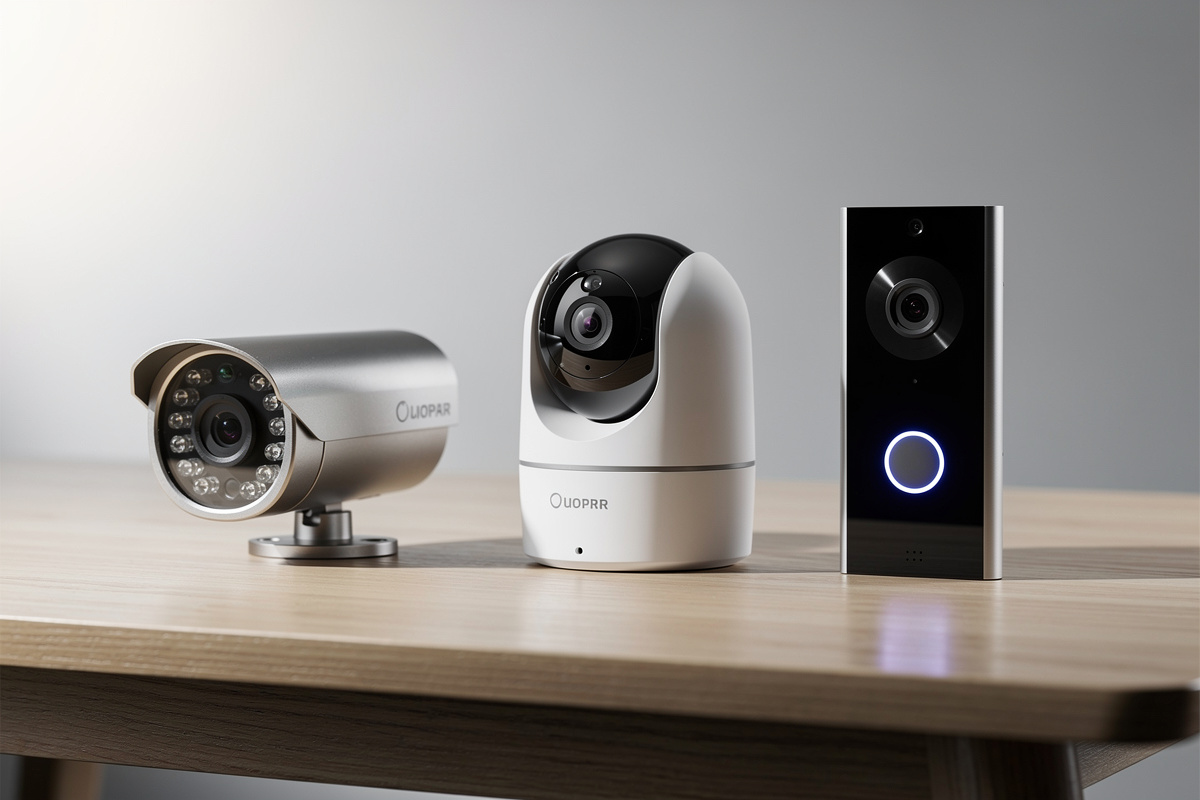
I run local-recording cameras on a dedicated NVR at my house — no cloud subscriptions, no footage leaving my network — but I’ve also tested Eufy, Arlo, and Wyze cameras side by side as secondary units in the garage and workshop. The biggest lesson I’ve learned: a camera’s detection intelligence matters more than its resolution. A 2K camera that reliably tells the difference between a person and a passing car is worth twice as much as a 4K camera that false-alerts on every shadow. Here’s how the top security cameras of 2026 compare.
Quick Comparison: Best Smart Security Cameras 2026
| Camera | Type | Resolution | Storage | Price |
|---|---|---|---|---|
| Eufy Cam 2C Pro | Outdoor wireless | 2K | Local (HomeBase) | $100 |
| Nest Doorbell (Battery) | Video doorbell | 960×1280 (3:4) | Cloud (3hr free) | $180 |
| Ring Video Doorbell Plus | Video doorbell | 1080p HD | Cloud (~$5/mo) | $100 |
| Reolink Argus 3 Pro | Outdoor wireless | 2K | Local (microSD) | $90 |
| Apple HomeKit Secure Video | Indoor | 1080p-2K | iCloud (E2EE) | $80-150 |
| TP-Link Tapo C210 | Indoor pan/tilt | 2K | Local (microSD) | $30 |
Types of Smart Security Cameras
Smart security cameras fall into four distinct categories, each serving different monitoring needs. Understanding these categories prevents buying the wrong camera for your situation.
Video Doorbells
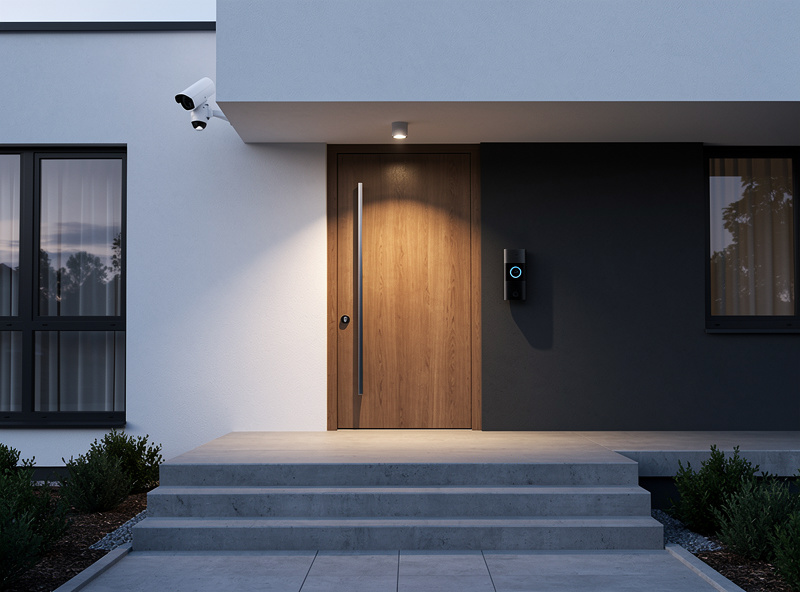
Video doorbells combine a doorbell, camera, and two-way intercom into a single device mounted at your front door. They are the most popular smart security camera category, with millions of active units across US households and Ring alone commanding roughly 40% of that installed base. Video doorbells capture visitors, package deliveries, and porch activity. For deterring intruders with lighting, see smart outdoor security lights. The two leading options are the Nest Doorbell and Ring Video Doorbell, each with distinct strengths. For detailed battery performance data, see the guide on smart doorbell battery life.
Outdoor Security Cameras
Outdoor cameras monitor your property perimeter, driveways, backyards, and side entrances. They require weatherproof construction (IP65 rating minimum) and typically offer wider fields of view than doorbells. Options include wired PoE cameras, battery-powered wireless models, and solar-charged variants. The best subscription-free outdoor cameras like Eufy Cam 2C Pro and Reolink Argus 3 Pro eliminate monthly fees while maintaining 2K resolution and 180-day battery life.
Indoor Security Cameras
Indoor cameras monitor living spaces, nurseries, pet areas, and home offices. They prioritize privacy features like physical shutters, local storage, and end-to-end encryption. Indoor cameras are the most privacy-sensitive category — improper placement or insecure cameras can expose your most intimate moments. The guide on indoor security camera privacy covers placement, encryption, and legal considerations in detail.
Smart Motion Sensor Lights
While not cameras themselves, smart motion sensor lights integrate with security camera systems to provide illumination that improves video quality and deters intruders. Well-lit scenes give a camera’s AI detection cleaner footage to work with, meaningfully cutting the false alerts that come from shadows and poor low-light contrast, though the exact reduction depends on your specific camera and lighting setup rather than a fixed percentage. See the picks for the best smart motion sensor lights that pair with security cameras.
Choosing the Right Camera Type
Your camera selection depends on what you are trying to monitor and how you plan to use the footage:
| Use Case | Best Camera Type | Key Feature | Est. Cost |
|---|---|---|---|
| Front door monitoring | Video doorbell | Package detection, 2-way audio | $100-180 |
| Backyard/perimeter | Outdoor wireless | Weatherproof, wide FOV | $80-150 each |
| Pet/baby monitoring | Indoor pan/tilt | 360-degree coverage, two-way audio | $30-80 |
| Driveway/garage | Outdoor wired (PoE) | 24/7 recording, no battery | $60-120 each |
| Entry deterrence | Motion sensor lights | Bright LED, camera integration | $25-60 each |
Subscription Costs and Storage Options
Storage is where smart security camera costs add up over time. Understanding the options prevents surprise fees and ensures you keep footage when you need it.
Cloud Storage Subscriptions
Most popular camera brands require monthly subscriptions for video recording and extended history. Ring Protect starts at about $5/month per camera (Solo plan) or $10/month for unlimited cameras (Multi plan). Google renamed Nest Aware to Google Home Premium, now $10/month for the Standard tier (30 days of event history) or $20/month for Advanced (60 days). Arlo Secure now runs roughly $8-20/month depending on the plan and camera count. Over five years, a four-camera Ring setup costs $300-600 in subscriptions alone.
Local Storage Alternatives
Subscription-free cameras store footage locally on microSD cards, home base stations, or network-attached storage (NAS). The upfront cost is higher — a HomeBase 2 hub costs $60-80 — but eliminates monthly fees entirely. A 128GB microSD card costs $15-25 and stores 30-60 days of motion-triggered footage. For detailed comparisons of cameras without subscription fees, see the dedicated guide covering Eufy, Reolink, TP-Link Tapo, and Wyze options.
Hybrid Approach
Some cameras offer both local and cloud storage. You can use local storage as your primary archive and enable optional cloud backup for critical footage. This gives you redundancy without mandatory monthly costs. Wyze Cam v3, for example, records to microSD locally while offering optional Cam Plus cloud features for $3-5/month.
Total Cost of Ownership Comparison
| Setup (4 Cameras) | Upfront Cost | Annual Subscription | 5-Year Total |
|---|---|---|---|
| Ring (cloud) | $400 | $120/year | $1,000 |
| Nest (cloud) | $720 | $120/year | $1,320 |
| Eufy (local) | $460 | $0 | $460 |
| Reolink (local) | $360 | $0 | $360 |
| Tapo (local) | $120 | $0 | $120 |
Smart Detection and AI Features
Resolution numbers mean nothing if your camera cannot distinguish between a delivery person and a swaying tree branch. Smart detection quality matters more than megapixels.
Person Detection
Basic motion detection triggers on any movement — leaves, cars, animals, shadows. Person detection uses AI to identify human shapes, dramatically reducing false alerts. Nest includes person detection free; Ring requires a paid Ring Protect plan (Solo ~$5/month or Multi $10/month). Eufy and Reolink process person detection locally on their base stations at no extra cost.
Package Detection
Package detection identifies when a delivery is left at your door and alerts you specifically. Nest leads with free package detection that even alerts when a package is removed. Ring requires the Ring Protect Multi plan ($10/month) for package alerts. This feature alone has prevented thousands of porch piracy incidents.
Vehicle and Animal Detection
Vehicle detection distinguishes cars from people, useful for driveway monitoring. Animal detection prevents alerts triggered by pets or wildlife. These features are available on Nest (free), Ring Protect Multi ($10/month), and some Eufy models with local AI processing.
Smart Home Ecosystem Integration
Your camera choice should align with your existing smart home setup. A camera that does not integrate with your ecosystem creates friction instead of convenience.
Google Home Integration
Nest cameras integrate natively with Google Home, displaying on Nest Hub screens, Chromecast TVs, and Android phones. Voice commands like “Hey Google, show me the front door” work seamlessly. Ring cameras have limited Google Home support — you can view live feeds on Nest Hub displays but cannot use Ring-specific features or create Google Home automations.
Alexa Integration
Ring cameras offer the deepest Alexa integration of any brand, working with all Echo Show devices, Fire TV, and Alexa routines. You can create automations like “when doorbell rings, turn on porch lights and announce on all Echo devices.” Nest cameras work with Alexa for basic viewing on Echo Show but lack advanced Alexa features. For a detailed ecosystem comparison, see the Alexa vs Google Home guide.
Apple HomeKit
Apple HomeKit Secure Video offers the strongest privacy of any camera platform with end-to-end encryption processed on your local HomeKit hub. Only a limited selection of cameras support HomeKit — Logitech Circle View, Eve Cam, and Aqara Camera Hub G3. If privacy is your top priority, the indoor camera privacy guide covers HomeKit in detail alongside other privacy-focused options.
Installation and Power Options
How you power your cameras affects placement flexibility, maintenance requirements, and long-term reliability.
Battery-Powered Cameras
Battery cameras offer the easiest installation — no wiring required. Battery life ranges from 2-6 months for video doorbells to 4-6 months for outdoor cameras. Cold weather reduces battery life by 20-50%. For detailed battery performance data across all major doorbell brands, see the smart doorbell battery life guide.
Wired Cameras (PoE)
Power over Ethernet (PoE) cameras receive both power and data through a single cable, enabling 24/7 recording with zero battery maintenance. Installation requires running cables or hiring an electrician ($50-150 per camera). PoE cameras offer the most reliable performance and highest video quality.
Solar-Charged Cameras
Solar panels provide continuous trickle charging for battery cameras, extending battery life significantly in sunny climates. A typical solar panel generates 0.2-0.5W — enough to maintain battery charge during spring and summer but insufficient during winter months in northern latitudes. Solar charging works best as a supplement to battery power, not a replacement.
Privacy and Security Considerations
Security cameras protect your home but also create privacy risks if not configured properly. Every camera is a potential entry point for unauthorized access to your private life.
Data Encryption
Look for cameras with AES-256 encryption for stored footage and TLS/SSL for data in transit. End-to-end encryption (E2EE) ensures only you can decrypt your footage — not even the manufacturer can access it. Apple HomeKit Secure Video and Eufy (with E2EE enabled) offer true end-to-end encryption.
Physical Privacy Features
The most privacy-respecting cameras include motorized privacy shutters that physically block the lens when disarmed. Eufy Indoor Cam Pan & Tilt rotates the entire camera away in privacy mode. LED indicators should clearly show when the camera is recording and cannot be disabled in firmware.
Network Security
Cameras are common entry points for network attacks. Place them on a separate VLAN if your router supports it, disable UPnP, use strong unique passwords, and keep firmware updated. For comprehensive guidance on securing your camera network, see the indoor camera privacy guide.
Building a Complete Security System
A single camera at your front door provides limited protection. A complete system layers multiple camera types for comprehensive coverage:
Minimum Setup (Budget: $150-300)
- 1 video doorbell (Ring Video Doorbell at $100 or Nest at $180)
- 1 indoor camera (TP-Link Tapo C210 at $30)
- 1 outdoor camera (Reolink Argus 3 Pro at $90)
Recommended Setup (Budget: $400-700)
- 1 video doorbell with package detection
- 2 outdoor cameras covering front and back
- 2 indoor cameras for main living areas
- 2-3 smart motion sensor lights for entry deterrence
Complete Setup (Budget: $800-1,500)
- 1 video doorbell
- 4 outdoor cameras (front, back, sides, driveway)
- 3 indoor cameras (living room, hallway, nursery)
- 4-6 smart motion sensor lights
- Smart locks on all entry points for access logging
For smart lock integration with your camera system, see the best smart locks guide — pairing doorbell cameras with smart locks creates a complete entry security system that logs both video and access events.
Night Vision and Video Quality
Video quality matters most when you need to identify faces, read license plates, or review incident footage. Resolution numbers tell only part of the story — sensor quality, lens clarity, and image processing determine real-world performance.
Resolution Comparison
| Resolution | Pixels | Face Recognition Distance | Daily Storage (24/7) |
|---|---|---|---|
| 1080p (Full HD) | 2.1 megapixels | 15-20 feet | 10-15 GB |
| 2K (QHD) | 4.0 megapixels | 25-30 feet | 20-30 GB |
| 4K (Ultra HD) | 8.3 megapixels | 40-50 feet | 40-60 GB |
For most homes, 2K resolution provides the best balance of detail and storage efficiency. 1080p is adequate for doorbell cameras where subjects are close (3-10 feet). 4K is only necessary for large properties where you need to identify details at 30+ feet distance.
Night Vision Technologies
Night vision capability separates adequate security cameras from excellent ones. Three technologies dominate the market:
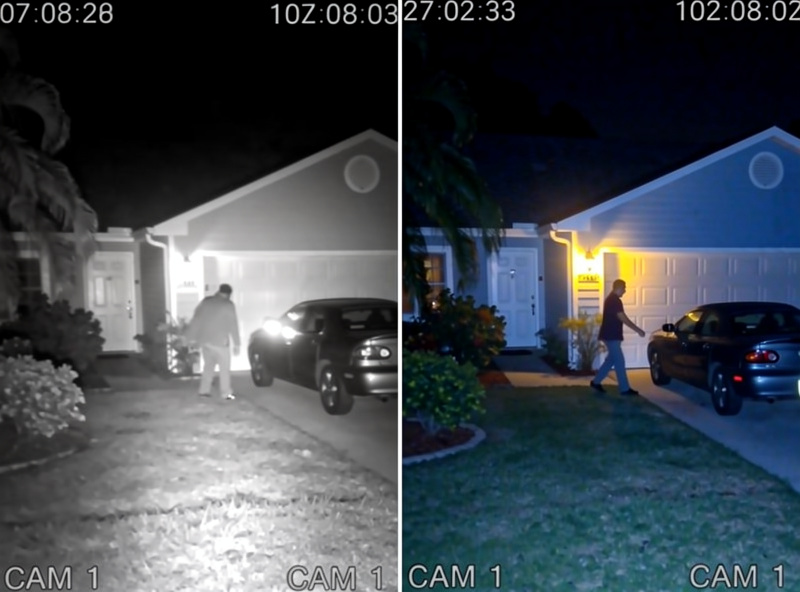
- Infrared (IR) LEDs: The most common approach. IR LEDs illuminate the scene in invisible infrared light, producing black-and-white footage. Effective range is typically 20-30 feet. Ring, most Reolink, and budget cameras use IR night vision.
- Color Night Vision (Starlight Sensors): Advanced sensors amplify available ambient light to produce color footage in near-darkness. Requires some light source — moonlight, street lamps, or porch lights. Wyze Cam v3 and Reolink Argus 3 Pro use starlight sensors.
- Spotlight plus Color: Cameras with built-in LED spotlights illuminate the scene when motion is detected, switching from IR to full-color recording. Ring Spotlight Cam and Arlo Pro 4 use this approach. The tradeoff is that the spotlight alerts intruders they are being recorded.
The Nest Doorbell uses a unique approach — ambient light amplification without IR LEDs — producing more natural-looking nighttime footage with subtle color detail instead of the monochrome green-tinted video typical of IR cameras.
Field of View and Aspect Ratio
Field of view determines how much area your camera captures. Most outdoor cameras offer 130-160 degrees diagonal. Video doorbells increasingly use vertical 3:4 aspect ratios (Nest Doorbell at 960×1280) to capture both faces and packages in the same frame — a significant advantage over traditional 16:9 widescreen formats that show more width but less height.
Weatherproof Ratings and Durability
Outdoor cameras must withstand rain, snow, heat, and cold. The IP (Ingress Protection) rating tells you exactly what conditions a camera can handle:
| IP Rating | Water Protection | Temperature Range | Best For |
|---|---|---|---|
| IP44 | Splash resistant | 32-104°F | Covered porches only |
| IP65 | Water jet resistant | -4-122°F | Most outdoor locations |
| IP66 | Powerful water jet resistant | -4-122°F | Exposed locations |
| IP67 | Temporary immersion | -22-140°F | Harsh climates |
For most homes, IP65 is sufficient — it handles rain, snow, and dust without issues. If you live in an area with extreme temperatures (below -4°F or above 122°F), look for cameras rated to those specific ranges. Battery performance degrades significantly in cold weather regardless of IP rating.
Real User Scenarios
The Suburban Family
The Johnson family installed a Ring Video Doorbell, two Reolink Argus 3 Pro outdoor cameras, and a TP-Link Tapo C210 indoor camera for their 2,000 sq ft home. Total upfront cost: $310. They chose local storage for the outdoor cameras (microSD cards) and use the Ring free tier for the doorbell. “We can see who is at the door, monitor the backyard when the kids play outside, and check on the dog while we are at work,” says Mrs. Johnson. The system has caught two package theft attempts and identified a neighbor dog digging in their garden.
The Privacy-Conscious Homeowner
David, a software engineer, prioritized privacy above all else. He chose Apple HomeKit Secure Video cameras (Logitech Circle View) for indoor monitoring, Eufy Cam 2C Pro with HomeBase 2 for outdoor coverage, and the Nest Doorbell for its free package detection. All footage is encrypted end-to-end or stored locally. “I do not want any company accessing my home footage,” David explains. His total setup cost $620 with zero monthly fees. He reviews footage weekly and deletes anything older than 14 days.
The Budget Apartment Renter
Sarah rents a second-floor apartment and needed security without permanent installation. She chose a Wyze Cam v3 ($35) for her living room, a TP-Link Tapo C210 ($30) for the entryway, and a Ring Video Doorbell ($100) that mounts with adhesive strips — no drilling required. Total cost: $165. Both indoor cameras record to microSD cards, and she uses the Ring free tier. “I can take everything with me when I move, and I am not paying monthly fees on a renter budget,” Sarah says.
Future-Proofing Your Camera System
Smart home technology evolves rapidly. These considerations ensure your camera investment remains useful for years:
Matter Protocol Support
The Matter smart home standard promises cross-platform compatibility, allowing cameras to work with Google Home, Alexa, and Apple HomeKit simultaneously. As of 2026, few security cameras support Matter, but the standard is expanding rapidly. Cameras purchased today may gain Matter support through firmware updates within 12-18 months.
AI Detection Improvements
Camera manufacturers regularly add new AI detection features through firmware updates. Nest has added vehicle detection, package removal alerts, and familiar face recognition to existing hardware. Ring has improved its person detection accuracy significantly. When choosing a camera, consider the manufacturer track record for adding features to older models.
Storage Scalability
Start with local storage if you want to avoid subscription fees. You can always add cloud backup later, but you cannot remove a cloud subscription that has become essential to your workflow. Cameras with microSD slots or HomeBase hubs give you the flexibility to start local and add cloud features selectively.
Frequently Asked Questions
What is the best smart security camera for most homeowners?
The Eufy Cam 2C Pro offers the best balance of features, privacy, and value for most homeowners. It delivers 2K resolution, 180-day battery life, local storage with no monthly fees, and reliable person detection. At $100 per camera with a HomeBase 2 hub, a four-camera system costs $460 upfront with zero ongoing subscription costs.
Do I need a subscription for smart security cameras?
No. Many excellent cameras work without subscriptions using local microSD storage or home base stations. Brands like Eufy, Reolink, and TP-Link Tapo offer full functionality without monthly fees. Cloud subscriptions add convenience features like extended history and advanced AI detection but are not required for basic security monitoring.
How many security cameras do I need for my home?
Most homes need 3-5 cameras for adequate coverage: one video doorbell, one or two outdoor cameras for the front and back, and one or two indoor cameras for main living areas. Larger homes with multiple entry points may need 6-8 cameras. Start with the front door and work outward – the doorbell camera provides the most security value.
Are wireless or wired security cameras better?
Wired PoE cameras offer superior reliability, 24/7 recording, and no battery maintenance but require cable installation. Wireless battery cameras are easier to install and relocate but need recharging every 2-6 months. For most homeowners, a mix works best – wired cameras for permanent high-traffic areas and wireless cameras for flexible placement.
Can smart security cameras work without internet?
Cameras with local storage continue recording without internet connectivity. However, you lose remote viewing, push notifications, and cloud backup. Local-only cameras like Reolink and Amcrest record to microSD cards or NVRs independently. When internet returns, you can review footage through the local network.
How do I prevent my security camera from being hacked?
Enable two-factor authentication, use strong unique passwords, keep firmware updated, disable UPnP on your router, and place cameras on a separate network VLAN if possible. Buy from reputable manufacturers with strong security track records. For cameras you do not need remote access to, disable internet connectivity entirely.
What resolution do I need for security cameras?
1080p is adequate for most home security needs, capturing clear faces and license plates within 15-20 feet. 2K resolution provides noticeably sharper detail at distance and is recommended for outdoor cameras monitoring driveways or yards. 4K is overkill for most homes and requires significantly more storage and bandwidth.
If I were securing a home from scratch tomorrow, I’d buy a local NVR system for the exterior (no monthly fees, footage stays on-site), add one Eufy SoloCam for the driveway because its AI detection is the best in the battery-powered category, and skip cloud-subscription cameras entirely unless I needed 24/7 professional monitoring. Start with the entry points people actually use — front door, back door, garage — before worrying about the side yard. A camera you install and check is infinitely better than one you never set up at all.
Related Articles
- Nest vs Ring Doorbell 2026: Which Smart Doorbell Wins?
- Best Smart Cameras Without Monthly Subscription (2026)
- Smart Doorbell Battery Life: What to Expect (2026)
- Indoor Security Camera Privacy: What You Should Know
- Best Smart Motion Sensor Lights for Home Security (2026)
- Best Smart Locks 2026: Complete Security Guide
- Can Smart Locks Be Hacked? Security Facts
- Smart Home for Beginners: Complete Setup Guide
- Alexa vs Google Home: Which Should You Choose?
- Best Smart Home Devices 2026: Top Picks