Best Smart Home Ecosystem — Alexa vs Google vs Apple (2026)
The best smart home ecosystem in 2026 comes down to three things: the phone in your pocket, how much you care about privacy, and how much you want to spend. Alexa has the widest device support and the cheapest way in, Google Home is the natural fit for Android users and the smartest at understanding plain speech, and Apple HomeKit is the one to pick if privacy is non-negotiable. But after years running my house, here’s the part the buyer’s guides bury: the voice ecosystem is the least important decision you’ll make. Get the foundation right and you can swap the voice layer on a whim.
I’ll give you the honest three-way comparison below — because that’s what you came for — but I’m going to frame it the way I actually think about it: as a front-end you choose after you’ve decided how your home should run, not before. If you’re still deciding whether you even need a central controller, start with do you need a smart home hub and come back.
The honest answer: pick a voice front-end, not a master
Every “Alexa vs Google vs Apple” article treats the choice like a marriage — pick one and live with the consequences. I don’t run my home that way, and after enough cloud outages and discontinued products, you won’t want to either. In my setup the brain is a local hub (Home Assistant), and Alexa and Google sit on top purely as input: a way to say “turn off the kitchen” out loud. The automations — the things that actually make a house smart — run locally and keep working when the internet doesn’t. That’s the difference between a smart home and a pile of cloud gadgets, and it’s why I care more about whether a device speaks a local protocol than which assistant’s logo is on the box. (If reliability-without-internet is new to you, I wrote up exactly what survives an outage in does a smart home work without internet.)
So as you read the comparison, hold this in mind: thanks to Matter, the ecosystem you start with is no longer a cage. Choose the voice assistant whose phone and privacy stance you already live with, and keep the door open to change your mind.
Amazon Alexa: widest support, cheapest entry
Alexa earns its popularity honestly. It supports more devices than anyone else by a wide margin, the speakers are routinely the cheapest in the room, and the premium Echo models have a Zigbee radio built in, so you can pair a handful of Zigbee bulbs or sensors without buying a separate hub. It’s an early and aggressive adopter of Matter and Thread, and it folds in Ring and Blink cameras cleanly if you’re in that camera family.
Where it bites: Alexa is a shopping company first. Voice recordings live on Amazon’s servers by default, and the whole experience is wired toward Prime and the store. As a front-end it’s excellent and forgiving — the routine builder is the easiest of the three to get something working in. As the foundation of a privacy-conscious home, it’s the weakest of the three. An Echo Dot is the cheapest way to add voice to a setup whose brain lives elsewhere — which is exactly how I’d use it.
As an Amazon Associate I earn from qualifying purchases. Everything I link below is gear I’d actually put in a build; the links go to current listings so you can check price and specs yourself.
Google Home: best with Android, smartest at conversation
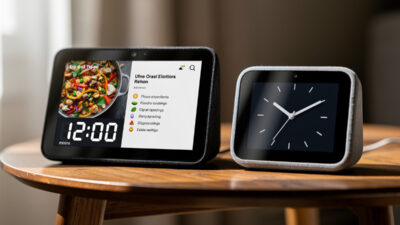
Google Home is the one I reach for when natural language matters. It understands messy, conversational commands better than the other two and handles follow-up questions more gracefully. If you live in Android and Google services, the integration is seamless, and if you own Nest cameras or a Nest thermostat, this is their native home. Google has also been a leader on Matter and Thread — newer Nest hubs act as Thread border routers, which is genuinely useful for battery sensors.
The trade-offs mirror Alexa’s: your voice history sits on Google’s servers (though the auto-delete controls are better than Amazon’s), and the data ties into your Google account. Google has also been less predictable about killing off products and features than I’d like — another reason I keep the automations local and treat the assistant as replaceable. A Nest Hub makes a tidy voice-and-display front-end, especially on Android.
Apple HomeKit: the privacy pick
If privacy is your top priority and you live in Apple’s world, HomeKit is the clear choice. It processes what it can on-device, encrypts camera and doorbell footage end-to-end with HomeKit Secure Video, and doesn’t hoard voice recordings the way the other two do. A HomePod mini or Apple TV doubles as a Thread border router, so HomeKit is quietly one of the better Thread citizens. Its native automation engine also has the most capable conditional logic of the three out of the box.
The catch is the walled garden: the device list is the most selective, Z-Wave isn’t supported at all, and you’re committing to Apple hardware to control any of it. But HomeKit’s local-leaning philosophy is the closest of the big three to how I think a home should run — which is high praise from someone whose whole argument is “don’t depend on the cloud.” A HomePod mini is the affordable way in. For the deeper protocol picture behind all this, my voice assistants and protocols guide goes further.
Device compatibility, without the inflated numbers
You’ll see other sites quote exact device counts in the hundreds of thousands. I won’t, because those numbers are marketing and nobody can verify them. What’s true and useful is the relative picture: Alexa supports the most, Google is close behind, and Apple is the most selective — and Matter is steadily flattening all three. For mainstream gear like bulbs and plugs, all three have more than enough. The gaps only show up in specialized sensors and niche controllers.
| Device Category | Alexa | Apple | |
|---|---|---|---|
| Smart bulbs | Widest | Wide | Selective |
| Smart locks | Wide | Wide | Selective |
| Security cameras | Widest | Wide (Nest) | Selective (Secure Video) |
| Smart thermostats | Wide | Wide (Nest) | Selective |
| Smart plugs | Widest | Wide | Selective |
| Smart sensors | Widest | Wide | Selective |

The practical takeaway: for the common stuff, pick on phone and privacy, not on device count. If you need something unusual, check that one device’s support before you commit — and if it’s Matter-certified, it’ll work with all three anyway.
Protocols, and how I’d actually wire it
This is the part that decides whether your home is reliable, and it’s where the local-first lens earns its keep. Here’s how the three handle the radios underneath:
- Wi-Fi — all three support it fully. Fine for a few devices, a liability for dozens of chatty ones on a flat network. Segment your IoT gear onto its own VLAN before you scale up; I walk through it in the smart home VLAN setup guide.
- Zigbee — Alexa has a built-in hub in premium Echoes; Google needs a compatible Nest Hub; Apple goes via Thread rather than Zigbee. For serious Zigbee I’d still run a dedicated coordinator into a local hub, not lean on a speaker.
- Z-Wave — only really lives outside these ecosystems (a separate hub). Apple doesn’t support it at all. If you want Z-Wave locks and long-range battery sensors, that’s a point for a standalone hub.
- Matter / Thread — all three are in, and this is the one that matters. Matter-certified devices work across Alexa, Google, and Apple natively, and Thread border routers are now baked into newer hubs from all three. The CSA’s Matter specification is the authoritative source on which devices and features carry certification.

If you’re choosing protocols from scratch, my Zigbee vs Z-Wave vs Wi-Fi breakdown and the Matter explainer are the two I’d read next. The short version: prefer Matter and Thread for new buys, keep a dedicated Zigbee coordinator for the cheap sensors, and don’t put anything load-bearing on the cloud.
Automations: where the front-ends hit their ceiling
All three can build routines, and for simple stuff — “good night turns everything off” — any of them is fine. Alexa has the friendliest builder and the widest set of triggers. Google leans on natural-language activation. Apple’s native engine has the most genuinely capable conditional logic of the three.
But every one of them hits a ceiling fast, and it’s the same ceiling: the logic lives in someone else’s cloud, so it stalls when the internet does, and the conditional depth is shallow compared to a real automation engine. The first time you want “if presence is detected in the basement AND humidity is above target AND nobody’s asleep, run the dehumidifier for 20 minutes” you’ll feel the wall. That’s the moment most people graduate to a local hub and demote the assistant to voice input — which is exactly the architecture I’ve been describing. Before you build anything, it’s worth skimming the common smart home mistakes that trap people in cloud-only routines.
Privacy: the real differences
This is where the three genuinely diverge, so it’s worth being precise:
- Alexa — voice recordings stored on Amazon servers by default, manual deletion or scheduled auto-delete available, data feeds your Amazon profile. No local-processing option.
- Google — recordings stored on Google servers with the best auto-delete controls of the three (3/18/36-month options, documented in Google’s privacy policy), tied into your Google account.
- Apple — on-device processing where possible, end-to-end encryption for cameras and doorbells, no default voice-recording hoard. The strongest privacy posture of the big three.

If privacy is the whole reason you’re reading this, the ranking is Apple, then Google, then Alexa — and a step beyond all of them is a local hub with local-recording cameras, which is the setup I actually run. The cloud assistants then only ever hear “turn off the lights,” never see your footage.
Cost of entry and expansion
Starting costs are real and checkable; I won’t invent expansion totals, but the relative trajectory is clear and consistent across years of buying this gear:
| Ecosystem | Cheapest entry device | Expansion cost | Best value when |
|---|---|---|---|
| Alexa | Echo Dot (~$50) | Lowest — frequent deep sales | Multi-room on a budget |
| Nest Mini (~$50) | Moderate | You’re already on Android | |
| Apple | HomePod mini (~$99) | Highest — premium hardware | Privacy + Apple devices |
Apple costs more but ships better hardware and longer software support. Alexa is the cheapest to expand, especially around Prime Day and Black Friday when Echo devices drop hard. Whichever you choose, the cross-platform escape hatch is the same: buy Matter-certified devices and a multi-platform bridge like Philips Hue that already works with all three, so nothing you buy is stranded if you switch.
Which should you pick?
Choose Alexa if you want the widest device support and the cheapest path, you use Prime, and you’re happy treating the assistant as a voice layer rather than a vault for your data.
Choose Google Home if you’re on Android, you value natural conversation and AI understanding, or you already own Nest gear.
Choose Apple HomeKit if privacy is your priority and you live in the Apple ecosystem — it’s the closest of the three to a local-first philosophy.
And whichever you choose, build on Matter where you can, keep your automations local if reliability matters to you, and treat the voice assistant as the swappable part it has finally become. That’s the setup that still works in five years, no matter which logo wins. New here? Smart home for beginners is the gentlest on-ramp, and best smart home devices 2026 covers what to actually buy first.
Frequently asked questions
Can I mix smart home ecosystems?
Yes. You can use Alexa for voice while managing some devices in the Apple Home app, though it means juggling multiple apps. Matter-certified devices make mixing genuinely easy because they work natively with Alexa, Google, and Apple at the same time.
Which smart home ecosystem has the best privacy?
Apple HomeKit, by a clear margin — on-device processing, end-to-end encrypted camera footage, and no default voice-recording storage. Google’s auto-delete controls beat Amazon’s. A local hub with local-recording cameras is more private still.
Will choosing one ecosystem lock me out of future devices?
Far less than it used to. Matter ensures new certified devices work across all three platforms, so the lock-in fear is mostly gone. A few advanced features stay ecosystem-specific, so check Matter certification before assuming universal support.
How hard is it to switch ecosystems later?
You unpair and re-pair every device and rebuild your routines from scratch. Wi-Fi devices reconnect easily; the painful part is losing automations. Building your logic on a local hub instead of the assistant makes switching the voice layer almost painless.
Which ecosystem is best for beginners?
Alexa has the gentlest learning curve, the cheapest entry, and the widest device support. Google Home is just as friendly if you’re on Android. HomeKit is the most polished for iPhone users who value privacy over device selection.