Best Smart Cameras Without Monthly Subscription (2026)
The Quick Answer
The best security cameras without subscription fees include the Eufy Cam 2C Pro, Reolink Argus 3 Pro, and TP-Link Tapo C210. These cameras store footage locally on microSD cards or home base stations, eliminating monthly costs while maintaining high-quality video and smart features.
Why Subscription-Free Cameras Matter
Most popular security cameras (Ring, Nest, Arlo) charge. For a complete overview of all smart security camera options, see our best smart security cameras guide. $3-$10 monthly per camera for cloud storage and advanced features. For a four-camera setup, that is $144-$480 per year—forever. Over five years, you could pay more in subscriptions than the cameras originally cost.
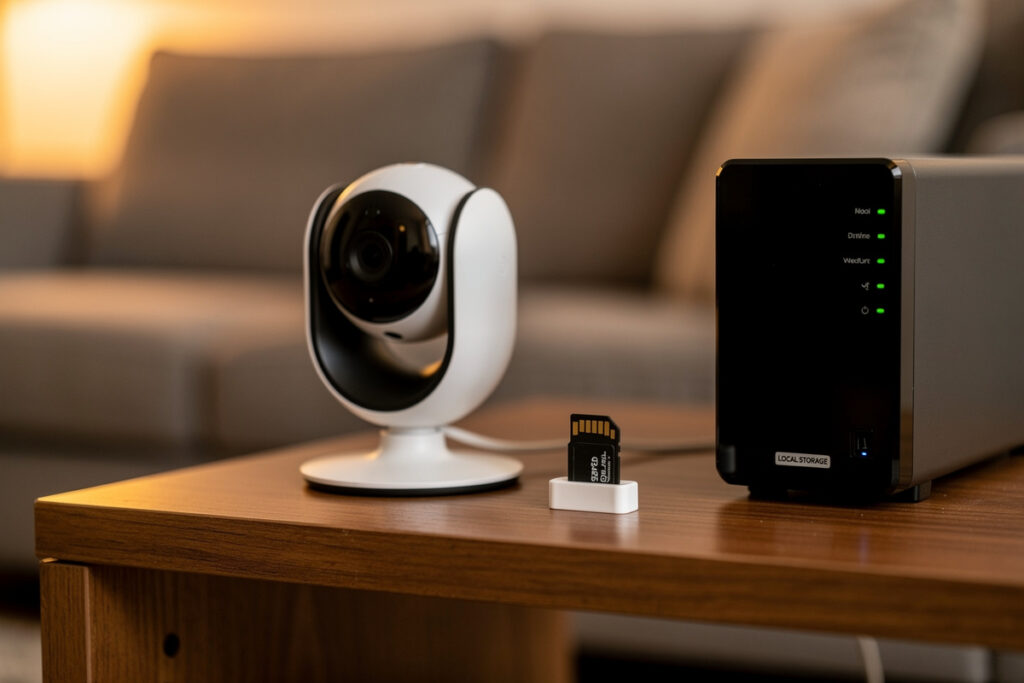
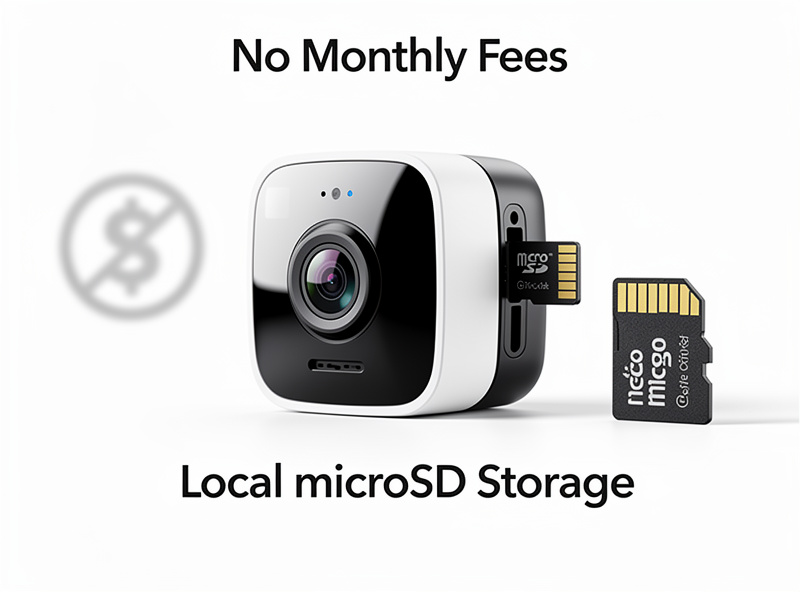
Subscription-free cameras store video locally, either on microSD cards, built-in storage, or home base stations. You own your footage outright, with no ongoing fees and no risk of losing access if you stop paying.

How Local Storage Works
MicroSD Card Storage
Cameras with SD card slots record directly to removable storage. Cards typically hold 32GB to 256GB (about 2-8 weeks of footage depending on quality settings). When the card fills, the camera overwrites oldest footage automatically. You can review footage through the app while connected to the same network.
Home Base Stations
Some systems use a central hub with built-in storage (usually 16GB built-in, expandable). Cameras wirelessly transmit to the hub, which handles recording and processing. This reduces camera battery drain and enables more advanced features without cloud dependency.
Network Attached Storage (NAS)
Advanced users can integrate cameras with NAS devices like Synology, storing terabytes of footage locally. This requires technical setup but offers unlimited capacity and professional-grade management.
Top 5 Cameras Without Subscription Fees
These cameras pair well with smart motion sensor lights for a complete subscription-free security system.
1. Eufy Cam 2C Pro (Best Overall)
2K resolution, 180-day battery life, IP67 weatherproof rating, and human/vehicle detection—all without subscriptions. The HomeBase 2 hub includes 16GB storage expandable via USB. Night vision reaches 25 feet. Works with Alexa and Google Assistant. Individual cameras cost around $100, with multi-camera kits offering better value.
Key Features: No monthly fees, facial recognition (one-time payment option), 16GB local storage, wireless installation
2. Reolink Argus 3 Pro (Best Battery Life)
2K resolution, spotlight illumination, color night vision, and solar panel compatibility. Records to microSD card (up to 128GB) or Reolink NVR. The starlight sensor captures clear images even in near-total darkness. Battery lasts 1-6 months depending on activity, or stays charged indefinitely with the solar panel.
Key Features: Solar compatible, color night vision, two-way audio, IP65 weatherproof, 100% wire-free
3. TP-Link Tapo C210 (Best Budget Indoor)
Under $30 yet delivers 2K resolution, pan/tilt functionality (360° horizontal, 114° vertical), and microSD recording up to 512GB. Includes motion detection, night vision, and two-way audio. The Tapo app is surprisingly polished for the price point. Perfect for monitoring nurseries, pets, or entryways without breaking the bank.
Key Features: Exceptional value, pan/tilt coverage, 512GB SD support, cry/bark detection, privacy mode
4. Wyze Cam v3 (Best Budget Outdoor)
Despite recent subscription changes, Wyze still offers local recording to microSD (continuous or event-based). IP65 rated for outdoor use, starlight sensor for color night vision, and integration with Wyze ecosystem. The optional Cam Plus subscription adds AI detection and longer event recordings, but basic local storage works without paying.
Key Features: Starlight sensor, IFTTT integration, 32GB SD local storage, siren function, weatherproof
5. Annke NC400 (Best Wired Option)
For those preferring continuous power and zero battery maintenance, the Annke NC400 offers 4MP resolution with Power over Ethernet (PoE). Records to NVR or microSD. Color night vision without spotlight (starlight technology). Professional-grade build quality at consumer pricing.
Key Features: PoE installation, 4MP resolution, 24/7 recording capable, IP67 rating, H.265+ compression
What You Lose Without Subscriptions
Be realistic about limitations. Without cloud storage, you lose:
- Remote access to footage when away from home (unless you set up VPN or port forwarding)
- Automatic off-site backup if the camera is stolen or damaged
- Advanced AI detection on some models (person vs. vehicle vs. animal)
- Extended video clips beyond the basic 12-second limit on some cameras
However, for most home security needs, local storage provides adequate protection. Thieves rarely steal cameras (they are usually mounted high), and basic motion detection catches the important events.

Setup Tips for Subscription-Free Systems
- Buy Quality SD Cards: Use high-endurance cards designed for continuous recording (SanDisk High Endurance, Samsung Pro Endurance)
- Secure Your WiFi: Without cloud encryption, your footage transmits over your local network—ensure WPA3 or WPA2 security
- Position Strategically: Mount cameras where they capture approach paths but are hard to reach
- Test Notification Range: Verify motion alerts reach your phone from different locations
- Regular Maintenance: Clean lenses quarterly and check SD card health annually
Hybrid Approach: Selective Cloud Use
Some cameras offer limited free cloud storage (usually 24-hour rolling storage or a few days of events). You can use local storage as your primary archive and lean on free cloud tiers for critical backup. This gives you redundancy without monthly costs.
Addressing the Remote Access Challenge
One common concern with subscription-free cameras is accessing footage while away from home. Many cameras (Eufy, Reolink, Tapo) use peer-to-peer technology that allows remote viewing without port forwarding. For users comfortable with network configuration, setting up a VPN server at home provides secure access to all local devices.
Understanding Storage Requirements
Calculating your storage needs helps you choose the right solution. Event-based recording generates 2-5GB per day in a moderately active location—a 128GB card lasts 3-4 weeks easily. Continuous recording at 1080p generates approximately 10-15GB per day, meaning a 256GB card lasts about 2-3 weeks.
Privacy Advantages of Local Storage
Local storage is the foundation of camera privacy. For detailed guidance on indoor security camera privacy including encryption, placement, and legal considerations, see our dedicated guide.
Beyond cost savings, local storage offers significant privacy benefits. Your footage never leaves your home network, eliminating concerns about cloud breaches, unauthorized access by company employees, or data sharing with third parties. With local storage, you control who accesses your footage. There are no terms of service granting the manufacturer rights to your video. For privacy-conscious users, this control is worth more than any subscription convenience.
Frequently Asked Questions
Do I really need a subscription for my security camera?
No, many excellent cameras work without subscriptions using local microSD storage, home base stations, or free cloud tiers. You lose some convenience features like person detection and extended cloud history, but basic recording and live viewing work perfectly without monthly fees.
How much local storage do I need for security cameras?
A 128GB microSD card stores approximately 7-14 days of continuous 1080p recording per camera. With motion-triggered recording only, the same card stores 30-60 days. For multiple cameras, consider a base station with a 1TB hard drive storing 30+ days of footage.
Which camera brand offers the best free cloud storage?
Wyze offers 14 days of free cloud storage with 12-second event videos. Eufy provides free local storage through home base stations. Reolink offers free local recording with no cloud requirement. Avoid brands that require subscriptions for any recording functionality.
Can I use a security camera without internet?
Cameras with local storage record without internet connectivity. However, you lose remote viewing, push notifications, and cloud backup. The camera continues recording to its local storage, and you can review footage by removing the SD card or connecting to the local network.
Are no-subscription cameras less reliable?
No. Camera reliability depends on hardware quality and firmware, not subscription status. Brands like Reolink, Eufy, and TP-Link Tapo produce reliable cameras that work excellently without subscriptions. The subscription primarily adds convenience features, not reliability.