Smart Home Privacy Guide: Keep Your Data Local (2026)
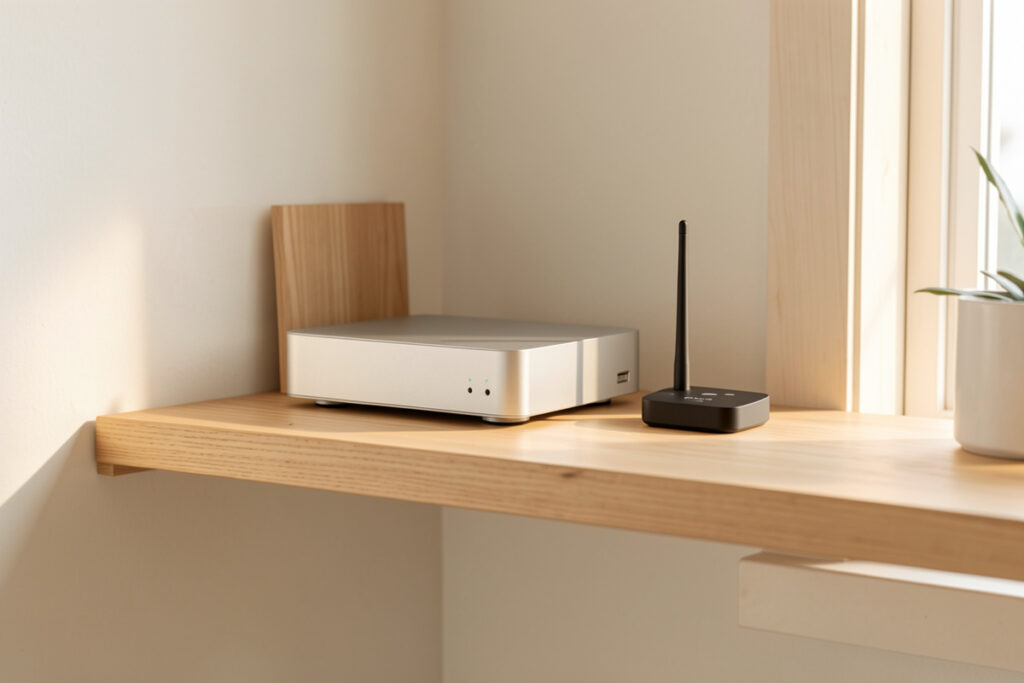
A private smart home is one where the data your devices generate stays under your roof. In my setup that means a local-first Home Assistant hub doing the thinking, an IoT network walled off from my laptops, and cameras that record to a box in the house instead of a company server. Do those three things and you have closed roughly 90% of the ways a modern smart home leaks information about you.
Privacy in a smart home is not a setting you toggle once. It is a design decision you make at every layer: which hub you trust, which radios you run, where the footage goes, and what each gadget is allowed to phone home about. I have been running a self-hosted setup in Sweden for years, and the version that respects my privacy is the same version that keeps working when the internet doesn’t. Those two goals pull in the same direction far more often than people expect. This guide is the map I wish I’d had when I started — the whole cluster of decisions, with each one linked out to its own deep dive.
Why Smart Home Privacy Is Really a Local-Control Problem
Here is the thing nobody selling you a gadget will say out loud: a “smart” device that depends on the manufacturer’s cloud is, by definition, sending your home’s data to that manufacturer. Motion at the front door, when your lights come on, the temperature in your bedroom, when the lock fired — it all becomes a row in someone else’s database. The privacy problem and the cloud-dependency problem are the same problem wearing two hats.
That is why my first principle is local control. If the automation runs on a hub in my house and the device speaks a local protocol like Zigbee, Z-Wave, or Matter-over-Thread, then the data has nowhere to go unless I deliberately send it somewhere. The cloud becomes an option I switch on for a specific reason, never a dependency I’m stuck with. Everything else in this guide flows from that one decision, which is why I treat the local vs cloud control trade-off as the foundation of the whole site.
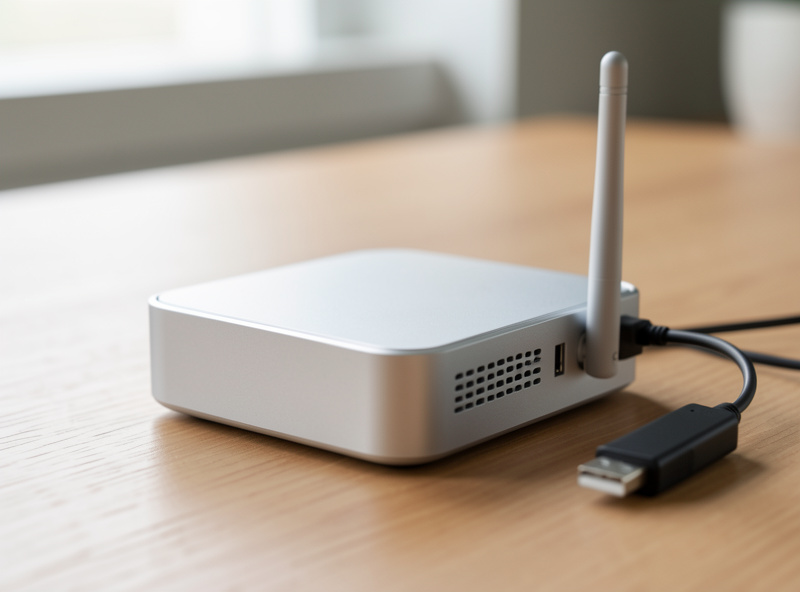
The mistake I see constantly is treating privacy as a feature you can buy — a device with a “privacy mode” or a brand that promises it cares. It doesn’t work that way. A camera with an excellent privacy policy is still streaming to a server you don’t control. The only privacy guarantee that holds is architectural: the data physically cannot leave because there is no path out. That is the standard I build to, and it is achievable with off-the-shelf gear today.
What Your Smart Home Actually Knows About You
Before you can protect it, you have to see what a smart home generates. It is more revealing than people assume, because the value of the data isn’t any single event — it’s the pattern. A motion sensor firing once is meaningless. The same sensor logged over a month draws a precise map of when your house is occupied, when it’s empty, and the rhythm of your daily life.
Walk through a typical setup and the picture fills in fast. Presence and motion sensors reveal occupancy and routine. Door and window contacts reveal comings and goings. Smart locks log every entry, by whom and when. Energy-monitoring plugs reveal which appliances run and at what hours — enough to infer when you cook, shower, or do laundry. Thermostats reveal sleep and wake times. Cameras reveal everything visually. Voice assistants capture whatever was said near them. Individually trivial; combined, it’s a behavioral profile most people would never hand over deliberately. The local-first approach matters precisely because that profile is valuable, and the only way to be sure it isn’t being assembled off-site is to keep the raw data on hardware you own.
The Four Layers of a Private Smart Home
I think about smart home privacy in four layers, from the inside out. Each layer is independent — you can harden one without the others — but the payoff compounds when you stack them. Most people never get past layer one, which is why most “smart homes” are quietly broadcasting all day.
Layer 1 — the hub. A local-first controller (Home Assistant in my case) that owns the automations. If the logic lives here, the cloud is optional for everything downstream. Layer 2 — the devices. Choosing and configuring gear so it speaks local protocols and isn’t begging to phone home. Layer 3 — the telemetry. Actively cutting the background chatter from the devices that insist on it. Layer 4 — the network. Isolating the whole IoT mess on its own segment so a single chatty or compromised gadget can’t see — or talk to — anything that matters.
| Layer | What it controls | Main privacy win | Deep dive |
|---|---|---|---|
| 1. Hub | Where automation logic runs | Data stays local by default | Local vs cloud control |
| 2. Devices | Protocol and account choices | Fewer cloud accounts, fewer leaks | Securing smart devices |
| 3. Telemetry | Background “phone home” traffic | Stops silent analytics uploads | Disabling telemetry |
| 4. Network | What devices can reach | Contains a breach to one segment | VLAN isolation |
You don’t have to do all four at once. The honest beginner path is layer 1 (pick a local hub) and layer 2 (buy gear that doesn’t fight you), then layer 4 (segment the network) once you have more than a handful of devices. Layer 3 is the ongoing maintenance — every new gadget gets audited for what it leaks before it earns a place in a core automation.
Layer 1: The Hub Decides Everything Downstream
The single highest-leverage privacy decision is which hub runs your home. A local-first hub like Home Assistant, Hubitat, or openHAB keeps the rule engine on hardware you own. A cloud-tethered ecosystem hub keeps that engine on the vendor’s servers, which means every state change and every automation trigger is, at minimum, visible to them.
In my setup the hub is Home Assistant OS on a small Intel N100 mini-PC with an SSD — not an SD-card Pi I’m scared to reboot. It owns the logic. My Zigbee devices talk to a dedicated coordinator over Zigbee2MQTT, my locks and long-range battery sensors run on a Z-Wave stick, and the newer gear comes in over Matter-over-Thread through border routers. None of those automations need an internet connection to fire. When my presence-based lighting routine runs at dusk, that decision is made and executed entirely inside my house. Nobody gets a log entry.
This is also where reliability and privacy stop being separate goals. The automation that survives an internet outage is the same automation that doesn’t report to anyone. If you’re choosing a hub, the question “does this still work when the cloud is down?” is also the question “does this keep my data home?” — and the answer points the same way. I unpack the full reasoning in the local vs cloud smart home guide.
Layer 2: Choosing and Securing Devices That Don’t Leak
Once the hub is local, the device layer is about reducing your cloud surface area — the number of separate accounts, apps, and servers your home depends on. Every cloud-tethered device is another company with a row of your data and another credential that can be breached. The fix is partly buying decisions and partly configuration.
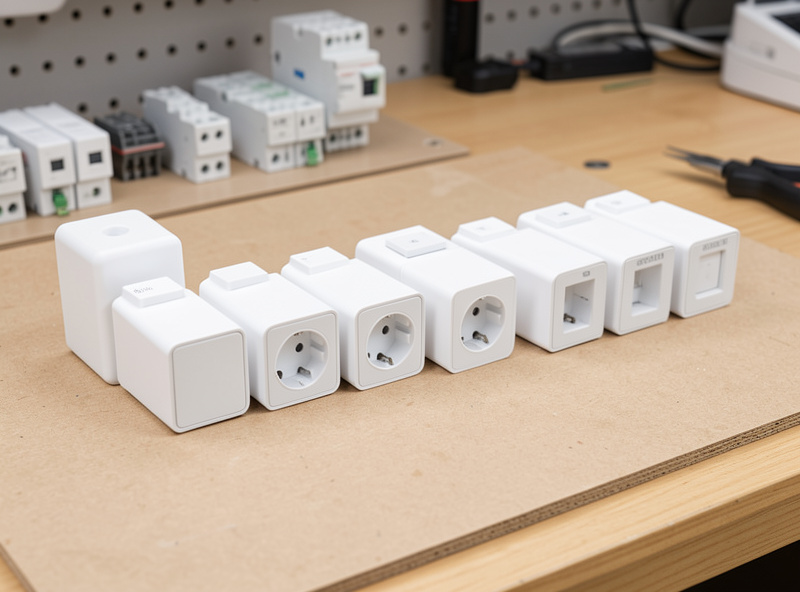
The buying decision: prefer devices that work over Zigbee, Z-Wave, or Thread rather than cloud-only Wi-Fi gadgets. My building block is the smart plug or in-wall relay, not the smart bulb, because a relay keeps the physical switch working and a local protocol means the device never needs an account. The configuration decision: unique strong passwords on anything that does have a login, current firmware, and a hard look at which integrations actually need cloud access. I walk through the whole hardening checklist in securing smart home devices, and the day-to-day habits in IoT privacy best practices.
A worked example from my own bench: a generic Wi-Fi smart plug arrives expecting you to make a cloud account, run its app, and let it report usage to a server. The same hardware, reflashed with local firmware or swapped for a Zigbee equivalent, does the identical job — switch a load, report power — with zero cloud footprint. The capability is the same. The privacy difference is total. That’s the lens to buy through.
Layer 3: Killing the Telemetry That Phones Home
Even devices you control will chatter if you let them. Telemetry is the background traffic a gadget sends about itself — usage analytics, “crash reporting,” feature pings — usually with no user-facing benefit and no off switch in the app. A smart TV is the worst offender most people own, but plenty of small devices do it too.
There are three ways to stop it, in order of how much I trust them. Turn off whatever analytics toggles the device actually exposes (weakest — you’re trusting the vendor). Block the device’s outbound internet at the network so it physically can’t reach its telemetry endpoints (strong — covered in the network layer). Or replace the firmware with a local build like ESPHome or Tasmota so there’s no phone-home code left to run (strongest). My de-clouded plugs and sensors took the third path; the full method is in disabling telemetry on smart devices and the firmware specifics in my Tasmota flashing guide.
Layer 4: Network Isolation Is the Safety Net
The network layer is the one that turns a single mistake into a contained incident instead of a whole-house exposure. The idea is simple: put all your IoT devices on their own VLAN or separate SSID, segmented from your laptops, phones, and NAS. The devices can still talk to the hub (you allow that one path), but a compromised camera or a chatty Wi-Fi gadget can’t see your work laptop or reach out to the rest of the network.
This is the single best privacy upgrade once you have more than a dozen devices, and it’s also the bridge to proper home networking. I run IoT on its own VLAN specifically because dozens of chatty devices on a flat home network is how a smart home turns flaky and leaky at the same time. The planning, the segments, and the firewall logic are in VLANs for smart home IoT isolation, and if you want the deeper networking build my colleague’s homelab VLAN setup guide goes further into the router side.
Cameras: The Highest-Stakes Privacy Decision
Cameras deserve their own paragraph because they’re the device most likely to do real harm if the data escapes — and the device most aggressively pushed toward cloud subscriptions. A cloud camera streams the inside of your home to a server, gates the footage behind a monthly fee, and makes that footage discoverable by anyone who can compel or breach the provider.
In my setup the cameras are modest local-recording units feeding a Frigate-style pipeline on a box in the house, with on-device object detection. No subscription, no footage leaving the building. That’s not a luxury config — it’s cheaper over time than paying for cloud storage, and it’s the only setup where I can honestly say I know where the video is. The full approach, including placement and indoor-camera etiquette, is in the smart camera privacy guide, and there’s a focused piece on indoor security camera privacy for the rooms where it matters most.
Voice Assistants: Input Only, Never the Brain
Voice gets treated as the headline feature of a smart home, and it’s also the part with the worst privacy reputation — an always-listening microphone in your living room, wake-word detection that occasionally misfires, and audio snippets that have historically ended up reviewed by humans for “quality.” I haven’t thrown the assistants out, but I’ve demoted them.
In my setup voice is an input only, never load-bearing. The automations are the output and they live on the hub; voice is just one of several ways to poke them, alongside sensors, schedules, and presence. If the assistant went dark tomorrow, every routine would keep running. That framing changes the privacy calculus: a microphone you can unplug without breaking anything is a far smaller risk than one your whole house depends on. For people who want to close the gap entirely, local voice options now exist that do wake-word and intent recognition on your own hardware — still maturing, but real. The principle holds regardless: don’t let the most privacy-hostile device in the house become the one everything routes through.
The Privacy Audit I Run on Every New Device
Every gadget that comes into the house gets the same quick interrogation before it joins a real automation. It takes about ten minutes and it’s saved me from more than one device that turned out to be a cloud-only liability dressed up as “local.”
The questions, in order: Does it work without an internet connection? Pull the WAN and see if it still responds to the hub. Does it speak a local protocol (Zigbee, Z-Wave, Thread) or is it cloud-Wi-Fi only? What does it talk to? Watch its traffic on the IoT VLAN — a switch that contacts a dozen analytics domains is telling you something. Does it demand an account just to function, or only for remote access I can skip? Can I block its internet and keep the local features? A device that passes most of these earns a place in core automations. One that fails them goes on the isolated network with its internet blocked, or back in the box. This is layer 3 in practice, and the detailed version lives in the IoT privacy best practices and telemetry guides.
Privacy vs Security: They Overlap But Aren’t the Same
People use “privacy” and “security” interchangeably, and in a smart home they’re tightly linked but distinct. Security is about keeping intruders — physical or digital — out. Privacy is about controlling where your data goes even when nothing is “breached.” A perfectly secure cloud camera with strong passwords and current firmware can still be a privacy problem, because the footage is sitting on someone else’s server by design.
The good news is that the local-first approach serves both. Isolating devices on a VLAN is a security measure that also improves privacy. Local recording is a privacy measure that also removes a remote attack surface. If you’re coming at this from the alarm-and-monitoring side, my smart home security systems guide and the question of whether smart locks can be hacked cover the security half; this cluster is the privacy half. Read them as two sides of the same coin.
Cloud Lock-In Is a Privacy Cost You Pay Later
There’s a privacy cost to cloud devices that doesn’t show up until later: lock-in. When a device only works through the manufacturer’s app and servers, you don’t actually own a capability — you own access to a service, on their terms, for as long as they choose to offer it. The day they change the privacy policy, get acquired, monetize your data more aggressively, or simply shut the servers down, your “smart” device degrades or bricks, and you have no recourse because the intelligence was never in your house.
I’ve watched this play out across the hobby enough times to treat it as a design constraint, not a tail risk. A local-protocol device I bought years ago still does exactly what it did on day one, because nothing about it depends on a company’s continued goodwill. That’s the same property that protects my privacy: the data stays home because the function stays home. When I weigh two devices and one is a few euros cheaper but cloud-tethered, I price in the account, the eventual subscription nag, the data I’d hand over, and the risk that it stops working when someone in a boardroom decides it should. The local option almost always wins that math. Buying through that filter is the habit that keeps a smart home both private and yours over the long run — the cheapest device is rarely the cheapest to live with.
As an Amazon Associate I earn from qualifying purchases.
A Realistic Order of Operations
If you’re starting from a pile of cloud gadgets and an app for each one, don’t try to boil the ocean. Here’s the sequence I’d run, and it’s the same order these guides build on each other. First, local hub and move your most-used automations onto it. Second, on your next purchase, choose a local-protocol device instead of a cloud-only one — let the bad gear age out rather than ripping it all out at once. Third, segment your network the day you cross a dozen devices. Fourth, make telemetry-auditing part of how you onboard every new gadget.
None of this requires being a network engineer. It requires deciding, once, that your home’s data is yours — and then making each subsequent decision through that filter. The cheapest device is rarely the cheapest to live with once you count the cloud account, the subscription, and the data you hand over. That total-cost-and-reliability framing is what separates a smart home you own from one you’re renting access to.
Frequently Asked Questions
What is the single best thing I can do for smart home privacy?
Run a local-first hub like Home Assistant so your automation logic stays in your house. Once the brain is local, the cloud becomes optional for everything downstream and most data has no path out by default.
Do I have to throw out my existing cloud smart home devices?
No. Stand up a local hub, then choose local-protocol gear on your next purchases and let the cloud devices age out. Ripping everything out at once is unnecessary and expensive. Migrate gradually through the layers.
Is a smart home a privacy risk even if I trust the brand?
A trustworthy brand still stores your data on its servers by design, where it can be breached or compelled. The only guarantee that holds is architectural: keep the data local so there is no path out, rather than relying on a policy.
What is the difference between smart home privacy and security?
Security keeps intruders out; privacy controls where your data goes even when nothing is breached. A secure cloud camera is still a privacy problem because the footage lives on someone else’s server. Local-first design serves both at once.
Do I need a VLAN for a small smart home?
For a handful of devices it is optional. Once you pass roughly a dozen IoT devices, isolating them on their own VLAN is the highest-value privacy and reliability upgrade, because it contains any single chatty or compromised gadget to one segment.
Can I have cameras without a cloud subscription?
Yes. Modest local-recording cameras feeding a Frigate-style pipeline on a box in your house give you object detection and storage with no subscription and no footage leaving the building. It is usually cheaper than cloud storage over time.