Best Smart Thermostats That Work Without C Wire (2026)
The Quick Answer
No C wire doesn’t mean no smart thermostat. Homes with original HVAC wiring from before 1980 commonly lack the common wire most smart thermostats need for constant power, but several models solve this reliably. The Google Nest runs on battery power-stealing, Ecobee includes a free Power Extender Kit, and add-on C wire transformers cost just $25-40. See the complete buyer’s guide for all options.
Disclosure: HomeAutoCentral is reader-supported. As an Amazon Associate I earn from qualifying purchases, at no extra cost to you. I only recommend gear worth your money.
What Is the C Wire and Why Does It Matter?
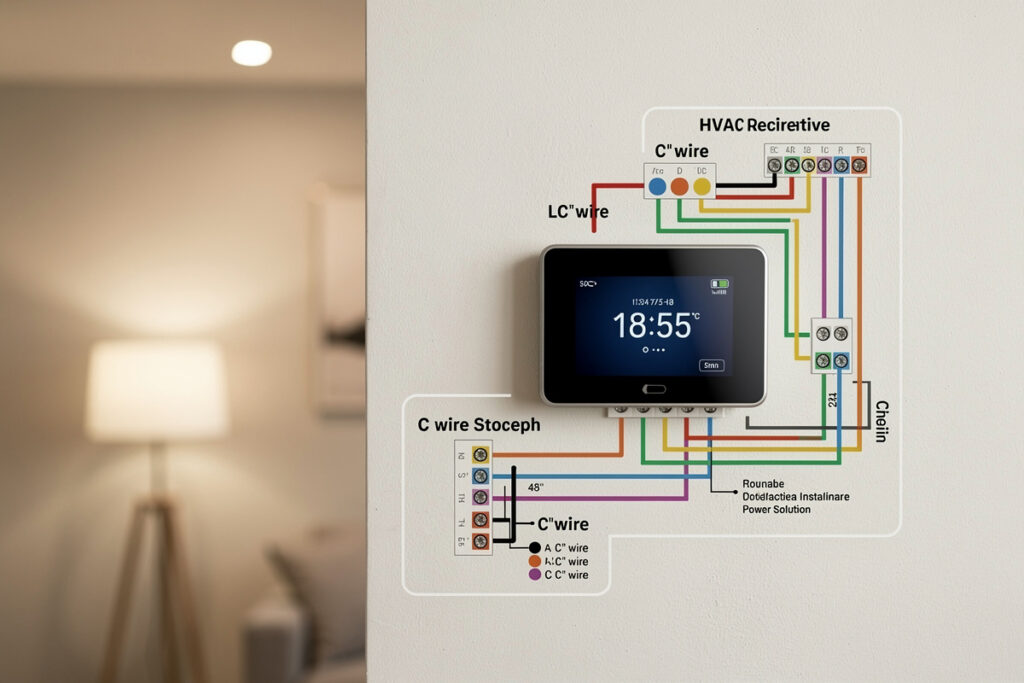
The C wire (common wire) provides continuous 24V power to smart thermostats. Unlike traditional programmable thermostats that only need power when actively running HVAC equipment, smart thermostats have WiFi radios, color displays, and processors that require constant electricity.
Without a C wire, smart thermostats must “power steal”—siphoning small amounts of electricity when the HVAC system runs. This works inconsistently and can cause problems: WiFi disconnections, short cycling of equipment, or even damage to HVAC components over time.
Checking for a C Wire
If you find your system has no C-wire, you have several options. Many homeowners successfully use smart thermostats to cut energy bills, even without the common wire.
Remove your current thermostat from the wall and look at the wires:
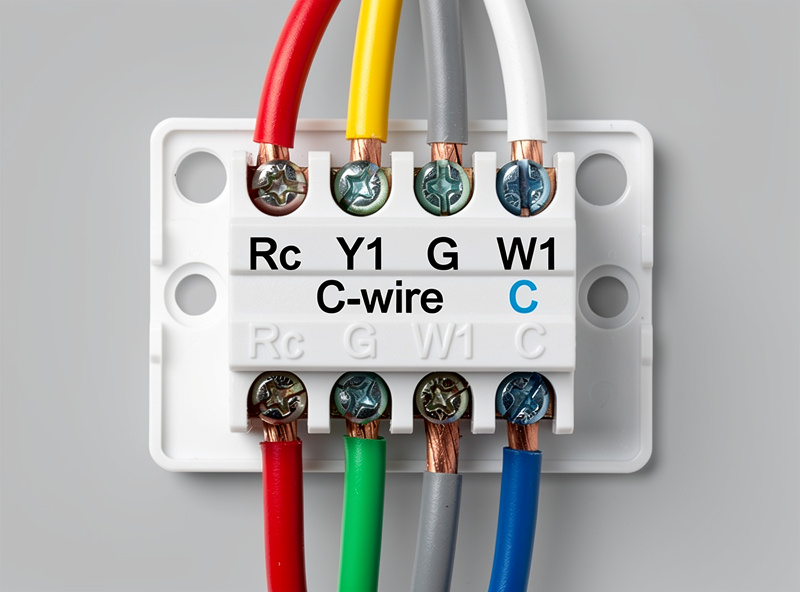
- Labels: Look for a wire connected to a terminal labeled “C” or “Common”
- Colors: C wires are typically blue or black, but not always—always check labels
- Extra Wires: Sometimes a C wire exists in the wall but is not connected; look for unused wires behind the thermostat
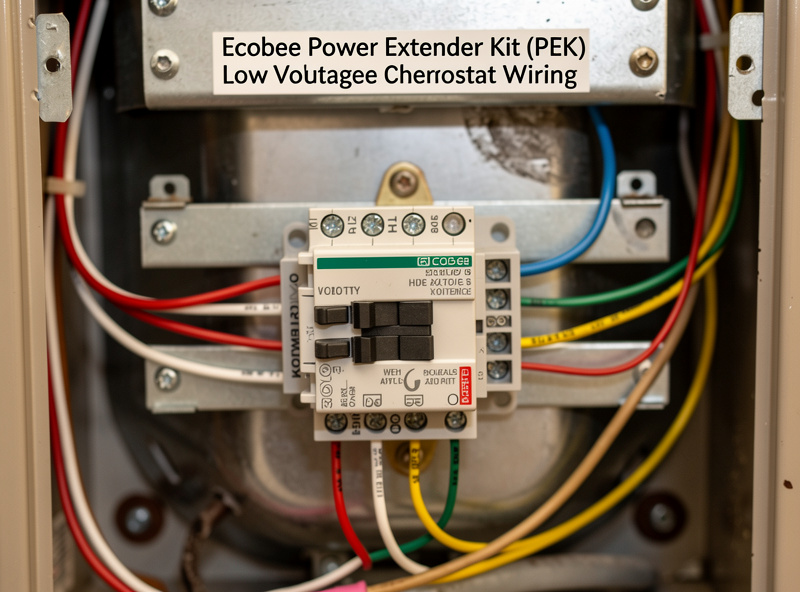
Solutions for Homes Without C Wires
1. Thermostats Designed for No C Wire
Some smart thermostats consume minimal power and work reliably without a C wire:
Google Nest Thermostat (2020 Model): Uses efficient display and aggressive power management. Works without C wire in most systems by power stealing effectively. Includes “Power Connector” accessory (sold separately) that adds C wire equivalent at furnace if needed.
2. Power Extender Kits (PEK)
These adapters install at your furnace/air handler to repurpose existing wires as a C wire:
Ecobee Power Extender Kit: Included free with Ecobee3 Lite and Ecobee SmartThermostat. Requires G and Rc wires to repurpose—simple 15-minute installation at furnace. Converts 4-wire systems to C wire compatible.
Venstar Add-a-Wire: Third-party solution for any thermostat brand. Works with 2-4 wire systems by multiplexing signals. More complex installation but universally compatible.
3. External Transformers
Plug-in adapters that provide C wire power:
24V Transformer Solution: Plug into nearby outlet, run low-voltage wire to thermostat location. Simple but requires visible wiring. works with any smart thermostat.
4. Battery-Powered Options
Some smart thermostats run on batteries, eliminating C wire needs entirely:
Lux Kono Smart: Runs on AA batteries (2-year life). Basic smart features including WiFi, scheduling, and Alexa. Limited compared to wired options but truly wireless.
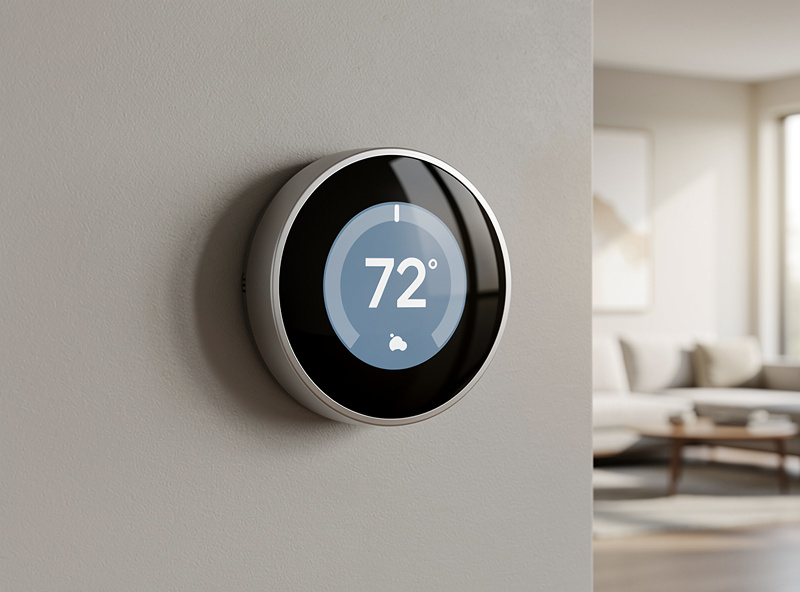
Top Smart Thermostats Without C Wire
No-C-Wire Smart Thermostat Comparison
| Model | Price | No-C-Wire Method | Best For |
|---|---|---|---|
| Google Nest Thermostat | $130 | Power stealing (efficient) | Budget, simple install |
| Ecobee3 Lite + PEK | $150 | Power Extender Kit included | Room sensors, full features |
| Honeywell T9 | $200 | Adapter included | Heat pumps, reliability |
| Amazon Smart Thermostat | $80 | Power stealing | Alexa users, budget |
| Wyze Thermostat | $70 | C-wire adapter included | Cheapest entry point |
1. Google Nest Thermostat — Best No-C-Wire Option
The newest Nest (round, less expensive than Learning Thermostat) works without C wire in most installations. Uses power stealing but manages it better than competitors through efficient components. If you experience issues, the optional Power Connector ($25) adds C wire functionality at the furnace. Supports most HVAC systems: gas, electric, heat pump, oil, dual fuel. Geofencing, scheduling, and energy history included.
Pros: Affordable ($130), works without C wire, easy installation
Cons: No remote sensors, basic features compared to premium models
2. Ecobee3 Lite + PEK — Best with Room Sensors
Ecobee3 Lite includes the Power Extender Kit free, solving C wire issues. Once installed, you get full Ecobee features including SmartSensor compatibility for room-specific temperature control. Works with Alexa, Google, HomeKit, and SmartThings. Energy reports and scheduling via app.
Pros: Room sensors available, full smart home integration, reliable with PEK
Cons: Requires furnace wiring (more complex than simple thermostat swap)
3. Honeywell Home T9 — Best for Heat Pumps
Exceptional heat pump support including dual fuel and auxiliary heat management. Includes C wire adapter if needed. Smart room sensors available ($40 each). Resideo app provides good scheduling and geofencing. Works reliably even without C wire on many systems.
Pros: Excellent heat pump support, reliable operation, good sensors
Cons: App less polished than Nest/Ecobee, higher price point ($200)
4. Amazon Smart Thermostat — Best Budget
Only $80 with solid basic features. Works with many systems without C wire, though Amazon recommends professional installation for complex setups. Alexa integration is excellent. Lacks some advanced features but covers the basics: scheduling, away mode, energy dashboard.
Pros: Cheapest smart thermostat, good Alexa integration
Cons: Limited compatibility checker, fewer features
5. Wyze Thermostat — Best Value
$70 with C wire adapter included. Clean app interface, easy setup wizard, basic scheduling and remote control. Budget-friendly entry into smart thermostats. C wire adapter works similarly to Ecobee PEK but is included in the box.
Pros: Very affordable, includes adapter, simple app
Cons: Limited HVAC compatibility, basic features only
Installation Without C Wire
Option A: Direct Replacement (No C Wire Thermostats)
- Turn off HVAC power at breaker
- Remove old thermostat, photograph wiring
- Install new thermostat base with existing wires
- Configure via app—thermostat detects wiring automatically
- Test all heating/cooling functions
- Monitor for 48 hours for WiFi stability issues
Option B: Power Extender Kit Installation
- Turn off HVAC power at breaker AND furnace switch
- Install thermostat normally with existing wires
- At furnace, open control board access panel
- Connect PEK according to instructions (usually repurpose G wire)
- Connect C wire output from PEK to thermostat cable
- Restore power and test
Time Required: 30-45 minutes
Skill Level: Moderate DIY (working with low-voltage wiring)
When You Should Add a C Wire
Even if a thermostat claims to work without C wire, consider adding one if:
- You experience WiFi disconnections or reboots
- HVAC short cycling (turning on/off rapidly)
- Battery backup thermostats draining batteries quickly
- Complex HVAC system (variable speed, zoning, humidifiers)
- You want maximum reliability
Professional C wire installation costs $100-$200—often worth it for long-term reliability.
HVAC System Compatibility
Systems That Work Best Without C Wire
- Gas furnaces with basic control boards
- Single-stage heat pumps
- Conventional AC systems
Systems That Typically Require C Wire
- Heat pumps with variable-speed compressors
- Systems with humidifiers, dehumidifiers, or ventilators
- Duel-fuel setups
- High-efficiency modulating furnaces
Related: How Much Do Smart Thermostats Save? | Nest vs Ecobee Comparison | Smart Thermostats for Apartments
Troubleshooting No-C-Wire Installations
WiFi Disconnection Issues
The most common problem with power-stealing thermostats is WiFi instability. Without consistent power, the radio may disconnect periodically. If you experience this, first check your furnace filter—a dirty filter makes the blower run longer, providing more power-stealing opportunities. If problems persist, add the manufacturer’s C-wire adapter or consider upgrading to a model with included power management.
Battery Backup Considerations
Some homeowners add a battery backup to their HVAC system specifically for smart thermostat reliability. While effective, this adds cost and complexity. Most find that choosing a thermostat designed for no-C-wire operation (like the Nest or models with included adapters) provides better long-term reliability than jury-rigged power solutions.
When to Add a C Wire
Even if your initial installation works without a C-wire, consider adding one if you experience:
- Frequent WiFi disconnections requiring manual reconnection
- Short cycling of HVAC equipment (rapid on/off cycles)
- Display flickering or dimming
- Battery warnings on thermostats with backup power
Adding a C-wire typically costs $100-200 professionally or $25-40 for a DIY adapter kit.
Frequently Asked Questions
Can I install a smart thermostat without a C-wire myself?
Yes, most homeowners can install no-C-wire thermostats in 30-45 minutes. The Google Nest Thermostat (2020) and Amazon Smart Thermostat work without additional wiring. For Ecobee models, the included Power Extender Kit requires 15-20 minutes of additional work at your furnace to repurpose existing wires.
Will a smart thermostat work without WiFi?
Yes, basic temperature control continues without internet. However, smart features like remote access, geofencing, and learning require WiFi. The thermostat stores your schedule locally and resumes full operation when connectivity returns. Power-related disconnections from lack of C-wire are separate from WiFi issues.
What happens if my thermostat loses power?
Smart thermostats without C-wires may briefly lose power when the HVAC system is off for extended periods. Most have capacitors or batteries providing 15-30 minutes of backup power for critical functions. When main power returns, the thermostat reconnects and resumes its schedule automatically.
Do all smart thermostats need a C-wire?
No. The Google Nest Thermostat (2020 model), Amazon Smart Thermostat, and several budget options work reliably without one. Premium thermostats like Ecobee and Honeywell include adapters that effectively add C-wire functionality by repurposing existing wires at your furnace.
How much does it cost to add a C-wire?
DIY adapter kits cost $25-40 and work with any thermostat. Professional installation to run new wiring costs $100-200. Many homeowners find that choosing a no-C-wire-compatible thermostat avoids this expense entirely while providing the same energy savings.
Which smart thermostat is easiest to install without C-wire?
The Google Nest Thermostat (2020 model) is easiest—simply swap your old thermostat, connect existing wires, and configure via the app. It manages power efficiently without additional adapters. For more features, the Ecobee3 Lite includes a Power Extender Kit but requires 15 minutes of furnace wiring.
Related Articles
- Best Smart Thermostats 2026: Complete Buyer’s Guide
- How Much Does a Smart Thermostat Save? Real Data
- Best Smart Thermostat for Apartment Renters
- Nest vs Ecobee: Honest Comparison
- Smart Thermostat Geofencing: How It Saves Energy