Whole-Home Battery Backup: How Smart Homes Survive Power Outages
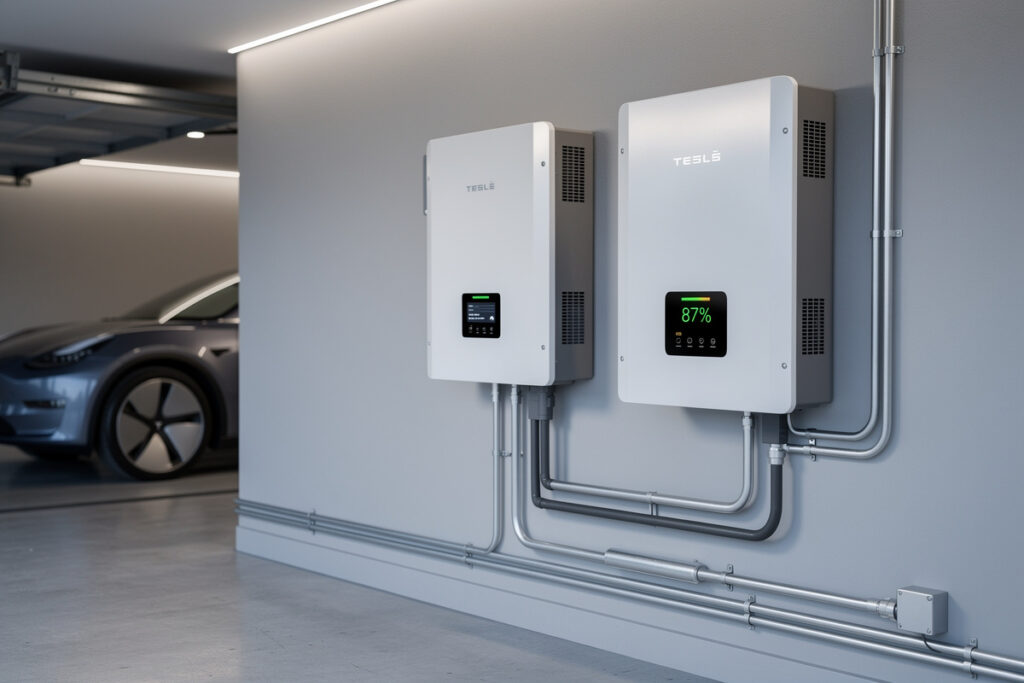
A whole-home battery backup keeps a smart home running through a 24-72 hour outage by serving roughly 5-15 kWh per day from stored capacity, depending on which loads you prioritize. The right system pairs a hybrid inverter (5-12 kW continuous), a 13-40 kWh LiFePO4 battery bank, an automatic transfer switch, and load-shedding logic that drops nonessential circuits within 30 milliseconds of grid failure — a transition fast enough that smart bulbs, security cameras, and the home Wi-Fi never reboot.
This guide walks through the four sizing decisions that determine whether your backup actually covers what you need it to, the difference between essential-circuit and whole-panel backup, and the smart-home integrations that make the system useful instead of just expensive.
The Outage Reality: How Long, How Often, and What Actually Matters
The US Energy Information Administration’s 2023 reliability data shows the average American customer experiences 5.6 hours of outages per year across roughly 1.4 events. That number is heavily skewed by region — Louisiana, Texas, and the Pacific Northwest see 10-30+ hours per year while urban Northeast averages under 2. The decision to install whole-home backup is driven by two questions: how often you experience outages over 4 hours, and what loads in your house are non-negotiable when the grid drops.
For a typical smart home, the four critical load categories are: refrigeration (200-800 W continuous, 4-15 kWh/day), HVAC blower or mini-split (300-1500 W intermittent, 5-25 kWh/day), Wi-Fi plus modem plus security cameras (50-200 W continuous, 1-5 kWh/day), and lighting plus phone charging (50-300 W intermittent, 1-3 kWh/day). Sum these and a typical “essentials only” backup load is 12-25 kWh per day. Whole-home including air conditioning is 30-80 kWh per day in summer.
The Three System Tiers
Battery backup falls into three meaningful tiers based on what you can run and for how long. Picking the wrong tier is the most common mistake — undersized systems trip on a refrigerator surge, oversized systems waste $15,000 of capacity that never gets used.
Tier 1: Essentials-Only (5-13 kWh, $6,000-12,000)
One battery module powering a sub-panel of essential circuits: fridge, Wi-Fi, security, kitchen lighting, phone chargers. This handles 8-30 hours depending on appliance efficiency. It is the minimum useful tier. A single Tesla Powerwall 3 (13.5 kWh), Enphase IQ 5P (5 kWh), or 16 kWh DIY EG4 server-rack stack lands in this band. Inverter is typically 3-5 kW continuous.
Tier 2: Whole-Home Without HVAC (13-30 kWh, $14,000-25,000)
Two-to-three battery modules powering the entire home electrical panel except the HVAC compressor and electric water heater. Runs full lighting, all appliances, refrigeration, and TV/entertainment for 24-48 hours. Inverter is 7-12 kW continuous to handle simultaneous loads. This is the sweet spot for most suburban homes.
Tier 3: Full Whole-Home Including HVAC (30-80 kWh, $30,000-65,000)
Four to six battery modules plus a 12-15 kW hybrid inverter. Handles air conditioning, electric ranges, and high-draw appliances simultaneously. Required only for medical-essential cooling needs, electric-only homes without gas backup, or for off-grid use. Most homes do not need this tier; a smart-thermostat schedule that drops AC during outages and a portable propane heater for winter outages cover the gaps at a fraction of the cost.
The Smart-Home Integration Layer
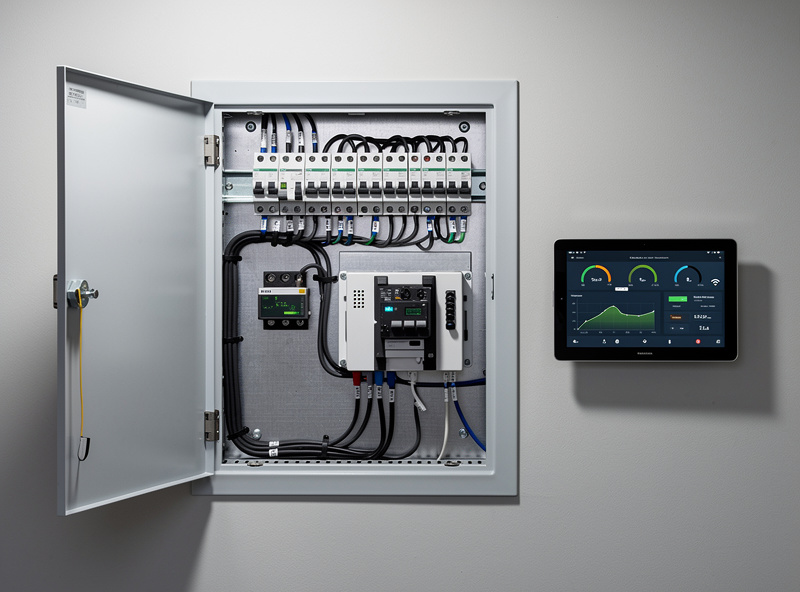
The thing that separates a $20,000 backup system from a $20,000 smart backup system is the integration layer: load shedding, scheduled battery reserve, energy-monitoring feedback, and voice-assistant control. None of this is hardware, all of it is software, and most of it is included free with modern hybrid inverters.

Five integrations worth setting up on day one:
- Outage notification: Hybrid inverter pushes a webhook or MQTT message to Home Assistant or SmartThings when grid power drops. Trigger: speaker announcement, phone notification, automated text to family members.
- Load shedding by priority: Smart breakers (Span panel, Schneider Square D Energy Center, Lumin) drop loads in priority order as battery state-of-charge declines. Default sequence: drop EV charger at 80%, drop dryer at 60%, drop pool pump at 40%, retain refrigeration and Wi-Fi to 10%.
- Scheduled reserve: Battery management software (Sol-Ark, Enphase, Tesla) reserves a percentage for outage-only use. Set 30-50% reserve in storm-prone seasons, 10% otherwise to maximize daily solar self-consumption.
- Smart-thermostat outage mode: Ecobee, Honeywell, and Google Nest all expose API hooks that let Home Assistant set wider deadbands during grid-down periods (e.g., heat to 65°F instead of 70°F, cool to 80°F instead of 75°F). Saves 30-50% of HVAC energy when stored capacity matters most.
- Solar production override: If you have solar paired with the battery, software can prioritize charging the battery from PV during forecast-storm days to maximize stored energy entering an outage. Most hybrid inverters have a “storm watch” mode that does this automatically when paired with the National Weather Service feed.
Battery Chemistry and Sizing for Outage-First Systems
Outage-first systems (vs. daily solar self-consumption systems) prioritize cycle life secondary to safety and longevity. LiFePO4 chemistry is the standard for residential backup because it tolerates years of partial-state-of-charge sitting without degradation, has no thermal-runaway risk, and rates 4,000-6,000+ cycles at 80% depth of discharge — far more cycles than the typical homeowner will actually use over the system lifetime.
The full chemistry comparison — LiFePO4 vs NMC vs LTO, plus which BMS settings actually matter for cycle life and safety — is covered in detail in our partner site’s complete battery chemistry guide for home storage. The short version: for any whole-home backup application, choose LiFePO4. The 10-15% energy-density penalty vs NMC is irrelevant when you have a wall to mount it on, and the safety margin is significant.
Comparison: Common 2026 Whole-Home Battery Systems
| System | Battery | Inverter | Tier | Smart Home | Approx Installed Cost |
|---|---|---|---|---|---|
| Tesla Powerwall 3 | 13.5 kWh / unit (stackable) | 11.5 kW built-in | 2 (single) / 3 (stacked) | Tesla app + API integrations | $13,500-15,500 / unit |
| Enphase IQ Battery 10C | 10 kWh / unit | 3.84 kW per battery | 1 (single) / 2 (stacked) | Enphase Enlighten + IQ Gateway | $12,500-15,000 / unit |
| EG4 PowerPro WallMount + 18kPV | 14.3 kWh / unit (stackable to 4) | 18 kW hybrid inverter | 2-3 | Custom Home Assistant / Solar Assistant | $11,000-22,000 (DIY) |
| Sol-Ark 15K + EG4 LL-S | 5.12 kWh / module (stackable) | 15 kW hybrid | 2-3 | Sol-Ark MQTT + Home Assistant | $15,000-28,000 |
| Generac PWRcell | 9-18 kWh modular | 7.6-11.4 kW | 2 | Generac PWRview app | $15,000-22,000 |
| FranklinWH aPower 2 | 13.6 kWh / unit (stackable to 15) | 10 kW continuous | 2-3 | FranklinWH app + smart breaker integration | $13,000-17,000 / unit |
Transfer-Switch Speed and Why It Matters for Smart Homes
Transfer-switch speed determines whether your smart-home devices reboot during the grid-to-battery handoff. Three speed tiers exist: standard automatic transfer switches (5-15 seconds), fast ATSs (30-200 milliseconds), and inverter-integrated UPS-mode transitions (under 16 ms). Anything over 100 ms causes most consumer electronics — Wi-Fi routers, smart bulbs, IP cameras, voice assistants — to reboot, which can take 30-90 seconds to come fully back online.
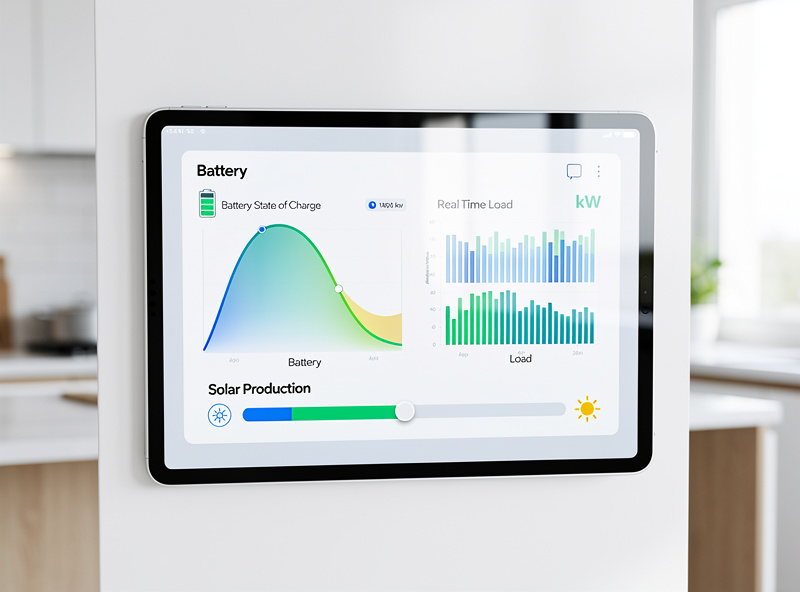
Hybrid inverters with built-in UPS mode (Tesla Powerwall, Enphase IQ, Sol-Ark, EG4 18kPV, FranklinWH) all transfer in under 30 ms — fast enough that the smart home never goes offline. This is the single feature that justifies paying for an integrated hybrid system over a generator-style backup with a separate ATS.
Solar Pairing: When to Add It and When to Skip
For a backup-only system used purely for outage resilience, solar pairing is optional. The battery can be charged from grid power during off-peak hours and held at high state-of-charge for outage events. For a daily-cycle system that pays for itself through solar self-consumption and time-of-use arbitrage, solar pairing is essential — without it the payback period stretches from 7-10 years to 20+ years.
The integration angle matters here too. A solar-plus-battery system that talks to the smart-home energy dashboard lets you make weekly decisions about EV charging, HVAC scheduling, and major-appliance timing based on real production-vs-consumption data. The full smart-home energy stack is covered in the best smart home energy management systems guide and the smart solar panel integration guide.
What to Buy First if You’re Starting From Zero
The right build sequence for a whole-home backup project:
- Audit your loads. Use a Sense, Emporia Vue, or smart breaker panel for 30 days to measure actual consumption by circuit. This is covered in the smart home energy audit guide.
- Identify essential circuits. List the 6-12 circuits you actually need during an outage. This determines tier selection.
- Choose hybrid inverter. Inverter brand locks you into compatible batteries — pick this first.
- Size battery to load. Multiply daily essential-circuit kWh by your target hours of autonomy, divide by 0.8 for LiFePO4 DOD.
- Add smart-home integration. MQTT, webhooks, or vendor app integration into Home Assistant or SmartThings.
- Test the system. Schedule a planned grid disconnect at the panel and verify automatic transfer, load shedding, and notifications all work as designed.
For the upstream voice and protocol layer that lets your smart home actually use the backup intelligently, the voice assistants and protocols guide covers the integration patterns for Alexa, Google Home, Matter, and Home Assistant. The smart sensors guide covers the monitoring layer that triggers automated responses to outages.
For deeper background on grid reliability and outage statistics, the US EIA electricity data portal publishes the SAIDI/SAIFI reliability metrics by state. The NFPA 855 Standard covers the safety codes for residential energy storage system installation in the United States.
As an Amazon Associate I earn from qualifying purchases.
Frequently Asked Questions
How long does a whole-home battery actually last during an outage?
A typical Tier 2 system (13-30 kWh of battery) runs essential circuits for 24-48 hours. Refrigeration, Wi-Fi, security cameras, and lighting consume 12-25 kWh per day in most homes. Adding HVAC roughly triples that draw, so air-conditioning during outages requires Tier 3 systems with 30+ kWh of capacity.
Will my smart home reboot when the power transfers to battery?
Not if you pick a hybrid inverter with built-in UPS mode (Tesla Powerwall, Enphase IQ, Sol-Ark, EG4 18kPV, FranklinWH). These transfer in under 30 milliseconds, fast enough that Wi-Fi, smart bulbs, IP cameras, and voice assistants never lose power. Standard automatic transfer switches at 5-15 seconds will cause everything to reboot.
Do I need solar to make a battery backup worthwhile?
For pure outage resilience, no — the battery can be charged from grid power and held ready for outage events. For daily payback through solar self-consumption and time-of-use arbitrage, yes — without solar the payback stretches from 7-10 years to 20+ years. Most installations include solar for the financial return, with backup as a secondary benefit.
What is load shedding and why does it matter?
Load shedding automatically drops non-essential circuits as battery capacity declines, extending runtime on critical loads. Smart breakers (Span, Schneider Square D Energy Center, Lumin) execute load shedding in priority order — typically dropping EV charger first, then dryer, then pool pump, while protecting refrigeration and Wi-Fi. This roughly doubles useful outage runtime versus a system with no shedding.
Is LiFePO4 really safer than the older NMC chemistry?
Yes, materially safer. LiFePO4 has no thermal-runaway risk under normal failure modes, tolerates years of partial-state-of-charge without degradation, and lasts 4,000-6,000 cycles at 80 percent depth of discharge. The 10-15 percent lower energy density vs NMC is irrelevant for wall-mounted home installations.
Can I integrate a battery backup with Home Assistant?
Yes — most hybrid inverters expose either MQTT, Modbus, or REST API endpoints that integrate with Home Assistant. Sol-Ark, EG4, Enphase, Tesla, and Victron all have well-supported community integrations. SmartThings and Home Assistant can both trigger automation routines based on grid status, battery state of charge, and load shedding events.
What does a whole-home backup system actually cost?
Tier 1 (essentials only, 5-13 kWh) runs $6,000-12,000 installed. Tier 2 (whole home without HVAC, 13-30 kWh) runs $14,000-25,000. Tier 3 (full whole home with HVAC, 30-80 kWh) runs $30,000-65,000. Federal residential solar tax credit (30 percent through 2032) applies to battery installations and brings the net cost down significantly.
Related Articles
- Best Smart Home Energy Management Systems 2026
- Complete Smart Home Energy Audit Guide
- Smart Solar Panel Integration with Home Automation
- Voice Assistants and Smart Home Protocols Guide
- Best Smart Home Sensors 2026