Best Zigbee Coordinator Sticks: Sonoff, SLZB, and the USB-3 Trap
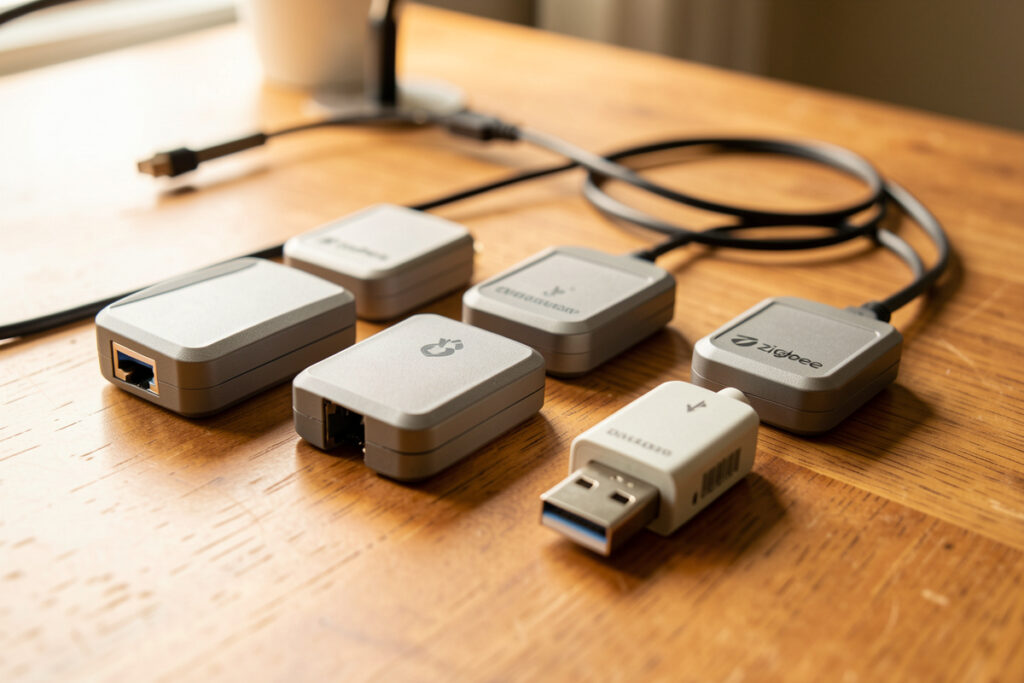
The best Zigbee coordinator stick is the one with a modern chipset, current firmware, and — this is the part people skip — a short USB extension cable keeping it away from your computer’s USB-3 ports. Get those three right and a Sonoff dongle that costs about as much as two coffees will happily run a hundred-device network. Get them wrong and a pricier stick will still drop sensors all day.
I have run both USB-stick and networked Ethernet coordinators across the years, on the same mesh, and the lesson that surprised me most is how little the brand matters compared to placement and firmware. This guide covers the chipsets worth buying, the USB-3 trap in detail, and when a networked coordinator beats a USB one. It is part of my Zigbee2MQTT setup guide cluster, which is where to start if you are building the whole network.
The short answer on what to buy
For most people, a current Sonoff USB dongle on a USB 2.0 extension cable is the sweet spot: cheap, well-supported, easy to flash, and proven across enormous networks. If you want the radio away from your server entirely — mounted centrally on Ethernet — an SLZB-class network coordinator is worth the premium because location is the biggest single lever on mesh health. Either way, buy a Zigbee 3.0 coordinator with a modern chipset, never an ancient hand-me-down stick.
As an Amazon Associate I earn from qualifying purchases. When I shop I look at a Sonoff Zigbee 3.0 USB coordinator, an SLZB Ethernet/PoE coordinator, and a plain USB 2.0 extension cable — the cable belongs in the same order as the stick, not as an afterthought.
The chipset is what you are really buying
Underneath the branding, coordinators are built around a handful of radio chips, and the chip family matters more than the logo. The two you will see most are the Texas Instruments CC2652-series and the Silicon Labs EFR32 family. Both are modern, both support Zigbee 3.0, and both are well-handled by Zigbee2MQTT and ZHA — the official Zigbee2MQTT supported adapters list shows exactly which sticks are recommended. The TI-based sticks have the longest track record with the community and the broadest firmware tooling; the Silicon Labs ones are excellent and also underpin many multiprotocol coordinators that can do Thread alongside Zigbee.
What you want to avoid is an old or no-name stick with a chipset that the community has moved on from — you will fight firmware and miss features. A coordinator is a long-lived purchase that everything else hangs off, so spending a little to get a current chip is the cheapest insurance in your whole setup. If you are still deciding which software to drive it with, that choice is in my Zigbee2MQTT vs ZHA comparison; the good news is the same modern stick serves either.
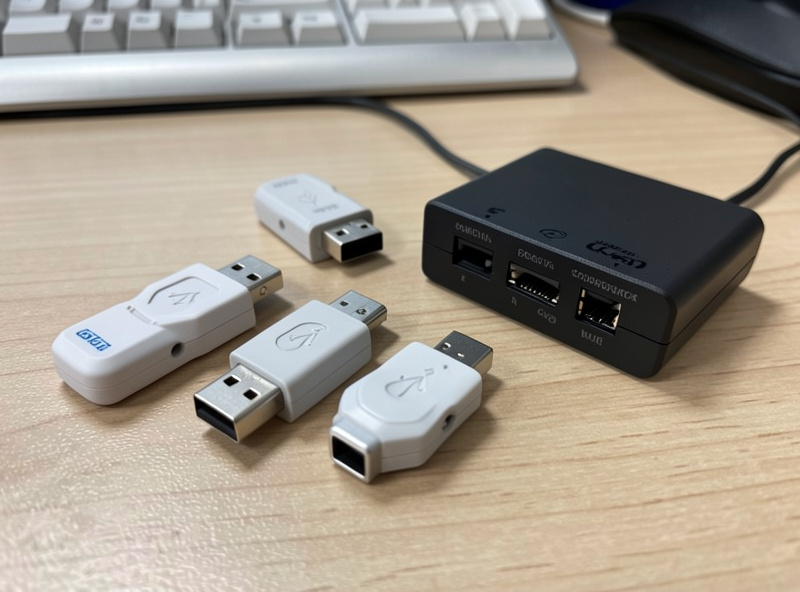
The USB-3 trap, explained
Here is the gotcha that wrecks more new networks than any other. USB 3.0 ports and their cables radiate broadband noise centered right around 2.4 GHz — exactly the band Zigbee uses. Plug a coordinator straight into a USB-3 port on the back of your mini-PC or NAS and the radio is sitting in a fog of interference, with its range collapsed to a few feet. The symptoms look exactly like failing devices: sensors that drop off, commands that miss, a mesh that will not extend past the next room.
The fix costs almost nothing: a short USB 2.0 extension cable that moves the coordinator six inches to a foot away from the machine. That distance, plus getting it out of the metal-case noise, routinely transforms a broken network into a solid one. I consider the extension cable mandatory, not optional — it is the first thing I check when someone says their brand-new expensive stick is unreliable. If interference is your core problem, the radio-band side of it is covered more fully in Zigbee range and interference problems and the channel side in Zigbee channel vs Wi-Fi interference.
USB stick vs networked coordinator
A USB coordinator plugs into your Home Assistant host. A networked coordinator — the SLZB-class devices — connects over Ethernet (often with PoE) and talks to your host over the network, so the radio can live anywhere you can run a cable. That separation is the whole appeal: you can mount the coordinator dead-center in the house, up high and clear of clutter, while the server stays in a closet. Since placement is the biggest lever on mesh quality, this is a real advantage, not a gimmick.
The trade-offs are cost and one more network dependency. A networked coordinator costs more than a USB stick, and it relies on your LAN being up, which for almost everyone is a non-issue. I lean toward the networked style now precisely because I would rather solve placement properly than wrestle a USB stick into clean air behind a media unit. But if budget is tight, a USB stick on an extension cable, mounted out in the open, gets you most of the way for a fraction of the price.
| Type | Connection | Best for | Watch out for |
|---|---|---|---|
| Sonoff-class USB stick (TI or Silicon Labs) | USB to host | Most builds; budget; simplicity | USB-3 noise — use an extension cable |
| SLZB-class network coordinator | Ethernet / PoE | Best placement; central mounting | Higher cost; needs LAN |
| Multiprotocol coordinator | USB or network | Running Zigbee + Thread together | More complex firmware |
| Old / no-name stick | USB | Nothing — avoid | Dead-end firmware, poor support |
Firmware: flash it, then leave it
Most coordinators ship with coordinator firmware already, but it is worth confirming you are on a current version before you build out a big network, because newer firmware fixes stability quirks and adds capacity headroom. Flashing is a one-time job and the tooling for the common chipsets is mature. Once you are on good firmware, leave it alone unless you have a specific reason to update — a coordinator firmware change can require care, so it is not something to do casually mid-week with the house depending on it.
One firmware-adjacent decision: a few coordinators can run as either a Zigbee coordinator or a Thread border router. If you are heading toward a mixed Zigbee-and-Thread home, a multiprotocol-capable coordinator is worth considering, though I personally prefer dedicated radios for each so a problem with one does not take down the other. That reliability-first instinct runs through everything I build.
External antenna or not?
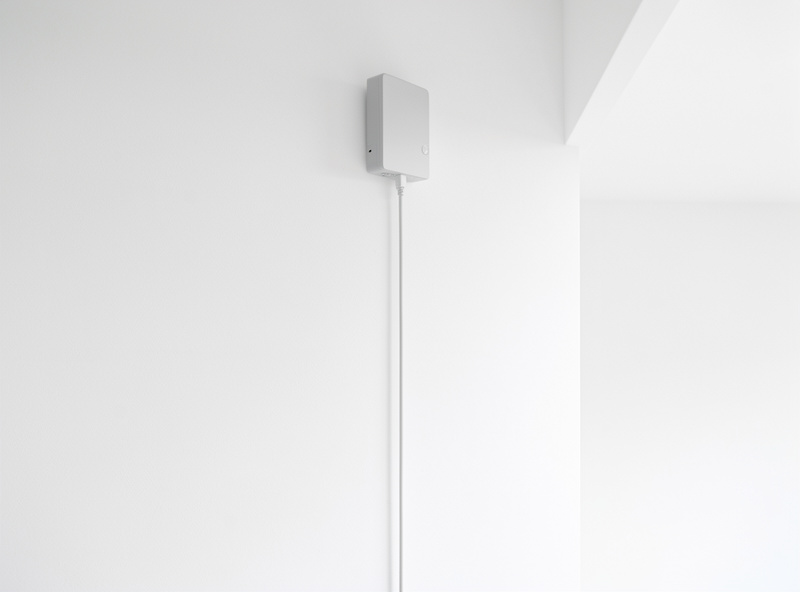
Some coordinators have a small external antenna; others use an antenna printed onto the board. In my experience the external-antenna versions have a useful edge on range and are worth choosing when offered, especially if your coordinator has to sit somewhere less than ideal. The antenna is doing the actual work of reaching across the house, so giving it a real one rather than a trace on a circuit board is a small upgrade that pays off at the margins.
That said, do not overrate it. A coordinator with a great antenna jammed into a USB-3 port behind a TV will still be worse than a modest one on an extension cable out in the open. The hierarchy is always placement first, antenna second, brand a distant third. If you can only optimize one thing, optimize where the coordinator sits, not which logo is on it.
Common buying mistakes
The mistakes I see again and again are predictable. People buy a premium coordinator and skip the two-dollar extension cable, then blame the stick for dropouts. They buy an old stick someone recommended in a years-old forum post, then fight outdated firmware. They buy a second coordinator hoping it will “extend range,” when what they actually needed was more routers — you run one coordinator per network, full stop, and extend coverage with mains-powered repeaters instead.
And some people agonize over coordinator choice for weeks while their actual problem is that they have three smart bulbs and no router-class devices spread through the house. The coordinator decision is genuinely one of the easier ones in a smart home: pick a current Sonoff or SLZB-class device, add the extension cable, and move on to the part that matters more — building out the mesh. If you find yourself comparing spec sheets for the tenth time, that is a sign to stop reading and start placing routers.
How the coordinator fits the bigger picture
Buying the right stick is necessary but not sufficient. The coordinator is the heart of the mesh, but the mesh itself is carried by mains-powered routers — plugs and relays that relay traffic for your battery sensors. A great coordinator with no routers spread through the house still leaves distant sensors struggling, which is why I cover routers vs end devices as its own topic. Think of the coordinator as the central station and the routers as the track that reaches the far rooms.
If you are running Home Assistant on a Raspberry Pi, every coordinator here works with it — see my Home Assistant on a Raspberry Pi setup — though I keep the coordinator on an extension cable away from the Pi’s own USB-3 ports just the same. The principles do not change with the host; they change with where you put the antenna and how many routers back it up.
Coordinator versus a smart home hub
It is worth being clear on terms, because the marketing muddies them. A branded “smart home hub” is a box that pairs your devices and routes them through a manufacturer’s app and cloud. A coordinator stick is just the radio — the brains live in your Home Assistant install, fully local. When I talk about buying a coordinator, I am talking about the radio for a self-hosted, local-control setup, which is a different thing entirely from buying a hub that phones home. If you are still weighing that decision, I worked through it in detail in the broader question of whether you even need a hub, and for any real Zigbee mesh the answer is a local coordinator, not a cloud bridge.
The practical upshot is that your coordinator spend is small and your control is total. A ten-dollar difference between coordinators is noise next to the value of owning the whole stack, so buy the current, well-supported one and put your attention where it counts. The radio is a commodity; the network you build on it is not.
Setting realistic range expectations
Do not buy a coordinator expecting it alone to blanket a large house. No single Zigbee radio reaches everywhere through walls and floors — that is by design. Zigbee is a mesh: the coordinator reaches the nearest routers, and those routers reach the ones beyond them, hop by hop. So the honest expectation for any coordinator is that it covers a room or two directly and relies on routers for the rest. A coordinator that “only reaches the next room” is not defective; it is waiting for you to give it routers to relay through.
Frequently Asked Questions
What is the best Zigbee coordinator stick for Home Assistant?
For most people a current Sonoff USB dongle on a USB 2.0 extension cable is the best value: modern chipset, broad support, easy to flash. If you want the radio mounted centrally on Ethernet for the best placement, an SLZB-class network coordinator is worth the extra cost.
Why does my Zigbee coordinator need a USB extension cable?
USB 3.0 ports radiate noise right across the 2.4 GHz band Zigbee uses, so plugging a coordinator directly into one collapses its range. A short USB 2.0 extension cable moves the radio away from that interference and the metal case, which reliably turns a flaky network stable.
Does the Zigbee coordinator chipset matter?
Yes. Modern coordinators use the Texas Instruments CC2652 series or Silicon Labs EFR32 family, both well supported by Zigbee2MQTT and ZHA. Avoid old or no-name sticks with dead-end firmware. The chipset matters far more than the brand on the label.
USB stick or networked Ethernet coordinator?
A USB stick is cheaper and simpler; a networked SLZB-class coordinator lets you mount the radio centrally on Ethernet, which is the single biggest lever on mesh quality. If placement near your server is poor, the networked option is worth the premium.
How many devices can one Zigbee coordinator support?
A modern Zigbee 3.0 coordinator comfortably handles well over a hundred devices. The real limit is almost never the coordinator but having enough mains-powered routers spread through the house to carry the mesh, so add plugs and relays as the network grows.