Zigbee2MQTT vs ZHA: Which Zigbee Integration I Run and Why
I run Zigbee2MQTT, not ZHA — but I want to be honest up front that this is not a landslide. Both are fully local, both control the same hardware, and for a lot of people ZHA is the smarter pick because it installs in one click with nothing else to maintain. The deciding factor in the Zigbee2MQTT vs ZHA question is how much you want to tinker versus how much you want it to just work, and what brands of devices you are running.
I have run both on the same coordinator over the years, migrated a live network from one to the other, and settled on Zigbee2MQTT for reasons that are specific rather than tribal. This is the comparison I wish someone had handed me before I picked, written from actually living with each. If you have not yet built the network underneath this decision, my Zigbee2MQTT setup guide is the parent to this article and covers the whole stack.
The 30-second answer
Choose ZHA if you want the simplest possible setup, you are running mainstream-brand devices, and you would rather not run an MQTT broker. Choose Zigbee2MQTT if you run a mix of brands and obscure devices, you want the deepest visibility and per-device tuning, or you might one day move the radio to another machine. Both are local-control and both survive an internet outage — that part is a tie, and it is the part that matters most.
Neither choice is a trap. The worst outcome is analysis paralysis: pick one, build a healthy mesh, and you will be fine. Migrating later is possible but means re-pairing devices, so it is worth a little thought now to avoid a tedious afternoon later.
What ZHA actually is
ZHA — Zigbee Home Automation — is the Zigbee integration built straight into Home Assistant. You plug in a supported coordinator, add the integration, and it talks to your devices directly. There is no separate application, no message broker, no extra container. For someone who wants Zigbee to be one more native part of Home Assistant rather than a system they administer, that simplicity is genuinely valuable.
ZHA has matured a lot. Device support is broad and growing, it handles groups and bindings, and because it is first-party it is updated alongside Home Assistant itself. The trade-off is that you are inside Home Assistant’s walls: if you ever want to move your Zigbee network to a different machine, or run it independently of HA, ZHA does not make that easy. For most people that never comes up, which is exactly why ZHA is the right default for a first network.
What Zigbee2MQTT actually is
Zigbee2MQTT is a standalone application that turns your coordinator into a Zigbee-to-MQTT bridge. It publishes every device to an MQTT broker, and Home Assistant subscribes to that broker. The architecture has one more moving part — the broker — but that extra layer is precisely where its advantages come from. Because Zigbee2MQTT is decoupled from Home Assistant, it does not care what consumes the data; you could point Node-RED or another system at the same broker.
The headline strengths are device support and visibility. The community maintains an enormous device database, so the odd off-brand sensor that ZHA does not recognize yet often works in Zigbee2MQTT on day one. The web frontend gives you a live network map, per-device settings, OTA firmware updates, and detailed logs. When I am diagnosing a flaky device, that visibility is the difference between fixing it in five minutes and guessing for an hour. It does mean you are running and updating one more service, and you need that broker — on Home Assistant OS the Mosquitto add-on makes it painless, but it is still a piece you own.

MQTT is less scary than it sounds
The single thing that puts people off Zigbee2MQTT is the broker. It sounds like infrastructure, and “you need to run a message bus” makes it feel like a job. In practice, on Home Assistant OS, it is two add-ons and about ten minutes: install Mosquitto, create one user, install Zigbee2MQTT, paste in the broker details. After that the broker is invisible — it sits there forwarding messages and you never think about it again. I have not touched my Mosquitto config in a very long time; it simply runs.
What the broker buys you is decoupling. Home Assistant is just one subscriber to the Zigbee data, not the owner of it. That is abstract until the day you want to rebuild your HA box, swap hardware, or feed the same device states into another tool — then the fact that your Zigbee network lives behind a broker rather than inside one application turns out to be a quietly excellent decision. ZHA’s all-in-one simplicity is the opposite trade: less to set up now, less flexibility later. Neither is wrong; they are different bets.
Diagnostics: the feature you will use most
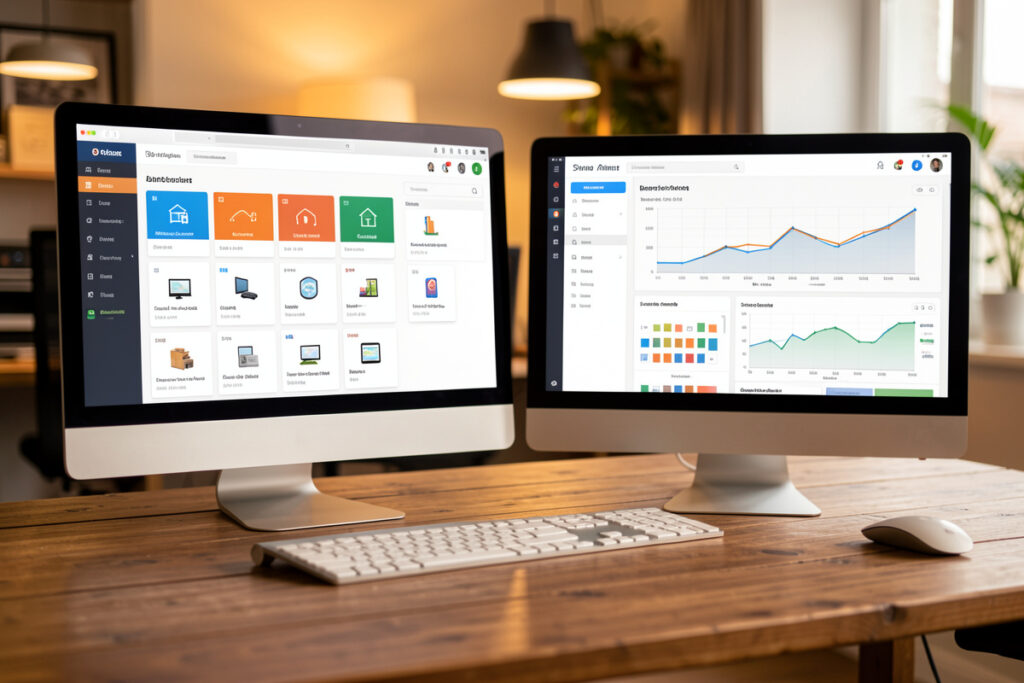
People choose between these integrations on device support, but the thing I actually touch every week is diagnostics. Zigbee2MQTT’s frontend shows me a live map of the mesh, the link quality of every connection, which router each end device is parented to, and a per-device log. When a sensor starts acting up, I open the map, see that it has latched onto a distant weak router, and I know the fix before I have walked to the device. That visibility is most of why my network stays boring.
ZHA has a visualization too, and it is fine — it just is not as granular, and OTA firmware handling is more limited. If you are the type who will never open the map, this difference is worthless to you and you should weight it at zero. If you are the type reading a 2,000-word comparison of two Zigbee integrations, you are probably the type who will open the map, and you will be glad it is good. Be honest with yourself about which type you are; it predicts your happiness with each choice better than any feature list.
Side by side
| Factor | Zigbee2MQTT | ZHA |
|---|---|---|
| Setup effort | Moderate — needs an MQTT broker | Lowest — one-click integration |
| Extra services to maintain | Zigbee2MQTT + Mosquitto | None beyond Home Assistant |
| Device support | Widest; community adds devices fast | Broad and growing |
| Network map & diagnostics | Detailed web frontend | Built-in visualization, less granular |
| OTA firmware updates | Mature, per-device | Supported, more limited |
| Portability off Home Assistant | High — broker is independent | Tied to Home Assistant |
| Binding & groups | Full control | Supported |
| Survives internet outage | Yes | Yes |
Why I personally landed on Zigbee2MQTT
Three things tipped me. First, I run a deliberately mixed bag of devices — a contact sensor here, an mmWave presence sensor from a small brand there, in-wall relays from somewhere else — and Zigbee2MQTT’s device support meant fewer “unsupported device” headaches. Second, I lean on the network map constantly; being able to see exactly which router a sensor is parented to, and its link quality, is how I keep a sixty-device mesh boring and stable. Third, decoupling the radio from Home Assistant means if I ever rebuild the HA box, the Zigbee network does not have to come along for the ride in the same breath.
None of those reasons would matter much on a ten-device network of mainstream bulbs and plugs. That is the honest caveat: my reasons are the reasons of someone running a large, mixed, heavily-tuned network. If that is not you yet, ZHA’s simplicity is worth more than my visibility. You can always migrate later once you outgrow it — plenty of people start on ZHA and move to Zigbee2MQTT exactly when the device-support and tuning limits start to bite.
Things that are the same either way
A lot of what makes a Zigbee network good has nothing to do with this choice. Your coordinator still needs to be off a USB-3 port and out in clean air — see the best Zigbee coordinator sticks guide for that. You still need enough mains-powered routers to carry the mesh. You still pick a channel that dodges your Wi-Fi. You still pair routers first and battery devices in place. Both integrations support binding and groups for instant, hub-independent control. The integration is the smaller decision; the mesh fundamentals are the bigger one, and they are identical.
Both also run happily on a modest host. If you are starting on a Raspberry Pi, my Home Assistant on a Raspberry Pi setup works with either — though for a large Zigbee2MQTT network I prefer an SSD-backed mini-PC for the headroom. And if you want to extend either network with your own DIY nodes, ESPHome sensors sit alongside both, publishing over Wi-Fi rather than Zigbee.
Performance and scale: do they differ?
At small scale, you will not feel a difference. Both fire automations fast enough that a light comes on when you walk into a room. Where differences creep in is at scale and under load — dozens of devices, lots of chatty sensors reporting at once. Here the deciding factor is far less the integration and far more your mesh: enough routers, a clean channel, the coordinator out of the noise. A badly built network is slow on both; a well-built network is snappy on both.
That said, Zigbee2MQTT’s per-device controls give you more levers to pull when something does get sluggish — you can adjust how often a specific device reports, debounce a noisy sensor, or push a firmware update that fixes a known quirk. With ZHA you have fewer knobs, which is simpler but occasionally means living with a behavior you could have tuned away. For a mature network where I am chasing the last bit of reliability and battery life, those extra knobs are worth the extra service. For a starter network, they are knobs you would never turn anyway. It comes back to the same theme: the more you intend to tinker, the more Zigbee2MQTT pays off, and the more you want set-and-forget, the more ZHA does.
When to switch, and how painful it is
If you are on ZHA and hitting its limits — an unsupported device, wanting OTA updates it does not offer, or craving the network map — moving to Zigbee2MQTT is doable but means re-pairing every device, because the two store their networks differently. There is no clean one-click migration that preserves the mesh. So treat the switch as a deliberate weekend project, not a casual experiment, and pair your routers back first exactly as you would on a fresh build.
As an Amazon Associate I earn from qualifying purchases.
My advice: if you genuinely do not know which to pick and you are running mostly mainstream gear, start on ZHA. If you already know you are the kind of person who will want the map, the logs, and support for whatever odd sensor catches your eye, start on Zigbee2MQTT and skip the migration entirely. Either way, get the underlying network healthy first — that is what actually determines whether your smart home feels solid.
Frequently Asked Questions
Is Zigbee2MQTT or ZHA better for beginners?
For most beginners ZHA is better because it installs as a one-click Home Assistant integration with no separate MQTT broker to run. Zigbee2MQTT is more powerful but adds a moving part. If you are running mainstream-brand devices and want it to just work, start with ZHA.
Can I switch from ZHA to Zigbee2MQTT later?
Yes, but it means re-pairing every device because the two store their networks differently, so there is no seamless migration. Treat it as a deliberate project: pair your mains-powered routers back first, then re-pair battery devices in their final locations.
Does Zigbee2MQTT support more devices than ZHA?
Generally yes. Zigbee2MQTT has a large community-maintained device database, so off-brand or newly released sensors often work immediately. ZHA support is broad and improving, but obscure devices tend to land in Zigbee2MQTT first.
Do both work without an internet connection?
Yes. Both Zigbee2MQTT and ZHA are fully local, so your devices and automations keep running during an internet outage. Neither depends on a manufacturer cloud, which is the whole point of running Zigbee through Home Assistant instead of a branded hub.
Do I need a different coordinator for Zigbee2MQTT vs ZHA?
No. The same modern Zigbee 3.0 coordinator sticks work with both, though you may need to flash the appropriate firmware. Pick a good coordinator and keep it off a USB-3 port on an extension cable, and it will serve either integration well.