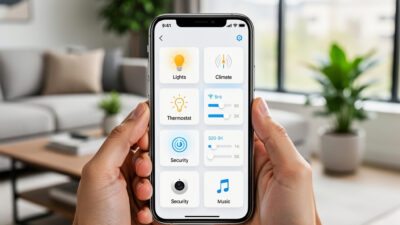
Smart Home Ecosystems Explained: Alexa vs Google vs Apple vs SmartThings
Choosing a smart home ecosystem is the most important decision you will make when building your connected home. With the widest device catalog of any platform (Alexa), followed by Google Home, with HomeKit supporting the fewest, your choice determines which products you can actually buy. Pick wrong, and compatibility headaches follow every new purchase.
This guide breaks down the major smart home ecosystems, their strengths and weaknesses, and helps you decide which one fits your household. Whether you are just starting out or considering switching platforms, you will have a clear understanding by the end.
As an Amazon Associate I earn from qualifying purchases.
What Is a Smart Home Ecosystem?
A smart home ecosystem is a platform that connects and controls your smart devices. Think of it as the operating system for your home. Just like your phone runs iOS or Android, your smart home runs on an ecosystem that determines:
- Which devices work together
- How you control them (voice, app, automation)
- What automations and routines you can create
- How your data is handled and stored
The ecosystem you choose becomes the foundation everything else builds on. While many devices work across multiple ecosystems, your primary platform shapes your entire smart home experience.
The Four Major Smart Home Ecosystems
Four platforms dominate the smart home landscape. Each has distinct advantages depending on your priorities, existing devices, and technical comfort level.
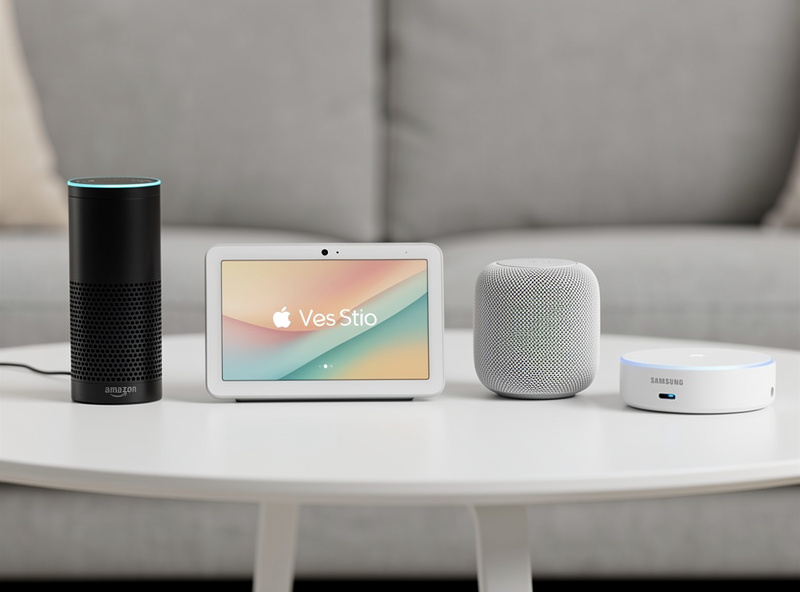
Amazon Alexa
Amazon Alexa is the most widely adopted smart home ecosystem, living in Echo speakers, Fire TV devices, and thousands of third-party products. If device compatibility is your priority, Alexa is hard to beat.
Key Strengths:
- Largest device compatibility: The widest catalog of smart home products works with Alexa, more than any other platform
- Affordable hardware: Echo Dot speakers regularly drop to $20-30 during sales
- Excellent voice recognition: Alexa understands natural language well and improves constantly
- Robust routines: Create complex automations with multiple triggers and conditions
- Skills ecosystem: Thousands of third-party skills add functionality
Weaknesses:
- Privacy concerns: Amazon uses voice data to improve services and may use it for advertising
- Ecosystem lock-in: Some features only work with Amazon devices
- Subscription creep: Premium features increasingly require paid subscriptions
Best For: Users who want maximum device choices, bargain hunters, and households already invested in Amazon services like Prime.
Hardware Options: Echo Dot, Echo, Echo Show, Echo Studio, Fire TV, Echo Hub, plus hundreds of third-party Alexa-enabled devices.
Google Home
Google Home, powered by Google Assistant, excels at understanding context and integrating with Google services. If your household lives in Gmail, Google Calendar, and Android, this ecosystem feels natural.
Key Strengths:
- Superior AI understanding: Google Assistant handles complex, conversational queries better than competitors
- Google services integration: Seamless connection to Calendar, Maps, Gmail, and Photos
- Excellent displays: Nest Hub devices offer the best smart display experience
- Strong Chromecast integration: Easy media casting throughout your home
- Accurate voice recognition: Recognizes different household members reliably
Weaknesses:
- Fewer compatible devices: Device ecosystem is smaller than Alexa, though still extensive
- Privacy trade-offs: Google collects significant data, though offers transparency tools
- Routine limitations: Automations are less flexible than Alexa in some scenarios
- Nest product confusion: Google has rebranded and discontinued products, creating confusion
Best For: Android users, Google Workspace households, and anyone who values AI smarts over raw device count.
Hardware Options: Nest Mini, Nest Audio, Nest Hub, Nest Hub Max, Nest Wifi, Chromecast with Google TV.
Apple HomeKit
Apple HomeKit prioritizes privacy, security, and seamless integration with Apple devices. If your household uses iPhones, iPads, and Macs, HomeKit offers an experience that feels like a natural extension of your Apple ecosystem.
Key Strengths:
- Best-in-class privacy: All data is encrypted end-to-end, processed locally when possible
- Strict security requirements: Devices must meet Apple security standards to be certified
- Seamless Apple integration: Control from iPhone, iPad, Mac, Apple Watch, and Apple TV
- Reliable and responsive: HomeKit devices typically respond faster due to local processing
- Clean, intuitive app: The Home app is well-designed and easy to use
Weaknesses:
- Limited device selection: Fewer compatible devices than Alexa or Google
- Premium pricing: HomeKit-certified devices often cost more
- Requires Apple devices: You need an iPhone to set up devices, Apple TV or HomePod as a hub
- Siri limitations: Siri is less capable than Alexa or Google Assistant for smart home control
Best For: Privacy-conscious users, all-Apple households, and those who prioritize security over device variety.
Hardware Options: HomePod, HomePod Mini, Apple TV 4K (as hub), iPad (as hub).
Samsung SmartThings
Samsung SmartThings takes a different approach as a hub-centric platform that works across ecosystems. It connects devices from multiple brands and protocols, making it ideal for power users who want flexibility.
Key Strengths:
- Protocol diversity: Supports Wi-Fi, Zigbee, Z-Wave, and Matter devices
- Cross-ecosystem compatibility: Works with Alexa, Google, and many other platforms
- Powerful automations: Advanced rules and scenes for complex smart home setups
- Samsung device integration: Excellent for Samsung TV, appliance, and phone owners
- No voice assistant lock-in: Use whichever voice assistant you prefer
Weaknesses:
- Steeper learning curve: More complex setup than voice-assistant-first platforms
- Reliability concerns: Cloud dependency has caused outages in the past
- Hub requirement: Many features require a SmartThings hub
- Fragmented experience: Interface and features have changed frequently
Best For: Power users, Samsung device owners, and those who want to mix devices from multiple ecosystems.
The Matter Standard: A Game Changer
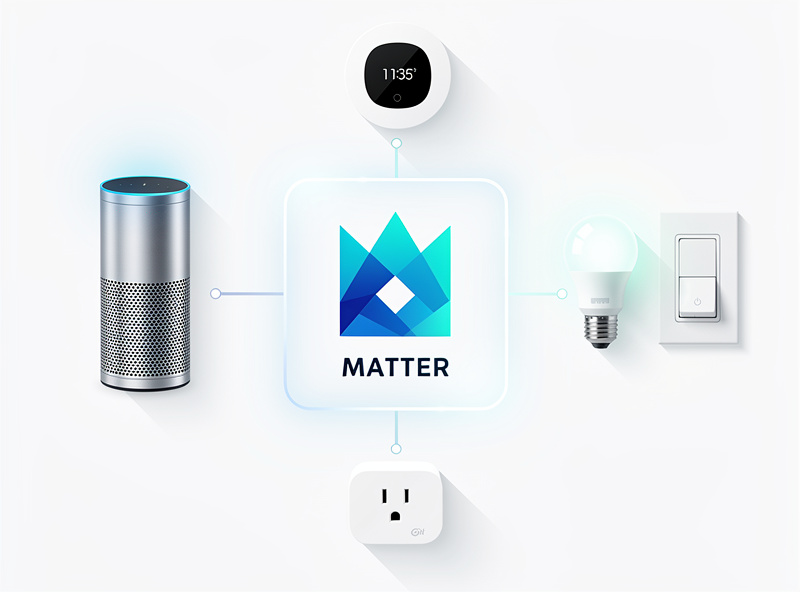
Matter is a new connectivity standard developed by Apple, Google, Amazon, and Samsung together. It promises to solve the compatibility problem by letting devices work across all major ecosystems.
What Matter Means for You:
- Buy once, use anywhere: A Matter-certified device works with Alexa, Google, HomeKit, and SmartThings
- Local control: Matter devices communicate locally, improving speed and reliability
- Easier setup: Standardized pairing process across all platforms
- Future-proof purchases: Switch ecosystems without replacing hardware
Matter is still rolling out, and not all device categories are supported yet. But when shopping for new devices, prioritizing Matter compatibility is smart for long-term flexibility.
Home Assistant: The Power User Option
Home Assistant deserves mention as the leading open-source smart home platform. It runs locally on your own hardware and offers unmatched flexibility and privacy.
Key Strengths:
- Complete local control: Everything runs on your hardware, no cloud required
- Maximum privacy: Your data never leaves your home
- Unlimited compatibility: Supports thousands of devices and services through integrations
- Powerful automation: Create automations impossible on commercial platforms
- Active community: Constant development and community support
Weaknesses:
- Technical knowledge required: Setup and maintenance require comfort with technology
- No official support: Community forums are your help desk
- Initial time investment: Getting everything configured takes effort
Best For: Tech enthusiasts, privacy advocates, and anyone who wants complete control over their smart home.
How to Choose Your Ecosystem
With the overview complete, here is a framework for making your decision.
Step 1: Inventory Your Existing Devices
What phones does your household use? If everyone has iPhones, HomeKit makes sense. Android household? Google Home integrates naturally. Mixed household? Alexa or SmartThings offer the most flexibility.
Do you already own smart speakers, TVs, or streaming devices? Building on what you have avoids repurchasing hardware.
Step 2: Prioritize What Matters Most
Rank these factors for your household:
- Device selection: Alexa wins
- Privacy and security: HomeKit or Home Assistant wins
- AI and voice smarts: Google wins
- Price: Alexa wins (frequent sales, budget options)
- Apple integration: HomeKit wins
- Flexibility and power: SmartThings or Home Assistant wins
Step 3: Consider Your Household
Who will use the smart home? A tech-savvy single person can handle Home Assistant complexity. A household with kids and less technical family members needs something simple and reliable like Alexa or Google.
Voice assistants matter if multiple people will interact with the system. The best ecosystem is one everyone in the house will actually use.
Step 4: Start Small and Evaluate
Buy a smart speaker and a few devices before committing fully. Live with the ecosystem for a month. Does the voice assistant understand everyone? Is the app intuitive? Do automations work reliably?
Switching ecosystems is easier early on when you have fewer devices invested.
Ecosystem Comparison Table
Here is a quick reference comparing the major platforms:
| Feature | Alexa | HomeKit | SmartThings | |
|---|---|---|---|---|
| Device Compatibility | Excellent | Very Good | Good | Excellent |
| Voice Assistant Quality | Very Good | Excellent | Good | N/A (use any) |
| Privacy | Fair | Fair | Excellent | Good |
| Ease of Use | Easy | Easy | Easy | Moderate |
| Automation Power | Very Good | Good | Good | Excellent |
| Entry Cost | Low | Low | Medium | Medium |
| Matter Support | Yes | Yes | Yes | Yes |
Can You Use Multiple Ecosystems?
Yes, and many smart home enthusiasts do. A common setup uses HomeKit for security devices (cameras, locks) due to its privacy, while using Alexa or Google for voice control throughout the house.
The downsides of mixing ecosystems:
- Multiple apps to manage devices
- Some automations cannot cross ecosystem boundaries
- More complexity to troubleshoot
The upsides:
- Best-of-breed choices for each category
- Not locked into one company
- Matter is making cross-ecosystem use easier
For beginners, starting with one primary ecosystem keeps things simple. You can always add others later as you become more comfortable.
My Recommendation for Most People
If you are unsure where to start:
- All-iPhone household prioritizing privacy: Start with Apple HomeKit
- Android household or Google users: Start with Google Home
- Everyone else: Start with Amazon Alexa for maximum device choice and value
None of these choices are wrong. All four major ecosystems are mature, reliable, and well-supported. The best ecosystem is the one that fits your household and that everyone will actually use.
Frequently Asked Questions
What is the best smart home ecosystem for beginners?
Amazon Alexa is the best ecosystem for beginners with the widest device catalog of any platform, affordable Echo Dot speakers starting at $25, and the most intuitive setup process. Google Home is a close second for Android users already in the Google ecosystem.
Can I use multiple smart home ecosystems together?
Yes, many households use 2-3 ecosystems simultaneously. A common setup is Alexa for voice control, Google Nest for thermostats and cameras, and Apple HomeKit for privacy-sensitive devices. The Matter protocol makes cross-ecosystem compatibility easier in 2026.
Is Apple HomeKit worth it if I have an iPhone?
HomeKit offers the strongest privacy protections and seamless iPhone integration, but supports fewer devices than Alexa or Google. It is worth it if privacy is your top priority, but expect fewer device choices and higher prices.
What is Matter in smart home?
Matter is a universal smart home standard launched in 2022, backed by Apple, Google, Amazon, and Samsung. Matter-certified devices work with any major ecosystem, eliminating compatibility concerns. Over 1,000 Matter-certified products were available by early 2026.
Do I need a smart home hub for my ecosystem?
Most ecosystems work without a dedicated hub. Alexa and Google Home speakers include built-in hub functionality for WiFi and Bluetooth devices. You only need a separate hub if you use Zigbee or Z-Wave devices, which require a bridge to connect to your network.
Which smart home ecosystem has the best voice assistant?
Google Assistant has the best natural language understanding and answers general questions most accurately. Alexa has the widest smart home device support. Siri is improving but still lags behind in both categories. For smart home control specifically, Alexa edges out the competition.
Once you have chosen your ecosystem, check out the complete smart home beginner guide for step-by-step instructions on building your connected home, or jump straight to the quick start guide to get automated in a single weekend.