7 Smart Home Mistakes That Waste Money (And How to Avoid Them)
Smart home technology should make life easier, not more frustrating. Yet 68% of smart home buyers report regretting at least one purchase within the first year. The most common mistakes are buying incompatible devices, overspending on features you never use, and neglecting network infrastructure. The good news: every one of these mistakes is predictable and avoidable.
This guide covers the seven most common smart home mistakes and exactly how to avoid them. Learn from others who have already made these errors so you can build your connected home the right way from the start.
As an Amazon Associate I earn from qualifying purchases.
Mistake 1: Mixing Too Many Ecosystems
The problem: Buying devices from different ecosystems without a plan leads to fragmented control. You end up with three different apps to control your lights, automations that cannot talk to each other, and voice commands that only work with some devices. Protocol mismatches also show up at setup time — if a device refuses to onboard, the smart device won’t pair with hub guide diagnoses every cause in order.
A typical scenario: You buy Philips Hue bulbs, then a Nest thermostat because it was on sale, then Ring cameras because a friend recommended them. Now you have three apps, limited automation between systems, and growing frustration.
How to avoid it:
- Choose a primary ecosystem before buying anything: Alexa, Google Home, or HomeKit
- Check compatibility with your chosen ecosystem before every purchase
- Prioritize Matter-compatible devices for future flexibility
- Accept that some mixing is fine, but keep your core devices unified
Having one primary ecosystem with occasional exceptions works. Having four different ecosystems with no central control creates chaos.
Mistake 2: Buying Too Much Too Fast
The problem: Excitement leads to over-purchasing before understanding what you actually need. That smart coffee maker seemed essential until you realized you still have to add water and grounds manually. Those motion sensors in every room created more false alerts than useful automations.
Many beginners spend $500-1000 in their first month, then discover half the devices sit unused because they solved problems that did not exist.
How to avoid it:
- Start with just 3-4 devices: a smart speaker, a few smart plugs or bulbs, and maybe a thermostat
- Live with your starter setup for at least one month before expanding
- Only add devices that solve specific problems you have actually experienced
- Ask yourself: Will I use this daily, weekly, or never? Be honest
The best smart homes are built gradually based on real needs, not impulse purchases based on cool demos.
Mistake 3: Neglecting Your Network Infrastructure
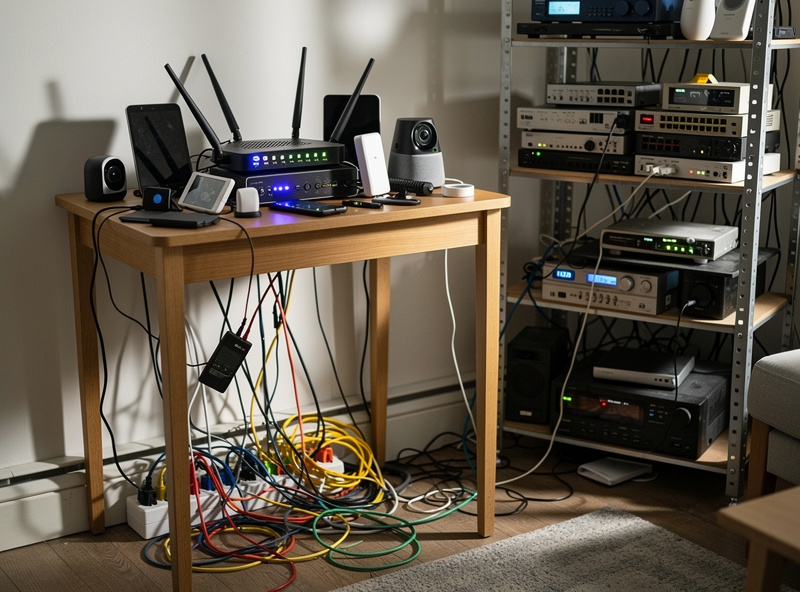
The problem: Smart devices depend on your Wi-Fi network. A weak, congested, or unreliable network makes every smart device frustrating. Lights that respond slowly, cameras that buffer constantly, and voice commands that fail intermittently usually point to network problems, not device problems.
Many people blame their smart devices when the real culprit is an aging router trying to handle 30+ connected devices while also streaming video.
How to avoid it:
- Test your Wi-Fi coverage before adding smart devices – walk around with your phone checking signal strength
- Consider mesh Wi-Fi if you have dead zones or a larger home
- Use a router that can handle many simultaneous connections
- Create a separate network or VLAN for IoT devices if your router supports it
- Position your router centrally, not hidden in a corner or closet
Investing $200-300 in good networking equipment pays dividends across every smart device you own. A solid network is invisible when it works but makes everything miserable when it does not.
Mistake 4: Ignoring Security Basics
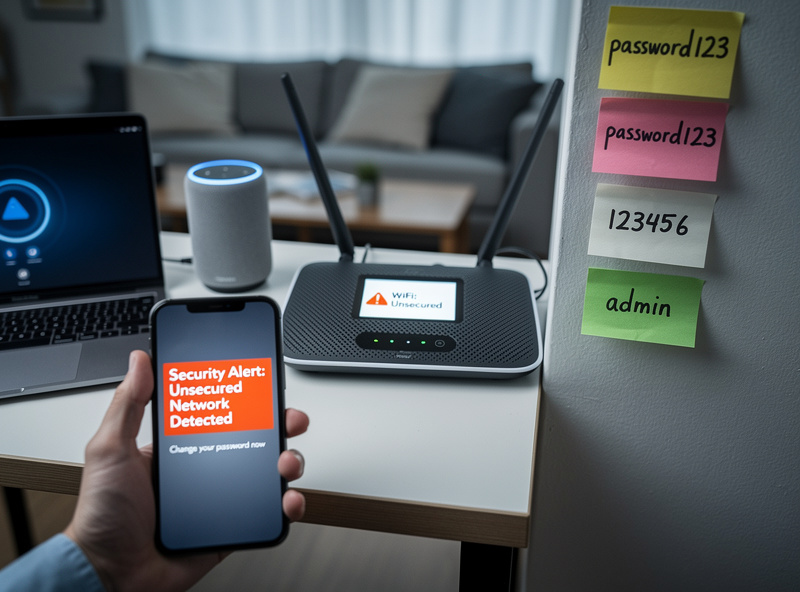
The problem: Every connected device is a potential entry point for hackers. Default passwords, outdated firmware, and poor security practices can expose your home network, your data, and in worst cases, your physical security.
While dramatic hacking scenarios are rare, basic negligence is common. That cheap camera from an unknown brand might be sending video to servers you do not control. That never-updated smart plug could have known vulnerabilities.
How to avoid it:
- Change default passwords on every device immediately
- Enable two-factor authentication on all smart home apps and accounts
- Keep device firmware updated – enable automatic updates when possible
- Buy from reputable brands with track records of security updates
- Research before buying devices from unknown manufacturers
- Use strong, unique passwords for your Wi-Fi network
- Consider a separate guest network for IoT devices
Basic security hygiene prevents the vast majority of smart home security issues. You do not need to be paranoid, just not negligent.
Mistake 5: Skipping the Learning Curve
The problem: Smart home devices have features and capabilities that take time to discover. Many people set up a device once and never explore further, missing the automations, integrations, and optimizations that provide real value.
A smart thermostat running default settings saves less energy than one properly configured with your schedule. A video doorbell with poorly tuned motion zones sends constant false alerts. Smart lights without scenes and automations are just expensive regular lights.
How to avoid it:
- Spend 15-30 minutes exploring each device app after initial setup
- Set up at least one automation or routine within the first week
- Watch a YouTube tutorial for each major device – you will learn features you missed
- Revisit settings after a month of use to optimize based on experience
- Join Reddit communities or forums for your devices to learn tips from other users
The difference between a frustrating smart home and a delightful one is often just 30 minutes of learning per device.
Mistake 6: Prioritizing Features Over Reliability
The problem: That device with 47 features sounds amazing until it crashes weekly, requires constant troubleshooting, or loses connectivity every time your router restarts. Reliability matters more than feature lists for devices you use daily.
The smart home community is full of stories about feature-rich devices that were eventually replaced with simpler, more reliable alternatives. A light switch that works 100% of the time beats one with fancy features that fails 5% of the time.
How to avoid it:
- Read reviews focusing on reliability and long-term performance, not just features
- Check Reddit and forums for real user experiences after months of use
- Prefer established brands with proven track records over newcomers with impressive specs
- Be skeptical of devices that seem too cheap for their feature set
- Value local control and offline functionality where possible
Ask yourself: Would I rather have 10 features that work 90% of the time, or 5 features that work 100% of the time? For daily-use devices, reliability wins.
Mistake 7: Forgetting About Other Household Members
The problem: You understand the smart home perfectly. Your spouse, kids, parents, or roommates do not. They flip physical switches that disable smart bulbs. They cannot figure out the voice commands. They give up and work around the system instead of using it.
A smart home that only works for one person is not a successful smart home. If family members are frustrated or avoiding the technology, something needs to change.
How to avoid it:
- Involve household members in decisions before purchasing
- Choose systems that are intuitive for everyone, not just tech enthusiasts
- Ensure physical controls still work – smart switches over smart bulbs where others will flip switches
- Create simple voice commands that everyone can remember
- Write down basic instructions for common tasks
- Train everyone on new devices instead of assuming they will figure it out
- Ask for feedback and adjust based on what frustrates people
The best smart homes accommodate everyone. If your automation is so complex that only you can operate it, simplify until others can participate.
Bonus Mistakes to Avoid
A few more common errors worth mentioning:
Ignoring subscription costs: A cheap camera with a $10 monthly subscription costs more over three years than an expensive camera with free cloud storage. Factor ongoing costs into purchasing decisions.
Buying based on sales alone: A 50% discount on something you do not need is still money wasted. Sales are great for devices already on your list, not impulse purchases.
Overcomplicating automations: Start with simple automations that work reliably. Complex multi-step routines with many conditions often fail in unexpected ways. Build complexity gradually.
Forgetting about guests: Your Airbnb guests, visiting parents, or house sitters need to operate your home too. Maintain simple manual backups for essential functions.
Not having a backup plan: When the internet goes down or a hub fails, what happens? Ensure basic functionality like door locks still work manually. Never rely solely on smart features for critical functions.
Frequently Asked Questions
What is the biggest mistake smart home beginners make?
Buying too many devices too quickly. Beginners who start with 3-5 devices and master them before expanding are far more satisfied than those who buy 10+ devices at once. Start small, learn your ecosystem, then add devices that solve specific problems.
How do I choose the right smart home ecosystem?
Match your ecosystem to your existing devices. iPhone users should consider HomeKit for privacy. Android users benefit from Google Home integration. For maximum device compatibility, Amazon Alexa supports the widest device catalog of any platform. The Matter standard now works across all platforms.
Do smart home devices increase electricity bills?
Smart devices draw 0.5-2 watts on standby, adding roughly $2-5 annually. However, smart thermostats save 10-23% on heating and cooling, and smart plugs eliminate phantom power draw. Most users see net savings of $50-150 per year despite the standby power draw.
How do I secure my smart home from hackers?
Use strong unique passwords for every device account, enable two-factor authentication, keep firmware updated, and isolate smart devices on a guest network. Avoid cheap no-name brands with no security track record. These steps eliminate the most common smart home security risks.
Can I use smart home devices without internet?
Most devices need internet for setup and remote control. However, smart switches still control lights manually, thermostats have physical controls, and smart locks work with keys or codes. For local-only automation, consider a Home Assistant hub that runs entirely on your own hardware.
Are expensive smart home devices worth the extra cost?
Premium devices like Philips Hue ($50 per bulb) offer better reliability and longer support than budget alternatives. But budget options like Wyze ($12 per bulb) deliver 80% of the functionality at 25% of the cost. Start with budget devices and upgrade where reliability matters most.
The Right Approach
Avoiding these mistakes comes down to a few principles:
- Plan before purchasing: Choose your ecosystem, assess your network, and identify real needs
- Start small and expand gradually: Learn each device before adding more
- Prioritize reliability and simplicity: Features mean nothing if the system frustrates daily use
- Include everyone: A smart home should work for the whole household
- Invest in infrastructure: Good networking and security practices prevent countless problems
Most smart home frustration comes from rushing in without a plan. Take your time, make thoughtful choices, and build a system that genuinely improves your daily life.
Moving Forward
Now that you know what to avoid, you are ready to build your smart home the right way. Start with the complete beginner guide for a full overview of the process. Choose your platform with the ecosystems comparison. And when you are ready to buy, check the best devices guide or the budget smart home guide if cost is a concern.
Building a smart home is a journey, not a destination. Take your time, learn from each addition, and enjoy the process of creating a home that truly works for you.
When problems do occur despite your best planning, a structured approach makes all the difference. The smart home troubleshooting guide walks you through diagnosing connectivity failures, device dropouts, and automation errors step by step.
Related Articles
- Smart Home for Beginners: Complete 2026 Setup Guide
- Smart Home Ecosystems Explained: Alexa vs Google vs Apple
- Best Smart Home Devices 2026: Top Picks
- DIY Smart Home on a Budget: Build for Under $200
- Smart Home vs Traditional Home: Is the Upgrade Worth It?