Does Smart Home Work Without Internet? (2026)
The Reality of Internet Dependency
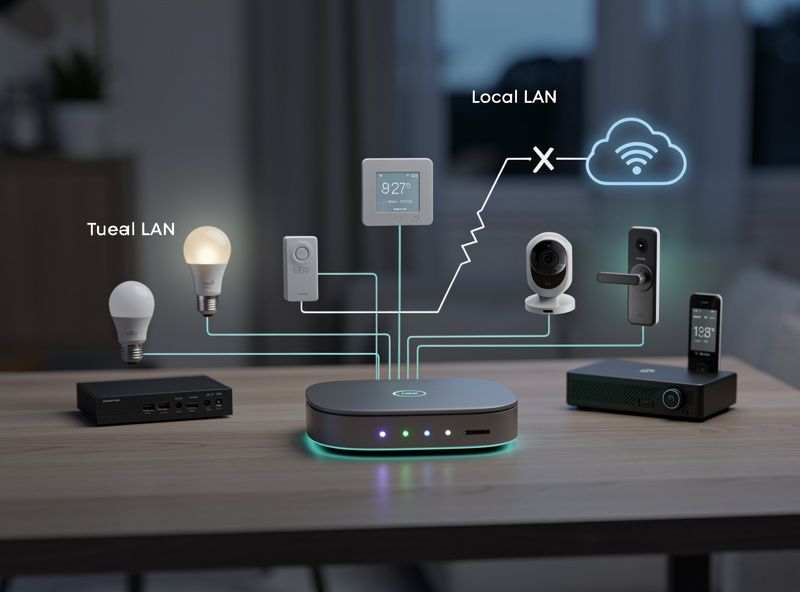
Most smart home devices require internet connectivity for full functionality, but many can operate in limited “offline mode” for basic local control. In my setup, a Home Assistant hub keeps the Zigbee and Z-Wave mesh running automations whether the internet is up or down — that is the core of a resilient smart home. Understanding which devices work offline and how to configure local control helps you build resilience for internet outages, rural living, or privacy-focused installations.
As an Amazon Associate I earn from qualifying purchases.
What Works Without Internet
Several smart home device categories maintain basic functionality during internet outages:
Local Control Capabilities:
- Smart bulbs: On/off via wall switches or local apps
- Smart locks: Physical key override and keypad entry
- Smart thermostats: Manual temperature adjustment
- Smart plugs: Manual button control (if equipped)
- Security cameras: Local recording to SD card
- Smart sensors: Local automation triggers (with hub)
Devices using Zigbee or Z-Wave protocols can often communicate locally through a hub, maintaining automations even without internet. WiFi-based devices typically lose all smart functionality without connectivity. The key difference lies in whether devices communicate through a local hub (Zigbee/Z-Wave) or directly through your router to the cloud (WiFi). On my Zigbee mesh, the motion-triggered hallway lights and the door-sensor announcement chime keep firing identically whether the WAN is up or down.
What Requires Internet
These smart home features absolutely require internet connectivity:
- Voice assistants: Alexa, Google Assistant, Siri need cloud processing
- Remote access: Controlling devices while away from home
- Cloud storage: Video recording to cloud services
- Firmware updates: Security patches and feature updates
- Third-party integrations: IFTTT, weather services, news
- Setup and pairing: Initial device configuration
Without internet, your smart home essentially becomes a “dumb home” with only physical controls functioning. However, with proper planning, you can maintain significant smart functionality even during extended outages.
Device Categories Deep Dive: Online vs Offline
Understanding specific device behavior during outages helps you plan your smart home for resilience:
Smart Lighting Systems
The offline experience varies dramatically by technology:
- WiFi Bulbs (Philips Hue White, LIFX, Wyze): Complete loss of smart control. Physical wall switches work if bulbs have power. App control fails entirely.
- Zigbee Bulbs (Philips Hue, IKEA TRÅDFRI): Local control continues through hub. Scenes and room control work within your home. Only remote access fails.
- Z-Wave Bulbs (Zooz, Inovelli): Identical to Zigbee behavior—local hub control persists, remote access fails.
- Smart Switches (any protocol): Physical button control always works regardless of internet status.
Recommendation: Use smart switches rather than smart bulbs for primary lighting. Switches maintain full functionality during outages, while bulbs revert to dumb behavior.
Smart Locks and Security
Security devices vary significantly in offline resilience:
- Smart Locks (Yale, August, Schlage): Physical keys, keypad codes, and local Bluetooth unlocking continue working. App-based remote access fails. Auto-lock timers may continue depending on model.
- Security Cameras: Cameras with SD card slots or local NVR continue recording. Cloud-dependent cameras stop entirely. Some battery cameras buffer recordings locally and upload when connection restored.
- Door/Window Sensors: Zigbee/Z-Wave sensors trigger local hub automations. WiFi sensors typically fail completely.
- Motion Detectors: Battery-powered Zigbee/Z-Wave sensors maintain local triggering for lights and alarms.
Climate Control Devices
Heating and cooling systems offer varying offline capabilities:
- Smart Thermostats (Nest, Ecobee, Honeywell): Manual temperature adjustment at the wall unit continues. Pre-programmed schedules continue running. Smart features (learning, remote sensors, weather-based adjustment) fail.
- Smart AC Controllers: Most lose all functionality. IR blaster-based controllers (Sensibo, Tado) may retain last settings but lose smart scheduling.
- Smart Fans: Physical pull chains and wall switches continue working. App and voice control fail.
Entertainment Devices
Media devices show the starkest division:
- Smart TVs: Streaming apps fail. HDMI inputs and physical controls work. Local media playback from USB continues.
- Smart Speakers (Echo, Nest): Most smart features fail — no voice control, no streaming. Timers and alarms set before the outage continue firing locally. Bluetooth playback works if the speaker was already paired.
- Streaming Devices (Fire TV, Chromecast): Inoperable without internet. Local casting from phone may work briefly if already connected.
Local-First Alternatives
For users wanting internet-independent smart homes, consider these approaches:
1. Hub-Based Systems:
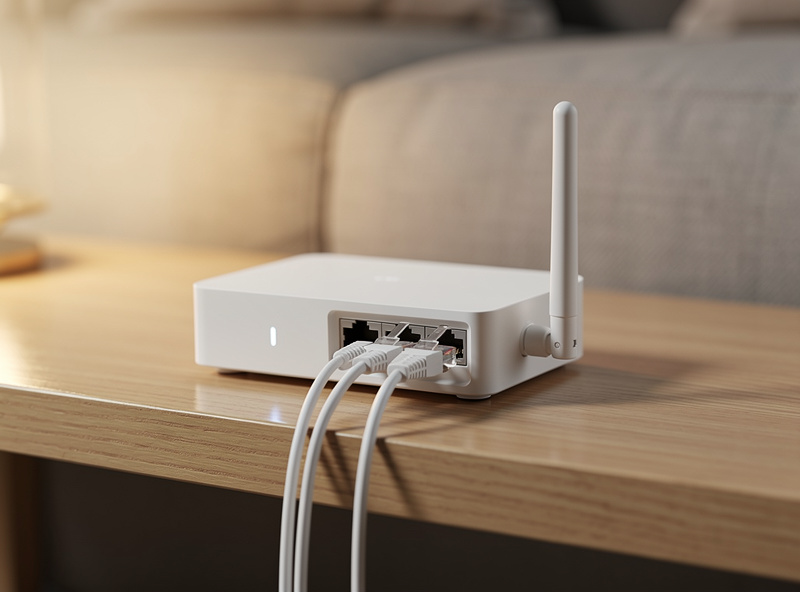
Systems like Samsung SmartThings, Hubitat, or Home Assistant run automations locally. While initial setup requires internet, ongoing operation continues offline for Zigbee/Z-Wave devices.
Hub Setup for Offline Operation:
- Install hub and connect to router during setup phase
- Pair all Zigbee/Z-Wave devices to hub while internet available
- Create automations and scenes through hub interface
- Test local control by disconnecting internet temporarily
- Verify automations continue running on schedule
2. Matter Protocol:
The Matter protocol enables local device-to-device communication without cloud dependency. Matter-certified devices communicate directly through Thread or WiFi without internet requirements for basic operations. Thread-based Matter devices form mesh networks that route commands locally through border routers like Echo 4th gen or Nest Hub 2nd gen.
3. Local Voice Processing:
Some premium smart speakers offer limited offline voice recognition for basic commands like “turn on lights.” However, complex queries still require cloud processing. Home Assistant with local voice add-ons provides the most capable offline voice control, though setup requires technical expertise.
Internet Outage Scenarios
During internet disruptions, your smart home experience varies by device type:
| Device Type | Without Internet | Workaround |
|---|---|---|
| WiFi Smart Bulbs | Manual switch only | Use smart switches instead |
| Smart Thermostat | Manual control works | Pre-set schedules continue |
| Smart Lock | Keypad/physical key works | Zigbee locks work with hub |
| Security Camera | Local SD recording only | Buy cameras with local storage |
| Voice Assistant | Completely non-functional | No workaround available |
| Smart Switch | Physical button works | No workaround needed |
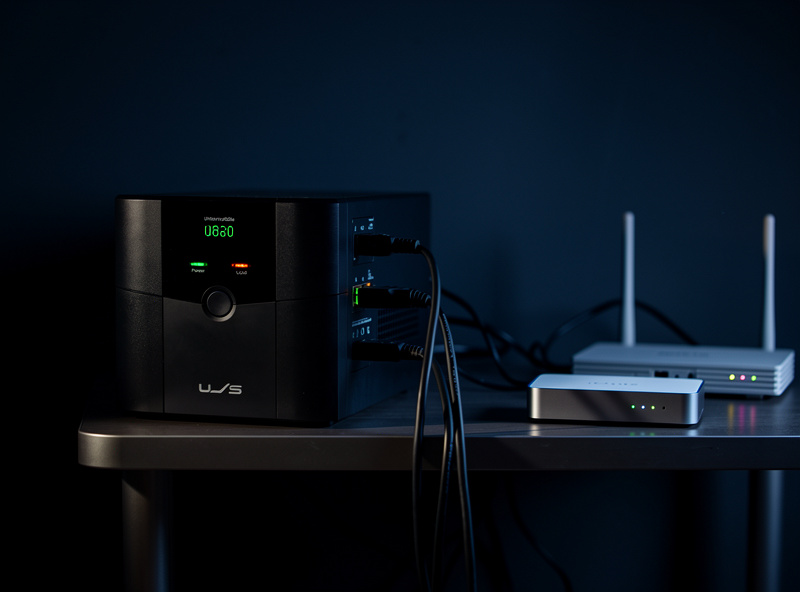
| Hub-Based Sensors | Local automations work | Verify hub has power backup |
| Smart Plugs | Manual button (if equipped) | Choose plugs with buttons |
Setting Up Local Control: Step-by-Step
Create a resilient smart home that works during outages:
Step 1: Choose a Local Hub
Select a hub that processes automations locally:
- Hubitat Elevation: Processes everything locally, no cloud dependency after setup
- Home Assistant: Open-source, complete local control, steeper learning curve
- Samsung SmartThings: Some cloud dependency but maintains local Zigbee/Z-Wave control
Step 2: Select Hub-Compatible Devices
Choose Zigbee or Z-Wave devices over WiFi alternatives:
- Use Zigbee smart switches instead of WiFi switches
- Choose Zigbee door sensors over WiFi sensors
- Install Z-Wave locks rather than WiFi locks
Step 3: Configure Local Automations
Create automations that run entirely on the hub:
- Motion-triggered lighting using hub logic
- Time-based climate schedules
- Door-triggered security responses
- Sunset/sunrise lighting scenes
Step 4: Test Offline Operation
Verify functionality by disconnecting your modem for 30 minutes:
- Walk through rooms triggering motion sensors
- Test door locks and entry sequences
- Verify thermostat schedules continue
- Check that scenes activate properly
Step 5: Add Power Backup
Maintain hub operation during power outages:
- Connect hub to UPS battery backup
- Ensure critical devices have battery power
- Consider PoE switches with battery backup for hardwired devices
Building Resilience
To minimize smart home disruption during internet outages:
Strategy 1: Hybrid Device Selection
Choose devices with both smart and manual controls. Smart switches maintain wall switch functionality. Smart locks with keypads work alongside app control. Avoid devices that become completely inoperable without connectivity.
Strategy 2: Local Hub Investment
Invest in a smart home hub that processes automations locally. This maintains lighting scenes, motion triggers, and climate schedules even during outages.
Strategy 3: Matter-Compatible Devices
Prioritize Matter-certified devices for local communication capabilities. Matter enables direct device communication without cloud dependency for core functionality.
Strategy 4: Reliable Internet Backup
For homes where internet outages are frequent, consider:
- Cellular backup internet (mobile hotspot device)
- Dual-WAN router with failover capability
- Starlink or other satellite internet as backup
- Power-over-Ethernet for critical devices
Privacy Benefits of Limited Internet
Reducing internet dependency offers privacy advantages:
- Less data transmitted to manufacturer servers
- Reduced vulnerability to cloud service breaches
- No recording of voice commands or usage patterns
- Complete local control over security footage
- No tracking of your smart home behavior patterns
However, convenience trade-offs are significant. Voice control, remote monitoring, and automatic updates require internet connectivity. Most users find a hybrid approach—local control for critical functions, cloud for convenience—provides the best balance.
My Approach to Offline Resilience
For most users, accept that smart homes require internet for full functionality. Instead of avoiding internet dependency entirely, focus on:
- Selecting devices with manual backup controls
- Investing in reliable internet service with backup options
- Using local hubs for critical automations
- Choosing Matter-compatible devices when possible
- Testing offline functionality periodically
True “offline” smart homes exist but require significant technical expertise and sacrifice most convenience features that make smart homes appealing. For the average homeowner, building resilience into an internet-connected smart home provides better ROI than attempting complete offline operation. For a complete guide to smart home protocols, hubs, and automation strategies, see the voice assistants and smart home protocols guide. The CSA’s Matter specification is worth reading for the local-control capabilities it introduces, and Home Assistant documents its offline-first architecture in detail.
Related Articles
- Do You Need a Smart Home Hub?
- Matter Protocol Explained
- Smart Home Protocols Comparison
- Smart Home for Beginners Guide
- Best Smart Home Ecosystem
Can smart lights work without WiFi?
Smart bulbs connected via Zigbee or Z-Wave can work locally through a hub without internet. WiFi bulbs require internet for app control but still function with wall switches. A Hue Bridge or SmartThings hub keeps lights working during outages.
Will my security cameras record without internet?
Cameras with SD card slots or local NVRs continue recording locally. Cloud-dependent cameras stop recording without internet. Some battery cameras buffer recordings locally and upload when connection restores.
Is there a completely offline smart home system?
Hubitat and Home Assistant offer the most offline functionality, though initial setup requires internet. These systems process automations locally and do not rely on cloud services for core features.
How long can smart home devices store data offline?
Battery-powered sensors typically store 24-48 hours of event history in hub memory. Cameras with SD cards store until storage is full. Thermostats maintain schedules indefinitely as they are stored locally.
Can I control my smart home remotely without internet at home?
No. Remote control requires an internet connection at your home to communicate with devices. Some systems offer cellular backup options like SimpliSafe or Ring Alarm Pro that maintain remote access during outages.