Zigbee vs Z-Wave vs WiFi — Smart Home Protocols (2026)
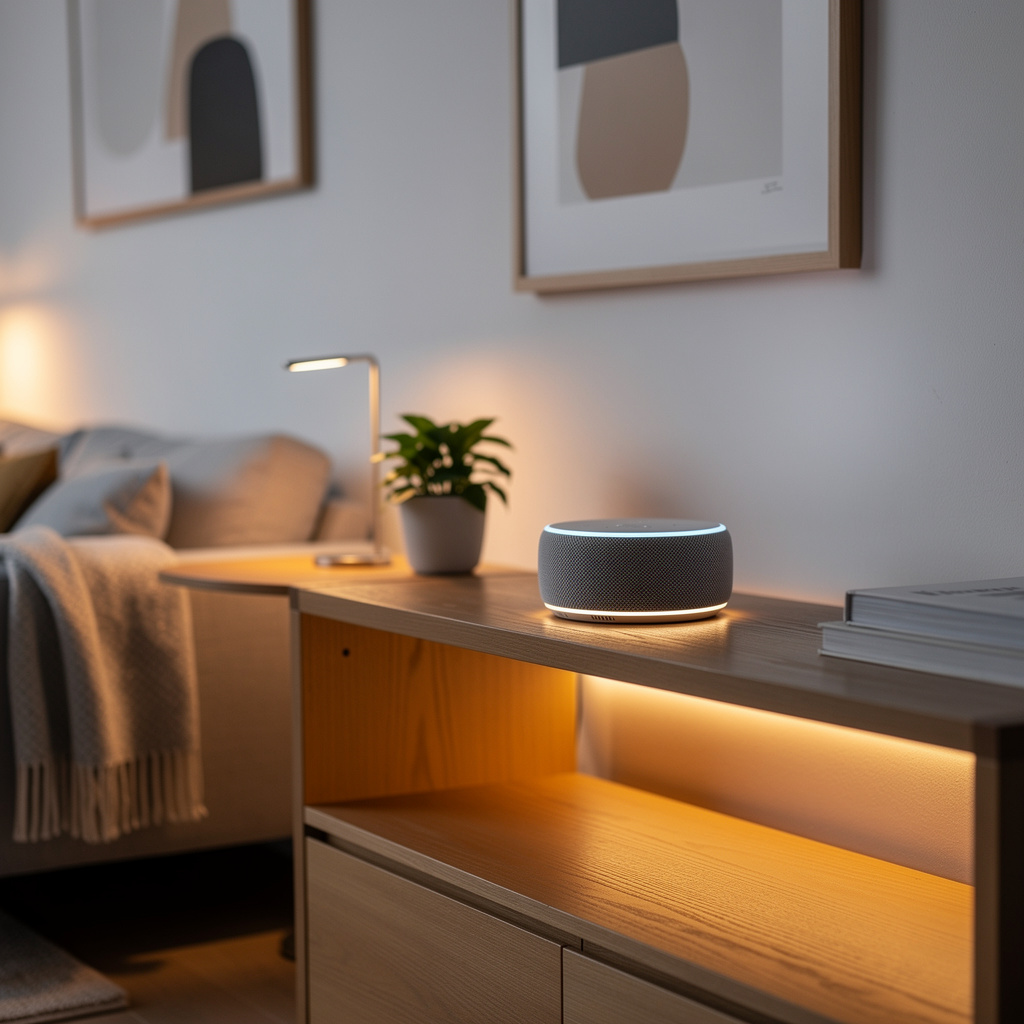
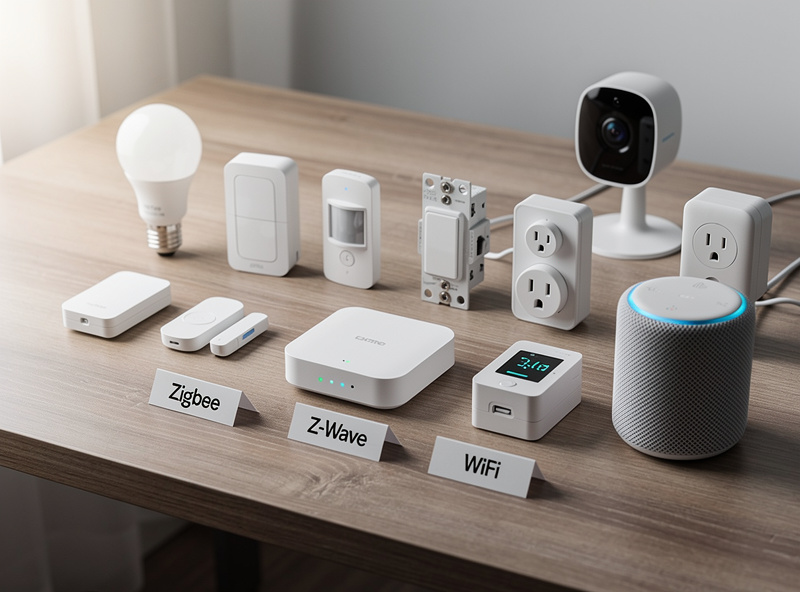
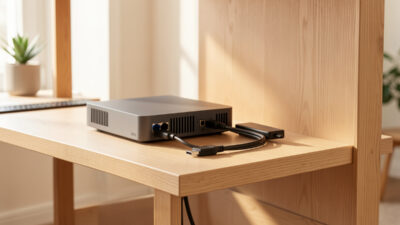
Zigbee and Z-Wave are low-power mesh protocols built for battery-operated sensors, locks, and bulbs, while WiFi is the high-bandwidth choice for cameras and plugged-in devices — and I run all three concurrently in my Home Assistant setup, each doing what it does best. Zigbee handles roughly 60 of my lights and sensors through a Sonoff USB coordinator, Z-Wave runs the locks and the basement door sensor through a separate stick, and WiFi carries the cameras and a handful of TP-Link plugs that I have not migrated to Zigbee yet. The right answer for your home depends on square footage, the number of battery sensors you plan to deploy, and whether you already own a hub.
As an Amazon Associate I earn from qualifying purchases.
I learned the hard way that you cannot just stack protocols blindly and expect them to coexist. My first year of Zigbee was plagued with dropped sensors until I discovered my WiFi router and my Zigbee coordinator were fighting over the same 2.4 GHz channel — a single channel change fixed six months of “why is my motion sensor offline again” frustration. More on that fix in troubleshooting, but the lesson stuck: protocol choice is not a one-time decision, it is a topology decision that shapes how reliably your home responds to every trigger for the next five years.
WiFi (Wireless Fidelity): 2.4GHz or 5GHz radio. Highest bandwidth, no hub needed, but high power draw and shared spectrum with everything else in the house.
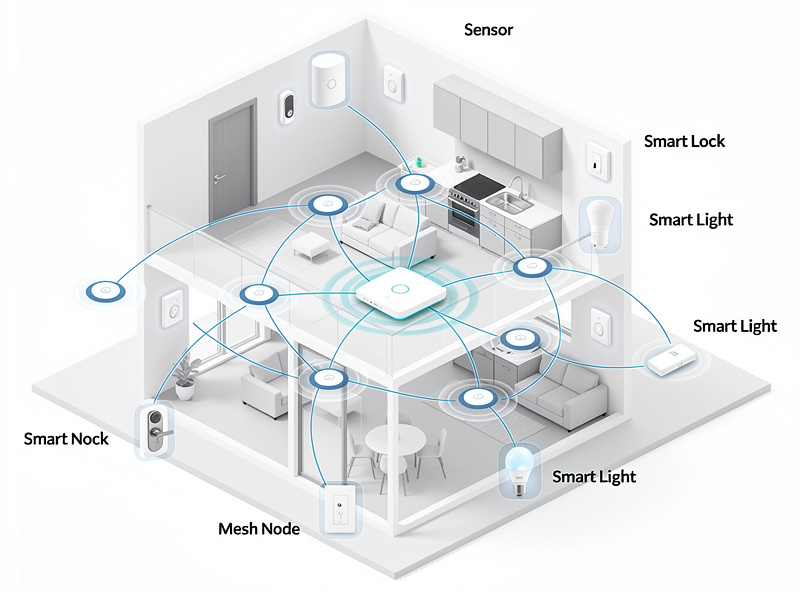
Zigbee (IEEE 802.15.4): 2.4GHz mesh. Low power for multi-year battery sensors. Mesh topology means powered devices automatically extend range for distant battery devices. This is my workhorse protocol — every Aqara sensor and IKEA bulb in my house talks Zigbee.
Z-Wave (ITU-T G.9959): Sub-1GHz mesh (908.42 MHz in North America, 868.42 MHz in Europe). The best wall-penetration of the three, longest battery life, but requires a certified hub. My Yale lock and the contact sensor on my detached workshop door are Z-Wave — nothing else reaches that far through concrete.
Thread (IEEE 802.15.4): The IPv6 mesh that powers Matter. Same radio family as Zigbee but modernized — local-only, end-to-end encrypted, and natively interoperable across Apple, Google, and Amazon ecosystems.
Technical Spec Comparison
| Specification | WiFi | Zigbee | Z-Wave | Thread/Matter |
|---|---|---|---|---|
| Frequency | 2.4 / 5 GHz | 2.4 GHz | 908 / 868 MHz | 2.4 GHz |
| Range (indoor, single hop) | 30-150 ft | 30-50 ft | 100-150 ft | 30-50 ft |
| Mesh capability | No* | Yes | Yes (4-hop max) | Yes |
| Theoretical max devices | 32-250 | 65,000+ | 232 | 65,000+ |
| Practical hub limit | 20-50 (router-bound) | 50-250 (hub-bound) | ~100 stable | 50-250 (hub-bound) |
| Typical command latency | 200-500 ms (cloud) | 100-200 ms (local) | 100-300 ms (local) | 20-100 ms (local) |
| Power consumption | High | Low | Very low | Low |
| Bandwidth | High (Mbps) | Low (250 kbps) | Low (100 kbps) | Low (250 kbps) |
| Interference profile | High (shared 2.4GHz) | Medium (2.4GHz) | Low (sub-1GHz) | Medium (2.4GHz) |
| Hub required | No | Yes | Yes | Yes (Thread border router) |
| Hub cost range | $0 | $50-150 | $100-200 | $0-150 (often built into routers, Apple TV, Echo) |
*WiFi mesh systems extend coverage through multiple access points, but individual end-devices don’t relay traffic for each other the way Zigbee and Z-Wave devices do.
Why the latency numbers matter: a motion-triggered light feels instant under 150 ms and noticeably slow above 300 ms. I tested this side by side — a Zigbee Aqara sensor triggering an IKEA bulb through my HA hub responds in roughly 120 ms, while the same routine routed through a WiFi Kasa plug via the TP-Link cloud takes 400-500 ms. That is the gap between “the light came on as I entered the room” and “the light came on after I was already at the sink.” Cloud-routed WiFi automations regularly hit 400-500 ms when servers are loaded, which is why power-user setups (SmartThings, Hubitat, Home Assistant) lean heavily on the mesh protocols even when WiFi devices would be simpler to install.
WiFi: When to Use It
Best for: high-bandwidth devices (cameras, video doorbells, smart displays), powered plugs and switches, temporary or rental installations, and beginners who want to avoid hubs entirely.
Advantages:
- No additional hub required — every home already has a router
- Highest data throughput, the only practical option for video streaming
- Universally compatible (any WiFi-certified router works)
- Simplest setup — most apps just need the WiFi password
Disadvantages:
- High power consumption — battery WiFi devices typically die within 2-6 weeks
- 2.4GHz congestion from neighboring networks degrades reliability in apartments
- Most consumer routers struggle past 30-50 connected devices before slowdown
- No mesh extension between end-devices (a smart bulb in a basement won’t extend signal for the bulb beside it)
- Cloud dependence — most WiFi smart-home brands route commands through their servers, so an outage takes the device offline
2026 WiFi device examples: Ring Video Doorbell, Nest Cam, TP-Link Kasa Smart Plug, Wyze Bulbs, most budget cameras and plugs at Amazon and Best Buy.
Zigbee: The Balanced Choice
Best for: battery-operated sensors (motion, contact, temperature, humidity), large smart-lighting systems, hub-integrated local automations, and mixed-protocol homes. This is the protocol I build on first in every new room — cheap sensors, enormous ecosystem, and 3-year battery life on a CR2032 means I set and forget.
Advantages:
- Low power enables 1-3 year battery life for typical sensors (my Aqara door/window contacts run well over a year on a single CR2032)
- Mesh networking — every powered device (bulb, plug, smart switch) automatically becomes a router for distant battery devices
- Massive ecosystem — the Connectivity Standards Alliance (CSA, formerly the Zigbee Alliance) maintains the largest certified-product catalog of the three protocols; the CSA site tracks current counts
- Operates on IEEE 802.15.4 at 2.4GHz — see the Thread Group for how Thread relates to the same radio layer
- Direct hub support in Echo 4th-gen and 5th-gen, SmartThings, Hubitat, and Home Assistant
- Sub-200 ms local response for typical commands
Practical mesh device-count limits (this is where vendor specs and reality diverge):
- Echo 4th-gen: stable up to ~50 Zigbee devices before commands slow
- SmartThings Hub v3 / Aeotec: stable up to 100-150 with mixed routers
- Hubitat Elevation: 200+ stable, used by power-user community
- Home Assistant + Sonoff Zigbee 3.0 USB dongle: 250+ devices documented. This is my setup — I am at 62 devices and still seeing sub-150 ms response on every trigger.
- Home Assistant + zigbee2mqtt + Texas Instruments coordinator: largest reported deployments hit 400+
Disadvantages:
- 2.4 GHz overlaps with WiFi and Bluetooth — channel choice matters (see Troubleshooting below)
- Requires a hub or hub-capable device (an Echo 4th-gen is the cheapest entry point at ~$100)
- Not natively compatible with Z-Wave — needs a multi-protocol hub for cross-protocol automations
- Some older devices (pre-Zigbee 3.0) use non-standard profiles and can be flaky on third-party hubs
2026 Zigbee device examples: Philips Hue bulbs, Aqara sensors, Third Reality smart plugs, IKEA TRÅDFRI, Sonoff Zigbee devices.
Z-Wave: Long-Range Specialist
Best for: large homes, security installations (locks, sensors, sirens), battery devices where 5+ year longevity matters, and homes in dense apartment buildings with heavy 2.4GHz interference. Z-Wave is the specialist I deploy for the hard-to-reach spots — a door sensor in a detached garage 80 feet from the house, a lock that must not fail, a basement sensor three concrete walls from the hub.
Advantages:
- Sub-1GHz frequency penetrates walls roughly 3x better than 2.4GHz — the difference between a sensor working in a basement vs not
- Longest battery life of any consumer mesh protocol — 2-10 years typical, security sensors often last the full battery shelf life
- Strict certification — every Z-Wave device must pass Z-Wave Alliance interoperability testing, so cross-vendor pairing rarely fails
- Doesn’t compete with WiFi spectrum — performance stays consistent in busy 2.4GHz environments
- Local processing through the hub, no cloud dependency
Practical mesh limits: the spec allows 232 devices on a Z-Wave network, but routing is capped at 4 hops between source and destination. Most installers report stable performance up to ~100 devices, after which adding more powered repeaters becomes important to keep the mesh routing efficient. Battery-only Z-Wave devices do not repeat — they save power by not staying awake — so a Z-Wave network with only locks and sensors and no smart switches will struggle for range.
Disadvantages:
- Smaller device ecosystem than Zigbee — fewer certified products overall, though the catalog is still large enough for most homes
- Higher per-device cost on average — security-grade certification adds ~$10-30 vs equivalent Zigbee
- Hubs are more expensive — most Z-Wave-capable hubs run $100-200, vs $100 for an Echo with built-in Zigbee
- Lower bandwidth than even Zigbee (100 kbps vs 250 kbps) — fine for sensors, not for anything streaming
2026 Z-Wave device examples: Yale Assure Lock SL, Ring Alarm Sensors, Aeotec MultiSensor 7, Zooz smart switches.
Choosing the Right Protocol for Your Home
Three quick rules cover most decisions:
- Apartment under 1,000 sq ft, 5-10 devices: WiFi-only is fine. Add an Echo 4th-gen later if you want to expand into Zigbee battery sensors.
- 1,000-2,500 sq ft house, 15-50 devices: mixed approach — WiFi for cameras, Zigbee for sensors and lights via a multi-protocol hub.
- Over 2,500 sq ft or thick walls: Z-Wave for security and battery sensors, WiFi for cameras, Zigbee for lighting if you have many bulbs.
Use-case scenarios:
Small Apartment Beginner: 5-10 WiFi devices (bulbs, plugs, one camera). No hub. Upgrade to Matter as you expand. Estimated cost: $150-250.
Suburban Family Home: WiFi for cameras and video doorbell, Zigbee for 10+ bulbs and motion sensors via Echo 4th-gen. Best of both worlds without buying a separate hub. Estimated cost: $400-700.
Security-Focused Installation: Z-Wave locks, door/window sensors, and motion detectors via Hubitat or SmartThings. Long battery life and no cloud dependency for security events. Estimated cost: $600-1,000.
Smart Home Enthusiast: Home Assistant on a small server, Zigbee USB dongle for sensors, Z-Wave USB stick for locks, WiFi cameras, and Matter for new purchases. Maximum flexibility, steepest learning curve. Estimated cost: $300 hardware plus device buildout.
For the underlying decision of whether you need a hub at all, see Do You Need a Smart Home Hub? — the short answer is “no for under 15 devices, yes beyond that.”
Matter and the Future
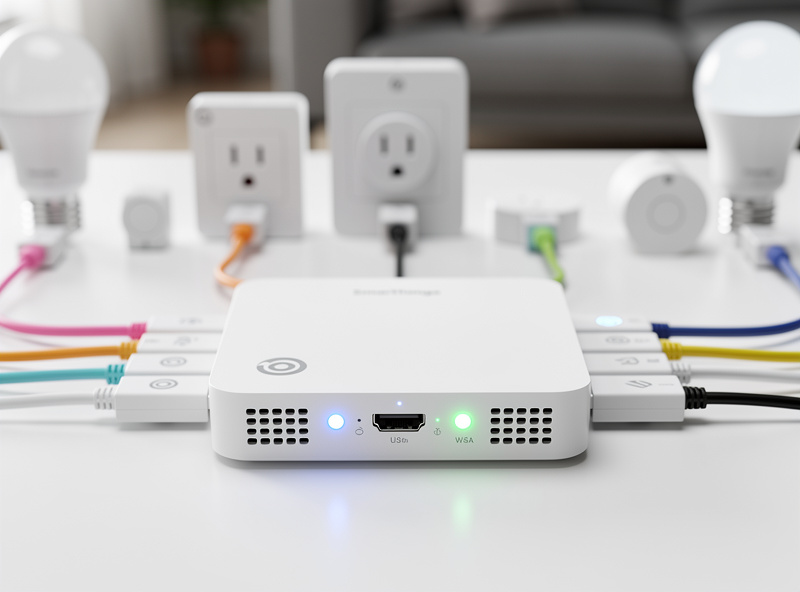
Matter is the unifying standard the industry agreed on in 2022 and has been rolling out since. Matter runs over Thread (mesh, low-power, similar to Zigbee), WiFi (high-bandwidth), or Ethernet — the device picks whichever transport fits. I am adding Matter-over-Thread devices to my network alongside the existing Zigbee and Z-Wave mesh, and the three protocols coexist cleanly on separate coordinators from the same HA host.
Matter benefits:
- One device works simultaneously with Alexa, Google Home, Apple Home, and SmartThings — no ecosystem lock-in
- QR-code pairing replaces the protocol-specific setup ritual
- Local-only by default — no cloud round-trip for basic device control
- Thread provides the mesh advantages of Zigbee with modern IPv6 networking and stronger encryption
Matter compatibility matrix as of 2026 (Matter 1.4):
| Device category | Matter support | Notes |
|---|---|---|
| Smart bulbs, plugs, switches | Mature (Matter 1.0) | Hue, TP-Link Tapo, Meross all ship Matter-certified options |
| Contact and motion sensors | Mature (Matter 1.0) | Aqara, Eve sensors widely available |
| Smart locks | Stable (Matter 1.2) | Aqara U200, Yale Approach, Schlage Encode Plus |
| Smart thermostats | Stable (Matter 1.2) | Ecobee added Matter; Nest still WiFi-only |
| Cameras and doorbells | Newer (Matter 1.4) | Aqara G5 Pro is a notable early Matter-over-WiFi camera |
| Robot vacuums | Newer (Matter 1.2) | Roborock and Ecovacs flagships only; budget models lag |
| Smart appliances (fridges, ovens, washers) | Limited | Most still on vendor cloud apps; LG and Samsung announced Matter roadmaps |
| Security panels | Not yet | Vendors keep these proprietary |
What about my existing Zigbee/Z-Wave devices? Don’t replace them. Hubs from Hue, SmartThings, and Apple Home (via HomePod mini or Apple TV) bridge legacy Zigbee/Z-Wave devices into Matter, so they appear as native Matter devices to other ecosystems. Buy Matter for new purchases, keep what works.
Troubleshooting Common Issues
Problem: Zigbee devices drop offline intermittently.
Cause: 2.4 GHz interference from WiFi or microwaves.
Solution: Set your WiFi to channels 1, 6, or 11 (the only non-overlapping 2.4 GHz channels), and set your Zigbee coordinator to channel 15, 20, or 25 — those are the Zigbee channels that don’t overlap with WiFi 1, 6, or 11. This single change fixed six months of random sensor drops in my house. I moved my WiFi AP to channel 6 and my Zigbee coordinator to channel 20 and have not had an unexplained drop since.
Problem: Z-Wave commands feel slow or sometimes fail.
Cause: Insufficient powered nodes — battery devices don’t repeat the mesh.
Solution: Add powered Z-Wave devices (smart switches, plug-in modules, plug-in repeaters) between the hub and your distant sensors. The 4-hop routing limit means a remote sensor needs at least one powered intermediary within range of both the hub and the sensor. I added a Zooz smart plug halfway between my HA server and the workshop door sensor — the sensor went from “unreachable 30% of the time” to 100% reliable.
Problem: WiFi smart devices unresponsive at peak times.
Cause: Router DHCP table or association limit exceeded, or 2.4 GHz channel saturation.
Solution: Upgrade to a router rated for 50+ devices (most prosumer WiFi 6 routers handle 100+), put smart-home devices on a separate 2.4 GHz SSID, and consider migrating battery devices off WiFi entirely.
Problem: Long pairing times or failed pairing.
Cause: Devices not in pairing mode close enough to the hub on first pair.
Solution: Pair Zigbee and Z-Wave devices within 5 feet of the hub for the initial join, then move them to their permanent location. The mesh will re-route automatically. Matter devices use QR-code-driven proximity pairing and are much less finicky.
Frequently Asked Questions
Do I need separate hubs for Zigbee and Z-Wave?
Multi-protocol hubs like SmartThings or Hubitat support both Zigbee and Z-Wave in a single device. Amazon Echo 4th gen handles Zigbee only. Home Assistant supports both through USB adapters. Budget $100-200 for a multi-protocol hub.
Which protocol has the best battery life?
Z-Wave delivers the longest battery life at 2-10 years for sensors due to sub-1GHz frequency. Zigbee sensors last 1-3 years on batteries. WiFi battery devices drain within weeks and are not recommended for sensor applications.
Can I mix Zigbee and Z-Wave in one home?
Yes. Many smart homes use Zigbee for lighting and sensors while Z-Wave handles security devices and locks. A multi-protocol hub coordinates between them, enabling cross-protocol automations.
Is WiFi enough for a basic smart home?
WiFi works for homes with under 15 plugged-in smart devices. Smart plugs, bulbs, and cameras need no hub. Beyond 15 devices, consider Zigbee for battery sensors and better scalability.
Will Matter replace Zigbee and Z-Wave?
Matter runs over Thread networking, similar to Zigbee but modernized. Existing devices continue working. Prioritize Matter for new purchases but do not replace functioning legacy equipment.