Smart Plug Explained: How They Work, Setup, and Troubleshooting (2026)
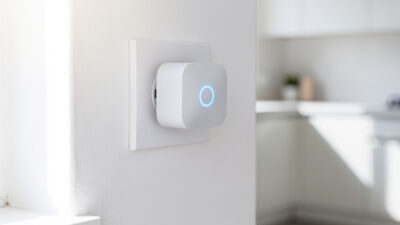
A smart plug is a WiFi-enabled adapter that turns any ordinary electrical outlet into a controllable, programmable switch. Plug it into your wall socket, connect your lamp or appliance, and you can turn devices on and off remotely — typically costing under $15 and requiring no wiring or tools.
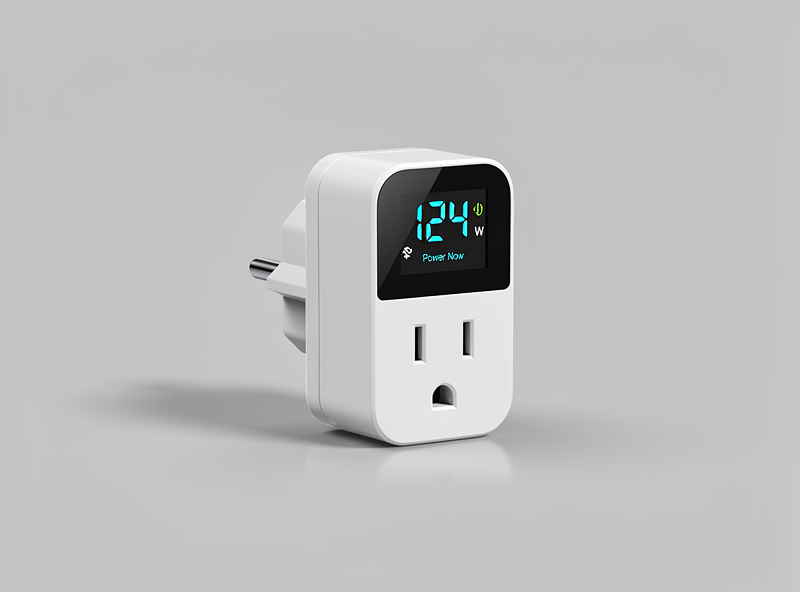
I have been running smart plugs in my setup for years — on the grow lights, the curing-chamber compressor, and the coffee maker — and they are the single most reliable automation device I own. The key is picking plugs that stay connected and naming every entity cleanly. If you have ever wished you could turn on your coffee maker from bed or ensure you did not leave the curling iron on after leaving for work, a smart plug makes it possible without replacing your existing devices. It sits between your wall outlet and your appliance, acting as a remote-controlled gatekeeper for electricity.
As an Amazon Associate I earn from qualifying purchases.
How Smart Plugs Actually Work
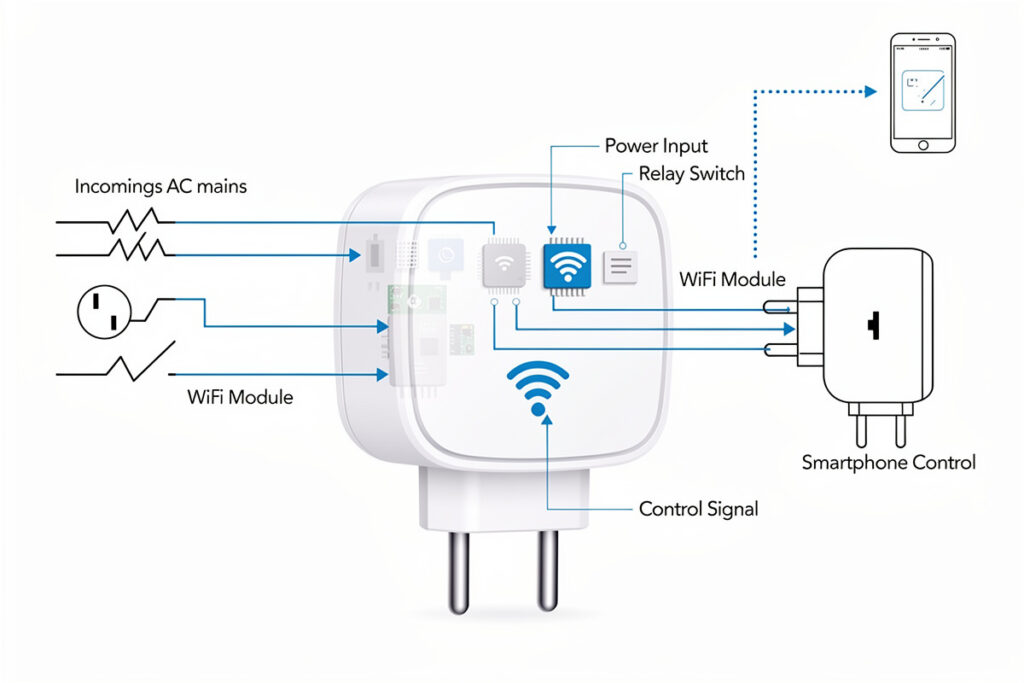
Smart plugs connect to your home WiFi network just like your phone or laptop. Once connected, they communicate with a cloud server that bridges your commands to the physical device. In my setup I keep the important automations on my local Zigbee mesh — cloud-reliant plugs are fine for the coffee maker, but anything load-bearing stays local. Here is what happens when you tap “off” in your app:
- Your phone sends a signal to the cloud server via the internet
- The server forwards that command to your smart plug through your home WiFi
- A relay switch inside the smart plug physically breaks the electrical circuit
- Your connected device loses power and turns off
The entire process takes less than two seconds. The plug draws minimal power to maintain its WiFi connection — typically less than $2 per year in electricity costs. See are smart plugs worth it for full cost-benefit analysis.
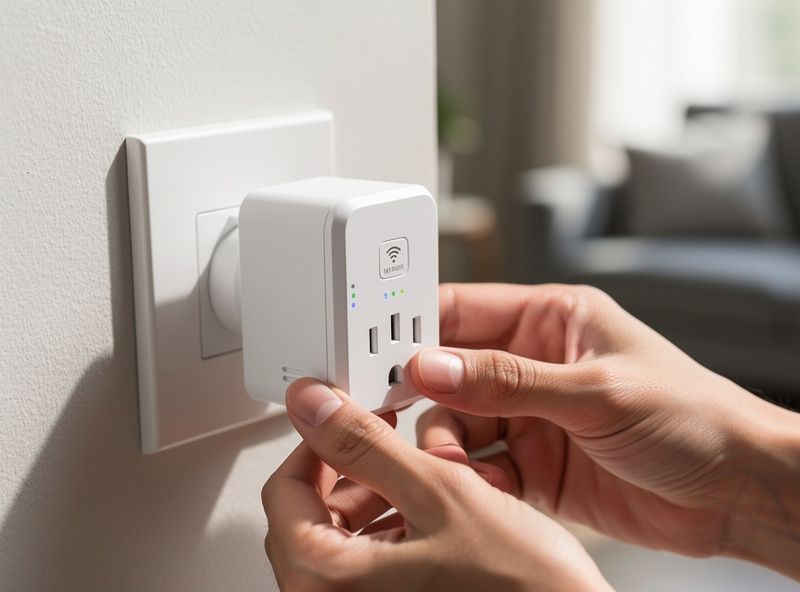
Technical Deep Dive: Inside a Smart Plug
Understanding the internal components helps explain both the capabilities and limitations of smart plugs:
The Relay Switch
At the heart of every smart plug is an electromechanical relay or solid-state relay. This component physically connects or disconnects the electrical circuit. Quality relays rated for 15+ amps can handle high-wattage appliances like space heaters and air conditioners. The relay’s clicking sound you hear when operating the plug is the physical switch engaging.
WiFi Module
The ESP32 or its older sibling the ESP8266 is the most common WiFi controller in consumer smart plugs. This low-cost, low-power microcontroller connects to your 2.4GHz network and communicates with cloud servers. Premium models may include dual-band support (2.4GHz and 5GHz) or alternative protocols like Zigbee or Z-Wave for local hub-based control.
Power Monitoring Circuit
Advanced smart plugs include current transformers and voltage sensors that measure real-time power consumption. These components sample electrical flow hundreds of times per second, calculating wattage, amperage, and cumulative energy usage. The data feeds into algorithms that estimate monthly costs based on your local electricity rates.
Memory and Storage
Smart plugs store your schedules, device names, and WiFi credentials in non-volatile memory. This allows schedules to continue running even during internet outages. Most units retain settings for years without power, ensuring your automation persists through power failures.
What You Can Control With a Smart Plug
Almost anything that plugs into a standard wall outlet can become “smart” with the right adapter. Common uses include:
- Lamps and lighting: Turn on lights before entering a dark room or simulate occupancy while away
- Coffee makers: Schedule brewing to start minutes before your alarm
- Space heaters and fans: Pre-heat or cool rooms before you arrive
- Televisions and entertainment systems: Cut standby power completely when not in use
- Chargers: Prevent overcharging by setting automatic shutoff times
- Holiday decorations: Schedule lights without mechanical timers
- Outdoor lighting and fountains: Control exterior devices with weatherproof models
What does NOT work: Smart plugs cannot dim lights (you need a smart dimmer switch), control hardwired fixtures, or manage devices requiring button presses after power-on. For built-in smart capabilities, see the smart plug vs smart switch comparison. A TV plugged into a smart plug will receive electricity but still needs its remote to actually turn on.
Smart Plug Setup: Step-by-Step Guide
Installing a smart plug takes under five minutes:
- Plug the smart adapter into your wall outlet
- Download the manufacturer’s app (usually Kasa, SmartLife, or the brand’s proprietary app)
- Create an account and connect the plug to your 2.4GHz WiFi network
- Plug your appliance into the smart plug
- Rename the device in the app (“Bedroom Lamp,” “Coffee Maker”)
Most plugs also integrate with voice assistants. Once connected to Alexa or Google Home, you can say “turn on the bedroom lamp” instead of opening an app.
Setting Up Smart Plug Schedules
Setting up smart plug schedules involves opening your smart plug’s app, selecting the device, choosing schedule or timer options, and defining on/off times for specific days or events. Most apps offer three scheduling types:
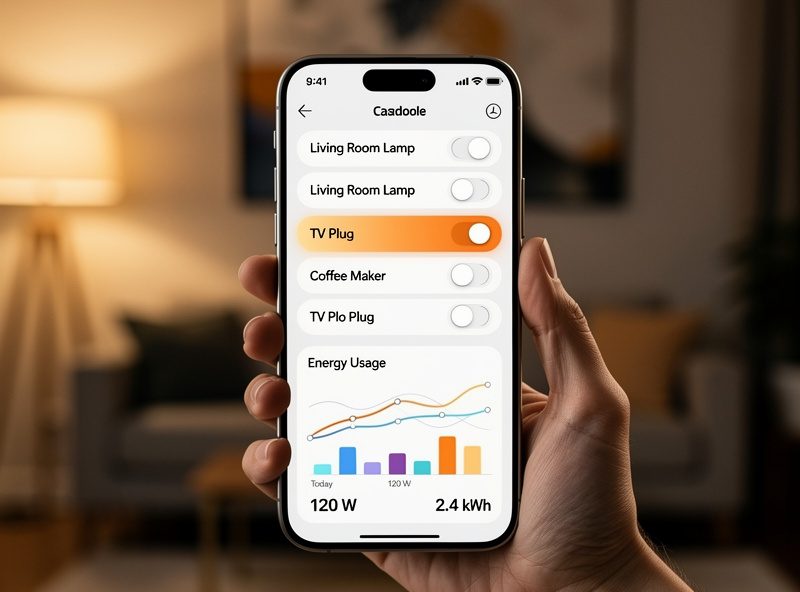
Exact Time Triggers: Turn on at 7:00 AM every weekday. Simple and reliable, these are the most commonly used schedules. Perfect for coffee makers, morning lights, and bedtime routines.
Countdown Timers: Turn off after 4 hours. Useful for devices you want running for a specific duration — space heaters, fans, or phone chargers that should not run all night.
Astronomical Triggers: Turn on at sunset, turn off at sunrise. These schedules automatically adjust with the seasons, making them ideal for outdoor lighting and security lamps.
Random/Vacation Mode: Some smart plugs offer random on/off cycles that simulate occupancy while you are away. This is more effective than fixed schedules for home security, as the unpredictable patterns suggest someone is actually home.
The scheduling process takes 2-5 minutes per schedule. See the smart plug scheduling guide for detailed instructions. Most apps let you create unlimited schedules per plug, so you can set different routines for weekdays, weekends, and special occasions.
Troubleshooting Smart Plug WiFi Connection Issues
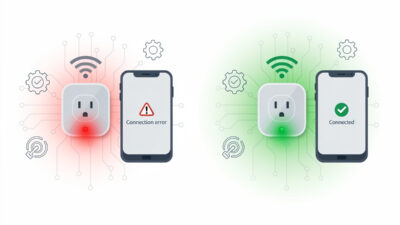
I have wasted an hour on this exact problem more than once — the first time I tried setting up six plugs at once on a router with band steering enabled, every single one failed to pair and I assumed the batch was defective. When your smart plug won’t connect to WiFi, the solution usually involves checking that you are using a 2.4GHz network, verifying your WiFi password, resetting the plug, and ensuring you are within range of your router. For detailed troubleshooting, see smart plug WiFi troubleshooting. In my experience the large majority of connection failures trace back to one of two things: the phone or plug trying to pair over 5GHz instead of 2.4GHz, or a mistyped WiFi password during setup.
Step-by-Step WiFi Troubleshooting
Step 1: Verify 2.4GHz Network
Most smart home devices only support 2.4GHz WiFi. Temporarily disable 5GHz on your router or create a separate 2.4GHz network during setup. If your router uses “smart connect” or “band steering,” disable it temporarily.
Step 2: Check WiFi Password
Special characters in passwords can cause problems. If issues persist, temporarily create a simple password for setup, then change back afterward. Ensure you are entering the correct password — case matters.
Step 3: Factory Reset the Plug
Most devices have a factory reset button (usually hold 10+ seconds until the LED blinks rapidly). Reset and start setup fresh. This clears any corrupted settings from previous attempts.
Step 4: Check Distance from Router
Ensure you are within range during setup. Move closer to the router, then reposition the device after successful connection. Smart plugs need a stable signal to maintain their cloud connection.
Step 5: Router Compatibility
Some routers block IoT devices. Check for “AP isolation,” “client isolation,” or “smart connect” features and disable them temporarily. Older routers may struggle with 20+ connected devices — consider a mesh WiFi system for larger setups.
Voice Commands Not Working
If “Alexa, turn on the lights” returns “I can’t find that device” or similar errors:
- Run “discover devices” in your voice assistant app after adding new hardware
- Avoid generic names like “lamp” or “light.” Use specific names like “living room floor lamp”
- Verify skills are enabled — some devices require specific skills in Alexa or actions in Google Home
- Ensure your smart device app account is linked to your voice assistant account
Using Smart Plugs Outdoors
Yes, you can use smart plugs outdoors, but only with outdoor-rated smart plugs specifically designed for weather exposure. Standard indoor smart plugs risk electric shock, fire, and equipment damage when used outdoors. Outdoor models feature weatherproof housing, GFCI protection, and sealed components that withstand rain, snow, and temperature extremes.
What to look for in outdoor smart plugs:
- IP rating: Look for IP64 or higher. The first digit (6) means dust-tight, the second (4) means splash-proof from any direction
- GFCI protection: Built-in ground fault circuit interrupter prevents electric shock in wet conditions
- Operating temperature: Ensure the plug is rated for your climate range (typically -4°F to 122°F / -20°C to 50°C)
- UV resistance: Housing should resist sun damage if exposed to direct sunlight
Best outdoor uses: Holiday lights, garden fountains, patio heaters, outdoor speakers, and security lighting. Always mount outdoor plugs in a sheltered location when possible, even with weatherproof ratings. Read the full guide on using smart plugs outdoors.
Using Smart Plugs with Space Heaters
Yes, you can use a smart plug with a space heater, but only with heavy-duty smart plugs rated for 15+ amps and 1500+ watts. Standard smart plugs cannot handle the high current draw of space heaters and pose fire hazards.
Safety requirements for space heater smart plugs:
- Minimum 15A rating: Most space heaters draw 1500 watts (12.5 amps at 120V). Your smart plug must handle this continuously
- UL or ETL certified: Only use plugs with recognized safety certifications for the plug and receptacle
- Direct wall connection: Never plug a smart plug into an extension cord or power strip when running a space heater
- Ventilation: Ensure the smart plug has adequate airflow — do not cover it with fabric or place it in enclosed spaces
Recommended: Look for smart plugs specifically marketed as “heavy-duty” or “high-wattage.” The TP-Link Kasa EP25 and Wemo Smart Plug both handle 15A loads safely.
Product Comparison: Top Smart Plugs of 2026
| Product | Price | Key Features | Best For |
|---|---|---|---|
| Amazon Smart Plug | $24.99 | Native Alexa integration, 15A rating, compact | Alexa households |
| TP-Link Kasa EP25 | $16.99 | Energy monitoring, 15A rating, Kasa app | Energy tracking |
| Wyze Plug | $11.99 | Budget-friendly, 15A rating, vacation mode | Budget shoppers |
| TP-Link Kasa EP10 | $19.99 | Ultra-compact, no energy monitoring, 2.4GHz only | Tight spaces |
| Gosund Smart Plug | $8.99 | Basic functions, 10A rating, Smart Life app | Beginners/testing |
Real User Scenarios
The Morning Routine Optimizer
Shift workers and early risers are one of the best fits I know of for smart plugs. Three plugs, one schedule each, can cover a whole wake-up routine:
- Bedroom lamp: Fades on 10-15 minutes before your alarm, simulating sunrise
- Coffee maker: Starts brewing a few minutes before you’re out of bed, so it’s ready when you reach the kitchen
- Bathroom space heater (rated for the plug’s amp limit): Pre-heats the room for the last 20-30 minutes before your alarm, taking the edge off a cold winter morning
None of this requires buying a “smart” coffee maker or heater — the plug does the automation, and you keep using the appliance you already own.
Finding Phantom Loads
This is where an energy-monitoring plug like the TP-Link Kasa EP25 earns its keep. Move it between an entertainment center, an older chest freezer, or a game console for a few days each and watch the wattage graph in the app. Standby draw on gear you assumed was “off” is almost always higher than expected — aging freezers and always-on entertainment centers are the usual suspects in my own house. You don’t need to monitor every outlet permanently; a single monitoring plug, rotated around the house for a week or two, will show you exactly where the phantom load is hiding.
The Security-Minded Traveler
For anyone leaving a home empty while traveling, randomized on/off scheduling across two or three plugs — a living room lamp on one random evening window, a bedroom lamp on another, kitchen lighting on a third — reads as “someone’s home” far better than a single lamp on a fixed timer. The unpredictability is the point: a light that clicks on at exactly the same minute every night starts to look like a timer within a few days of anyone watching from outside.
Safety Considerations and Best Practices
Electrical Load Management
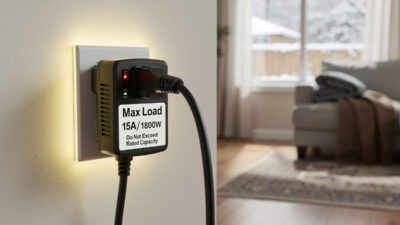
- Never exceed ratings: Check your device’s wattage against the smart plug’s maximum (usually printed on the device). Standard plugs handle 10-15 amps (1200-1800 watts).
- Direct connection only: Never plug a smart plug into an extension cord or power strip. The additional connections create resistance and heat.
- High-draw appliances: Space heaters, air conditioners, and microwave ovens require heavy-duty 15+ amp smart plugs. Standard plugs will overheat.
Physical Installation
- Secure fit: Ensure the plug sits firmly in the outlet without wobbling. Loose connections generate heat.
- Ventilation: Avoid covering smart plugs with furniture, curtains, or fabrics that trap heat.
- Outdoor use: Only use IP64-rated outdoor smart plugs for exterior applications. Indoor plugs exposed to moisture create shock hazards.
Network Security
- Separate IoT network: Create a guest network for smart home devices to isolate them from computers and phones containing sensitive data.
- Strong passwords: Use unique, complex passwords for smart plug apps and WiFi networks.
- Regular updates: Keep smart plug firmware updated to patch security vulnerabilities.
Start With One Plug and Build Out
If I were starting a smart home from scratch today, I would buy one energy-monitoring plug, put it on the coffee maker or a lamp, and get the schedule dialled in before adding anything else. The muscle memory of naming entities, grouping rooms, and testing automations on a single device pays off tenfold when you scale to ten or twenty plugs. Once the first one works, the rest is just repeat-and-refine.
Related Articles
- Best Smart Plugs 2026: Complete Buyer Guide
- Are Smart Plugs Worth It? Complete Value Analysis
- Smart Plug vs Smart Switch: Which to Choose?
- Best Smart Plugs for Alexa Voice Control
- Smart Plug Not Connecting to WiFi: Quick Fix
Do smart plugs work without internet?
Basic on/off functions may work through the manufacturer’s app if your phone and plug are on the same local WiFi network, but remote access and voice control require an active internet connection. Some premium models offer local control protocols like Zigbee or Z-Wave that function without cloud dependency.
Can smart plugs handle high-wattage appliances?
Standard smart plugs support 10-15 amps (1200-1800 watts), sufficient for lamps, TVs, and small appliances. High-draw devices like space heaters and air conditioners require heavy-duty smart plugs rated for 15+ amps. Always check the wattage rating on your appliance before purchasing.
Are smart plugs safe to leave plugged in?
Yes, certified smart plugs from reputable brands meet strict safety standards. They include thermal protection that shuts down the plug if overheating occurs. Avoid cheap, uncertified devices with high-draw appliances, and never exceed the manufacturer’s wattage ratings.
Will smart plugs work with 5GHz WiFi?
Most smart plugs only support 2.4GHz WiFi networks. This is because 2.4GHz offers better range and penetration through walls, which is crucial for devices plugged into various locations around your home. Some newer models support dual-band, but 2.4GHz remains the standard.
Can I use a smart plug outdoors?
Yes, but only with outdoor-rated smart plugs specifically designed for weather exposure. Look for IP64 or higher ratings, GFCI protection, and temperature-rated housing. Standard indoor smart plugs risk electric shock and fire when used outdoors.
Can I use a smart plug with a space heater?
Yes, but only with heavy-duty smart plugs rated for 15+ amps and 1500+ watts. Standard smart plugs cannot handle the high current draw of space heaters and pose fire hazards. Look for plugs specifically marketed as heavy-duty or high-wattage.
How do I fix a smart plug that won’t connect to WiFi?
Check that you are using a 2.4GHz network (not 5GHz), verify your WiFi password, factory reset the plug (hold button 10+ seconds), and ensure you are within range of your router. The large majority of connection failures trace back to a 5GHz pairing attempt or a mistyped password.