Smart Thermostats with Humidity Control — Top Picks (2026)
The Quick Answer
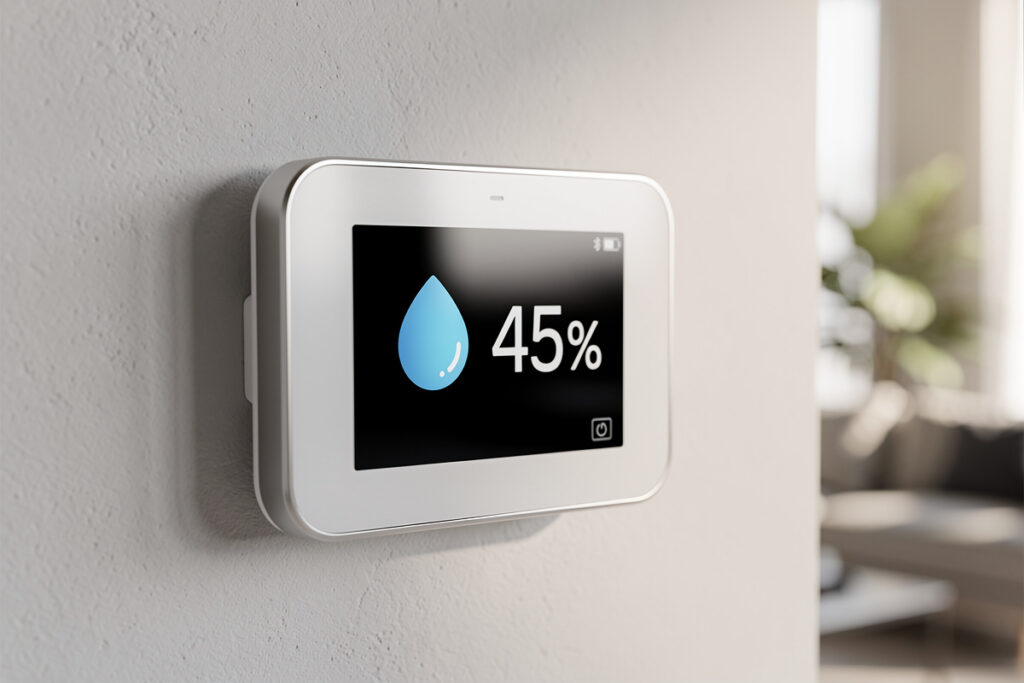
Indoor humidity between 30-50% is the comfort sweet spot — too low triggers dry skin and static, too high breeds mold and dust mites. Smart thermostats with humidity sensors monitor these levels automatically, adjusting your HVAC to maintain balance. Models like the Ecobee and Honeywell T10 control whole-home humidifiers and use AC overcooling to dehumidify, making 78°F feel as comfortable as 72°F. See the complete buyer’s guide for all options.
As an Amazon Associate I earn from qualifying purchases.
Why Humidity Control Matters
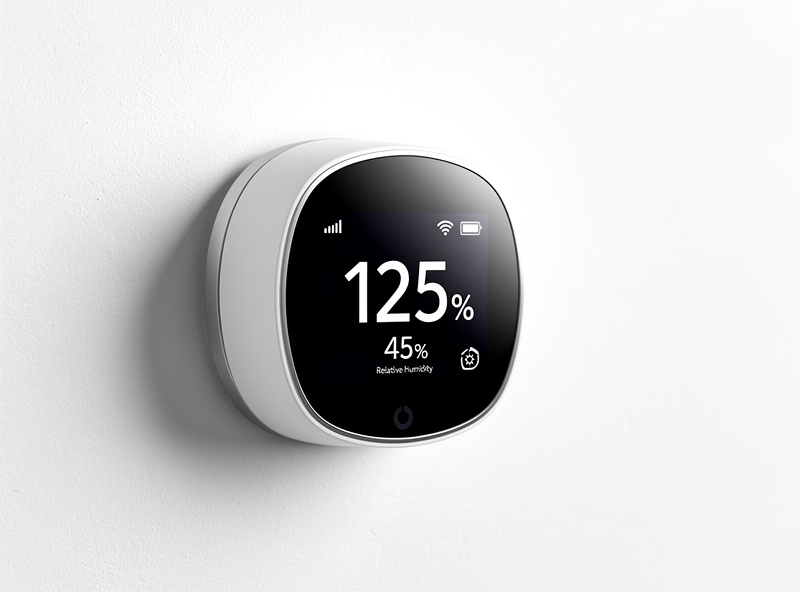
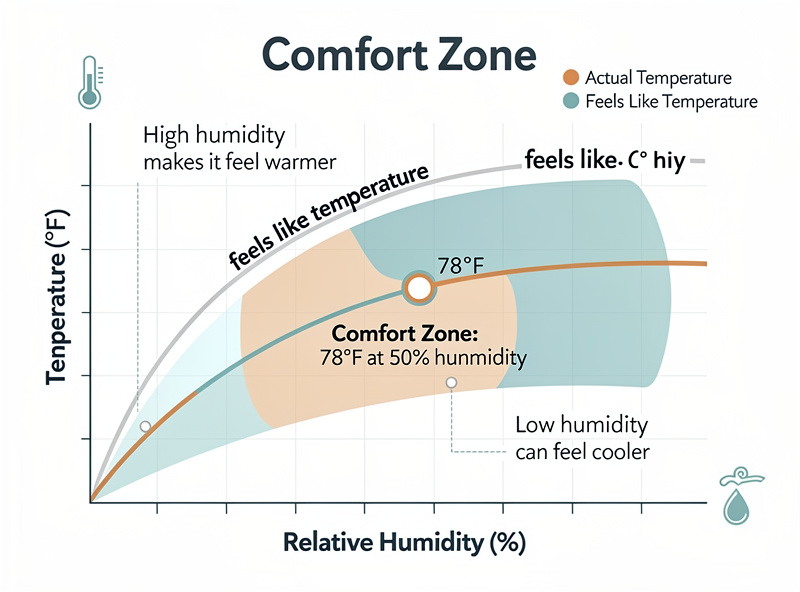
Humidity dramatically affects how warm or cool you feel. At 75°F with 30% humidity, you feel comfortable. At 75°F with 70% humidity, you feel sticky and overheated. Conversely, 68°F at 20% humidity feels colder than 68°F at 45% humidity.
Beyond comfort, humidity impacts health and home preservation:
- Too High (Above 60%): Mold growth, dust mites, musty odors, wood swelling
- Too Low (Below 30%): Dry skin, respiratory irritation, static electricity, wood cracking
- Ideal Range: EPA guidance puts the target at below 60%, ideally 30-50% relative humidity year-round
How Smart Thermostats Manage Humidity
1. Humidity Monitoring
Builtin humidity sensors measure relative humidity continuously. Data appears in apps, enabling you to track trends and identify problem areas. Some systems use external sensors (Ecobee SmartSensors) for room-specific humidity data.
2. AC Overcooling Dehumidification
The most common method: run the air conditioner longer than necessary to reach temperature, specifically to remove moisture. The thermostat targets humidity levels rather than just temperature, continuing cooling even after hitting the temperature setpoint.
Example: You set 72°F. The AC reaches 72°F but humidity is 65%. The thermostat continues running, dropping temperature to 70°F temporarily to extract more moisture, then cycles off.
3. Whole-Home Humidifier/Dehumidifier Control
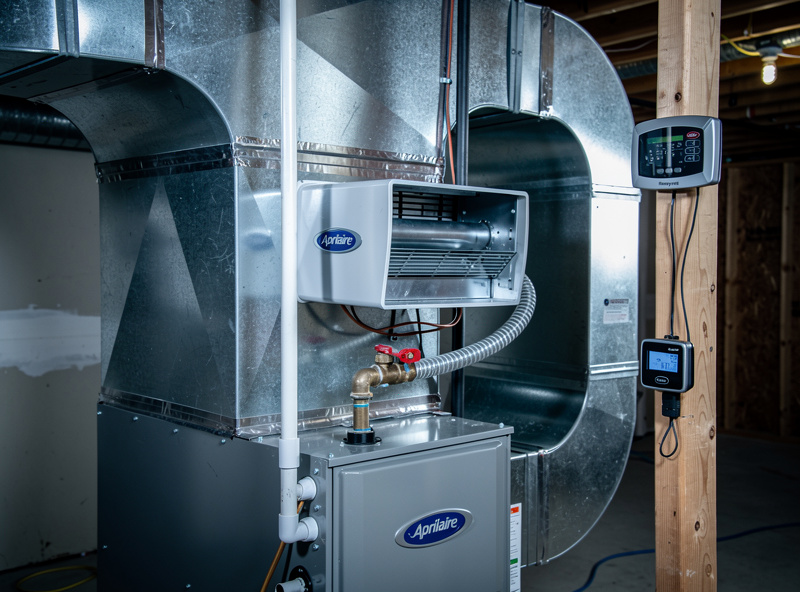
Premium thermostats offer dedicated control outputs for humidification equipment. Wiring connects to:
- Furnace-mounted humidifiers: Aprilaire, Honeywell, GeneralAire
- Standalone dehumidifiers: Via dry contacts or smart plugs
- ERV/HRV ventilation: Energy recovery ventilators with humidity control
4. Feels Like / Comfort Index
Rather than showing dry bulb temperature, some thermostats display “apparent temperature” accounting for humidity. This helps you understand why 76°F feels comfortable one day but oppressive the next.
Top Smart Thermostats with Humidity Control
Humidity Control Feature Comparison
| Thermostat | Humidity Sensing | AC Overcool | Humidifier Control |
|---|---|---|---|
| Ecobee Smart | Built-in + remote | Yes | Yes |
| Honeywell T10 | Wireless sensor | Yes | Yes |
| Nest Learning | Built-in only | Cool to Dry | Via smart plugs |
| Aprilaire 8920W | Built-in | Yes | Native Aprilaire |
| Lux GEOx | Built-in | Basic | Terminal available |
1. Ecobee SmartThermostat with Voice Control — Best Overall
Ecobee offers the most sophisticated humidity management. The thermostat itself monitors humidity, and optional SmartSensors provide whole-home data. AC Overcool feature targets specific humidity levels. Supports humidifier and dehumidifier accessories via ACC+ and ACC- terminals.
Humidity Features:
- Continuous humidity monitoring and graphing
- AC Overcool to Dehumidify (configurable max overcool)
- Humidifier control with target humidity setting
- Dehumidifier control via dry contacts
- “Feels Like” temperature display
- Frost control (prevents condensation on windows)
Price: $250 (includes one sensor)
Best For: Homes needing comprehensive humidity management
2. Honeywell Home T10 Pro Smart Thermostat — Best for Dedicated Humidity Control
The T10 includes a separate wireless humidity sensor you can place in problem areas (basements, bathrooms). The thermostat responds to that sensor rather than just its own location. Supports humidifiers, dehumidifiers, and ventilation equipment with detailed scheduling.
Humidity Features:
- Remote humidity sensing (separate wireless sensor included)
- Dehumidification with cooling or dry mode
- Target humidity settings with tight control bands
- Humidifier pad change reminders
- High/low humidity alerts to phone
Price: $220-250
Best For: Multi-story homes with humidity variations
3. Nest Learning Thermostat (3rd Gen) — Best Simple Integration
Nest monitors humidity and can activate AC for dehumidification via Cool to Dry feature. Works with Nest Temperature Sensors (though they do not report humidity). Cannot directly control standalone humidifiers/dehumidifiers, but integrates with Google Home ecosystem for smart plug control.
Humidity Features:
- Humidity display in app and on thermostat
- Cool to Dry (AC overcooling for dehumidification)
- Airwave (continues fan after AC to use residual dehumidification)
- Filter change reminders based on runtime and humidity
Price: $250
Best For: Google ecosystem users wanting basic humidity management
4. Aprilaire 8920W Wi-Fi Thermostat — Best for Aprilaire Humidifiers
If you have (or plan to install) an Aprilaire whole-home humidifier, their dedicated thermostat offers seamless integration. Controls humidifier, dehumidifier, ventilation, and air cleaning from one interface. Purpose-built for IAQ (Indoor Air Quality) management.
Humidity Features:
- Native Aprilaire humidifier control
- Automatic humidity adjustment based on outdoor temperature (prevents condensation)
- Ventilation control based on humidity levels
- Event-based fan control (circulate air after cooking/showering)
- Professional-grade IAQ monitoring
Price: $200-250
Best For: Homes with Aprilaire humidification systems
5. Lux Products GEOx Wi-Fi Thermostat — Best Budget Option
Surprising capabilities for under $100. Includes humidity sensing, dehumidification overcooling, and humidifier terminal. The app is basic but functional. Good entry-level option if you primarily want humidity monitoring with simple control.
Humidity Features:
- Humidity display and trending
- Cool to Dehumidify mode
- Humidifier terminal output
- Humidity-based alerts
Price: $80-100
Best For: Budget-conscious buyers with basic humidity needs
Setting Up Humidity Control
AC Overcooling Configuration
- Access thermostat settings → Humidity or IAQ menu
- Enable “Cool to Dry” or “AC Overcool”
- Set target humidity (recommend 45-50%)
- Set maximum overcool limit (recommend 2-3°F below setpoint)
- Enable only during cooling season
Warning: Excessive overcooling wastes energy. Set a maximum limit to prevent the system from dropping temperature 10°F just to reduce humidity.
Humidifier Control Setup
- Wire humidifier to thermostat’s humidifier terminals (usually HUM and 24V)
- Configure humidifier type in settings (bypass, fan-powered, steam)
- Set target humidity (recommend 35-45% winter)
- Enable “Auto” mode to adjust based on outdoor temperature
- Set minimum runtime to prevent short cycling
Dehumidifier Integration
For standalone dehumidifiers:
- Option 1: Use dehumidifier’s built-in humidistat, monitor via smart thermostat
- Option 2: Connect to thermostat dry contacts for system control
- Option 3: Smart plug control via home automation (Alexa/Google routines)
Regional Humidity Considerations
High Humidity Climates (Southeast, Gulf Coast)
Priorities:
- AC overcooling for dehumidification
- Tight setpoints (45% target)
- Whole-home dehumidifier for shoulder seasons when AC is not running
- Good air sealing to prevent outdoor moisture infiltration
Dry Climates (Southwest, Mountain West)
Priorities:
- Whole-home humidifier control
- Evaporative cooler integration (if applicable)
- Target 40-45% humidity to prevent nosebleeds, static, wood damage
- Monitor for over-humidification in tight homes
Variable Climates (Midwest, Northeast)
Priorities:
- Both humidification (winter) and dehumidification (summer)
- Automatic seasonal switching
- Outdoor temperature-based humidifier limits (prevent window condensation)
- Basement dehumidification year-round
Energy Impact of Humidity Control
Dehumidification Costs
Running AC longer to remove humidity does increase cooling costs — DOE research on dehumidification loads notes that latent (moisture) removal can account for a large share of an AC’s total energy use during humid weather, and overcooling is a less efficient way to get there than a dedicated dehumidifier. In practice, the comfort improvement usually lets you set the thermostat 2-3°F higher, which offsets some or all of the extra run time. At 75°F/50% humidity, you feel as comfortable as 72°F/65% humidity — but the former costs less to maintain.
Humidification Costs
Furnace-mounted humidifiers use minimal electricity (fan-powered units draw 1-2 amps). Steam humidifiers use more energy but are more efficient at adding moisture. Annual operating cost is typically $30-100 depending on water hardness and humidistat settings.
Related: How Much Do Smart Thermostats Save? | Nest vs Ecobee Comparison | Smart Radiator Valves
Buying With Home Assistant in Mind
All five of the thermostats above route through the manufacturer’s cloud one way or another — that’s normal for a major-brand thermostat, and I don’t treat it as an automatic dealbreaker. What matters more to me is whether the integration exposes real sensor data into Home Assistant, rather than locking it inside a proprietary app. Ecobee’s official HA integration pulls humidity, occupancy, and each SmartSensor’s readings in as ordinary entities, which means I can build automations — dehumidifier control tied to a bathroom sensor, ventilation tied to humidity plus CO2 — that have nothing to do with Ecobee’s own app logic. Nest’s integration through Google’s API is more locked down; you get temperature and humidity readouts, but Google has throttled and changed third-party API access more than once over the years, which is exactly the kind of platform risk I try to design around when a device is doing anything load-bearing. If the whole reason you want humidity control is to trigger something else in your smart home — a fan, an ERV, an alert — buy the thermostat whose humidity data you can actually get to, not just the one with the nicest app.
Humidity Control in My Setup
I use a Zigbee humidity sensor in the bathroom tied to a Shelly relay behind the exhaust fan switch. When humidity exceeds 60%, the fan runs for 15 minutes. It eliminated the mirror-fogging problem and the mildew smell after long showers. The automation runs entirely locally through Home Assistant — no cloud dependency, sub-second response, works whether the internet is up or down.
The key tuning lesson: set the threshold above normal room humidity by at least 10 percentage points. If your bathroom sits at 45% normally and you set the trigger at 50%, the fan runs constantly because normal variation bounces around 45-50%. I set mine at 60% — the shower pushes it well past that, the fan kicks in, and by cycle-down the room is back to normal. Do not set the off-threshold at the same value as the on-threshold, or the fan will short-cycle.
Calibrating Humidity Sensors
Humidity sensors drift over time. I calibrate mine annually using the salt test: put the sensor in a sealed bag with a damp salt slurry for 24 hours, and it should read exactly 75%. If it reads 72% or 78%, note the offset and adjust your thresholds accordingly. My Aqara sensors have been within 1-2% after two years of use; a cheap no-name sensor I tested drifted 6% in six months. The salt test is free and takes one minute of effort plus overnight wait. It’s worth doing this on any thermostat’s built-in sensor too, not just standalone ones — a thermostat that thinks your house is at 55% when it’s actually 62% will run its dehumidification logic on the wrong number all season, and you’ll never notice unless you check it against a known reference.
Frequently Asked Questions
What is the ideal indoor humidity level?
EPA guidance puts the ideal indoor humidity range at 30-50% year-round, and always below 60%. Above 60% promotes mold growth and dust mites. Below 30% causes dry skin, respiratory irritation, and static electricity. Smart thermostats with humidity control maintain this range automatically, adjusting for seasonal changes.
Does humidity affect thermostat settings?
Yes, significantly. At 75°F with 70% humidity, you feel overheated and sticky. At 75°F with 40% humidity, you feel comfortable. Smart thermostats with “Feels Like” temperature display account for this, helping you understand why the same temperature feels different day-to-day.
Can a smart thermostat control a standalone dehumidifier?
Yes, but methods vary. Premium thermostats (Ecobee, Honeywell) have dedicated terminals for dehumidifier control. For standalone units, you can use smart plugs triggered by humidity thresholds, though this is less integrated than whole-home solutions.
Why does my house feel humid even with AC running?
Standard AC cycles stop when temperature targets are reached, potentially leaving humidity high. Smart thermostats with AC Overcool run the system longer specifically to extract moisture, reaching comfortable humidity levels even if temperature drops slightly below target temporarily.
Do I need a separate humidity sensor?
Most smart thermostats with humidity features include built-in sensors. Ecobee and Honeywell offer remote sensors for problem areas like basements. The Nest Learning only monitors at the thermostat location, which may not represent whole-home conditions.
Will humidity control increase my energy bill?
AC overcooling uses slightly more energy, but the improved comfort often allows higher thermostat settings. Many homeowners raise their target temperature 2-3°F when humidity is properly controlled, resulting in net energy savings while maintaining comfort.
Related Articles
- Best Smart Thermostats 2026: Complete Buyer’s Guide
- How Much Does a Smart Thermostat Save? Real Data
- Nest vs Ecobee: Honest Comparison
- How Smart Thermostats Learn Your Schedule
- Smart Thermostat Geofencing: How It Saves Energy