Zigbee Binding and Groups: Switch-to-Bulb Control Without the Hub Hop
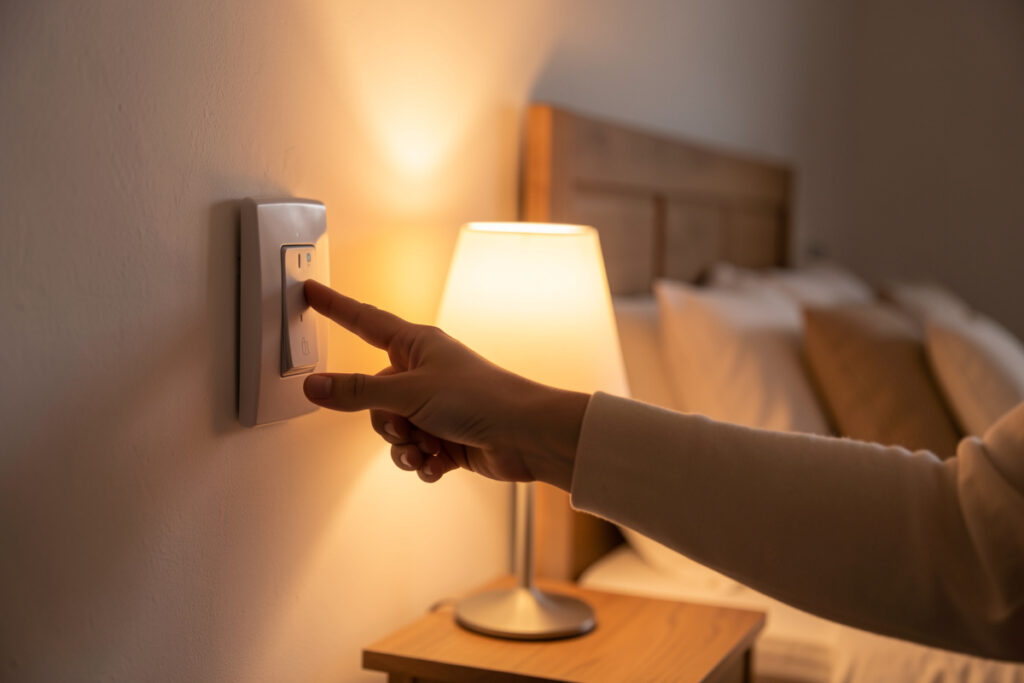
Zigbee binding lets a switch talk directly to a bulb at the radio level, so the light responds instantly — even if your hub is rebooting. Groups let one command control many devices at once instead of firing a separate message at each. Together they remove the “hub hop,” the round trip up to your coordinator and back that adds lag and makes your lights depend on the hub being awake. For any switch-to-light pairing you use constantly, binding is the upgrade that makes a smart home feel as instant as a dumb one.
This is one of my favorite operations on a mature network because the payoff is so tangible: a wall switch that feels native rather than networked. Here is how binding and groups actually work, when to use each, and where their limits are, as part of my Zigbee2MQTT setup guide cluster. Both Zigbee2MQTT and ZHA support them — if you are choosing between those, see Zigbee2MQTT vs ZHA.
The hub hop, and why it adds lag
By default, pressing a Zigbee switch does not touch the bulb directly. The switch sends a message to the coordinator, which hands it to Home Assistant, which runs an automation that decides what to do, then sends a command back down through the coordinator to the bulb. That round trip — the hub hop — usually happens fast enough, but there is perceptible lag, and the entire chain breaks if Home Assistant is restarting or busy. You press the switch and nothing happens, which is exactly the moment a smart home feels worse than a dumb one.
Binding cuts the middleman out. With a bound switch, the button press is delivered straight to the bulb or group over Zigbee, with no trip through the hub and no automation in the loop. The light reacts immediately, and it keeps working during a hub reboot or update. That resilience is the whole reason I bind the switches that matter — it is local control taken to its logical end, where even the hub is optional for the most basic action.
What binding actually is
Binding is a Zigbee feature that creates a direct relationship between two devices — typically a control device like a switch or remote and a target like a bulb — so commands flow straight from one to the other. You set it up once (in Zigbee2MQTT or ZHA you pick the source, the target, and which functions to bind, like on/off and brightness), and from then on the two talk at the radio level. The hub is not involved in the press at all; it can still observe the state for your dashboards and automations, but it is no longer in the critical path.
Binding works best between compatible devices that speak the same Zigbee functions — an on/off switch bound to a light’s on/off, a dimmer remote bound to a light’s brightness. It is most useful for the everyday switch-to-light relationships you trigger dozens of times a day. For the clever, conditional automations — “dim to 20% after sunset only if someone is home” — you still want the hub, because that logic lives there. Binding handles the simple, instant, must-always-work action; the hub handles the smart part.
What groups are, and how they differ
A group is a collection of devices addressed as one. Instead of sending ten separate on commands to ten bulbs — which takes time and floods the mesh with traffic — you send a single command to the group and every member responds together. That is why a well-grouped set of lights snaps on in unison while an ungrouped scene visibly ripples on one bulb at a time. Groups are about efficiency and synchrony; binding is about cutting out the hub.
The two combine powerfully: you can bind a switch directly to a group, so one button press instantly controls a whole room’s worth of lights at the radio level, with no hub hop and no ripple. That is the gold standard for a room switch — instant, synchronized, and resilient. Getting there is worth the few minutes of setup for any room you control as a unit.
| Aspect | Binding | Groups |
|---|---|---|
| Purpose | Direct device-to-device control | Control many devices as one |
| Removes hub hop? | Yes | Not by itself |
| Reduces mesh traffic? | Somewhat | Yes — one command, not many |
| Synchronizes devices? | For the bound target | Yes — all respond together |
| Best for | Switch-to-light you use constantly | Whole-room lighting |
When to use each — and when not to
Bind the relationships you use all the time and need to be instant and bulletproof: the bedroom switch to the bedroom lights, the entry remote to the hall group. Group the lights you control together as a room. For everything conditional or cross-device — motion-triggered lighting, presence-aware dimming, anything that depends on time or state — leave it as a hub automation, because that is where the intelligence lives and binding cannot express it.
I do not bind everything, and you should not either. Binding adds a direct relationship that exists outside your automations, which can be confusing later if you forget it is there and wonder why a light reacts to a switch you thought you had reprogrammed. So I bind deliberately, document which switches are bound to what, and keep the clever behavior in the hub. The rule of thumb: bind the boring, must-work actions; automate the smart ones.
Setting it up without surprises
In Zigbee2MQTT you create a group, add the target devices to it, then bind your switch or remote to that group, choosing the functions to bind — both flows are documented in the official Zigbee2MQTT guide. In ZHA the flow is similar through its device pages. The mechanics are quick; the care is in planning which relationships deserve binding and naming everything clearly so future-you understands the topology. A switch bound to a group it no longer matches is a classic head-scratcher, so update the binding if you change what is in the room.
One practical note: binding lives on the devices themselves, so it survives a hub restart — which is the point — but it also means you manage it on the devices, not purely in your automation file. Keep a short note of your bindings somewhere alongside your automations. On a network where you have invested in good routers and a healthy mesh, bound groups are the finishing touch that makes the whole thing feel polished.
Bulbs, switches, and where binding shines
Binding is most satisfying in setups where a physical control sits next to the lights it governs. If you use smart bulbs, a bound dimmer remote or switch gives you tactile, instant control without the bulb ever waiting on the hub — useful, since a smart bulb on a hub automation can feel laggy. If you prefer the approach of smart switches and relays over smart bulbs, as I often do, binding still applies to switch-to-group relationships. The broader bulb-versus-switch question is in smart plug vs smart switch, and the case for lights that work without a hub is a close cousin of the resilience binding provides.
Whatever your mix, the principle holds: the actions you take constantly should not depend on a server being awake. Binding is how you guarantee that on Zigbee, and groups are how you make those actions fast and synchronized. They are the difference between a smart home that feels responsive and one that feels like it is thinking before it obeys.
A worked example: the bedroom switch
Here is how this plays out in practice. In a bedroom I want the wall switch to control the two bedside lamps and the overhead, instantly, every time, with zero dependence on whether the hub is mid-update. So I put all three lights in a group, then bind the wall switch’s on/off and brightness to that group. Now pressing the switch turns all three on together at the radio level — no ripple, no lag, no hub. If I am restarting Home Assistant for an update at the time, the switch still works, which means nobody in the house ever experiences the smart home as broken.
On top of that bound foundation, I layer the smart behavior in the hub: fade the group to a low warm level after a certain hour, or have motion bring it up gently at night. Those automations run through the hub as normal, because they need logic. But the instant the hub is unavailable, the switch degrades gracefully to a plain, reliable light switch rather than a dead one. That graceful degradation is the entire philosophy of a local-first home, expressed in one room.
Latency: what you actually feel
People underestimate how much the hub hop matters until they feel a bound switch. The unbound path is usually quick, but “usually” is the problem — under load, during a backup, mid-restart, or when the mesh is busy, the lag becomes noticeable, and a light that sometimes takes a beat to respond feels broken in a way a consistently-instant one never does. Binding makes the response time both fast and consistent, and consistency is what reads as quality. A switch that always responds in the same instant feels native; one that varies feels like a gadget.
This is also why binding is the finishing move on an already-healthy mesh rather than a fix for a broken one. If your network is dropping devices, binding will not save it — sort the mesh first using the rest of this cluster, then bind to make the good network feel great. Polish comes after stability, never instead of it.
Limits and gotchas worth knowing
Binding is powerful but it is not magic, and a few realities are worth setting expectations on. It works between devices that share compatible Zigbee functions, so an arbitrary remote will not necessarily drive an arbitrary device in every way — on/off and brightness are the dependable cases. State can briefly look out of sync on your dashboard if a bound press changes a light without the hub being told instantly, though good integrations report it back quickly. And because binding lives on the devices, factory-resetting or re-pairing a device clears its bindings, so you re-establish them after any such surgery.
As an Amazon Associate I earn from qualifying purchases.
None of these are dealbreakers; they are just the kind of thing that turns into a confusing twenty minutes if you do not know them in advance. Document your bindings, expect to redo them if you reset a device, and stick to the well-supported on/off and dimming relationships, and binding becomes one of the most reliable, satisfying tools in the whole Zigbee toolbox.
Frequently Asked Questions
What is Zigbee binding?
Binding is a Zigbee feature that creates a direct link between two devices, such as a switch and a bulb, so commands flow straight between them at the radio level without going through your hub. The light responds instantly and keeps working even if Home Assistant is restarting.
What is the difference between Zigbee binding and groups?
Binding creates direct device-to-device control that removes the hub from the loop. A group addresses many devices as one so a single command controls them all together. They combine well: bind a switch to a group for instant, synchronized, hub-independent control of a whole room.
Does Zigbee binding work without a hub?
The everyday press does. Once a switch is bound to a bulb or group, the command travels directly between them over Zigbee, so it works even while your hub is rebooting. You still need the hub for setup and for any conditional automations, but the basic bound action is independent.
Should I bind everything?
No. Bind the simple, must-always-work actions you use constantly, like a room switch to its lights. Leave conditional or cross-device behavior, such as motion or presence-based lighting, as hub automations, because binding cannot express that logic. Document what you bind to avoid confusion later.
Do groups reduce Zigbee network traffic?
Yes. Instead of sending a separate command to each device, a group sends one command that every member acts on together. That reduces mesh congestion and makes lights respond in unison rather than rippling on one at a time, which is especially noticeable across a whole room.