Echo Show 15: Wall-Mounted Smart Home Dashboard Guide
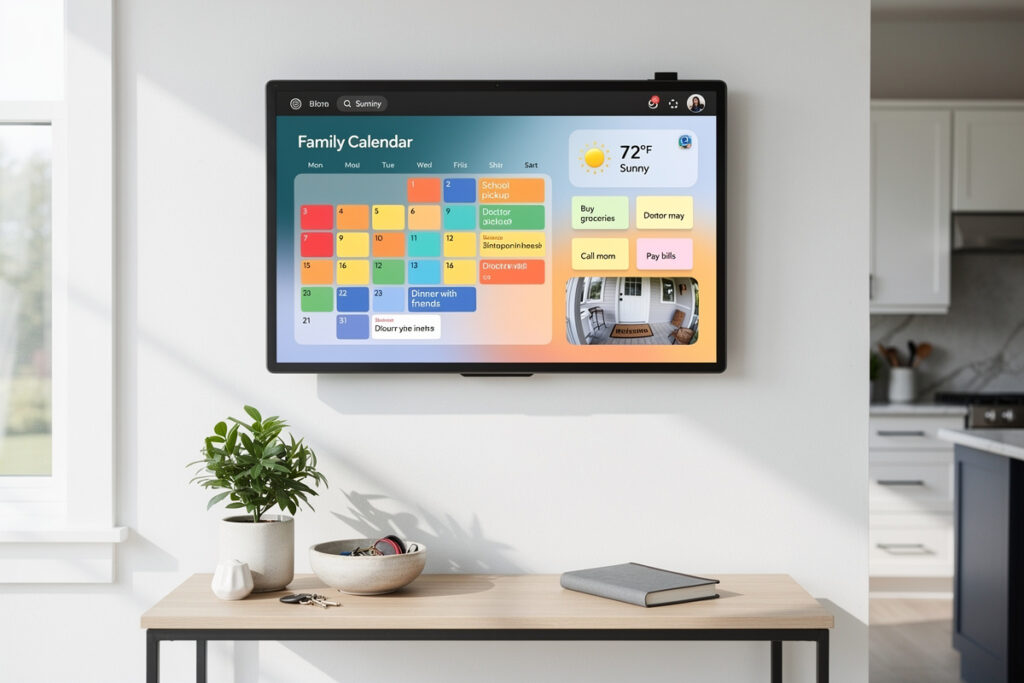
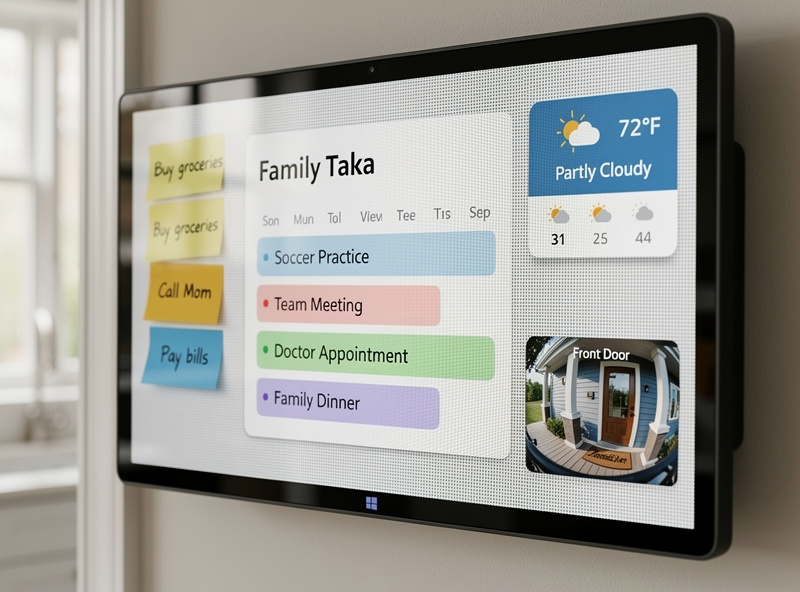
The Echo Show 15 is Amazon’s only smart display designed to be wall-mounted as a permanent family hub. Its 15.6-inch widescreen Full HD panel shows a shared calendar, sticky-note style reminders, security camera feeds, and recipe steps simultaneously — turning a kitchen wall or entryway into a household command center for $280.
As an Amazon Associate I earn from qualifying purchases.
I mounted an Echo Show 15 on my kitchen entryway wall in early 2024 and have lived with it across two firmware updates since — the widget layout has changed twice, the Fire TV refresh arrived, and I have learned exactly which household members actually use it and which ones walk past it every day. There is one mounting mistake I made that cost me a weekend re-do, and it is the first thing I would tell a friend to avoid. If you want a counter-top display instead, the parent Best Smart Display 2026 guide ranks every model by use case.
What Makes the Echo Show 15 Different
The Echo Show 15 is the only 15-inch class smart display on the market in 2026 and the only Echo Show built around landscape-orientation wall-mounting rather than counter placement. It runs Alexa, includes a Zigbee/Matter/Thread hub, ships with Fire TV access since the 2023 refresh, and sits centered around an at-a-glance family dashboard — not voice queries.
Every other Echo Show is a voice-first device with a screen that confirms what Alexa is doing. The Show 15 inverts that: the screen is the product, and voice is one of several ways to interact with it. You glance at it as you walk past the kitchen, tap it to dismiss a reminder, watch a recipe video while cooking, and check a Ring doorbell feed when someone arrives — without ever saying “Alexa.” That positioning makes it directly comparable to a wall-mounted iPad, not to other Echo Shows. I compare it to the iPad-on-wall approach in the smart home tablet wall mount guide.
Echo Show 15 Specs at a Glance
| Spec | Echo Show 15 (2023 refresh) |
|---|---|
| Price | $280 |
| Screen | 15.6″ 1920×1080 Full HD |
| Orientation | Landscape (wall-mount or stand) |
| Camera | 5 MP |
| Camera shutter | Hardware mute button (no slider) |
| Speakers | 2 × 1.6″ full-range |
| Microphones | 2-mic array |
| Smart home hub | Zigbee + Matter + Thread |
| Fire TV | Included since 2023 refresh |
| Processor | AZ2 Neural Edge |
| Wi-Fi / Bluetooth | Wi-Fi 6 / Bluetooth 5.0 LE |
| Mounting | VESA wall mount included; optional stand $30 |
| Dimensions | 15.8″ × 9.9″ × 1.4″ |
| Weight | 4.97 lb |
Two things about this spec sheet stand out. First, the Show 15 is thinner than every counter-top Echo Show — 1.4 inches deep versus 4.34 inches on the Show 8 — because it was designed to sit flush against a wall. Second, it is the only Echo Show with Wi-Fi 6, future-proofing the wall installation against router upgrades you would never want to redo behind a hung device. The VESA 100×100mm mounting pattern is an industry standard (per the VESA Flat Display Mounting Interface specification), so any third-party articulating or tilt mount rated for 5+ pounds also works with the included bracket holes.
The Dashboard: What Actually Appears on Screen
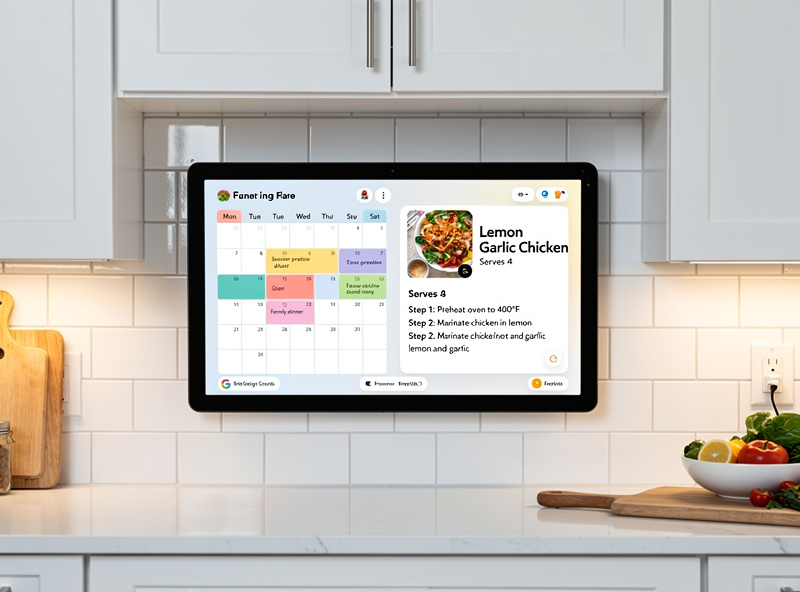
The default Echo Show 15 home screen is a customizable widget grid. Each household member gets a column-style profile pane that surfaces their own calendar, alarms, and reminders, with shared widgets — the family calendar, sticky notes, photos, weather, news, and live security cameras — filling the rest of the panel.
Practical examples of what families actually pin to the dashboard: kids’ soccer schedule, grocery list synced from Alexa Shopping, a Ring doorbell live feed in the corner, “this week’s dinners” on a sticky note, a smart thermostat tile showing current temperature, and the Spotify Now Playing widget. Drag and drop on the touchscreen rearranges them. The “Visual ID” feature uses the front camera to recognize household members and show their personalized widgets when they walk up — useful, but the camera-on requirement is exactly why some buyers disable it. For thermostat integration suggestions, the best smart thermostats 2026 guide covers which models render their tile most cleanly on the Show 15.
Where to Mount the Echo Show 15
The three best locations for an Echo Show 15 are: kitchen entryway wall (highest daily glance count), kitchen island end-cap or pantry door (best for hands-free recipes), and main hallway near a coat closet (works as a leaving/arriving hub). Avoid bedrooms (camera concerns) and direct steam zones above stoves (heat and humidity damage).
Mounting hardware is included with the Show 15 — VESA-pattern bracket, screws, and a paper template for marking holes. Plan for an outlet within 6 feet (the cable is 6 feet exactly) or use an in-wall power kit. I mounted mine centered at my own eye level (5’11”) on the first attempt — my 5’3″ partner could barely make out the top widgets from her angle and never touched the screen. I remounted it at 5’3″ center height the following weekend and she started using the grocery-list sticky note daily. Mount height: center the screen at standing eye level for the shortest household member who will use it (typically 5’2″–5’4″ center), not the tallest. The widescreen aspect ratio means glancing up or down works fine; glancing across a wide angle does not, because the IPS panel narrows at side angles. Concrete and brick walls need a hammer drill plus masonry anchors; standard drywall with a stud is straightforward DIY.
What Fire TV Adds (2023 Refresh)
The 2023 Echo Show 15 refresh added full Fire TV access — Prime Video, Netflix, Disney+, YouTube, and the Fire TV app library — turning the wall display into a kitchen secondary TV. The 1080p panel looks surprisingly crisp at arm’s length, and the matte finish handles the 60-watt overhead kitchen light without the glossy reflection that makes counter-top tablets unusable while cooking. Voice control through Alexa now opens specific shows directly. An optional bundled Fire TV remote ($30) adds proper navigation; pinch-to-tap on the touchscreen works but is awkward for long sessions.
Before the refresh, the Show 15 only handled Prime Video and a handful of partner apps. The Fire TV addition matters most in kitchens where someone wants to watch news during breakfast or follow along with a cooking show. Audio is the limitation: the two 1.6-inch speakers are fine for dialogue but thin for music and movie soundtracks. Bluetooth-pair an Echo Dot or external speaker for anything beyond casual viewing.
Smart Home Control Hub
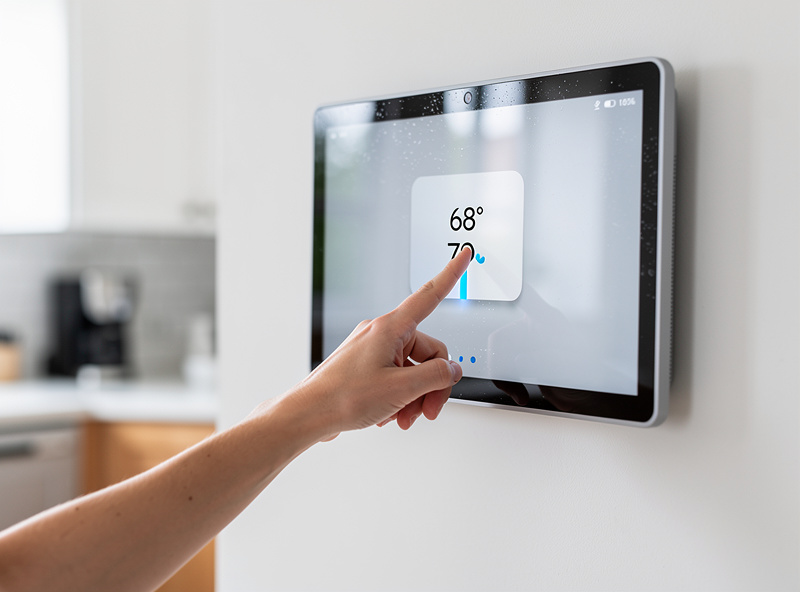
The Echo Show 15 includes Zigbee, Matter, and Thread radios — the same hub stack as the Echo Show 8 and Show 10. Pair Zigbee bulbs (Hue, IKEA), Zigbee locks, Thread sensors, and Matter devices directly without a separate hub. The wall-mounted display then doubles as a permanent control panel for every paired device.
The control panel view groups devices by room and shows live status: bulbs on or off with brightness, thermostats with current and target temperature, locks with locked/unlocked state, and any motion sensors with last-triggered timestamps. In my setup, the Show 15’s hub talks to six Zigbee bulbs, three door/window sensors, and a smart plug controlling the coffee maker — all paired directly, no separate coordinator needed. The wall display stays on 24/7 as a permanent heads-up panel, which means I can glance at whether the garage door is closed or the basement lights are on without touching anything. For households running 10+ smart devices, this single-pane visualization is more useful than the equivalent Alexa app view because it stays open all day — you do not have to unlock a phone. New to smart home setup overall? Start with the smart home for beginners guide before mounting anything. For the underlying protocol context, the Matter explainer shows what plugs in directly via the Show 15’s hub.
Three Honest Limitations
The Echo Show 15 has three limitations that disappoint enough buyers to mention up front: weak speakers compared to its size, no privacy shutter on the camera, and a touchscreen with noticeable input lag during dashboard widget edits. None are deal-breakers, but each is the most common return reason in Amazon reviews.
Speakers. Two 1.6-inch drivers in a 15.6-inch chassis is asymmetric — the body has room for proper speakers, but Amazon prioritized thinness for wall mounting. Music and movies need a paired Bluetooth speaker. No physical camera shutter. The Echo Show 5 and 10 have sliders; the Show 15 has only the hardware mute button, which is enough for most users but not for camera-paranoid buyers. Touch lag. Dragging widgets around the dashboard or scrolling Fire TV menus has a perceptible 100–200ms lag — the AZ2 processor was not optimized for fingertip interaction at this screen size. None of this matters if you primarily glance at the dashboard and use voice for input. It matters if you expected iPad-class touch responsiveness.
Echo Show 15 vs Counter-Top Echo Shows
The Echo Show 15 is not a “bigger Echo Show 8” — it is a different category. Counter-top Show 5/8/10 models are voice-first kitchen assistants. The Show 15 is a wall-mounted family hub. Buying the wrong category is the most expensive mistake in this product line.
If you want hands-free recipe guidance and Drop In video calls, the Show 8 (or Show 10 with the rotating motor) is the right buy at half the price. If you want a permanent at-a-glance dashboard for shared family information, the Show 15 is the only Echo product that delivers it. The two most commonly cross-shopped models are compared in the Echo Show 5 vs Echo Show 8 guide. If your decision is really about Amazon vs Google, jump to the Echo Show vs Nest Hub comparison first.
Setup Tips for the Wall Installation
Three setup tips save the most regret with an Echo Show 15: route the power cable through a low-voltage cable plate behind the device, tilt the wall mount slightly downward (3–5 degrees) for kitchens viewed from below, and pre-stage all dashboard widgets in the Alexa app before mounting so you are not editing widgets at arm’s reach above your head.
The cable management is the most-skipped step and the one that turns a clean install into “is that an extension cord hanging from your wall?” An in-wall low-voltage Datacomm cable plate kit is $20 at any home center and takes 15 minutes to install. The downward tilt is non-obvious — most VESA mounts default to flush — but a slight angle eliminates glare from kitchen overhead lights. Pre-staging widgets is the single time-saver that takes the mounting day from frustrating to one-and-done. The smart home automation ideas list has practical Alexa Routines that benefit from a wall-mounted display.
Frequently Asked Questions
Is the Echo Show 15 worth it?
Yes for households that want a permanent wall-mounted family dashboard with shared calendars, reminders, and smart home control. No for buyers who only want a counter-top voice assistant — the Echo Show 8 at $150 covers that use case better at half the price.
Can the Echo Show 15 be used as a TV?
Yes since the 2023 refresh added full Fire TV — Prime Video, Netflix, Disney+, YouTube, and the broader Fire TV app library all work. The 1.6-inch speakers are weak for movies, so pair a Bluetooth speaker for serious viewing. The 15.6-inch screen is appropriate for kitchen secondary-TV use, not living room primary.
Does the Echo Show 15 need to be wall-mounted?
No. Amazon sells an optional tilt stand for $30 that lets the Echo Show 15 sit on a counter or shelf. Most buyers wall-mount because the device was designed for it (1.4 inch depth, included VESA bracket), but desk placement on the stand also works.
Does the Echo Show 15 have a camera shutter?
No. The Echo Show 15 has only a hardware mute button that simultaneously disables the camera and microphone. There is no physical sliding shutter like the Echo Show 5 and 10 include. For camera-sensitive locations, mute is the only privacy control.
What size is the Echo Show 15 screen?
15.6 inches measured diagonally, with 1920×1080 Full HD resolution. The screen is landscape-oriented and the device dimensions are 15.8 inches wide by 9.9 inches tall by 1.4 inches deep. It weighs just under 5 pounds.
Can the Echo Show 15 control my smart home devices?
Yes. The Echo Show 15 includes a built-in Zigbee, Matter, and Thread hub, so it pairs directly with compatible Zigbee bulbs and locks, Thread sensors, and any Matter device. The wall-mounted screen also doubles as a always-on smart home control panel showing live device status.
Where should I install the Echo Show 15?
The best locations are kitchen entryway walls, kitchen island end-caps, and main hallway near coat closets — places with high daily glance count and an outlet within 6 feet. Avoid bedrooms due to camera concerns and direct steam zones above stoves due to heat damage.
Related Articles
- Best Smart Display 2026: Complete Buyer Guide
- Echo Show 5 vs Echo Show 8: Which Should You Buy?
- Amazon Echo Show vs Google Nest Hub: Cross-Ecosystem Comparison
- Smart Home Tablet Wall Mount — Dashboard Setup
- Voice Assistants and Smart Home Protocols: Complete Guide
If I were hanging a smart display on a wall for the first time tomorrow, the Echo Show 15 is the only product I would consider — the flush VESA mount, the always-on dashboard, and the built-in Zigbee hub check every box a wall panel needs. Pick the right wall, center it at the shortest user’s eye height, hide the cable behind a $20 Datacomm plate, and you will have a household command center that earns its place on the wall every single day.
If I were wall-mounting a smart display for the first time tomorrow, the Echo Show 15 is the only product I would consider — the flush VESA mount, the always-on dashboard, and the built-in Zigbee hub check every box a wall panel needs. Pick the right wall, center it at the shortest user’s eye height, hide the cable behind a $20 plate, and you will have a household command center that earns its spot every day.