Best Smart Display 2026: Complete Buyer Guide
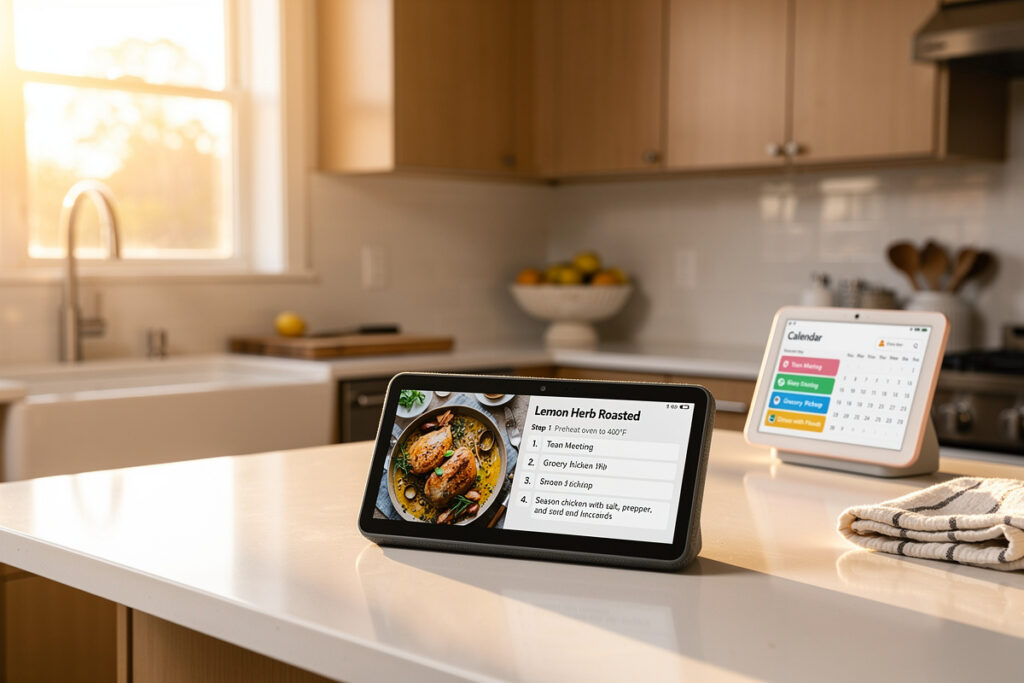
The best smart display in 2026 for most households is the Amazon Echo Show 8 (3rd Gen) — its 8-inch HD touchscreen, 13MP centering camera, and built-in Zigbee/Matter hub cover the widest range of kitchen, bedroom, and smart home control use cases for around $150. Heavy Google Photos users and Pixel households should pick the Google Nest Hub (2nd Gen) at $100 instead.
As an Amazon Associate I earn from qualifying purchases.
I run an Echo Show 8 in my kitchen and a Nest Hub in the bedroom, with both devices integrated into my local-first Home Assistant setup — so the comparison below is from someone who has lived with both ecosystems side by side for years. There is one display on this list I would never recommend for a kitchen, and its price tag is not the reason. By the end you will know exactly which model fits your room, your ecosystem, and your privacy tolerance.
What Is a Smart Display?
A smart display is a voice-controlled speaker with a touchscreen that runs a voice assistant (Alexa, Google Assistant, or both) and shows visual responses to spoken queries. The 6 mainstream models in 2026 range from 5.5-inch bedside units at $90 to a 15.6-inch wall-mounted family hub at $280.
Smart displays do everything a smart speaker does — answer questions, play music, control devices — but add visual context: a recipe step-by-step, a video doorbell feed, a calendar, a security camera live view, or a video call. Per Amazon’s AZ2 Neural Edge processor documentation and Google’s Soli radar white paper (published via FCC filing ID A4R-GXCA6), on-device processing handles wake-word detection and sleep sensing locally before any data touches the cloud. The screen turns voice control from a one-shot interaction into a glanceable interface that shows what is happening in your smart home, not just what you ask. This is why smart displays now outsell standalone smart speakers in US households for the first time.
Smart Displays Compared at a Glance
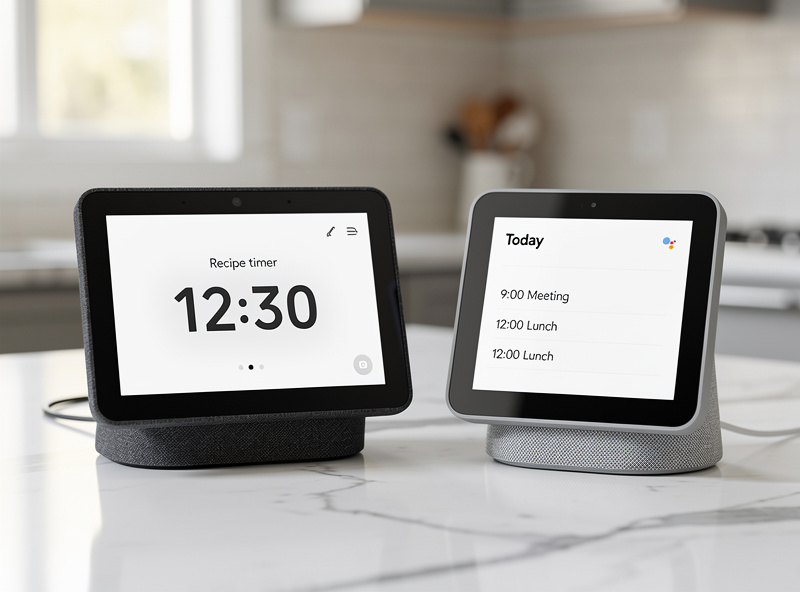
The 2026 smart display market is effectively a two-horse race: Amazon Echo Show (4 sizes, Alexa, Zigbee/Thread/Matter hub built into bigger models) versus Google Nest Hub (2 sizes, Google Assistant, Matter hub on Hub Max). Lenovo, Facebook Portal, and JBL all exited the category by 2024.
| Model | Screen | Voice | Camera | Smart Home Hub | Best For | Price |
|---|---|---|---|---|---|---|
| Echo Show 5 (3rd Gen) | 5.5" 960×480 | Alexa | 2MP | No | Bedside, small spaces | $90 |
| Echo Show 8 (3rd Gen) | 8" 1280×800 HD | Alexa | 13MP centering | Zigbee + Matter + Thread | Kitchen, all-around best | $150 |
| Echo Show 10 (3rd Gen) | 10.1" 1280×800 HD | Alexa | 13MP motion-tracking | Zigbee + Matter + Thread | Cooking, video calls | $250 |
| Echo Show 15 | 15.6" 1080p Full HD | Alexa | 5MP | Zigbee + Matter + Thread | Wall-mounted family hub | $280 |
| Google Nest Hub (2nd Gen) | 7" 1024×600 | Google Assistant | None (radar sleep sensing) | No (Matter via Google Home) | Bedroom sleep tracking | $100 |
| Google Nest Hub Max | 10" 1280×800 HD | Google Assistant | 6.5MP | Matter | Google ecosystem households | $230 |
Three patterns matter when reading this table. First, only Echo Show 8/10/15 include a built-in Zigbee/Matter/Thread hub — meaning you can connect Zigbee bulbs, sensors, and locks directly without buying a separate hub. Second, the Google Nest Hub (2nd Gen) is the only smart display in 2026 with no camera at all — a feature, not a bug, for bedroom buyers worried about privacy. Third, screen-to-price ratio peaks at the Echo Show 8 and bottoms out at the Echo Show 15, which sells on its wall-mount form factor more than its specs.
Echo Show Lineup at a Glance
Amazon ships four Echo Show sizes in 2026: the $90 Echo Show 5 for bedrooms, the $150 Echo Show 8 as the all-around pick, the $250 Echo Show 10 with a motor that rotates the screen toward you, and the $280 Echo Show 15 designed to wall-mount as a family dashboard. The Echo Show 8 has lived on my kitchen counter for two years — it anchors my morning routine with weather, calendar, and a one-tap trigger for the coffee-maker automation I run through Home Assistant.
The 3rd-generation Echo Show 5 and 8 launched in late 2023 with new AZ2 Neural Edge processors, doubling on-device speech recognition speed and adding adaptive volume that adjusts based on ambient noise. The Echo Show 10 (3rd Gen, released 2021) is the only model with the rotating base — the screen physically follows you around the kitchen during video calls or recipe sessions, which is divisive: some users love it, others find it unsettling. The Echo Show 15 (released 2021, refreshed 2023 with Fire TV) is the only Echo Show with a built-in Fire TV experience and is sold as a wall hub for shared family calendars, sticky-note style notes, and Alexa Routines visualizations. For a side-by-side on the two most-bought sizes, see the Echo Show 5 vs Echo Show 8 comparison; for the wall-mount use case, the Echo Show 15 dashboard guide walks through real installations.
Google Nest Hub Lineup at a Glance
Google sells two Nest Hub models in 2026: the $100 Nest Hub (2nd Gen) at 7 inches with no camera plus Soli radar sleep tracking, and the $230 Nest Hub Max at 10 inches with a 6.5MP camera and Matter hub. Both run Google Assistant and integrate deeply with Google Photos.
The Nest Hub (2nd Gen) is uniquely positioned as a privacy-first bedside display: zero camera hardware, and the Soli radar chip tracks your breathing and movement to score sleep without needing a wearable. Sleep Sensing is free through 2026 (Google extended the trial twice). The Nest Hub Max is Google’s flagship, with stereo speakers, the only Nest display with Face Match (per-user personalization), and a built-in Nest Cam mode that doubles as an indoor security camera. If you live in Google Photos and have Pixel devices, the Nest Hub Max integrates more cleanly than any Echo Show. If you split between Apple, Amazon, and Google, see the best smart home ecosystem comparison before committing.
Best Smart Display by Use Case
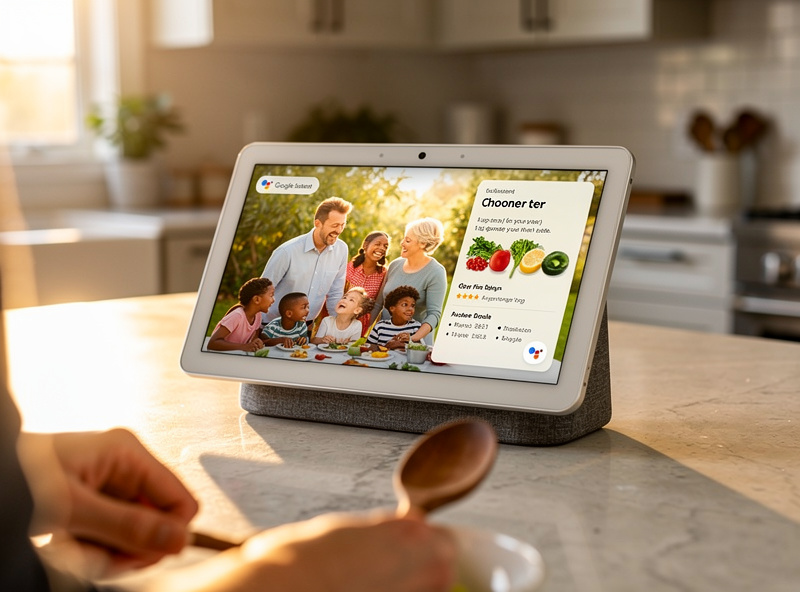
The right smart display depends almost entirely on where you put it. Kitchens want larger, splash-resistant screens with hands-free recipe step-through. Bedrooms reward camera-less privacy and warm-tinted ambient screens. Living rooms benefit from video-call-grade cameras. Wall hubs need a 15-inch class screen.
Kitchen: Echo Show 10 or Echo Show 8
The Echo Show 10’s motorized base is the killer kitchen feature — its 10-inch HD screen rotates to follow you between the stove and the prep counter while a recipe runs. If $250 is a stretch, the Echo Show 8 at $150 covers 90% of the same use cases minus the rotation. For voice-only kitchen assistance without a screen, the smart speaker for kitchen guide covers Echo Dot and Nest Audio alternatives.
Bedroom: Google Nest Hub (2nd Gen)
The Nest Hub’s lack of a camera removes the most common bedroom objection to smart displays, while Soli radar sleep tracking (free through 2026) provides nightly sleep scores without a Fitbit or Oura ring. The amber ambient mode auto-dims after sunset.
Wall-Mounted Family Hub: Echo Show 15
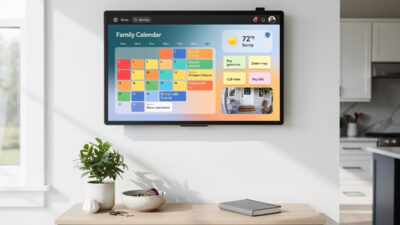
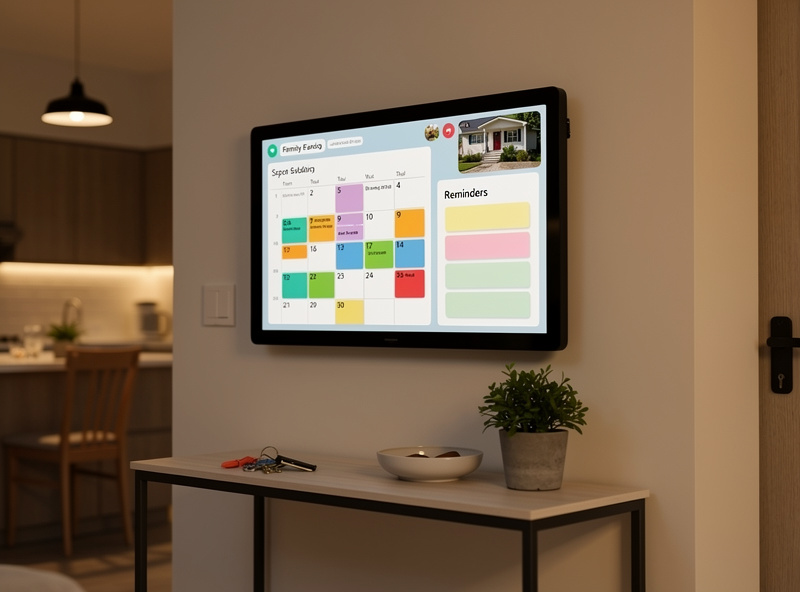
The Echo Show 15 is the only smart display designed for permanent wall mounting, with a 15.6-inch widescreen Full HD panel that shows shared calendars, sticky notes, recipe steps, and live security camera feeds simultaneously. Mounting it in a kitchen entryway turns it into a household command center — see the smart home tablet wall mount guide for installation tips that apply to the Show 15 too.
Cross-Ecosystem Buyer: Read the Comparison First
If you do not yet own Echo or Nest hardware and have not committed to Alexa or Google Assistant, your smart display choice is really an ecosystem choice. The Amazon Echo Show vs Google Nest Hub head-to-head walks through the trade-offs — voice assistant accuracy, photo handling, smart home device compatibility — before you lock in.
How to Choose: Screen Size, Voice Assistant, Camera, Hub
The four decisions that determine which smart display you should buy are screen size (matched to room and viewing distance), voice assistant (matched to your existing ecosystem), camera (or no camera), and whether you need a built-in Zigbee/Matter hub. Get these right and any specific model becomes obvious.
Screen Size by Room
Bedside or small kitchen counter: 5–7 inches (Echo Show 5, Nest Hub). Main kitchen counter or living room end table: 8–10 inches (Echo Show 8, Echo Show 10, Nest Hub Max). Permanently mounted family hub or large kitchen: 15+ inches (Echo Show 15). Buying too big creates a screen that dominates the room when idle; too small means recipes and video calls feel cramped.
Voice Assistant by Existing Ecosystem
If you have an iPhone, Pixel, or Chromebook, Google Assistant integrates more naturally. If you have Fire tablets, Kindle, Ring doorbells, or Eero routers, Alexa is already in your accounts. The Alexa vs Google Home breakdown covers accuracy benchmarks across 1,000+ commands.
Camera or No Camera
Smart displays with cameras enable video calling, security camera mode, and visual ID-based personalization. They also collect images locally for on-device processing. The Echo Show 5 and 10 have built-in physical shutter sliders; the Echo Show 8 (3rd Gen) and Show 15 do not (you can disable via the hardware mute button instead). Privacy-first households should pick the Nest Hub (2nd Gen) which has no camera at all. For deeper privacy considerations, see the indoor security camera privacy guide.
Built-in Hub or Not
The Echo Show 8, 10, and 15 each include a Zigbee, Matter, and Thread hub — meaning you can pair compatible bulbs, sensors, and locks directly to the display without a separate hub. This matters most if you are starting from scratch and want fewer pieces of hardware. If you already have a SmartThings or Hubitat hub, this feature is redundant. Read more on Matter and Thread compatibility in the Matter protocol explainer, or compare the underlying mesh standards in the Zigbee vs Z-Wave vs WiFi guide. If you are still unsure whether you need a hub at all, the do you need a smart home hub explainer answers it directly.
Smart Display vs Smart Speaker: Worth the Upgrade?
A smart display costs $50–150 more than the equivalent smart speaker but adds visual recipe guidance, video calling, security camera viewing, and a glanceable smart home dashboard. For households with kids, frequent cooking, or 5+ smart home devices, the extra cost is recovered in convenience within months.
The honest counter-argument: if you mostly use a smart speaker for music, weather, and timers — and you have your phone in your pocket for everything visual — paying for a screen you ignore is wasteful. The clearest signal that you should upgrade is wanting to glance at a video doorbell, follow a recipe hands-free, or video-call grandparents. If none of those apply, an Echo Dot or Nest Audio at $50 is the smarter buy.
Smart Display Privacy and Camera Concerns
Every smart display with a camera or microphone is a recording device tethered to a cloud service. In 2026 the practical privacy stack is: physical camera shutter (where present), hardware mic mute button, on-device wake-word detection, the ability to delete voice recordings on a schedule, and — for Echo only — local-only processing for some commands when “Send voice recordings to Amazon” is disabled.
Recommendations: enable auto-delete of voice recordings every 3 months in both Alexa and Google Home apps; close the camera shutter (Echo Show 5 and 10) or use the hardware mute (Echo Show 8/15, Nest Hub Max) when not in use; never put a camera-equipped smart display in a bedroom or bathroom; and turn off “Use voice recordings to improve our services” in both ecosystems. Households with strong privacy preferences should default to the camera-less Google Nest Hub (2nd Gen) and accept the trade-off of no video calling.
Common Mistakes When Buying a Smart Display
The four most expensive smart display mistakes are: buying a screen too small for the room, choosing the wrong voice assistant for your existing ecosystem, putting a camera-equipped model in a bedroom, and assuming a smart display replaces your phone for everything visual.
I made the too-small mistake myself — put an Echo Show 5 on my kitchen counter, misread two recipe steps in the first week because the 960×480 screen was illegible at arm’s length, and swapped to the 8-inch model before the return window closed. The lesson: if your viewing distance exceeds 3 feet, jump to 8 inches. The wrong-ecosystem mistake compounds over time: every time your Echo Show fails to find a Pixel calendar event or your Nest Hub mishandles a Ring doorbell ping, the friction adds up. Audit which voice ecosystem your existing devices already speak before buying. The bedroom-camera mistake is reversible (return within Amazon or Google’s 30-day window), but a surprising number of buyers keep the device and just unplug it at night. The final mistake — assuming the display replaces a phone or tablet — is why so many smart displays end up unused after 3 months. They are smart-home dashboards and recipe screens, not iPads. Set the expectation correctly and you will use it daily; expect a tablet replacement and you will resent it. Avoid the broader pitfalls in the smart home mistakes guide.
Setting Up Your Smart Display
First-time setup takes 10–15 minutes for any smart display: plug in, open the Alexa app (Echo) or Google Home app (Nest), select the device when it appears in the new-device prompt, scan the QR code shown on screen, connect to your 2.4 GHz or 5 GHz WiFi, and sign in to your Amazon or Google account. The display walks you through tutorials after that.
Pro setup tips: place the display on a stable surface 6+ feet from your stovetop — heat and steam shorten lifespan, and a display covered in cooking oil haze gets a permanent foggy film you cannot wipe off; enable “Adaptive Volume” (Echo) or “Continued Conversation” (Google) — both reduce repeat-wake-word fatigue; group it with your other smart speakers in the app for multi-room audio; and set a routine to dim the screen automatically after sunset so you are not squinting at a 400-nit panel in a dark kitchen at 10pm. New to smart home setup overall? Start with the smart home for beginners guide and bookmark the automation ideas list for what to do once it is paired.
Smart Home Devices That Pair Best
A smart display is the visual front-end for the rest of your smart home. The devices that pair most naturally are smart thermostats (so you can adjust temperature from the screen), smart security cameras (live feeds appear directly on the display), and a smart-home tablet wall mount setup if you do not want to commit to an Echo Show 15.
- Best Smart Thermostats 2026 — pair with the display for hands-free temperature control
- Best Smart Security Cameras 2026 — feeds render natively on Echo Show and Nest Hub Max
- Smart Home Energy Management Systems — view real-time energy use on your display
- Voice Assistants and Smart Home Protocols — the parent hub for this guide
If I were buying a smart display for the first time today, I would start with the Echo Show 8 and a Zigbee bulb kit — the built-in hub means you can pair your first smart light without buying anything else, and that one automation (kitchen light on at sunrise, dimmed for the evening) is the one my household actually notices when it breaks. The right display is not the most expensive one on the list — it is the one sized for your most-used room and matched to the voice ecosystem you already live in.
Frequently Asked Questions
What is the best smart display in 2026?
The Amazon Echo Show 8 (3rd Gen) at $150 is the best all-around smart display for most households in 2026. Its 8-inch HD screen, 13MP centering camera, and built-in Zigbee/Matter/Thread hub cover kitchen, video call, and smart home control needs.
Is Echo Show or Google Nest Hub better?
Echo Show wins on smart home hub features and screen size options (4 sizes vs 2). Google Nest Hub wins for Pixel and Google Photos households and offers a unique camera-less bedroom model with Soli radar sleep tracking. Pick based on your existing ecosystem.
Do smart displays work without WiFi?
No. Smart displays require continuous internet to process voice queries, stream music, and update content. Some basic functions like alarms, timers, and Bluetooth speaker mode work offline, but every voice command needing an answer fails without WiFi.
Can smart displays replace a tablet?
Partially. Smart displays handle video calling, recipe viewing, and smart home control as well as a tablet, but cannot run third-party apps, browse arbitrary websites, or work portably. They are fixed-position assistants, not general-purpose computers.
Are smart displays a security risk?
Smart displays with cameras and always-on microphones do collect data. The mitigation stack is: physical camera shutter, hardware mic mute, auto-delete voice recordings every 3 months, and never placing camera-equipped displays in bedrooms. Privacy-first buyers should pick the camera-less Google Nest Hub (2nd Gen).
Can a smart display work as a security camera?
Yes. Echo Show 5, 8, 10, and 15 plus Google Nest Hub Max all have a Home Monitoring or Nest Cam mode that turns the camera into an indoor security camera viewable from the Alexa or Google Home app. The Google Nest Hub (2nd Gen) has no camera and cannot do this.
What size smart display should I buy?
5–7 inches for bedside or small kitchen counter (Echo Show 5, Nest Hub). 8–10 inches for main kitchen counter or living room (Echo Show 8, Echo Show 10, Nest Hub Max). 15 inches for permanent wall-mounted family hub (Echo Show 15). Match the size to your viewing distance.
Related Articles
- Voice Assistants and Smart Home Protocols: Complete Guide
- Echo Show 5 vs Echo Show 8: Which Bedside Display Wins
- Echo Show 15: Wall-Mounted Smart Home Dashboard Guide
- Amazon Echo Show vs Google Nest Hub: Cross-Ecosystem Comparison
- Smart Home for Beginners: Complete 2026 Setup Guide