Package Detection With a Garage Camera (Local, No Fees)
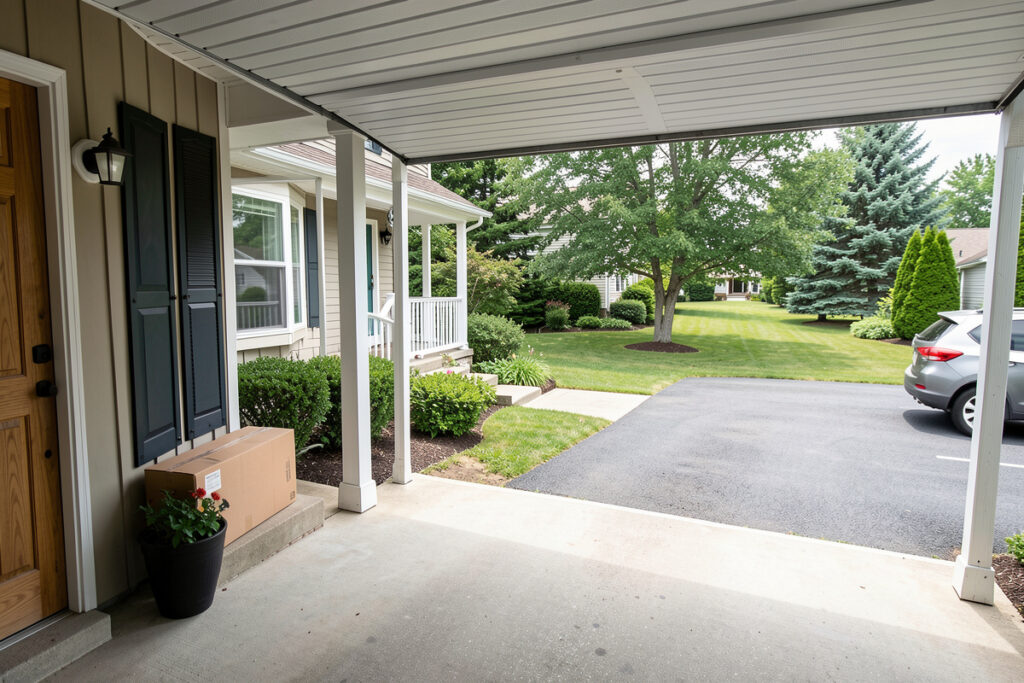
Reliable package detection comes from a camera running local object detection — not motion alerts. A camera pointed at your porch or driveway, feeding a local pipeline like Frigate, can recognize a “package” object inside a defined zone and notify you the moment a delivery lands, with no cloud subscription and no footage ever leaving your house — and it cuts the daily porch alerts from dozens of motion triggers down to the one or two that are real. In my setup the garage camera does double duty: it confirms the door’s state and watches the drop zone.
The reason most people are disappointed by package alerts is that they are really just motion alerts wearing a nicer name. Motion fires on cats, shadows, headlights, and wind-blown branches, so you learn to ignore the notifications — and then miss the one that mattered. Object detection is the fix: the system only alerts when it actually sees a person or a parcel, in the area you care about. This guide is how I build that locally, as part of the broader smart garage system.
Why Local Object Detection Beats Cloud Motion
Local object detection classifies what it sees — person, car, package — instead of just flagging that pixels changed. Running it on your own box (Frigate with a small detection accelerator is the common path) means the analysis happens in your house, footage never leaves, and there is no monthly fee for the feature that makes a camera actually useful. Frigate is an open-source NVR built specifically for real-time object detection, and pairing it with a Google Coral Edge TPU lets it classify objects in tens of milliseconds rather than seconds on a CPU. Cloud cameras typically lock real detection and recording history behind a subscription, which is the lock-in I avoid everywhere.
The practical difference is night and day. A motion-based porch alert might fire forty times a day; an object-based “package detected in the porch zone” alert fires when a parcel is genuinely there. That signal-to-noise is the entire point — an alert you trust is one you will still be reading in six months. This is the same conviction behind my guide to cameras without a subscription and why I run a local NVR rather than renting cloud storage.
Camera Placement for Package Detection
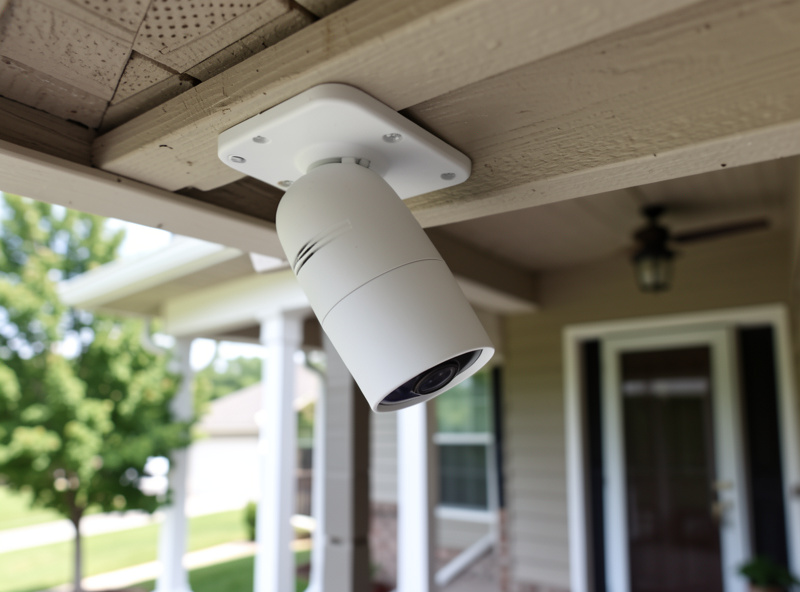
Placement decides everything. Mount the camera high enough to see the full drop zone but angled so a parcel on the ground fills enough of the frame for the detector to classify it — a camera aimed at the horizon will miss packages at its feet. Under the garage eave looking down at the porch or the spot where drivers actually leave parcels is usually ideal, and it keeps the lens out of the weather.
Watch the lighting. A camera facing the afternoon sun washes out, and a porch in deep shade at dusk starves the detector of detail, so position for even light or add a discreet light the hub can switch on when detection runs at night. Wired PoE cameras are my default here because they are reliable, powered, and easy to put on a segregated network — the hardware tradeoffs are in my best smart security cameras guide. Keep the camera on its own IoT VLAN as described in my smart home VLAN guide, so a budget camera can never reach your laptops.
Zones and Object Classes: Killing False Positives
The two settings that turn a noisy camera into a trustworthy one are zones and object classes. A zone is a drawn region of the frame — the porch, the top step, the spot beside the door — and you tell the system to only care about objects inside it. Object classes let you say “alert on package and person, ignore cars and animals.” Combined, they mean a parcel left on the step fires, while a car in the driveway and a cat on the lawn do not.
I tune this in two passes. First I draw the zone tightly around the real drop area so passing traffic never counts. Then I set the detection to require the object to persist for a couple of seconds, which kills the flicker of a momentary misread. The result is a “package arrived” event I genuinely act on. Pair it with a snapshot in the notification so you see the parcel without opening the app — that snapshot is generated and stored locally too.
Wiring Detection Into Real Automations
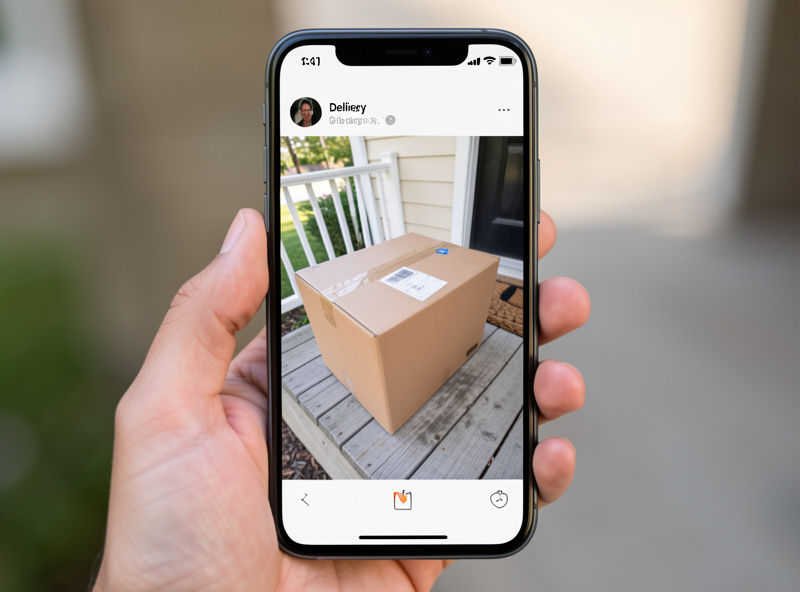
A package event is only half the value — what the hub does with it is the rest. In my automations a confirmed package detection sends a snapshot notification, turns on the porch light if it is dark, and logs the event with the clip so I can find it later. If the garage door happens to be open when a person is detected approaching, that escalates to a priority alert, because an open garage plus an approaching stranger is exactly the situation you want to know about immediately.
This is where the camera stops being a standalone gadget and joins the system. The same local detection that spots a package can recognize a license plate to open the driveway gate, and the door-state logic that drives the priority alert comes straight from the garage sensors. One hub, one rules engine — the same brain that runs my grow lights and sauna pre-heat watches the porch. Every event stays on hardware I own.
Where the Footage Lives: Local Recording
Package detection is the trigger, but the recording behind it is what lets you check who actually took a parcel three days later. I record continuously to a local NVR — a Frigate setup writing to a disk in the house — with retention set so the detection events are kept longer than the routine footage. That way the storage stays manageable while the clips that matter, the ones tied to a person or package event, are there when I need them.
This is the quiet advantage of local recording over a cloud plan: you decide the retention, not a subscription tier, and nothing is paywalled behind “upgrade to see the last 30 days.” A modest disk holds weeks of event clips, and because it is all on your own hardware, reviewing footage is instant and private. If a parcel goes missing, you have the timeline; if it does not, the footage rolls off on its own schedule. The recording philosophy here is the same one I lay out in detail for cameras without a subscription — own the pipeline end to end.
Doorbell Camera or Dedicated Camera?
A common question is whether a video doorbell can do package detection instead of a dedicated camera. It can help, but it is the wrong tool for the drop zone. A doorbell sits at the door looking outward at face height, which is great for visitors and terrible for spotting a parcel left on the ground a metre to the side. A dedicated camera under the eave, angled down at the actual drop area, sees parcels a doorbell never will.
In my setup the two work together: the doorbell handles people at the door, and the eave camera owns package detection across the wider porch and driveway. Both feed the same local pipeline, so the hub correlates them — a person at the doorbell followed by a package object appearing in the porch zone is a clean “delivery happened” sequence with no false alarms. Trying to force one device to do both jobs is how you end up with a system you stop trusting. Let each camera cover what it is physically placed to see, and route every event into the one rules engine that already runs the rest of the garage.
The Honest Limits
Local object detection is excellent but not magic. A parcel hidden behind a pillar, a delivery left outside the zone, or a driver who tosses the package out of frame will be missed — placement and zone design fix most of this, but not all. Detection accuracy also depends on having enough processing for the model; a tiny detection accelerator makes a real difference versus running it on a struggling CPU, and I would budget for that rather than fight a laggy pipeline. A Coral Edge TPU runs the detection model at roughly 4 TOPS while drawing about 2 watts, which is why it clears a video stream a general-purpose CPU chokes on.
None of those limits push me back toward the cloud. A locally-run camera that occasionally misses an oddly-placed parcel still beats a cloud camera that charges monthly, sends my porch footage offsite, and stops working when its service has an outage. Tune the placement, draw the zones, give the detector enough horsepower, and package detection becomes one of the automations you quietly rely on every week.
Getting Notifications Right
A package alert is only useful if it reaches you in a form you act on, so I spend as much time on the notification as on the detection. The alert that works for me carries a snapshot, the zone name, and a timestamp, and it goes out over my own local notification path so it does not depend on a third-party push service. Seeing the parcel in the notification itself means I rarely open an app at all — the alert is the whole interaction.
I also rate-limit and contextualise. One package event should send one notification, not a stream as the parcel sits there, so the automation fires once per arrival and then stays quiet until the zone clears. And I let context change the urgency: a routine daytime delivery is a quiet notification, while a person detected at the garage after dark with the door open is a priority alert that overrides do-not-disturb. Tuning those tiers is what makes the difference between a system you keep and one you mute within a week.
As an Amazon Associate I earn from qualifying purchases. Most people building this start with a wired PoE outdoor camera and, where the pipeline needs it, a small object-detection accelerator.
Further reading: the rest of this cluster builds on the same local-first foundation — start with the smart garage guide, then the garage sensor guide for door state, cameras without a subscription for the recording side, and smart home VLAN to keep every camera segmented from the rest of your network.