myQ Alternatives Compared: Local Smart Garage Control
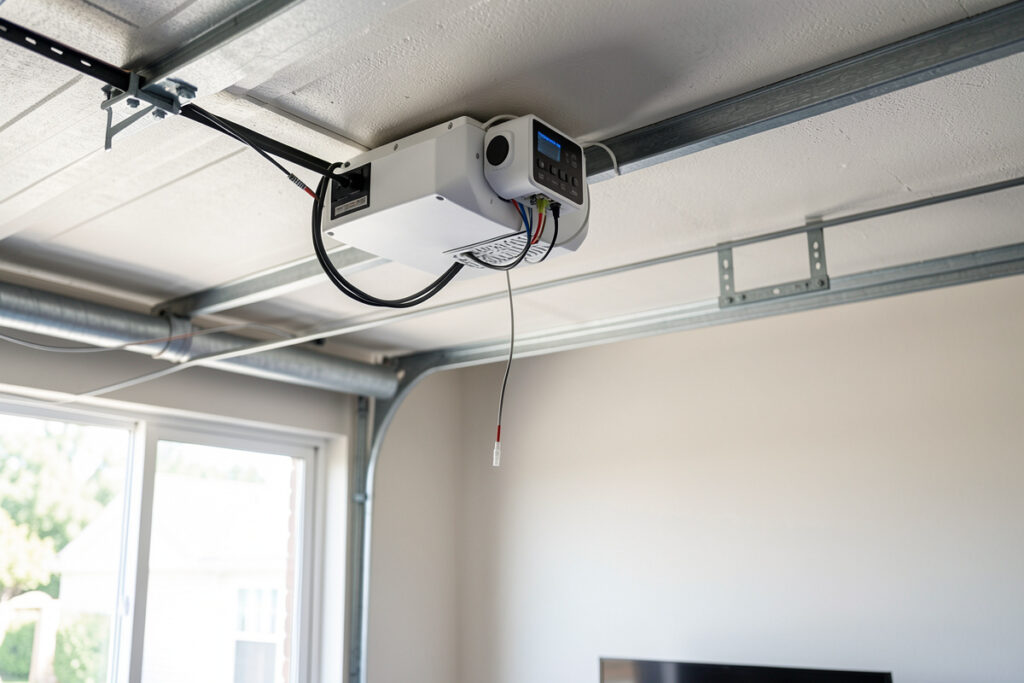
The best myQ alternative for most people is a local-control board like ratgdo or a dry-contact relay paired with a position sensor — both put the garage door entirely under your own hub with no cloud account, no API fee, and no risk of a manufacturer revoking access — and the swap costs roughly $20-35 in parts. I moved off myQ years ago for exactly that reason, and my garage has been faster and more reliable since.
myQ — the Chamberlain and LiftMaster platform built into most modern openers — works fine until you want it to talk to anything else. The company has a long history of restricting third-party and home-automation access to its API, which is the precise lock-in I build to avoid. This guide covers the local-control replacements I actually trust, how they differ, and which one fits your opener. For the wider picture, start with my smart garage guide.
Why Move Off myQ at All?
The core problem with myQ is that it is cloud-only by design and hostile to local integration. Every open and close command round-trips to a server, so the door depends on your internet, their server, and their ongoing willingness to allow access. When a platform repeatedly limits or monetizes its API, any automation you built on top of it is living on borrowed time. The Home Assistant project ultimately removed its official myQ integration after the API was repeatedly blocked — a clear signal of how fragile cloud-gated access really is.
For a remote button on your phone, myQ is adequate. The moment you want the garage to participate in real automations — auto-close at sunset, refuse to arm the alarm while open, unlock the people-door when the car arrives — you need local control and a hub that owns the logic. A local alternative gives you sub-second response, automations that survive an internet outage, and a door state your hub can actually trust. That last point is why I always pair any controller with a real position sensor.
The Local-Control Champions
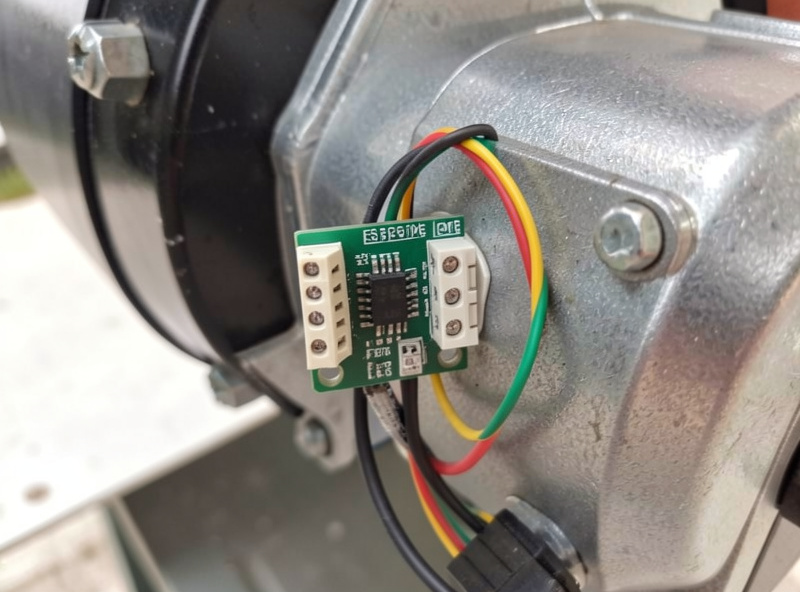
The standout myQ alternative for recent Chamberlain and LiftMaster openers is an ESPHome-based control board such as ratgdo, which talks the opener’s own protocol locally and exposes door control plus position to Home Assistant over MQTT with no cloud at all. It is the closest thing to a perfect replacement: it reuses the opener’s existing wiring and even reads the door’s built-in sensor. Built on the open-source ESPHome firmware, the board costs around $20 and reports door state in well under a second.
If your opener is older or you want the simplest possible approach, a dry-contact relay — a Shelly-class Wi-Fi relay or a Zigbee relay — wired across the wall-button terminals will pulse any opener like a phantom button press. You add a tilt sensor for state, and you are done. For openers without an exposed terminal, a contact “blaster” controller like Konnected’s GDO board bridges the gap. Each of these keeps the logic on your hub instead of a server.
| Alternative | Best for | Local control | Needs separate sensor? |
|---|---|---|---|
| ESPHome board (ratgdo-style) | Newer Chamberlain/LiftMaster Security+ openers | Full local, MQTT/ESPHome | No — reads opener’s own sensor |
| Dry-contact relay (Shelly/Zigbee) | Almost any opener with a wall-button terminal | Full local | Yes — add a tilt sensor |
| Konnected GDO board | Openers needing a contact “blaster” | Full local | Usually includes sensing |
| HomeKit-class relay (Meross) | Apple Home users wanting simple local-ish control | Local within HomeKit | Yes |
| myQ (for comparison) | Phone remote only | None — cloud only | Built in, but cloud-gated |
Matching the Alternative to Your Opener
The right choice comes down to one question: does your opener expose a wall-button terminal, and how new is it? Newer Security+ 2.0 openers are best served by an ESPHome board that speaks their protocol directly, because it reads the door’s true position without a second sensor and survives a reboot cleanly. Older openers with simple dry terminals are happiest with a plain relay and a tilt sensor — fewer moving parts, nothing to flash.
Whatever you pick, the integration target is the same: the controller and a position sensor both reporting to your hub over a local protocol. In my setup that is Zigbee for the relay and sensor, MQTT for the ESPHome node, all on a segregated IoT network. If you are still choosing radios, Zigbee vs Z-Wave vs Wi-Fi and what Matter is will save you a wrong turn. And if you are not sure you need a hub at all, the answer for a real smart garage is yes — covered in do you need a smart home hub.
What You Gain and What You Give Up
Moving off myQ gains you speed, privacy, and automations that do not stop when the internet does. It gives up the polished single-vendor app and, depending on the alternative, asks for a little wiring or a one-time firmware flash. For anyone already running a hub, that trade is heavily in favor of the local route — the controller becomes just another entity alongside your lights and sensors.
The one honest caveat is the ESPHome board route asks for comfort with flashing firmware and basic wiring. It is well-documented and not difficult, but it is not plug-and-play. If you want zero soldering and minimal fuss, the relay-plus-tilt-sensor path gets you 90% of the benefit with a screwdriver and ten minutes. Either way you end up with a garage that your hub controls outright, which is the whole point.
As an Amazon Associate I earn from qualifying purchases. Where it helps, shop the category rather than a single SKU — a local garage door controller board or a dry-contact smart relay are the two parts most people end up buying.
How I Actually Made the Switch
The migration is less dramatic than it sounds because you do not have to rip anything out. I added local control alongside the existing opener first, confirmed it worked for a week, and only then stopped opening the cloud app. The opener motor never changed — what changed was who gets to tell it what to do.
In practice the order is: wire the controller (board or relay), mount the tilt sensor on the door panel, add both to the hub, and write the first automation. I always start with the one rule that justifies the whole project — auto-close if the door has been open more than ten minutes and the house is in “away” mode, with a warning notification first. Once that runs locally and survives a test where I pull the internet, the switch is real and the cloud account becomes optional. The same rules engine then folds the garage in with everything else, the way the same hub in my house runs the grow lights and the sauna pre-heat off one set of conventions.
Frequently Asked Questions
What is the best myQ alternative for Home Assistant?
An ESPHome-based control board like ratgdo for newer Chamberlain and LiftMaster openers, or a dry-contact relay plus a tilt sensor for almost any opener. Both expose the door to Home Assistant locally over MQTT or Zigbee with no cloud account, giving sub-second control and automations that survive an internet outage.
Why does myQ block third-party integrations?
myQ is a cloud-only platform, and its owner has repeatedly restricted or monetized API access for third-party and home-automation tools. Because every command round-trips to their server, they control who can connect. That is the lock-in a local alternative removes by keeping control on your own hub.
Do I need to flash firmware to replace myQ?
Only for the ESPHome board route, which asks for a one-time firmware flash and basic wiring. The simpler alternative is a dry-contact relay paired with a tilt sensor, which installs with a screwdriver in about ten minutes and needs no flashing at all.
Will a relay work with any garage opener?
A dry-contact relay works with almost any opener that has wall-button terminals, because it simply pulses those terminals like a phantom button press. Pair it with a tilt sensor so your hub knows the door’s true position. Very old or unusual openers may need a contact blaster board instead.
Is a local garage controller secure?
Yes, and typically more secure than cloud control, because the commands never leave your network. Put the controller on a segregated IoT VLAN with only the hub allowed across the boundary, and access is local-only unless you deliberately expose remote control through your own secured connection.
Can I keep myQ and add local control alongside it?
In most cases yes — an ESPHome board or relay operates the opener independently of the myQ module, so the phone app and your local hub can coexist. Many people install local control first, confirm it works, then simply stop using the cloud app.
Related Guides
- Smart Garage & Access: Complete Guide
- Best Smart Garage Door Opener
- Smart Garage Sensor Guide
- Zigbee vs Z-Wave vs Wi-Fi
- Do You Need a Smart Home Hub?