Smart Garage & Access: The Complete Local-First Guide
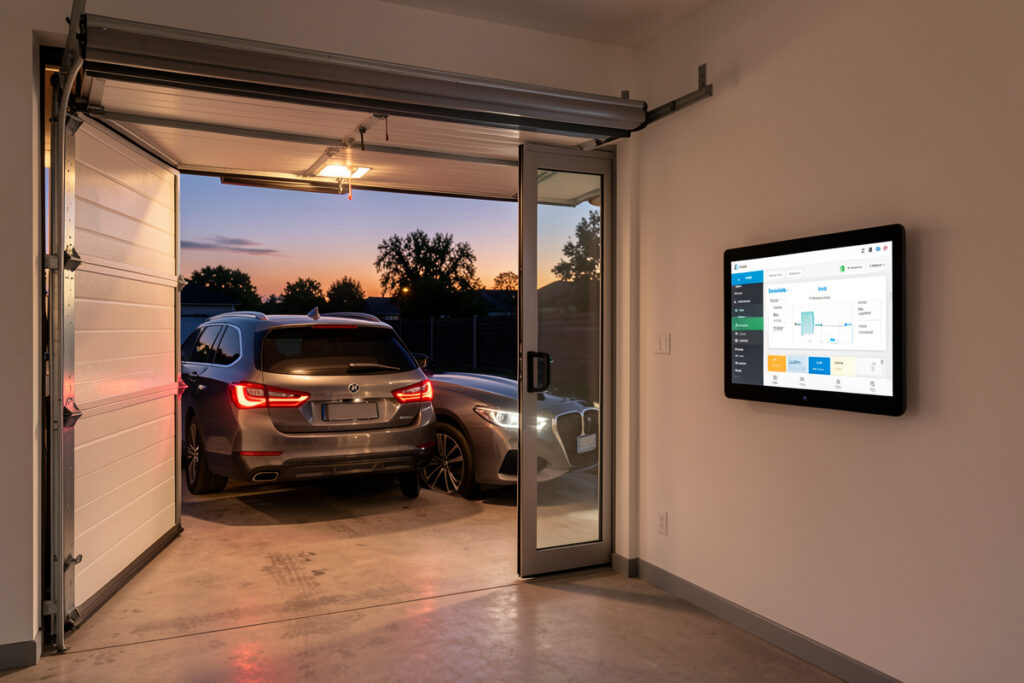
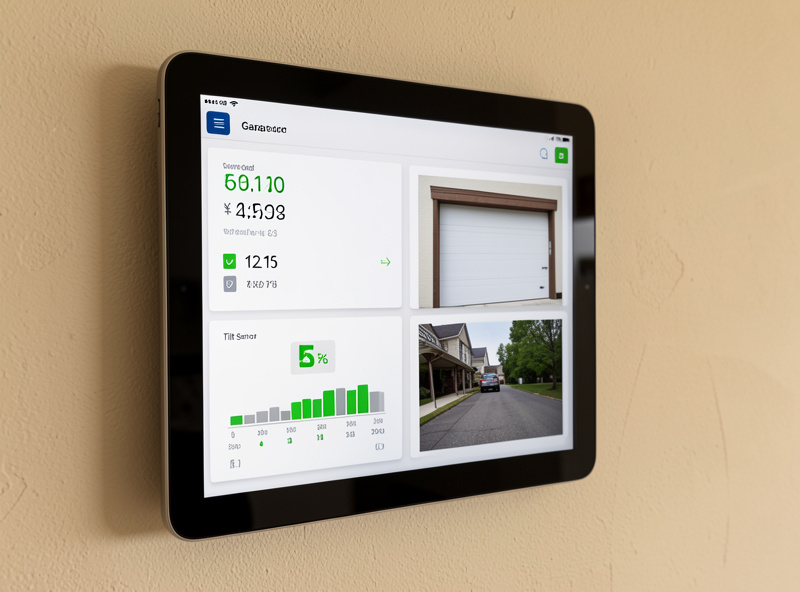
A smart garage is not a single gadget — it is a door opener, a presence sensor, a camera, and usually a smart lock, all reporting to one hub that can act on them together. In my setup the garage is the single highest-value automation zone in the house, because it is the one door that gets used by car, on foot, and by delivery drivers, and the only one that can be left wide open by accident for six hours. Done locally, the whole thing keeps working when the internet doesn’t.
This guide is the map for the whole cluster. I run my garage on a local-first Home Assistant install — a Zigbee and Z-Wave mesh, a Matter-over-Thread border router, local-recording cameras into a Frigate pipeline, and the door opener itself bridged off the cloud wherever the hardware allows. Below I walk through every layer, what actually earns its place, and which deeper guide to read for each piece. The aim is a garage that tells you the truth about its own state and acts on that state without asking a manufacturer’s server for permission.
What a Smart Garage Actually Is
A smart garage is the combination of a controllable door opener, a sensor that confirms the door’s true position, and the automations that tie them to the rest of the house. The opener is the actuator; the sensor is the source of truth; the hub is the brain. Skip the sensor and you have a remote button that lies to you — that is the single most common mistake I see.
The reason I insist on that three-part framing is reliability. A Wi-Fi relay that “opens the garage” tells you it sent a command, not that the door moved. A door that is jammed, off its track, or blocked by the car bumper will happily report “closed” because the relay fired. The position sensor — a tilt sensor on the door panel or a pair of contact sensors at the top and bottom of travel — is what turns a guess into a fact. Once the hub knows the real state, every other automation becomes trustworthy: auto-close after dark, alert if open more than ten minutes, refuse to arm the alarm while the door is up.
The Local-First Argument for the Garage
Local control matters more in the garage than almost anywhere else, because the failure modes are physical security and being locked out of your own car. A cloud-only opener that depends on a manufacturer’s server means three things can break your automation: your internet, their server, and their decision to change or sunset the API. I have watched cloud-only openers add forced app updates and quietly drop third-party access — when that happens, an automation you depend on every morning just stops. The clearest public example is the Home Assistant project removing its official myQ integration after the API was repeatedly blocked — proof that cloud access can vanish on the vendor’s schedule, not yours.
In my automations the garage logic lives entirely on the hub. The door’s open/close command and its position sensor both speak to Home Assistant over local protocols, so “close the garage when everyone leaves” is evaluated and executed on a box in my own house with sub-second latency. The internet can be down for a day and the garage still closes itself at sunset, still refuses to arm the alarm while it is open, still texts me locally over my own pipeline. Cloud is a convenience layer on top — never the load-bearing wall. This is the same conviction I apply to cameras without a subscription and to smart locks: if it only works when someone else’s server is up, it is a liability dressed as a feature.
The Opener: Bridging vs. Replacing
You have two paths to a controllable door: bridge the opener you already own with a smart controller, or buy an opener with smart control built in. Bridging is cheaper, keeps your existing motor, and — critically — lets you pick a controller that exposes local control. Most factory “smart” openers route everything through the manufacturer’s cloud and a proprietary app, which is exactly the lock-in I avoid.
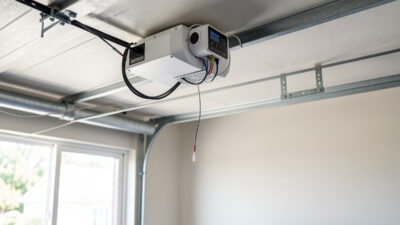
A bridge controller wires across the same two terminals your wall button uses, so it just pulses the opener like a phantom button press. Pair that pulse with a real position sensor and the hub finally knows both how to move the door and where it actually is. For the full breakdown of which units expose local control, support dry-contact wiring, and play nicely with a sensor, read my guide to the best smart garage door opener. If you are specifically trying to escape the dominant cloud ecosystem, the myQ alternatives compared guide covers the local-control replacements I actually trust.
| Layer | Job | Local-control option I run | Deeper guide |
|---|---|---|---|
| Opener / actuator | Move the door | Dry-contact relay bridge across the wall-button terminals | Best smart garage door opener |
| Position sensor | Confirm true open/closed state | Zigbee tilt sensor on the door panel | Smart garage sensor guide |
| Cloud escape | Remove server dependency | Local relay + HA, no myQ account | myQ alternatives compared |
| Camera | See the door, detect packages | Local PoE cam into Frigate object detection | Package detection with garage camera |
| Access / lock | Secure the people-door | Z-Wave/Matter lock with local codes | Smart lock + garage integration |
| Gate | Automate the driveway entry | Relay + presence trigger on the gate motor | Home gate automation guide |
The Sensor Is the Source of Truth
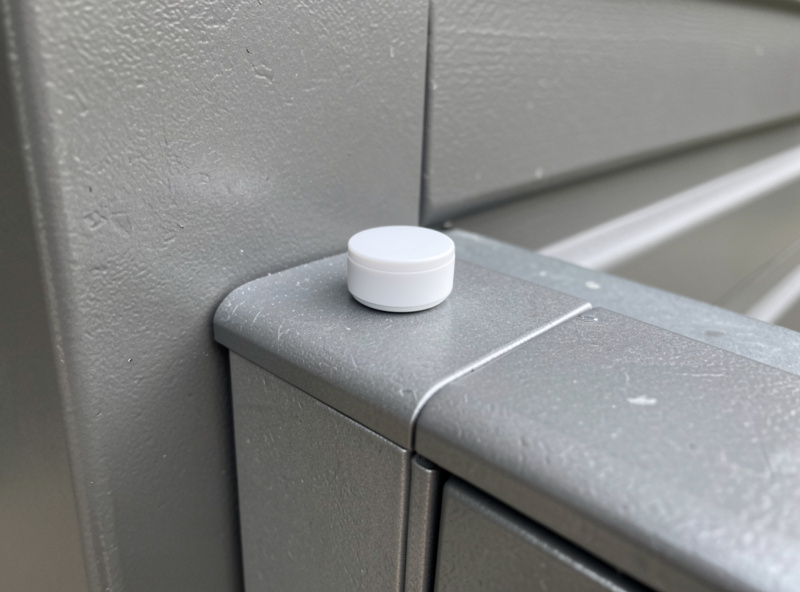
The single component that separates a real smart garage from a remote-control toy is the position sensor. A tilt sensor mounted on the top panel of the door reads “open” the instant the door starts to lift and “closed” only when it is fully down — and it reports that over Zigbee or Z-Wave to the hub in under a second. That state is what every safe automation keys off.
I run a Zigbee tilt sensor on the door panel and treat its battery and reporting like a critical entity, because a dead sensor silently breaks every garage automation downstream. A coin-cell tilt sensor typically lasts a year to eighteen months on the door, and I set the low-battery alert at 20% so there are weeks of warning rather than a silent failure on a cold morning. For the difference between tilt sensors and dual contact sensors, mounting, battery life, and how to wire the open/close logic so it never lies, see the smart garage sensor guide. The broader sensor strategy — motion, mmWave presence, contact, leak — lives in my roundup of the best smart home sensors, and the same notification logic I use here is in smart door sensor notifications.
The Camera and Package Detection
A garage camera does two jobs: it shows you the door’s state visually as a backup to the sensor, and — pointed at the porch or driveway — it becomes a package detector. I run modest PoE cameras into a local Frigate pipeline that does object detection on-box, so “a person is at the garage” and “a package was left” are events generated in my own house, with no footage ever leaving it and no monthly fee.
The trick with package detection is using object classes and zones rather than raw motion, so a passing cat or a shadow at dusk doesn’t fire the notification. Frigate detecting a “package” object inside a porch zone is far more reliable than a PIR. For the full local pipeline — camera placement, the detection config, and how I wire the package alert into the same automation that controls the door — read package detection with a garage camera. The hardware side, including which cameras record locally, is in my best smart security cameras guide and the subscription-free angle in cameras without a subscription.
The Lock and the People-Door
Almost every garage has a second door — the one from the garage into the house, or the side door to the yard. That door is the soft underbelly of garage security, because people leave it unlocked assuming the big door is the real barrier. A smart lock on that people-door, integrated with the garage state, closes the gap: in my setup the side-door lock auto-locks the moment the main garage door reports closed and nobody is detected inside.
That integration is where a lot of value hides, and it is also where this cluster lightly overlaps my smart-lock coverage. The garage-specific automations — auto-lock on garage-closed, unlock the people-door when the car is detected arriving, log every access event locally — are covered in smart lock and garage integration. For lock hardware and the security questions, lean on best smart locks and can smart locks be hacked.
The Gate: Extending Access to the Driveway
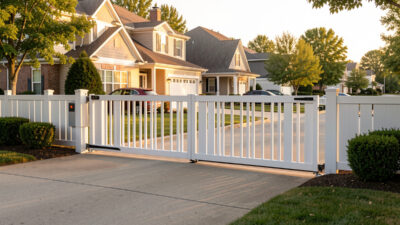
If you have a driveway gate, it is the same problem as the garage door one layer out: a motor, a position signal, and a trigger. A relay across the gate motor’s control terminals lets the hub open it, and a presence trigger — the car’s location, a plate-recognition event from the camera, or a simple geofence backed up by a local sensor — lets it open automatically as you arrive. I keep the gate logic local for the same reason as the door: I do not want my driveway to depend on a server in another country.
Gate motors vary far more than garage openers, and the wiring and safety considerations are different, so the home gate automation guide covers the relay options, presence-based triggers, and the safety edge sensors you should not skip — the entrapment-protection devices required by the UL 325 standard for powered gate operators. This is also the layer where I am honest about the line between DIY and the professional installer world — full commercial access control with KNX or dedicated gate controllers is what integrators do, not what I run on my bench.
How the Pieces Talk: Protocols and the Hub
None of this works without deciding how the devices communicate. In my garage the opener bridge and tilt sensor are Zigbee, the people-door lock is Z-Wave (better range and battery life for locks), the newer presence sensor is Matter-over-Thread, and the cameras are wired PoE on their own VLAN. MQTT is the message bus that ties the DIY ESPHome nodes in. Mixing radios deliberately is normal — each one is best at something.
The garage is also a radio-hostile environment: a metal door, a big motor, and often a concrete wall between it and the house. That is exactly where mesh routing through a mains-powered repeater matters, and where the USB-3 interference gotcha — a coordinator stick sat next to a USB-3 port or hub — quietly wrecks your network. It is not folklore: Intel published a white paper documenting how USB 3.0 ports radiate noise across the 2.4 GHz band that Zigbee and Thread share, which is why a short extension cable that moves the coordinator stick away from the machine fixes so many flaky meshes. If you are choosing radios, start with Zigbee vs Z-Wave vs Wi-Fi and what Matter actually is. If you are not sure you even need a hub, do you need a smart home hub answers it for the garage case specifically: yes, because local automation across multiple devices is the whole point.
Network and Security: Put the Garage on Its Own VLAN
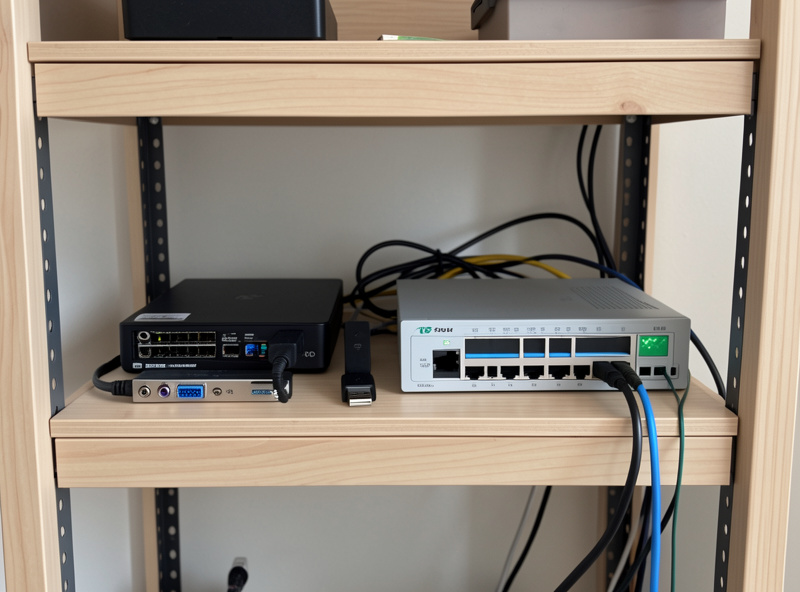
A garage full of cameras and relays is a pile of chatty, rarely-updated devices with physical access to your house — exactly the gear that belongs on a segregated network. I keep all IoT, including the garage cameras and the opener bridge, on a dedicated IoT VLAN, isolated from the laptops and phones, with only the hub allowed to talk across the boundary. If a budget camera turns out to phone home or gets compromised, it is sandboxed.
This is not paranoia, it is hygiene: dozens of devices on a flat home network is how a smart home turns flaky and insecure at the same time. The how-to — VLAN setup, firewall rules, and why the hub is the only bridge — is in smart home VLAN and a separate Wi-Fi network for IoT. The same segmentation that protects the garage protects every other zone, which is why I treat the network as part of the smart-home build, not an afterthought.
Automations That Actually Earn Their Place
The point of all this hardware is the rules engine on top. The automations I actually keep running in my garage are the boring, high-value ones — not the demos that look good in a video. Auto-close the door at sunset or after ten minutes open, with a warning notification first. Refuse to arm “away” mode while the door reports open. Unlock the people-door and turn on the lights when the car is detected arriving. Alert me — locally — if the door opens when nobody is home. I also run a “left open” escalation: a phone notification at ten minutes, a louder alert at twenty, and an automatic close at thirty if the house is in away mode — three steps so a door someone is genuinely using is never slammed shut on them.
The crossover is what makes this powerful: the same Home Assistant rule engine that runs the garage runs my grow-light schedules, the curing-chamber compressor, and the sauna pre-heat. One brain, one set of conventions, every project that uses electricity is a candidate for automation. Two practical pillars hold the whole thing up — consistent entity naming (so “garage” means one zone everywhere) and a position sensor you trust. Get those right and the garage stops being a collection of apps and becomes a single, reliable system.
What It Costs and What Actually Breaks
A complete local-first smart garage costs less than people expect, because the expensive part — the opener motor — you already own. The build I run breaks down to a dry-contact relay bridge, a tilt sensor, a camera, and a share of the hub you already have for the rest of the house. The headline figure is rarely the real cost, though; the real cost is what each device costs you to live with over years, and that is where cloud-only gear quietly bleeds you.
The cheapest opener bridge on the shelf is not the cheapest to own if it forces a subscription to unlock features you assumed were included, or if its app gets worse with every update. I judge every garage component by two questions: does it still work when the cloud is down, and what is the total cost over five years including any fee. A $30 local relay with no account beats a $25 cloud relay with a $3/month “premium” tier every single time. Over five years that $3/month tier adds up to $180 — six times the price of the relay itself — for features a local hub hands you for free. The same math applies to the camera — a one-time PoE camera into a local Frigate box costs nothing per month, while a cheaper cloud camera with a recording plan costs more by year two.
As for what breaks: in my experience the failure points are batteries, radios, and assumptions. A tilt sensor with a dying battery silently breaks every downstream automation, so I monitor sensor battery as a first-class entity and get a low-battery alert weeks before it dies. Radio range to a metal-doored garage is the second failure point — solved with a mains-powered repeater in the mesh path, not by moving the whole hub. The third is the assumption that the relay reflects reality, which is exactly why the position sensor exists. Design around those three and a smart garage runs for years with almost no attention.
As an Amazon Associate I earn from qualifying purchases. Where a specific component genuinely helps, the deeper cluster guides link the exact category to shop — for example a Zigbee garage tilt sensor is the one part I would not build a smart garage without.
Frequently Asked Questions
Do I need a hub for a smart garage, or is the opener’s app enough?
You need a hub if you want automations across devices. The opener’s app can open and close the door, but it cannot reliably tie the door to a position sensor, a camera, and a lock, or run rules locally when the internet is down. A local hub like Home Assistant is what makes the garage a system rather than a remote button.
Why is a position sensor so important for a smart garage?
A relay only confirms it sent a command, not that the door moved. A tilt or contact sensor reports the door’s true open or closed state in under a second, so automations like auto-close and alarm-arming act on reality. Without it, a jammed or blocked door reports closed when it is open.
Can a smart garage work without the cloud?
Yes. With a local-control relay bridge, a local position sensor, and a hub like Home Assistant, every garage automation runs on a box in your house. Cloud becomes an optional convenience layer for remote access, not a dependency. This is the most reliable setup because it survives internet and server outages.
What is the best radio for garage devices?
It depends on the device. I run the opener bridge and tilt sensor on Zigbee, the people-door lock on Z-Wave for range and battery life, and newer presence sensors on Matter-over-Thread. The metal door and motor make the garage radio-hostile, so a mains-powered repeater nearby and keeping the coordinator away from USB-3 ports both matter.
Should garage cameras and relays be on a separate network?
Yes. Garage cameras and relays are chatty, rarely-updated devices with physical access to your home, so they belong on a dedicated IoT VLAN isolated from your laptops and phones, with only the hub allowed across the boundary. This sandboxes any device that gets compromised or phones home.
Is it cheaper to bridge my existing opener or buy a smart one?
Bridging is usually cheaper and gives you more control. A dry-contact relay wires across your existing wall-button terminals for a low cost, keeps your current motor, and lets you choose a controller that exposes local control instead of locking you into a manufacturer’s cloud app.
Related Guides
- Best Smart Garage Door Opener
- myQ Alternatives Compared
- Home Gate Automation Guide
- Smart Garage Sensor Guide
- Package Detection With a Garage Camera
- Smart Lock and Garage Integration