Best Smart Locks 2026: Complete Security Guide
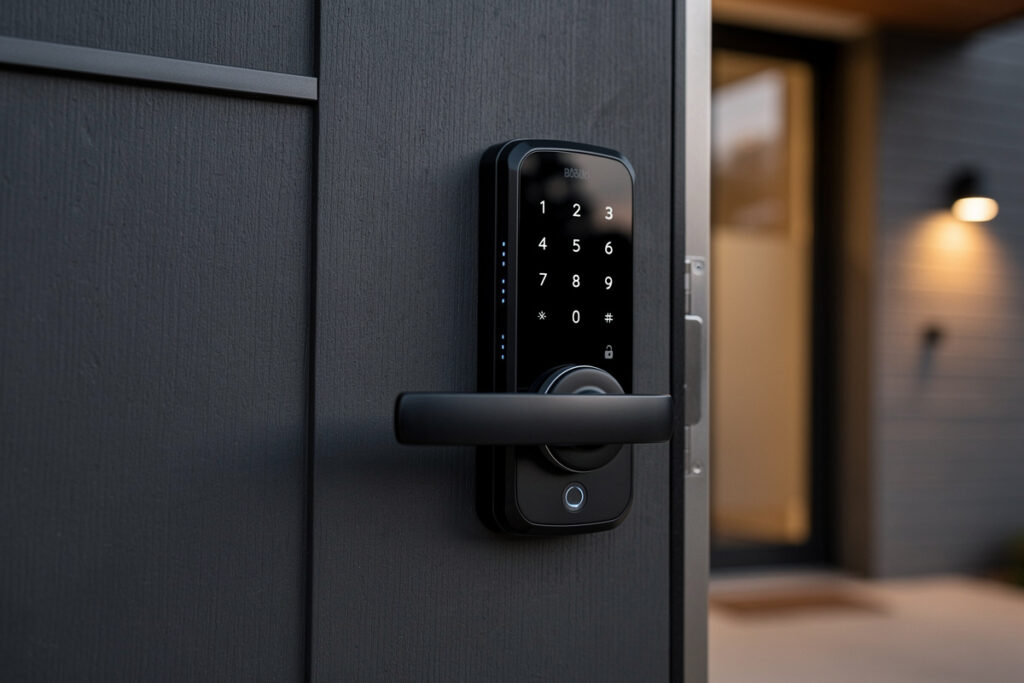
The best smart lock of 2026 is the Schlage Encode Plus for most homeowners, offering built-in WiFi, Apple Home Key support, Matter compatibility, and ANSI Grade 1 security certification at $290. Smart locks eliminate physical keys, enabling smartphone entry, temporary guest codes, automatic locking, and remote access monitoring while maintaining or exceeding traditional deadbolt security. For households with frequent visitors, service providers, or family members prone to losing keys, smart locks transform entry management from a daily hassle into an invisible convenience.
As an Amazon Associate I earn from qualifying purchases.
Unlike smart plugs or lights that add convenience to existing functions, smart locks fundamentally change how you control home access. Grant temporary codes to dog walkers that expire automatically. Receive notifications when children arrive home from school. Lock doors remotely when you cannot remember if you secured them. Create automation routines that lock all entry points when you arm the security system. These capabilities explain why smart locks are one of the fastest-growing categories in home security right now.
This comprehensive guide compares the top smart locks of 2026, explains security considerations, details installation requirements, and shows how locks integrate with broader smart home security systems. Whether you rent and need a non-destructive retrofit or own and want maximum security, the right smart lock balances convenience, security, and compatibility with your existing setup. For entry security fundamentals, see the smart home beginner guide.
I installed my first smart lock — a Schlage Encode — on my front door three years ago and haven’t carried a house key since. I’ve since added a Yale on the back door (Z-Wave, tied into my Home Assistant for auto-lock when everyone leaves) and an August retrofit on the garage entry door that my landlord approved. The Encode’s built-in WiFi has been rock-solid; the Yale’s Z-Wave integration unlocks routines the WiFi-only locks can’t touch. Here’s how the top smart locks in 2026 stack up.
Quick Comparison: Best Smart Locks 2026
| Smart Lock | Best For | Price | Key Features |
|---|---|---|---|
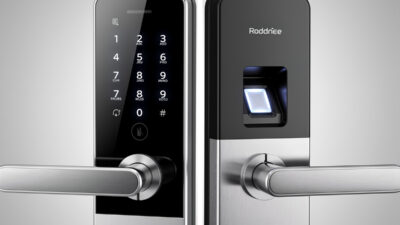
| Schlage Encode Plus | Best overall | $290 | WiFi, Home Key, Matter, Grade 1 |
| Yale Assure Lock 2 | Versatility | $260 | Modular connectivity, slim design |
| August WiFi Smart Lock | Retrofit/easy install | $200 | Attaches to existing deadbolt |
| Ultraloq U-Bolt Pro | Multiple entry | $180 | Fingerprint, keypad, app, key |
| Wyze Lock Bolt | Budget choice | $80 | Fingerprint, basic app control |
| SwitchBot Lock | Renters | $100 | Non-destructive attachment |
How Smart Locks Work
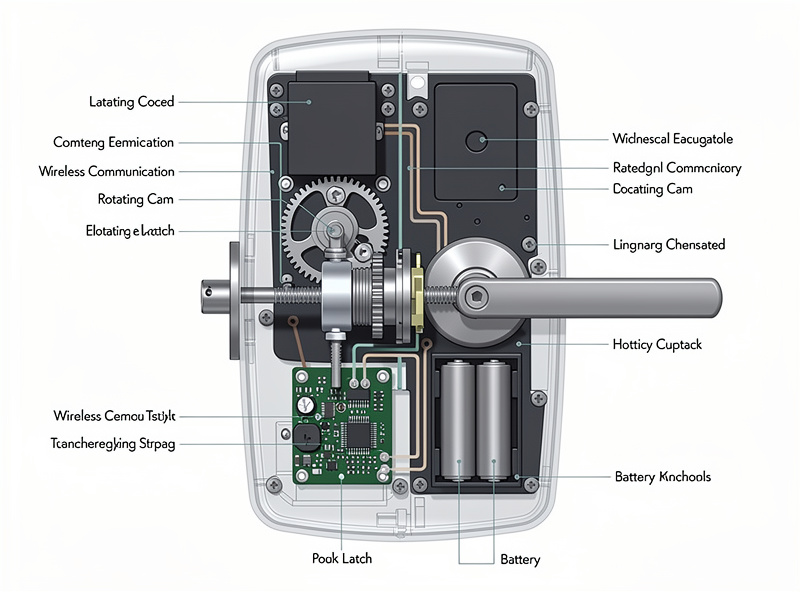
Smart locks replace or retrofit traditional deadbolts, adding wireless communication and motorized actuation to physical security hardware. Understanding the mechanics ensures appropriate expectations for reliability and security.
Mechanical Foundation
At their core, smart locks remain deadbolts—solid steel bolts extending into door frames securing entry. Premium models maintain ANSI/BHMA Grade 1 certification, the highest residential security rating, resisting forced entry attempts including kicking, prying, and drilling. The motorized component rotates the cam that extends/retracts the bolt when electronic authentication succeeds. Quality locks include manual override cylinders accepting physical keys if batteries fail or electronics malfunction.
Authentication Methods
Smart locks offer multiple entry pathways suiting different scenarios:
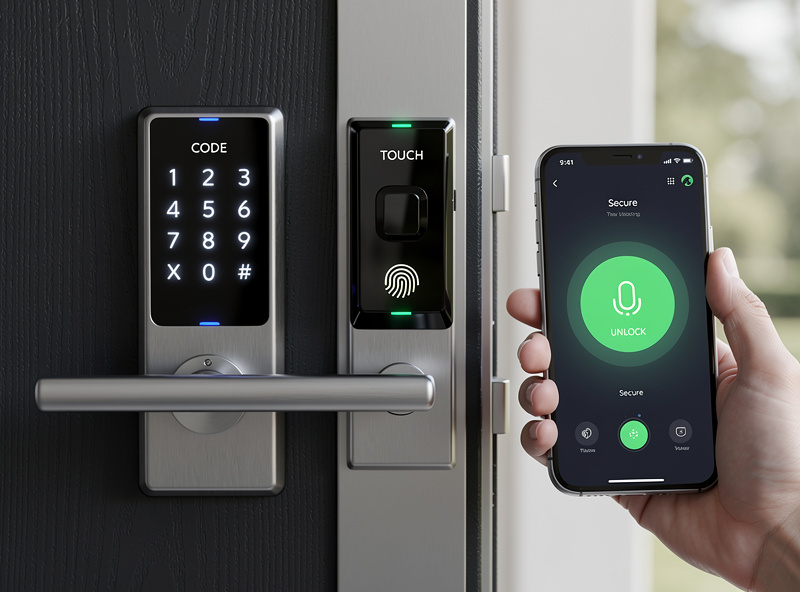
- Smartphone Apps: Bluetooth proximity detection unlocks doors as you approach, or manual app button press triggers opening. WiFi-enabled locks support remote unlocking from anywhere.
- Keypads: Numeric codes enable entry for family members without smartphones. Temporary codes accommodate guests, service providers, or deliveries. Codes typically support 4-8 digits with programming for 10-50+ unique combinations.
- Biometric Fingerprint: Capacitive scanners read fingerprint ridges for keyless entry without codes or phones. Quality sensors recognize authorized prints in under 1 second with 99%+ accuracy. Stores 50-100 fingerprints accommodating large families.
- Physical Keys: All quality smart locks retain traditional key cylinders as backup for dead batteries, failed electronics, or emergency access.
- Home Key (Apple): iPhone and Apple Watch owners tap devices to locks for NFC authentication—no app launch required.
For authentication method comparisons, read the keypad versus fingerprint comparison.
Connectivity Protocols
Smart locks communicate through different wireless standards affecting installation complexity and feature availability:
- WiFi: Direct internet connectivity enables remote access, notifications, and voice assistant integration without additional hardware. Higher battery consumption requires frequent replacement (every 3-6 months). Examples: Schlage Encode, August WiFi.
- Bluetooth: Phone proximity-based control with lower power consumption extending batteries 6-12 months. No remote access without additional bridge devices. Examples: August Pro, Kwikset Kevo.
- Z-Wave/Zigbee: Mesh networking through smart home hubs (SmartThings, Hubitat, Ring Alarm) enables integration with security systems and automation routines. Requires hub ownership. Examples: Yale Assure with network module, Schlage Connect.
- Thread/Matter: Emerging standard with border routers (Apple HomePod, Google Nest) replacing dedicated hubs. Low latency, improved reliability. Examples: Schlage Encode Plus, Yale Assure 2 with Matter.
For protocol guidance, see smart home protocol comparison.
Security Considerations and Vulnerabilities
Smart locks add electronic attack vectors alongside physical security concerns. Understanding risks enables informed protection strategies.
Electronic Security Measures
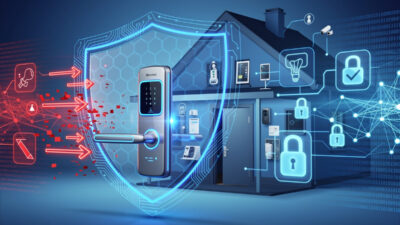
Reputable smart locks implement multiple security layers: AES-128 encryption secures wireless communications preventing intercept and replay attacks. Secure bootloaders prevent firmware tampering. Tamper detection triggers alerts and local alarms if someone attempts physical compromise. Activity logging records every entry attempt with timestamps and user identification. Auto-lock timers secure doors automatically if left unlocked (typically 30 seconds to 4 minutes configurable).
Potential Vulnerabilities
No electronic lock achieves perfect security. Known attack vectors include:
- Relay attacks: Thieves using signal boosters to extend Bluetooth range, tricking locks into believing authorized phones are nearby
- Code guessing: Keypad locks without rate-limiting vulnerable to brute-force attempts
- WiFi exploits: Internet-connected locks potentially accessible if home networks compromise
- Physical bypass: Cheap locks with weak cylinders pickable or drillable in seconds
Mitigation strategies include choosing Grade 1 certified locks with strong cylinders, enabling two-factor authentication in apps, using long randomized codes rather than birthdays, updating firmware promptly, and maintaining strong WiFi network security. For detailed security analysis, read can smart locks be hacked.
Insurance and Liability Considerations
Some homeowner insurance policies require specific security grades for coverage. ANSI Grade 1 locks satisfy most requirements; Grade 2 acceptable for some providers; Grade 3 or unrated smart locks may invalidate burglary coverage. Verify policy language before installing substandard locks on primary entry points.
Installation: Replacement vs Retrofit
Smart locks install through two primary methods requiring different skill levels and permanence.
Complete Replacement
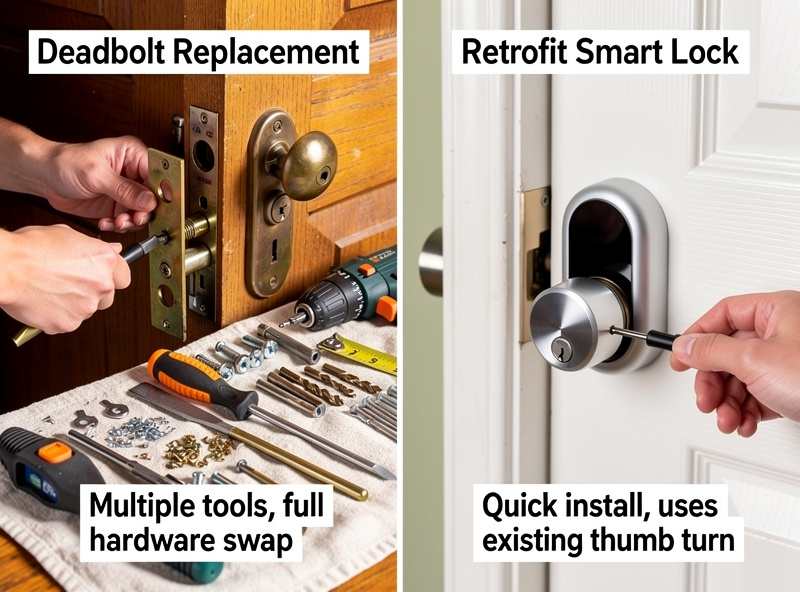
Most smart locks require removing existing deadbolts entirely, installing new smart hardware with integrated keypads or touchscreens. Installation demands 30-60 minutes, Phillips screwdriver, and basic DIY comfort. Process involves unscrewing interior and exterior deadbolt components, inserting new lock mechanism through door bore, connecting interior mounting plate, attaching exterior touchscreen, and pairing with smartphone app.
Requirements include standard door bore (2-1/8 inch diameter), backset measurement (2-3/8 or 2-3/4 inches), and door thickness between 1-3/8 and 2 inches. Most locks accommodate these standard dimensions, but non-standard doors may require adapter kits or professional installation.
Retrofit Attachment
Retrofit locks like August and SwitchBot attach to existing deadbolts’ interior thumb turns, motorizing manual operation without replacing hardware. Installation takes 5-15 minutes requiring only adhesive strips or simple mounting brackets. Existing keys continue functioning normally; smart features add convenience layer atop traditional operation.
Retrofit solutions suit renters prohibited from modifying doors or homeowners wanting minimal permanent changes. However, they add bulk to interior door surfaces and may conflict with decorative trim or tight clearances. For rental-friendly options, see best smart locks for renters.
Professional Installation
Consider professional installation ($100-200) if: your door requires drilling new bore holes, existing deadbolt damaged or seized, you lack comfort with tools, or warranty requires certified installation. Locksmiths ensure proper alignment preventing premature wear and guarantee weatherproofing against moisture infiltration.
Top Smart Lock Recommendations by Category
Best Overall: Schlage Encode Plus
Schlage’s flagship combines every desirable feature: built-in WiFi eliminating bridge devices, Apple Home Key tap-to-unlock, Matter protocol future-proofing, and ANSI Grade 1 security certification. The touchscreen keypad works reliably in rain and cold. Battery life extends 6+ months despite WiFi connectivity. App interface provides detailed access history, temporary code generation, and auto-lock customization. At $290, pricing reflects premium positioning, but no competitor matches the feature completeness. For Alexa-focused households, the standard Schlage Encode ($250) offers identical hardware without Home Key.
Best for Versatility: Yale Assure Lock 2
Yale’s modular design accommodates any smart home setup. Base model includes Bluetooth; add WiFi, Z-Wave, or Matter modules as needed. The slim exterior touchscreen minimizes bulk compared to competitors. Yale’s lock history spans 150+ years—hardware quality exceeds newer brands. Key-free options (no cylinder) available for pick-proof security. Pricing starts around $190 for basic models reaching $260 with WiFi connectivity included. Integration spans every major platform including Alexa, Google, HomeKit, and SmartThings.
Best Retrofit: August WiFi Smart Lock
August pioneered retrofit smart locks and remains the category leader. The fourth-generation WiFi model attaches to existing deadbolts in 10 minutes, maintaining key access while adding app control, auto-unlock (phone proximity), and WiFi remote access. The compact design protrudes minimally from doors. DoorSense technology detects door position, refusing to auto-lock if doors stand open. Activity feeds show lock/unlock events with timestamps. At $200, August suits renters and homeowners wanting smart features without replacing quality existing deadbolts.
Best Budget: Wyze Lock Bolt
Wyze delivers fingerprint recognition, keypad entry, and app control at $90—unprecedented value. The fingerprint scanner unlocks in under 1 second reliably. App includes access history and temporary code generation. However, WiFi/remote access requires a separate Wyze Gateway hub; no native WiFi built-in. Build quality feels less robust than premium brands, and customer service lags established competitors. For cost-conscious buyers wanting biometric entry without $250+ investments, Wyze Lock Bolt succeeds despite limitations. For budget smart home builds, pair with affordable smart plugs.
Best for Multiple Entry: Ultraloq U-Bolt Pro
Ultraloq offers six entry methods—fingerprint, smartphone app, keypad code, mechanical key, shake phone to open (Bluetooth), and auto-unlock proximity—accommodating every family member’s preference. Fingerprint recognition stores up to 100 prints with 99.8% accuracy. The Bluetooth-only version needs an optional WiFi bridge adapter for remote access and voice assistant integration; the WiFi-equipped bundle skips that step. Weatherproofing operates reliably down to -22°F and up to 149°F per Ultraloq’s official spec sheet. At around $180 for the WiFi-equipped bundle, Ultraloq undercuts premium brands while offering comparable features. Good fit for large families with varied technical comfort levels.
Best for Renters: SwitchBot Lock
SwitchBot’s unique approach attaches to existing deadbolts without replacing anything—no tools required. The mechanical arm physically rotates your existing thumb turn when app commands arrive. Installation takes 5 minutes with adhesive mounting; removal leaves zero evidence for landlords. Works with any single-cylinder deadbolt. Requires SwitchBot Hub ($40) for WiFi connectivity and voice assistant integration. At $100 total investment, this solves smart access for renters prohibited from door modifications. Also integrates with SwitchBot curtains for comprehensive rental automation.
Smart Lock Integration and Automation
Smart locks achieve maximum value through integration with security systems, other smart devices, and automated routines.
Security System Integration
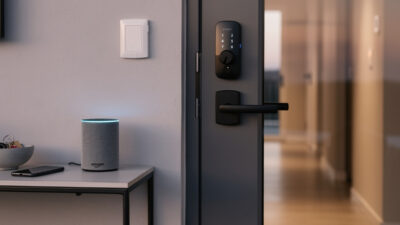
Locks communicating with security systems create comprehensive protection. Ring Alarm integrates with Schlage and Yale locks—arming the system automatically locks doors; disarming unlocks them. SimpliSafe offers similar integration through smart lock add-ons. Standalone locks without security system integration provide convenience but lack coordinated protection layers including motion sensors, glass break detectors, and professional monitoring.
For complete security setups, pair locks with security cameras and motion-activated lighting. When locks detect forced entry attempts, cameras record automatically and lights illuminate the area. These coordinated responses deter criminals more effectively than isolated devices.
Doorbell and Entry Coordination
Integrating locks with video doorbells creates seamless visitor management. Delivery arrives—doorbell notification displays live video; you confirm identity; remote unlock command opens door for package placement; auto-lock secures entry after 2 minutes. This sequence eliminates missed deliveries without leaving doors unlocked. Ring, Nest, and August ecosystems support these workflows natively.
Automation Routines
Smart home platforms enable conditional lock behavior: automatically lock all doors at 11 PM; secure entry points when security systems arm; unlock when smoke alarms trigger (firefighter access); flash entry lights when locks detect tampering. These automations require platforms like SmartThings, Hubitat, or Home Assistant supporting complex rule creation across device types.
Renter-Friendly Smart Lock Solutions
Renters face unique constraints—lease agreements typically prohibit door hardware modifications, and security deposit recovery requires restoring original conditions at move-out.
Non-Destructive Options
Three approaches enable smart access without violating leases: SwitchBot Lock attaches mechanically to existing deadbolts with adhesive, removing without damage. Portable smart padlocks (Igloohome, Master Lock) secure storage units, gates, or interior doors without installation. Smart doorbells like Ring or Nest monitor entry activity without modifying locks themselves.
Landlord Communication
Some landlords permit smart lock installation if: you provide spare app access codes for emergencies; locks include physical key override maintaining landlord access; you restore original deadbolts at move-out; you assume liability for door damage. Written permission prevents lease violations. Professional installation reassures landlords that quality work prevents door damage.
For detailed rental strategies, read best smart locks for renters.
Comprehensive automation requires multiple device types. Consider adding smart lighting and smart climate control alongside your security setup.
If I were buying a single lock for my own front door today, I’d buy the Schlage Encode again — the built-in WiFi means no extra hub, the keypad means I don’t need my phone, and three years of daily use without a single failure earned my trust. If you rent, the August retrofit is the only lock that keeps your existing key and deadbolt intact while adding all the smart features. Whichever you pick, install it on a Saturday morning when you have daylight and patience — and test the auto-lock and guest-code features before you actually need them.
Related Articles
- Best Smart Locks for Renters: No Drilling Required
- Best Smart Locks That Work with Alexa
- Smart Lock Keypad vs Fingerprint: Which Is Safer?
- Can Smart Locks Be Hacked? Security Facts
- Smart Lock vs Regular Deadbolt: Security Comparison
- Smart Home for Beginners: Complete Setup Guide
- Nest vs Ring Doorbell: Which Smart Doorbell Wins?
- Best Smart Cameras Without Monthly Subscription
- Best Smart Motion Sensor Lights for Home Security
- Zigbee vs Z-Wave vs WiFi: Smart Home Protocols
What is the best smart lock in 2026?
The Schlage Encode Plus is the best smart lock for most homeowners in 2026, offering built-in WiFi, Apple Home Key support, Matter protocol compatibility, ANSI Grade 1 security certification, and reliable touchscreen entry at $290.
Are smart locks secure compared to traditional deadbolts?
Quality smart locks with ANSI Grade 1 certification meet or exceed traditional deadbolt security standards. The electronic components add convenience but do not compromise physical security when properly installed. Grade 1 locks resist kicking, prying, and drilling attempts equivalent to premium traditional locks.
Can smart locks be hacked?
Smart locks add electronic attack vectors including WiFi exploits, Bluetooth relay attacks, and code guessing. However, reputable brands implement AES-128 encryption, rate limiting, and tamper detection. Choose Grade 1 certified locks with strong cylinders, enable two-factor authentication, and maintain strong WiFi security to minimize risks.
Do smart locks work without WiFi?
Many smart locks operate via Bluetooth without WiFi for local control. However, remote access, notifications, and voice assistant integration require internet connectivity. WiFi-enabled locks offer full functionality standalone; Bluetooth locks need additional bridge devices for remote features.
What happens if smart lock batteries die?
All quality smart locks include physical key override cylinders for dead battery situations. Additionally, most locks provide low-battery warnings weeks before depletion via app notifications. Some models include emergency USB-C ports allowing temporary power from external batteries to enable keypad entry.
Can renters install smart locks?
Renters can install non-destructive retrofit locks like SwitchBot Lock attaching to existing deadbolts without tools or permanent changes. Portable smart padlocks provide alternatives for gates and storage. Landlord permission enables full smart lock installation if original hardware restoration occurs at move-out.
What is the difference between smart locks and smart deadbolts?
The terms are often used interchangeably. Technically, deadbolts extend solid bolts into door frames requiring thumb turn or key operation. Smart locks include this mechanism plus electronic control. Some smart locks replace handlesets (knobs/levers) while others replace only the deadbolt portion, but both provide keyless electronic entry.