Smart Oven Buyers Guide 2026: 4 Tiers Compared
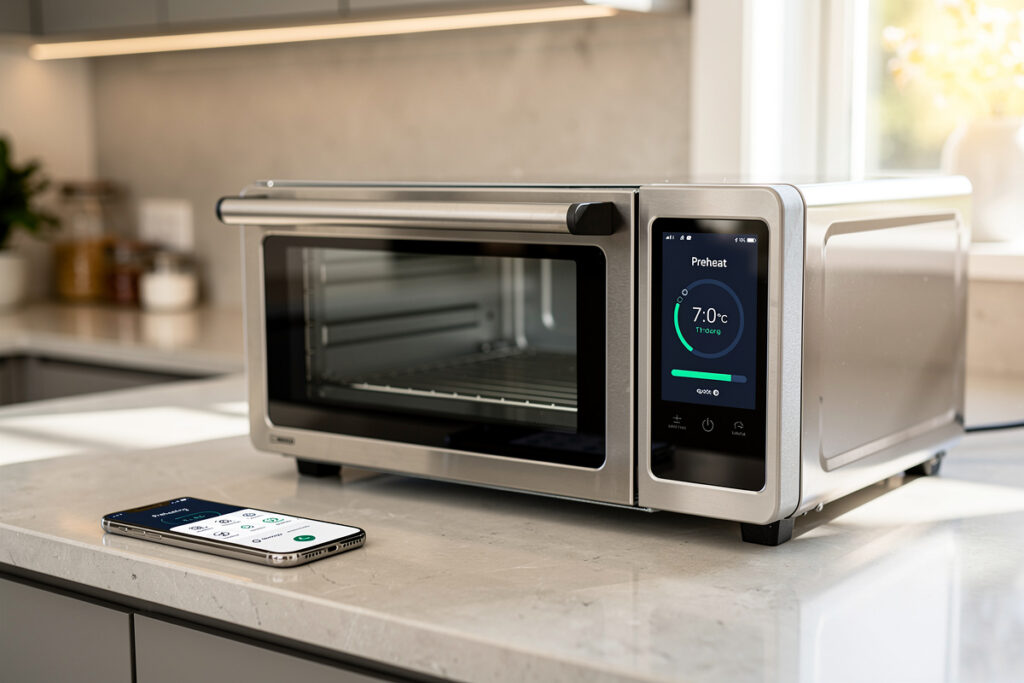
The 2026 smart-oven category runs from $249 countertop convection boxes to $4,400 steam-combi wall installations, and the connected layer — preheat alerts, remote temperature changes, recipe-pushed programs — trims 18-25 minutes of active monitoring from a typical cook session. But the first fork is not brand or app polish; it is form factor. A countertop unit sits on your counter and plugs into a standard outlet. A built-in demands an electrician, a 240V circuit, and cabinetry work. Everything downstream — budget, installation timeline, which feature tier is even available — follows from that single call.
For most households the countertop path captures 80% of the connected-cooking upside at a fraction of a wall oven’s installed cost. The built-in path earns its premium when you are already renovating, when cavity depth for whole-bird roasting and multi-rack baking genuinely matters, or when steam-combi cooking — sous-vide-in-oven, restaurant-grade roasting — is a real goal rather than an aspiration. This article walks through that decision and every layer beneath it: what the connected features actually deliver on the bench, which ones look good in a showroom and flop at home, how the ecosystem landscape shakes out across Alexa, Google Home, Apple HomeKit, and Matter, and what happens in week one when the novelty wears off and the router reboots.
Countertop or Built-In: The Decision That Shapes Everything Downstream
Countertop smart ovens occupy the $249-$899 band, and within that range the decision is straightforward: the Breville Joule and June Oven dominate the upper half; KitchenAid Go and a handful of others cover the lower end. All of them deliver the core connected value — preheat notifications, app control, recipe push — without requiring a single tool beyond a Phillips-head for the initial setup. The trade-off is cavity volume. No countertop unit fits a 20-pound turkey, a full sheet pan, or three racks of cookies. If your cooking routinely demands that kind of space, no amount of app integration changes the physics.
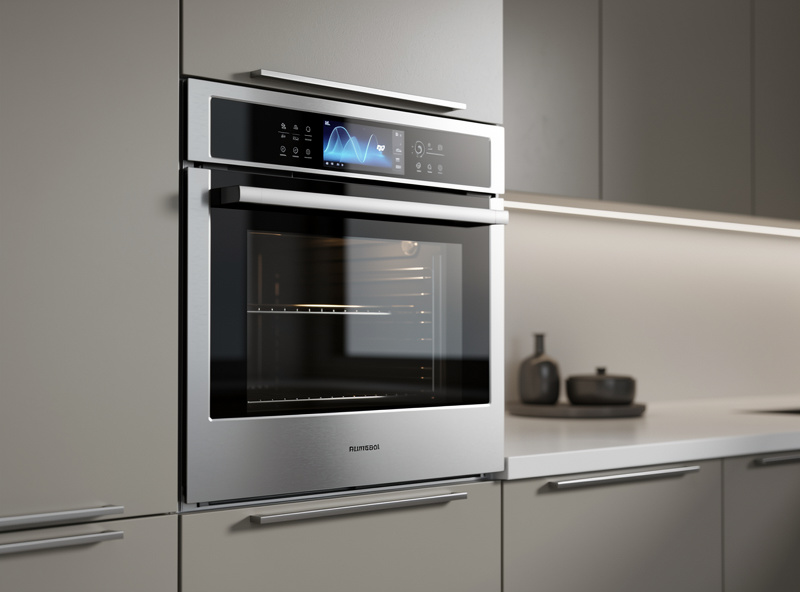
Built-in wall ovens ($1,499-$4,400) live in renovation territory. The 240V circuit, the cabinetry cutout, and on dual-fuel models the gas line mean you are committing to this appliance as part of a larger kitchen project. The payoff is raw space: a 30-inch wall oven handles three racks of cookies, a whole bird, or a deep lasagna dish that no countertop competitor can touch. Built-ins also carry heavier-duty heating elements, better insulation, and convection systems designed for sustained high-temperature cooking rather than the intermittent duty cycle of a countertop unit.
The steam-combi tier ($2,899-$4,400) adds a water reservoir and steam injection, opening up sourdough proofing, sous-vide-in-oven, and restaurant-grade roasting with moisture control. For bakers who have been fighting dry domestic ovens for crust development, steam injection is genuinely transformative — it is the feature that separates a professional bread oven from a home one, and the smart layer lets you program humidity levels across multi-stage bakes without standing guard. For everyone else, it is a premium in search of a use case. If you do not already know why you need steam injection, you probably do not need it.
The honest summary: countertop for most, built-in for renovations, steam-combi for serious bakers. The connected features are roughly the same across all three tiers — preheat push, remote control, recipe programs. What changes is the cooking hardware underneath the Wi-Fi module.
Four Tiers Mapped to Budget and Counter Footprint
The market splits cleanly into four categories. The table below lays out the landscape before we go deeper into what each tier delivers on the bench.
| Category | Price Band | Form Factor | Primary Use Case |
|---|---|---|---|
| Connected Countertop Convection | $249-$549 | Toaster-oven footprint | Apartments, small families, baking 1-4 portions |
| Multi-Function Countertop | $549-$899 | Large counter footprint | Air-fry plus bake plus toast, frequent batch cooking |
| Built-In Single Wall Oven | $1,499-$2,899 | 30-inch built-in | Kitchen renovation, primary cooking appliance |
| Steam-Combi Wall Oven | $2,899-$4,400 | Built-in with water reservoir | Sourdough, restaurant roasts, sous-vide-in-oven |
The countertop tiers are where most households start, and they are also where the value-per-dollar is strongest. A Breville Joule Oven Air Fryer Pro at $499 or a June Oven 3rd Generation at $599 covers most of the connected-cooking ground at a fraction of a built-in’s installed cost. The Breville Joule pairs a strong app with 1,500+ recipes and reliable firmware; the June adds an internal camera and AI-assisted food recognition that works better in theory than in practice. Both fold air-fry, toast, roast, and bake into one counter footprint, which is the reason most buyers choose them over a single-purpose smart oven at the same price.
Wall ovens earn their place during renovations when the electrician and cabinetry work are already in motion. Outside a renovation, the installation cost alone — running a dedicated 240V circuit, modifying the cabinet cutout, and in many jurisdictions pulling a permit — can add $500-$1,500 to the sticker price. At that point the smart features are incidental; the question is whether you need wall-oven cavity depth, and the smart layer comes along for the ride.
Where the App Layer Actually Returns Minutes to Your Day
Five connected features ship on modern smart ovens. Two of them genuinely change how you cook; three are marketing bullet points you will stop using within a month. Separating them matters because the premium you pay for connectivity is justified by the first two alone — the rest is window dressing that inflates the spec sheet without touching your daily routine.
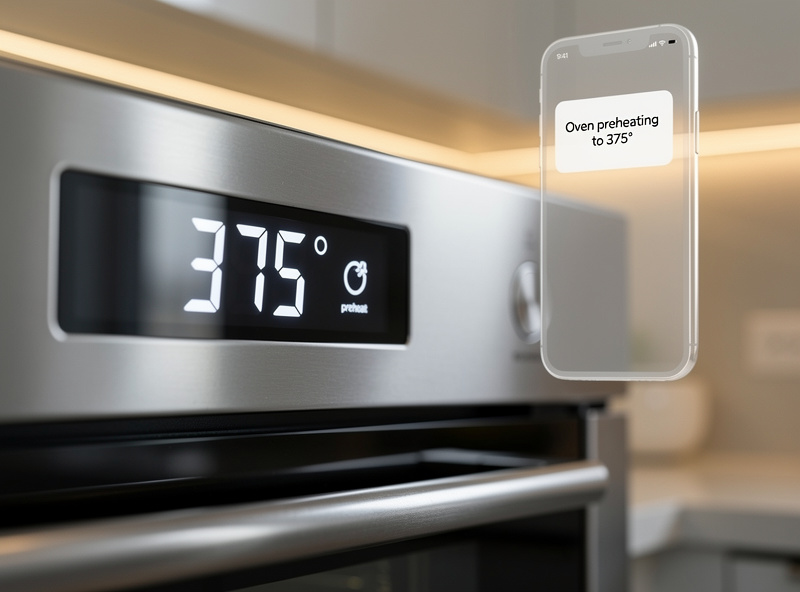
The preheat-complete push notification is the feature most owners cite as the daily difference-maker, and it is also the simplest. A standard oven preheat runs 12-18 minutes for a 350°F bake; without a notification, most cooks wait an extra 5-10 minutes just to be safe, opening the door, checking, closing it, losing heat, and repeating. A push notification that fires the moment the element reaches target temperature saves 6-12 minutes per session. That number compounds quickly: across a week of dinners for a household cooking 5+ nights at home, it is nearly an hour of recovered time spent doing something other than watching an oven door.
Remote temperature adjustment mid-cook is the second feature that earns its keep, and the one that actually rescues meals rather than just saving time. Dropping from 425°F to 350°F when the edges are browning faster than expected — without crouching at the oven door or abandoning whatever you are doing on the other side of the kitchen — is the kind of intervention that separates a rescued dish from a burnt one. The practical scenario: you put a sheet-pan dinner in at 425°F, walk away to help with homework, and glance at the app ten minutes later to see the tops browning aggressively. Two taps on your phone to drop the temperature, and dinner is saved without a sprint to the kitchen.
Recipe-pushed programs take the concept a step further. Brand apps — Breville Joule, June, GE Profile Smart HQ — send the exact temperature, time, and rack position to the oven from the recipe screen, which eliminates the mid-cook “wait, was it 375 or 400?” moment entirely. Browse a recipe, tap cook, and the oven configures itself. For households that cook from recipes rather than from memory, this is the feature that makes the app genuinely useful rather than a gimmick. The recipe libraries vary: Breville Joule pushes 1,500+ recipes spanning basics through advanced; June ships 200+ biased toward cooking-novice presets; KitchenAid pushes roughly 400 brand-developed recipes.
Cook-end keep-warm transition handles the gap between food readiness and household readiness. When the timer ends, the oven drops to 170°F and holds dinner there until everyone assembles. For any household whose dinner schedule depends on people arriving home at unpredictable times — commutes, kids’ activities, a partner working late — this function alone justifies the connected premium more than any camera or AI feature. The oven becomes a holding buffer rather than a deadline.
Showroom Features That Underperform on the Bench
Manufacturer marketing leans hardest on inside cameras and AI dish recognition. Owner forum threads tell a different story, and the gap between the demo and the daily reality is where most buyer disappointment lives.
The inside camera is genuinely useful for two narrow tasks: tracking sourdough crust development across a long bake, and monitoring browning on an 8+ pound roast where opening the door means losing 50°F of cavity heat. For everything else — reheating leftovers, baking cookies, roasting vegetables — the camera is a gimmick. The timelapse videos it produces are shareable on social media and functionally useless for cooking decisions. Owners who bought the oven partly for the camera report checking it a handful of times in the first month, then never opening the camera tab again.
AI dish recognition, which attempts to identify what you placed inside and auto-program the cook, remains inconsistent across every brand shipping it in 2026. The pattern in forums is uniform: owners experiment with it during the first week — placing a chicken breast inside and watching the oven guess “poultry, 375°F, 25 minutes” — then discover it misidentifies food roughly one time in three, at which point manual mode selection is faster and more reliable than waiting for the AI to argue with itself. The feature is impressive in a showroom demo with controlled inputs. In a real kitchen with real food on real plates, it is a novelty that degrades into friction.
Voice Assistants, Platforms, and the Matter Rollout
Breville Joule, June, GE Profile, Whirlpool, LG ThinQ, Samsung, and Bosch all support both Alexa and Google Home as of 2026. KitchenAid (Whirlpool sub-brand) and Café (GE sub-brand) follow the parent brand’s coverage. The practical implication: if you already have an Echo or a Google Nest on your kitchen counter, every major-brand smart oven will respond to voice commands for preheating, timer setting, and status checks without any additional hardware.
Apple Home support is currently limited to LG and Samsung 2024+ wall ovens, which eliminates most countertop options from the Apple Home ecosystem. If you run an Apple-only household, your smart oven choices narrow to a handful of LG and Samsung built-in models — and you pay the built-in premium for the privilege.
Samsung Bespoke and LG ThinQ have started gaining Matter connectivity in 2026, but today that mostly runs through each brand’s own hub (SmartThings, LG ThinQ) bridging out to Matter rather than the oven itself being a natively Matter-certified device. The oven device type was only added in the Matter 1.3 spec in mid-2024, so native, bridge-free Matter ovens are still early. For most buyers, Matter compatibility is a future-proofing checkbox rather than a today feature — useful if you plan to keep the oven for a decade, irrelevant if you upgrade every few years.
For most households the ecosystem decision reduces to which speaker already sits on the counter. Every major-brand oven supports both Alexa and Google Home, so brand choice and voice-platform choice are genuinely independent variables. The broader protocol landscape — Zigbee, Z-Wave, Thread, Matter, and how they interact across a whole-home setup — gets a full breakdown in the voice assistants and smart home protocols guide.
Six Pre-Purchase Filters That Predict Daily Use
Owner forums reveal a consistent split between owners who run their smart oven 5+ times per week and owners who unplug the Wi-Fi after month three. Six filters predict which camp you land in, and none of them appear on the spec sheet the salesman hands you.
App rating momentum matters more than lifetime average stars. Filter the iOS and Android store reviews to most-recent rather than all-time — a sub-3.0 recent rating signals an active firmware regression that the broad lifetime average conceals. A brand with a 4.2 lifetime average but a 2.8 recent rating is in the middle of a broken firmware update, and you will be living with the consequences. Check the review trend before the headline number.
The recipe library needs to match how you actually cook. Breville Joule pushes 1,500+ recipes spanning basics through advanced, June ships 200+ biased toward novice presets, and KitchenAid pushes roughly 400 brand-developed recipes. Browse the library before purchase; if nothing in the first 50 recipes appeals to your household’s cooking style, the recipe-push function dies on the vine regardless of how large the total library is.
Local-network mode is the filter I weight heaviest, coming from a Home Assistant install where cloud dependencies are treated as liabilities. Cloud-only ovens go dark when your internet drops or the manufacturer’s servers have a hiccup — infrequent, but entirely outside your control when it strikes. Local-mode units accept commands from Alexa or Google Home directly over your Wi-Fi without needing the internet at all, which means faster response and a recovery path that does not depend on a server farm three time zones away. For a more comprehensive treatment of why local control matters and how to set it up, the beginners’ setup guide covers the fundamentals.
Firmware-update cadence signals whether the brand is still investing in the platform you are buying. Brands pushing updates every 2-4 months are committed; brands with nothing new in 18+ months have moved on to next year’s model and left your oven’s app to degrade. Check the brand’s support pages or community forum for release-note frequency before purchase.
Cross-appliance integration matters if you already own connected kitchen gear. A smart oven that coordinates with a smart coffee maker for a timed morning routine, or with a smart energy management system that shifts heavy-draw appliances to off-peak hours, adds more daily value than an oven marooned in its own app silo. If your kitchen is heading toward multi-device automation, the oven’s integration footprint matters as much as its cooking performance.
And warranty terms: connected ovens carry more failure points than their dumb counterparts — Wi-Fi modules, touch displays, electronic controls — so a 1-year warranty on the connected components is a red flag. Three to five years is the norm at the price tiers worth considering, and brands that offer less are telling you something about their confidence in the electronics they installed.
Week-One Calibration, Router Reboots, and the VLAN Habit
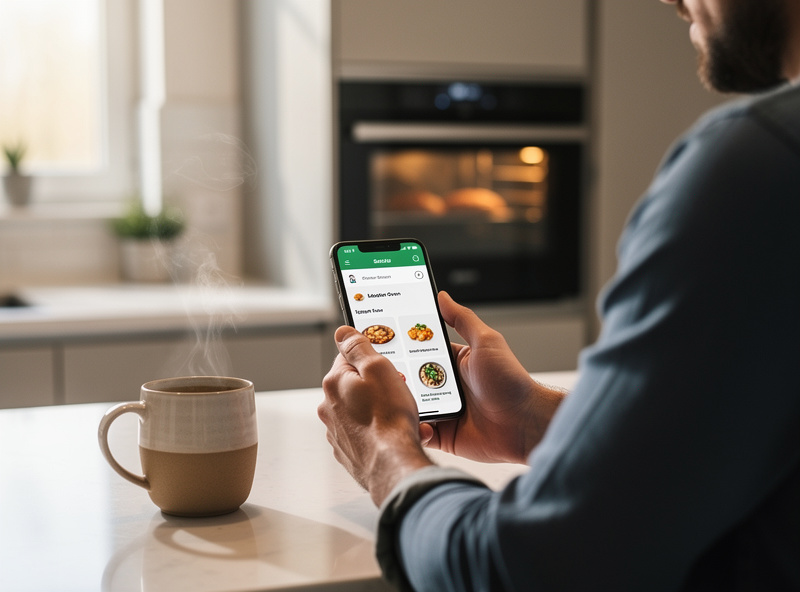
First-time setup runs 25-50 minutes for countertop models and 60-120 minutes for built-ins, excluding the physical install (that is electrician territory). The sequence is consistent across brands: physical placement, power-on, app download, account creation, Wi-Fi pairing, firmware update, voice-assistant linking, and a quick validation cook to confirm temperature accuracy. The firmware update is the step most likely to fail — if the oven shipped with outdated firmware and the update server is slow, expect an extra 15-20 minutes on the first boot.
Plan the first cook around something forgiving. A frozen pizza or a baked potato, not a Sunday roast or a dinner-party dish. New ovens, smart and otherwise, frequently run 10-25°F off the displayed temperature for the first 5-10 cycles as the heating elements settle in. Smart ovens with internal probes self-calibrate against this drift; non-probe models benefit from a $12 oven thermometer placed inside for the first month until you confirm the display matches reality. Cooking a critical meal in an uncalibrated oven is how good ingredients become bad dinners.
The most common week-1 complaint across owner forums is the app failing to reconnect after a router restart. The oven’s Wi-Fi module loses its DHCP lease when the router cycles, and the app cannot find the device on the network. The fix is straightforward and reliable: power-cycle the oven (unplug for 60 seconds, or flip the breaker on built-ins), then re-pair through the app. Once performed, the problem rarely recurs — but it will happen at least once, usually during the first week, and it feels like the oven is broken when it is simply a networking hiccup.
My own oven sits on a dedicated IoT VLAN alongside the rest of the kitchen gear, not on the main household Wi-Fi — a habit built from running Zigbee and Wi-Fi devices side by side for years in the same setup. An oven with a cloud dependency has no business being able to see my laptop or NAS, even if the oven’s own security posture is fine. Segmentation also means a router reboot on the main network does not necessarily take the kitchen devices down with it, since they sit on a separate SSID with independent DHCP lease behavior. The practical payoff appeared the first time a cheap smart-plug on the same network started hammering a DNS resolver every 30 seconds — the kitchen VLAN isolated it instantly, and nothing on the main network felt a thing. If you do not already segment IoT traffic, a smart oven is a good reason to start: one evening of VLAN configuration, and it pays for itself the first time a chatty countertop gadget starts misbehaving without poisoning the rest of the network.
As an Amazon Associate I earn from qualifying purchases.
Smart Air Fryer as the Alternative: Trading Cavity Depth for Speed
Most multi-function countertop smart ovens — Breville Joule, June, KitchenAid Go — fold air-fry in as one of 6-12 cooking modes, which means anyone buying a countertop smart oven is implicitly making a decision about whether they also need a standalone smart air fryer. The two appliances overlap heavily in 2026 product positioning, and the question of which one earns the counter space depends on how you cook more than what you cook.
A standalone smart air fryer wins on three specific metrics. Preheat speed: 2-3 minutes versus 8-12 for a convection smart oven, which matters when the goal is a fast weeknight single-tray dinner. Counter footprint: roughly 60% of the space, which matters in a kitchen where every square inch is contested. Price: $79-$329 versus $249-$899, which is the difference between an impulse purchase and a considered one.
The smart oven pulls ahead when you need true bottom-heat baking (cookies, pastries, casseroles), taller cavity space for larger cuts (whole chicken, pork shoulder, a deep lasagna dish), or enough volume to cook for 4+ people in one pass. Households that end up owning both settle into a rhythm without much deliberation: the air fryer handles weeknight single-tray dinners because it preheats almost instantly and wipes clean in under a minute, while the oven handles anything demanding real cavity depth. The full head-to-head lives in the smart kitchen appliances guide, which covers the broader ecosystem of connected cooking devices.
Frequently Asked Questions
Does the connected premium actually pay for itself?
For households cooking dinner at home 4+ nights per week, the preheat notification alone saves 6-12 minutes per session — tens of hours recovered across a year of regular cooking. Households cooking 1-2 nights per week rarely justify the 30-50 percent markup over a comparable non-connected oven, since the daily-use frequency is too low for the connected features to compound.
Which model covers the most ground for a typical kitchen?
For countertop use, the Breville Joule Oven Air Fryer Pro at $499 covers the widest cooking range with strong app reliability and a 1,500+ recipe library. For built-in installation, the GE Profile 30-inch single wall oven (PTS7000SNSS) runs about $2,000-$2,100 and carries strong ecosystem support plus a 5-year electronics warranty. Both support Alexa and Google Home with active firmware pipelines.
Can I monitor and adjust cooking when I am away from home?
Every major-brand smart oven lets you start, stop, adjust temperature, and check status remotely through the brand app. A safety lockout prevents starting a cold cycle with an empty cavity, but preheating, mid-cook temperature changes, timer extensions, and keep-warm toggling all work from anywhere with a data connection.
What stops working if my internet connection drops?
Full physical controls keep working — bake, broil, roast — from the front panel. What you lose is app notifications, voice control, and recipe push. Models with local-network mode recover faster after an outage because they accept commands over Wi-Fi without needing the manufacturer cloud.
Is a dedicated hub like Home Assistant required?
No. Every major-brand oven connects directly to Wi-Fi and pairs with Alexa or Google Home through their cloud, with no separate hub. A hub only matters if you want to chain the oven into multi-device automations the brand app does not handle natively.
Related Articles
- Smart Kitchen Appliances 2026: Complete Buyers Guide (parent hub)
- Best Smart Home Energy Management Systems
- Voice Assistants & Smart Home Protocols Guide
- Smart Home for Beginners: Complete 2026 Setup Guide
- Best Smart Home Accessories 2026