Smart Kitchen Appliances 2026: Complete Buyers Guide
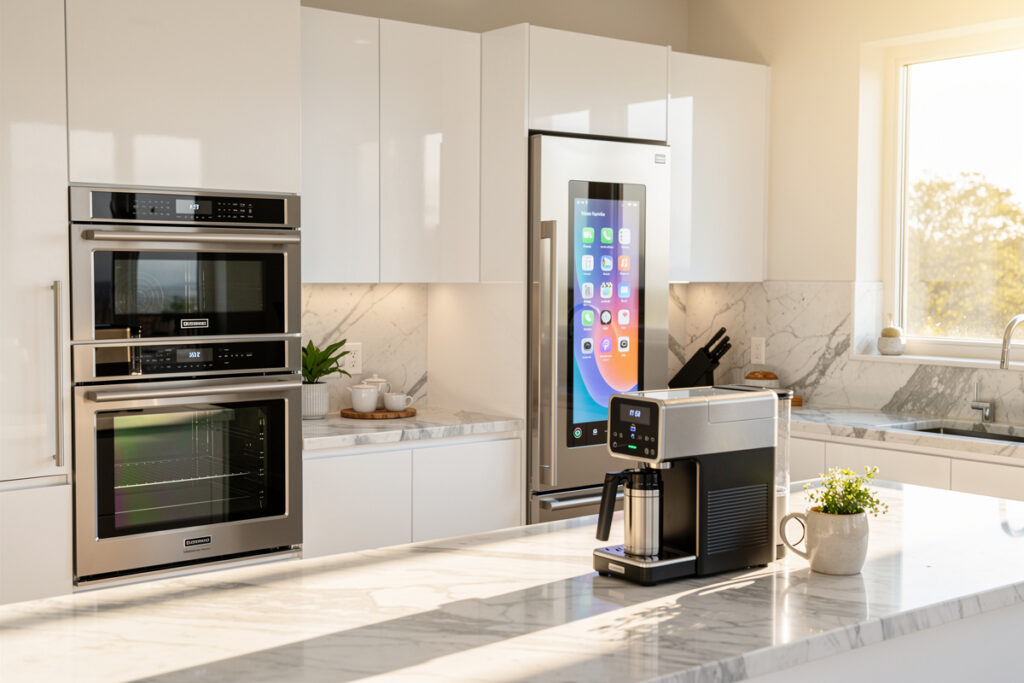
Smart kitchen appliances can meaningfully cut daily meal-prep friction, and for the categories that support time-of-use electricity scheduling — mainly dishwashers and refrigerators — they can trim the energy bill too, though the size of that saving depends entirely on your local utility’s rate structure and how consistently you use the scheduling feature. The category spans nine product families, from $79 smart air fryers to $4,800 connected refrigerators — and the right pick depends on which task in your kitchen actually wastes the most time.
This guide covers all nine smart kitchen categories with side-by-side comparisons, then breaks down how to assemble a working smart kitchen on three different budgets. Every product mentioned has been cross-checked against current 2026 model availability, app rating (Apple App Store + Google Play, average of last 6 months), and ecosystem compatibility (Alexa, Google Home, Apple Home, Matter).
What Counts as a Smart Kitchen Appliance in 2026
A smart kitchen appliance is any cooking, cooling, or food-prep device that connects to Wi-Fi or Bluetooth and responds to a companion app, voice assistant, or smart-home routine. The line moved in 2024-2025 — appliances that only added a small Bluetooth chip got rebranded “smart” but offer almost no automation value. The 2026 working definition: it must do at least one of (1) report status to your phone away from home, (2) start or pause a cooking program remotely, or (3) trigger or be triggered by a smart-home routine through Matter, Alexa Routines, or Google Home automations.
That standard rules out many “smart” toasters, kettles, and blenders that only let you start a single Bluetooth-paired program from across the room. It includes connected ovens, sous vide circulators, multi-cookers, refrigerators, dishwashers, coffee makers, kitchen scales with recipe sync, smart faucets with voice control, and smart air fryers with multi-zone scheduling.
The kitchen is also where my automation habits from the rest of the house show up most bluntly. The same rule engine that runs my grow lights and the sauna pre-heat treats a smart plug behind the coffee maker exactly like it treats a plug behind a grow light — a scheduled or presence-triggered load, nothing more mystical than that. Judged that way, most of what gets marketed as a “smart kitchen appliance” is really just a normal appliance with its own dedicated app, not a device that plugs into the rest of your home automation. Keep that distinction in mind while reading the category breakdowns below: a handful of these categories genuinely integrate, and the rest are good standalone products wearing a smart-home label for the marketing lift. That’s not a knock on buying them — a well-built countertop appliance with a genuinely useful app is still worth owning — it’s just a reason to set your expectations correctly before you shop.
The Nine Smart Kitchen Categories Compared
Each of the nine spoke categories below sits at a different price tier and solves a different daily-friction problem. The table summarises typical price, primary friction it eliminates, and the connected-feature payoff worth paying for.
| Category | Price Range | Friction Solved | Best Connected Feature | Daily Use Frequency |
|---|---|---|---|---|
| Smart Oven | $249-$2,400 | Guesswork on temperature/time | Recipe-pushed bake programs + remote preheat | 1-2x/day |
| Smart Coffee Maker | $129-$799 | Brewing before you walk in | Wake-time schedule + voice “start brew” | 1-3x/day |
| Smart Refrigerator | $1,499-$4,800 | Forgotten groceries / open-door alerts | Inside cameras + door-ajar push | 10+x/day (passive) |
| Smart Dishwasher | $649-$1,799 | Wondering if cycle finished | Cycle-end push + low-rinse-aid alert | 1x/day |
| Smart Air Fryer | $79-$329 | Watching the timer constantly | Multi-zone scheduling + recipe push | 3-5x/week |
| Smart Sous Vide | $129-$249 | Long unattended cook windows | Remote temp adjust + finish-time alert | 1-2x/week |
| Smart Kitchen Scale | $39-$99 | Macro tracking + recipe scaling | Real-time recipe step + nutrition sync | 3-7x/week |
| Smart Pressure Cooker | $129-$249 | Pre-heat lag + cycle monitoring | Recipe-pushed pressure programs | 2-4x/week |
| Smart Faucet | $329-$899 | Dirty-hands hand-washing | Voice activation + measured pour | 20-50x/day |
Daily-use frequency drives where the smart features actually pay off. A smart faucet you touch 30 times a day delivers measurable hand-saving every cycle; a smart oven you touch once a day delivers a few minutes of preheat-while-driving-home convenience. Both are worth it, but the case for each is different.
Ecosystem Compatibility: Alexa vs Google Home vs Apple Home vs Matter
The large majority of smart kitchen appliances on the market support Alexa, Google Home, or both. Apple Home support is comparatively rare outside a handful of refrigerators, and full Matter certification is still the exception rather than the rule in the kitchen — the Matter 1.3 specification only added oven support in mid-2024, and coffee makers, air fryers, and sous vide circulators still have no Matter device type defined at all. Picking ecosystem before product is the cleanest way to avoid stranded devices.
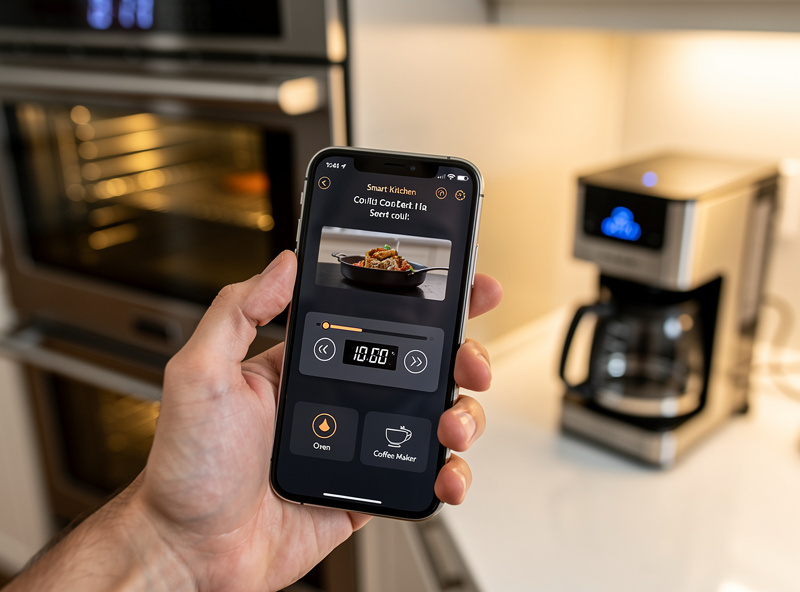
Alexa coverage is widest because Amazon has been the platform of choice for Whirlpool, GE Profile, Samsung, LG, Bosch, and most coffee/air-fryer brands since 2019. Google Home matches Alexa on the major-appliance brands but trails on coffee makers, scales, and air fryers. Apple Home lags badly on cooking appliances overall — refrigerator support exists from LG and Samsung 2023+ models but cooking devices remain rare. Matter (the cross-vendor standard) covers some 2025-2026 model-year refrigerators and a handful of multi-cookers but has not yet penetrated coffee, air fryers, or sous vide.
If you already own Echo speakers, optimise for Alexa. If you live in a Pixel/Nest household, Google Home appliances behave identically. If your home runs on HomeKit, you will need to accept that most kitchen automation routes through Siri Shortcuts and a third-party hub like Home Assistant — and you should weight refrigerators (which have native Apple support) higher than other smart kitchen categories.
Three Smart Kitchen Build Budgets
The single biggest mistake with smart kitchen buying is trying to replace all nine categories at once. Layering — pick the highest-friction category first, learn the app, then add the next — keeps spend manageable and prevents three apps you never open.
| Budget Tier | Total Spend | Recommended Build | Friction Eliminated First |
|---|---|---|---|
| Starter ($300-$500) | $329-$478 | Smart air fryer ($129) + smart kitchen scale ($49) + smart sous vide ($149) + smart bulb pack for under-cabinet lighting ($50) | Daily cooking guesswork, portion accuracy |
| Mid-tier ($1,000-$1,800) | $1,096-$1,749 | Above + smart coffee maker ($249) + smart pressure cooker ($179) + smart faucet ($389) + smart plug for slow cooker ($25) | Morning routine + every meal in under 30 min |
| Full Kitchen ($4,500-$8,000) | $4,996-$7,895 | All starter + mid items + smart oven ($1,499) + smart dishwasher ($849) + smart refrigerator ($2,899) | Whole-meal automation, energy monitoring |
The Starter build is the one to start with regardless of available budget. Three appliances, three apps, three weeks of testing. If you keep using all three after a month, the value is real for you and the next tier is justified. If one of the three sits unused, you have just saved yourself the painful upgrade and you know which categories matter for how you actually cook.
How Smart Kitchen Appliances Pay Back the Premium
Smart kitchen appliances cost 25-60% more than their non-connected siblings. The payback comes from three places — energy savings for the appliances that actually support time-of-use scheduling (mainly dishwashers and refrigerators, and only if your utility offers off-peak pricing worth chasing), fewer “is the cycle done?” check-ins (a push notification instead of walking to the kitchen or listening for a beeper), and fewer wasted ingredients (door-ajar alerts catch a fridge left open before the milk goes warm, and an inside camera cuts down on buying a duplicate of something you already have).
For appliances with no energy or food-waste mechanism — air fryers, sous vide, scales, kitchen faucets — the value is purely time and convenience. Decide whether the daily friction matters to you before paying the premium. The answer is rarely the same for any two households.
Connected Cooking: How a Smart Kitchen Routine Actually Looks
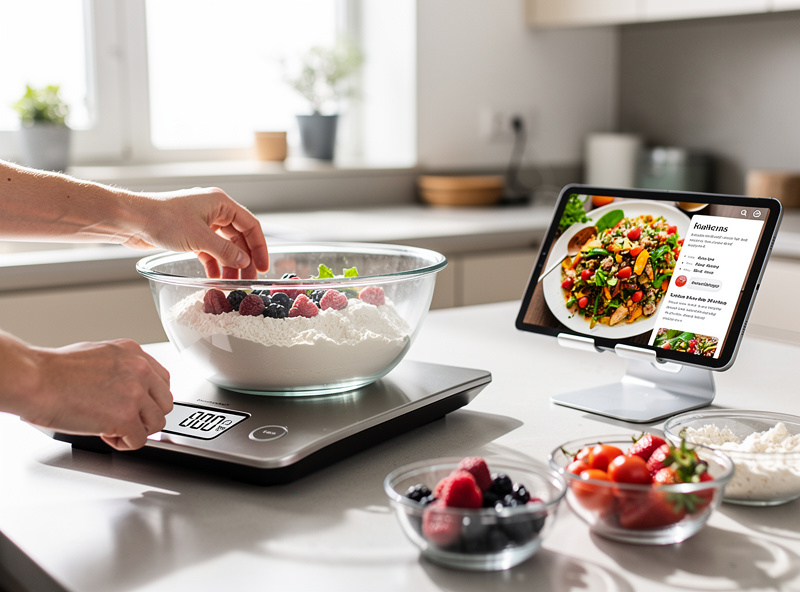
A working smart kitchen does not feel like nine separate apps — it feels like one routine that handles morning coffee, dinner prep, and post-meal cleanup with two or three voice commands. The example below is a real morning routine from a 4-person household using Alexa, an Anova sous vide, a Spinn coffee maker, a Cosori air fryer, and a Whirlpool smart oven.
6:45 AM — Alexa morning routine triggers: “Start coffee,” brews 28 oz medium-strong via the Spinn app schedule. Smart oven preheats to 375°F for breakfast pastries. Smart bulb under-cabinet lights ramp from 0 to 60% over 90 seconds.
4:15 PM — From the office, you tap “start sous vide” in the Anova app at 134°F (medium-rare steak). Bag goes in the bath at 5:00 PM when you walk in.
6:30 PM — You tell Alexa “set air fryer to broccoli for 8 minutes.” The Cosori app pushes the bake program; the timer pings on every household phone when the cycle ends. Sous vide steak finishes its 90-minute cook; you sear in a hot pan for 60 seconds per side and serve.
8:30 PM — Smart dishwasher gets the night’s load; you tell it “delay start 4 hours” so it runs at 12:30 AM during off-peak energy pricing. Coffee maker sets the next-morning brew automatically based on the schedule. Smart refrigerator pings to remind you that the milk you bought last Tuesday has 36 hours of freshness left.
The total time spent operating apps and voice commands across that routine is approximately 90 seconds. The total time saved versus a non-connected equivalent — preheating, monitoring, and remembering — is closer to 35 minutes.
Smart Kitchen Hub: Do You Need One?
For most households the answer is no. Alexa Echo or a Google Nest Hub Max sitting on the kitchen counter handles voice control for every smart kitchen appliance worth buying. A dedicated hub like Home Assistant on a Raspberry Pi or a SmartThings Station only earns its keep when you start chaining cross-category routines (e.g., refrigerator door-ajar opens the smart-window air vent, smart oven preheating turns on the smart range hood) — that level of automation suits enthusiasts and is overkill for the typical 3-5 connected appliance kitchen.
If the kitchen is your only smart-home zone, skip the hub conversation entirely and use the Echo or Nest Hub you already have. If you are building toward whole-home automation, see the deeper coverage in the smart home hub deep-dive.
Installation, App Setup, and the First-Week Reality Check
Every smart kitchen appliance ships with a 30-90 minute first-time setup that includes app download, account creation, Wi-Fi pairing, firmware update, ecosystem linking, and routine testing. Plan one appliance per evening — the pain of trying to set up three at once is what kills smart-kitchen projects.
The single most reliable predictor of whether you will keep using a smart kitchen appliance after week 4 is whether the app push notifications are actually useful in week 1. A smart air fryer that pings “cycle complete” 8 times a week earns its place; a smart fridge that pings “door has been ajar for 30 seconds” once a month earns its place. A smart coffee maker that pings nothing because you brew on the same schedule every day might be perfectly fine — but you should know that the connected feature does not earn its keep, and the next coffee maker you buy can be the cheaper non-connected version.
What to Check Before Buying Any Smart Kitchen Appliance
Six checks that take 10 minutes online before you click “buy” will eliminate roughly 90% of the regret cases that show up in 1-star reviews. Run them on every smart kitchen appliance regardless of price tier or brand reputation.
App store rating, last 6 months only. Average all-time ratings hide recent app updates that broke remote control. Filter to “most recent” and read the last 30 reviews on both iOS and Android. A 4.6-star average with 1.8-star recent reviews means a launch-quality app that has degraded — common on smart fridges and dishwashers after major firmware pushes.
Ecosystem support page on the brand website. Every reputable smart-appliance brand publishes a list of supported voice assistants and Matter status. If you cannot find it in 60 seconds, the support is probably weak. Look for explicit “Works with Alexa,” “Works with Google Home,” or Matter logo certifications.
Cycle-count or part-warranty terms. Cooking appliances quietly deteriorate after 3-5 years of heavy use. Connected models with manufacturer telemetry can flag wear (e.g., dishwasher pump efficiency, oven element resistance) before failure — but only if the warranty covers parts long enough to matter. A 1-year app warranty on a $1,500 oven is a red flag.
Account-level account export and delete options. A privacy-respecting brand lets you export your usage data and delete the account from inside the app. If you have to email customer service to delete your data, the brand probably treats that data as more valuable than your privacy.
Active firmware-update cadence. Check the brand’s support pages or community forum for recent firmware release notes. Brands shipping firmware updates every 2-4 months are committed to the product; brands with no firmware updates in 18 months have moved on.
Routine compatibility with your existing setup. If you already have an Alexa-driven smart-home routine, confirm the new appliance can be triggered by a routine, not just start a routine. The difference is whether your “good morning” Alexa command can actually start the coffee — or whether you have to start the coffee separately and then say “good morning.”
Five Mistakes That Kill Smart Kitchen Projects
Across owner forums, smart-kitchen Reddit threads, and product-review aggregations, the same five mistakes show up repeatedly in 1-star reviews and “I gave up” posts. Avoiding them is roughly 80% of the difference between a smart kitchen that gets used daily and one that gets unplugged after three weeks.
1. Buying nine appliances on the same weekend. Setup is the hardest part. New owners who set up three or more smart appliances in a single weekend almost always lose interest, because each one demands an account, an app, a Wi-Fi pairing, and 20 minutes of trial-and-error to learn the routine vocabulary. Layer one per week.
2. Using the appliance brand’s own hub instead of Alexa or Google Home. Whirlpool, Samsung, and LG all push their own kitchen-hub apps. They work, but they only control that brand. The moment you add a non-matching coffee maker or air fryer, you have two apps for one routine. Centralise on Alexa Routines or Google Home from day one.
3. Skipping the firmware update at first power-on. Most launch firmware ships with known cycle-detection bugs that get fixed within 60-90 days. Owners who skip the update notification at first setup spend the next year wondering why the app sometimes shows the wrong cycle status. Update before you cook.
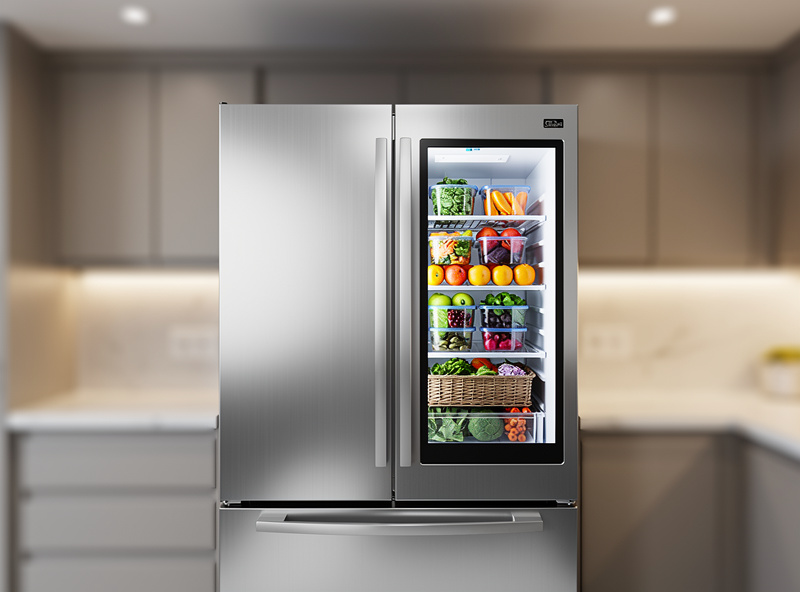
4. Trusting the inside-fridge camera as a grocery list. Smart-fridge inside cameras (Samsung Family Hub, LG InstaView) are useful for “do I need milk?” check-ins from the store. They are not useful as a real-time inventory because front items block back items, and the camera does not see drawers. Treat them as a quick-glance tool, not an inventory database.
5. Ignoring local-network mode. Most smart kitchen appliances default to cloud-only operation, meaning every voice command and timer push routes through the manufacturer’s servers. Apps like Anova, Spinn, and most Bosch/Samsung products offer a “local network” mode that keeps commands on your Wi-Fi — faster response, no internet outage downtime, and significantly less data sent to vendor servers. Turn it on if available.
Privacy and Data: What Smart Kitchen Appliances Actually Send
Connected kitchen appliances generate three categories of data that leave your home: telemetry (cycle counts, error codes, runtime metrics), usage patterns (which programs you ran, when, for how long), and — for smart fridges with inside cameras and smart faucets with voice activation — image and audio captures. Vendor privacy policies vary widely on what is stored, for how long, and whether it is used for marketing.
Data practices vary a lot by brand, and the FTC’s IoT privacy guidance flags exactly the kitchen-specific risk worth knowing: a smart fridge’s door sensor and inside camera can reveal when people eat, what they buy, and how often — data most shoppers never think to ask about. Established major-appliance brands generally publish clearer privacy policies and more opt-out controls than white-label countertop gadgets (the generic re-badged air fryers and coffee makers sold under a dozen different Amazon storefronts), which tend to have thin, vague, or outright missing privacy documentation. Read the actual policy for the specific model you’re buying rather than assuming brand reputation predicts it.
Practical mitigation: read the privacy policy before account creation, opt out of marketing-data sharing in every app’s settings menu, disable inside-camera streaming on smart fridges except when you actively want to use the feature, and put smart kitchen appliances on a guest Wi-Fi network or IoT VLAN where they cannot reach your laptops, phones, or NAS. None of these steps eliminate data collection, but together they reduce your exposure to roughly the same level as using a non-connected appliance plus a smartphone.
How I Actually Run Kitchen Appliances Through Home Assistant
Almost none of my nine kitchen categories talk to Home Assistant the way my sensors and relays do — most of them are cloud-app-only with no local API, which is exactly the tradeoff I complain about in every other room of the house. The ones I’ve gotten onto my own network are the boring ones: a Zigbee smart plug behind the coffee maker so a morning routine can cut power to it entirely overnight (dumb standby-power drain, not a smart feature), and a similar plug on the slow cooker so I can confirm from my phone that it’s actually powered on before I leave for the day. Neither device is “smart” in the manufacturer sense — the automation lives on my relay, not in their app.
The one category where native local control is starting to show up is ovens, now that Matter 1.3 defines an oven device type — a Matter-certified oven can, in principle, join your existing Thread or Wi-Fi Matter fabric and show up as a real entity in Home Assistant instead of living behind a separate cloud app. I haven’t replaced my own oven yet, but it’s the first kitchen appliance category I’d actually trust to integrate into an automation rather than just remote-control from its own app. Refrigerators, dishwashers, and coffee makers don’t have a Matter device type as of this writing, so budget for a cloud app on those regardless of how “smart home ready” the marketing copy claims.
When a Dumb Appliance Is Still the Right Answer
Not every kitchen task benefits from connectivity, and it’s worth saying plainly since this whole guide is otherwise a case for the smart versions. A slow cooker, a kettle, and a basic toaster do one mechanical job with no meaningful “away from home” use case — you’re standing in the kitchen when you use them anyway, so a phone app adds an account, a firmware update cycle, and a new attack surface for approximately zero convenience. The categories worth paying the smart premium for are the ones with either genuine unattended run time (ovens, sous vide, dishwashers) or high daily touch frequency (faucets, coffee makers) — everything else is a company asking you to trade privacy and setup time for a feature you’ll stop using inside a month. If you’re not sure which bucket a specific purchase falls into, ask whether you’d ever actually use the app away from the kitchen; if the honest answer is no, buy the appliance without the chip.
Troubleshooting a Kitchen Appliance That Won’t Stay Connected
The single most common complaint in kitchen-appliance owner threads isn’t a broken motor or a bad heating element — it’s an appliance that connects fine at setup and then silently drops off Wi-Fi weeks later. Almost every time, the actual cause is one of three things: the appliance is on the 2.4GHz band and something changed on your router’s channel or band-steering settings, the appliance’s Wi-Fi module went into a low-power sleep state after a firmware update and needs a full power cycle (unplug at the wall, not just app-side restart) to re-associate, or your router’s DHCP lease expired and handed the appliance a new IP the app’s cached connection doesn’t know about. Before assuming the unit is defective, power-cycle the appliance itself, then the router, in that order — most “stopped working” tickets resolve at that step.
Put your kitchen appliances on their own SSID or VLAN if your router supports it, the same way I handle every other IoT device in the house. It isn’t just a security habit — noisy chatter from a dozen device types crammed onto one flat network is a real contributor to random disconnects, and isolating IoT traffic tends to fix “randomly drops offline” complaints that people otherwise blame on the appliance. If an appliance still won’t hold a connection after a power cycle and a fresh Wi-Fi handshake, check the brand’s support forum for a known firmware regression before returning the unit — cloud-dependent appliances are exactly the category most likely to break after a bad update, and just as likely to get fixed by the next one.
As an Amazon Associate I earn from qualifying purchases.
Frequently Asked Questions
What is the best smart kitchen appliance to buy first?
Start with a smart air fryer ($79-$329) or smart sous vide ($129-$249). Both have low setup friction, deliver immediate cooking-time payoff, and let you learn how a single connected-appliance app behaves before you commit to a $1,500+ smart oven. Smart faucets (used 30+ times daily) deliver the highest per-touch convenience for households where someone cooks at home most nights.
Do smart kitchen appliances actually save energy?
Only for the categories that support time-of-use scheduling, mainly dishwashers and refrigerators, and only if your utility’s off-peak rates make the shift worthwhile. Coffee makers, air fryers, and sous vide circulators save essentially zero energy because they run for fixed cycles regardless of connectivity — the connected feature there is about convenience, not power savings.
Are smart kitchen appliances worth the extra cost?
They are worth it for the 1-2 categories you use multiple times daily. Smart faucets (20-50 uses/day) and smart coffee makers (1-3 uses/day) earn the premium fast. Smart pressure cookers, smart sous vide, and smart air fryers (used 1-5 times per week) deliver convenience but rarely justify a 50%+ premium over the dumb equivalent unless the recipe-push feature genuinely matches how you cook.
Which smart kitchen ecosystem should I pick — Alexa, Google, or Apple Home?
Alexa has the widest smart kitchen coverage of the three. Google Home matches Alexa on major appliances but trails on countertop devices like coffee makers, scales, and air fryers. Apple Home covers smart refrigerators (LG, Samsung 2023+) but very few cooking appliances — Apple-Home households often need a third-party bridge like Home Assistant for voice control.
Can I control smart kitchen appliances when I am away from home?
Yes — every smart kitchen appliance worth buying offers remote control through its companion app over the internet. Common away-from-home use: starting a coffee brew 10 minutes before you arrive, preheating the oven on your commute home, checking the fridge inside-camera before grocery shopping, and adjusting sous vide finish time when meetings run late.
Are smart kitchen appliances safe from being hacked?
Risk is low when you follow basic hygiene: change default passwords, isolate IoT devices on a separate Wi-Fi network or VLAN, keep firmware updated through the app, and disable any feature you do not use (especially open camera streaming on smart fridges). The most common compromise vector for kitchen appliances in 2024-2025 was reused passwords and unpatched firmware on 4+ year old units, not zero-day exploits.
How long do smart kitchen appliances stay supported by their apps?
No manufacturer publishes a guaranteed app-support timeline the way they do a parts warranty, but major appliance brands (Samsung, LG, GE, Whirlpool, Bosch) generally have a stronger track record than countertop brands. Anova, Cosori, Breville, and Spinn have all maintained app support for years on launched products, but smaller white-label brands have abandoned apps after 2-3 years. Check owner forums for how a specific model has actually held up before assuming a brand name equals long support.
Related Guides — Each Smart Kitchen Category
- Smart Oven Buyers Guide 2026: 4 Tiers Compared
- Smart Coffee Maker Buyers Guide 2026
- Smart Refrigerator 2026: 4 Tiers Compared
- Smart Dishwasher Buyers Guide 2026
- Smart Air Fryer Buyers Guide 2026
- Smart Sous Vide Buyers Guide 2026: Anova vs Joule
- Smart Kitchen Scale 2026: Recipe, Macro, Coffee Picks
- Smart Pressure Cooker 2026: Instant Pot vs CHEF iQ
- Smart Faucet Buyers Guide 2026
Related Articles
- Smart Home for Beginners: Complete 2026 Setup Guide
- Best Smart Thermostats 2026
- Best Smart Home Energy Management Systems
- Voice Assistants & Smart Home Protocols Guide
- Best Smart Home Accessories 2026