Smart Device Keeps Disconnecting From WiFi? Read the Pattern
A WiFi smart device that connects fine and then keeps dropping is a different problem from one that won’t connect at all — and it’s almost always the network underneath it, not the device. The intermittent disconnect is the most maddening fault in the smart home precisely because the device works when you go to check it. The pattern is the clue: when it drops, how often, and which devices, tells you exactly which network problem you’re fighting.
This is how I track down a device that joins happily and then won’t stay joined — the recurring drop, not the failed first connection.
Connecting Fine but Dropping: A Network Story
If a device can connect at all, it has working WiFi credentials and a compatible radio — so a device that joins and then drops isn’t a setup problem, it’s a stability problem. Setup faults look different: a device that never connects is usually wrong credentials, a 2.4 GHz-only radio that can’t see your network, or a device that was never put into setup mode. A device that connects and then disconnects repeatedly has cleared all of those hurdles and is failing on something that changes over time — signal, congestion, IP leases, or power management. That distinction tells you where to look.
The first thing I establish is the pattern. Does it drop at a regular time of day? Only when something else is running? Only in one room? Across all WiFi devices or just one? Each pattern points at a different cause, and nailing the pattern is most of the diagnosis. An intermittent fault that you can tie to a trigger — a time, a location, another device — is half-solved, because you’ve turned “it randomly disconnects” into “it disconnects when X happens,” and X is usually fixable.
Marginal Signal: Fine Until It Isn’t
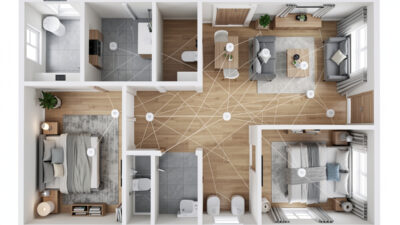
The most common cause of repeated drops is a device living right at the edge of usable signal. It has just enough to connect when conditions are good, then loses the connection the moment anything degrades — a door closes, someone stands in the path, the neighbor’s WiFi gets busy, the microwave runs. The device that “works most of the time but keeps dropping in the back bedroom” is a coverage story, and no amount of resetting the device changes the physics of a weak signal.
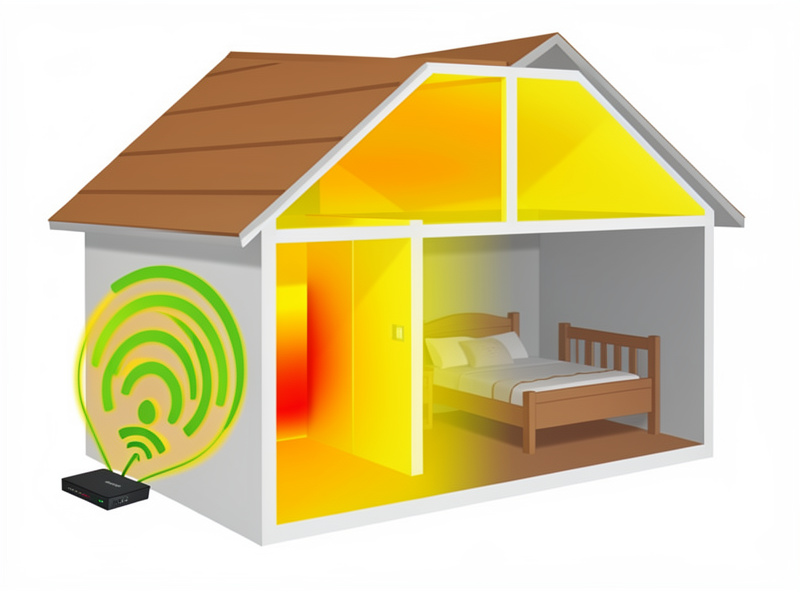
The fix is to improve coverage where the device lives, not to fight the device. That can mean repositioning the access point, adding a mesh node to fill the gap, or moving the device a little closer to better signal. If several devices in the same area all drop, you’ve confirmed a dead zone rather than a device fault. This is the one disconnect cause where the answer is genuinely about the network’s reach, and it’s worth fixing properly because a marginal device will keep dropping forever otherwise.
Band Steering and the 2.4 GHz Trap
A particularly sneaky disconnect pattern comes from band steering. When your router advertises 2.4 GHz and 5 GHz under one network name, it tries to move devices between bands for performance — but cheap IoT devices are usually 2.4 GHz only, and when the router tries to steer them onto 5 GHz, they drop. The device connects on 2.4 GHz, works, then gets nudged toward a band it can’t use and falls off, often repeatedly. The result is a device that disconnects on the router’s schedule rather than anything you did.
The clean fix is to give the IoT devices their own dedicated 2.4 GHz network name, separate from the steered combined network, so nothing tries to move them. This single change resolves a whole category of “keeps disconnecting” complaints, especially when the affected devices are all the cheaper WiFi kind and the drops started after a router upgrade. If your disconnects line up with a new router or a firmware change on the router, band steering is the prime suspect.
The Changing IP and DHCP Lease Drop
Another recurring-drop pattern comes from DHCP lease handling. Every device gets an IP address on a lease, and when that lease expires the device renews it — and on some networks the renewal hiccups, the device briefly loses connectivity, or it gets a different address that breaks anything expecting the old one. If your device drops at a fairly regular interval that matches your router’s lease time, the lease renewal is the likely culprit. The fix is a DHCP reservation that pins each important device to a fixed address, so renewal is a non-event.
Reserved IPs are one of those quiet reliability upgrades that prevents problems you’d otherwise spend hours chasing. They also fix the related issue where an automation or app loses track of a device because its address moved — the device is online and fine, but everything pointing at its old address thinks it’s gone. Pinning addresses removes that whole class of intermittent, hard-to-reproduce faults, which is exactly the kind that drives people to pointless resets.
Power Saving and Cheap Hardware
Some disconnects come from inside the device. Aggressive WiFi power-saving modes can make a device go quiet to save energy and then fail to wake the connection cleanly, dropping off until something pokes it. Cheap devices with marginal WiFi chips are also simply more prone to dropping under any stress — heat, congestion, a busy router — than better-built ones. This is the one case where the device genuinely is the weak link, and the honest answer is sometimes that a persistently flaky cheap device is the wrong tool, and replacing it with a better-built one ends the problem for good.
Before condemning the device, though, rule out the network causes above, because the network is the culprit far more often than the hardware. I only conclude “it’s the device” after coverage, band steering, and IP leases are clean and the device still drops — and even then, if I can move that function onto a local-control device on a mesh radio instead of relying on a flaky cloud-WiFi gadget, I will. A function that matters shouldn’t hang on a device that won’t stay connected.
Stop the Reset Reflex on Intermittent Drops
The worst thing you can do with a device that keeps disconnecting is keep resetting it, because a reset addresses the device and the problem is almost always the network. You’ll reset, it’ll connect, it’ll work for a while, and it’ll drop again — and you’ll have learned nothing while wasting time. Intermittent disconnects are network detective work: find the pattern, match it to a cause (signal, steering, lease, power-saving), and fix that cause once. A device that stops dropping after a network fix stays fixed; a device that stops dropping after a reset was never really fixed at all.
The reassuring part is that “keeps disconnecting” has a small number of usual causes, and the pattern narrows them fast. A device that drops in one room is coverage. A device that drops after a router change is band steering. A device that drops at regular intervals is a lease. A device that drops under load is congestion or a weak chip. Read the pattern, and the maddening random fault becomes a specific, fixable one — usually without buying anything more than the right network hygiene.
Frequently Asked Questions
Why does my smart device connect but keep disconnecting?
A device that connects then drops isn’t a setup problem — it cleared that hurdle — it’s a stability problem in the network. The usual causes are marginal signal at the edge of coverage, band steering pushing a 2.4 GHz device toward 5 GHz, DHCP lease renewals, or congestion. Find the pattern of when it drops to identify which one.
My device only drops in one room. What’s wrong?
That’s a coverage problem. The device has just enough signal to connect when conditions are good, then drops when anything degrades — a door closes, the band gets busy. Improve coverage in that area with a repositioned access point or a mesh node, or move the device closer to signal. Resetting it won’t change the physics.
My smart devices started disconnecting after a new router. Why?
Most likely band steering. A router advertising 2.4 GHz and 5 GHz under one name tries to move devices between bands, but cheap IoT devices are 2.4 GHz only and drop when steered. Give the IoT devices a dedicated 2.4 GHz network name so nothing tries to move them.
Why does my device drop at the same time every day?
That regular interval usually matches your router’s DHCP lease time — the device’s lease renews and the renewal hiccups or hands it a new address. A DHCP reservation that pins each important device to a fixed IP makes lease renewal a non-event and stops the scheduled drops.
Should I just reset a device that keeps disconnecting?
No. A reset addresses the device, but intermittent drops are almost always the network. You’ll reset, it’ll work briefly, and it’ll drop again. Identify the pattern — room, time, after a router change, under load — match it to a cause, and fix that. A network fix sticks; a reset doesn’t.
Related Guides
- Smart home troubleshooting: the diagnostic order — where recurring drops fit in the method.
- How to fix WiFi dead zones — the coverage fix for one-room drops.
- 2.4GHz vs 5GHz for IoT — the band-steering problem in depth.
- Separate WiFi network for IoT — the dedicated 2.4 GHz network that stops steering drops.
- Smart plug not connecting to WiFi — the connect-failure cousin of this problem.
- Smart device keeps going offline — the broader offline diagnosis.