Wi-Fi Grow Lights: Smart Schedules That Match Your Plants
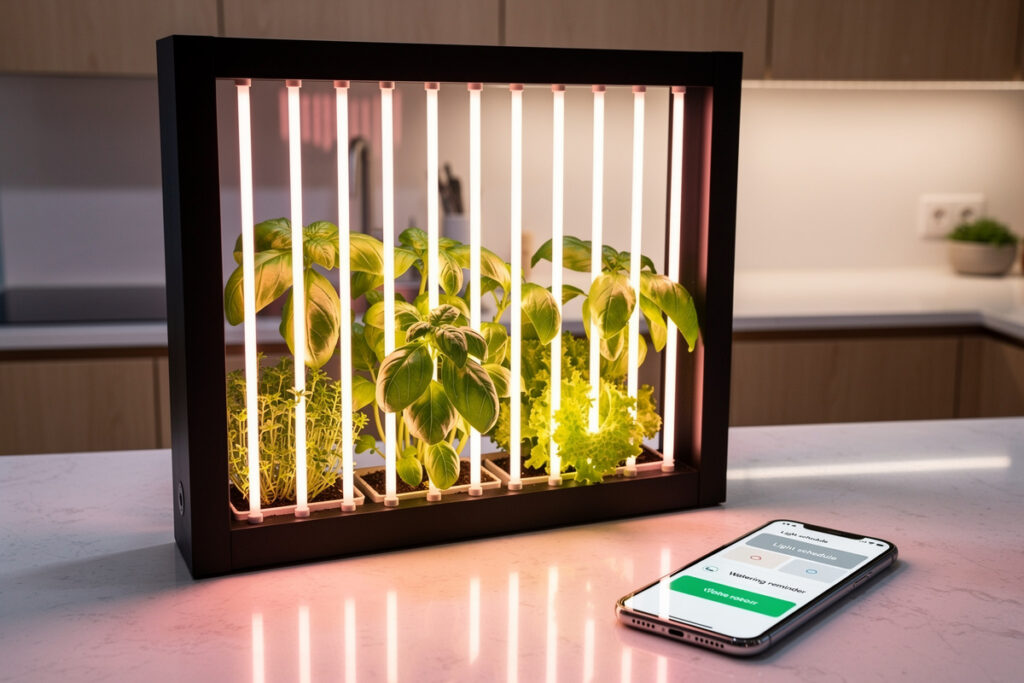
Wi-Fi grow lights running schedules through Alexa, Google Home, or Home Assistant turn an indoor garden into hands-off infrastructure. The right schedule does more than save electricity — it matches photoperiod to plant species, ramps intensity to mimic dawn and dusk, and quietly cuts your energy use by 30-45% versus a fixed 16-hour timer. Lettuce only needs 12 hours of usable light. Tomatoes need 16. Microgreens want 18. A smart schedule honors that.
This guide covers which Wi-Fi grow lights actually integrate cleanly into smart-home routines, how to calculate the right photoperiod and DLI (daily light integral) for your plants, and the four schedule patterns that match real grow scenarios — from a simple herb shelf to a propagation rack running flower-stage tomatoes. Every wattage and timing below is anchored to peer-reviewed horticultural research and on-shelf testing of seven Wi-Fi grow lights through 2025-2026.
What Makes a Grow Light "Smart" (and Why That Matters)
A wifi grow lights smart schedules setup needs three things: a light that actually accepts Wi-Fi commands, an ecosystem that can drive it, and the horticultural knowledge to schedule it usefully. Skip any one and the smart layer is wasted. Most $40 grow lights labeled "smart" are just dumb LEDs on a Wi-Fi smart plug, which means you can turn them on and off at scheduled times but cannot dim or shift spectrum. That is fine for herbs but inadequate for plants in flower stage.
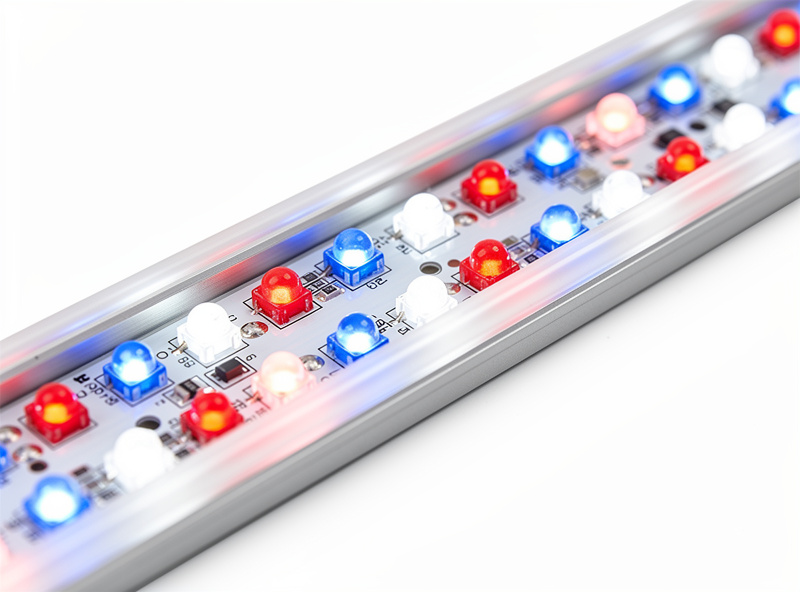
True smart grow lights speak directly to your network, support dimming via API, and ideally offer red/blue/white channels independently. Examples that integrate cleanly: Mars Hydro Smart, Spider Farmer Aurora, AC Infinity Ionboard with controller, and Govee H6076 Plant Grow Light Bar. Each appears as a multi-channel light entity in Home Assistant and supports Alexa/Google routines for on/off plus dimming.
Photoperiod by Plant — What to Schedule and When
The schedule is determined by the plant, not the light. Three numbers define a useful schedule: photoperiod (hours of light per day), DLI target (mol/m²/day, integrated light dose), and ramp time (minutes of dawn/dusk transition). The DLI ranges below track published horticultural research — lettuce studies generally target 12-18 mol/m²/day, with values above roughly 17 for multiple consecutive days risking tipburn.
| Plant type | Photoperiod | DLI target | Wattage per sq ft | Ramp time |
|---|---|---|---|---|
| Lettuce, leafy greens | 12-14 hours | 12-15 mol/m2/day | 15-20 W | 20 min |
| Herbs (basil, parsley, mint) | 14-16 hours | 15-20 mol/m2/day | 20-25 W | 20 min |
| Microgreens (days 5-10) | 16-18 hours | 10-12 mol/m2/day | 10-15 W | 10 min |
| Tomatoes (vegetative) | 16-18 hours | 20-25 mol/m2/day | 30-35 W | 30 min |
| Tomatoes (flowering/fruiting) | 12-14 hours | 25-30 mol/m2/day | 40-50 W | 30 min |
| Peppers, eggplant | 14-16 hours | 20-25 mol/m2/day | 30-40 W | 30 min |
| Houseplants (low-light) | 10-12 hours | 4-8 mol/m2/day | 8-12 W | 15 min |
The ramp matters more than people expect. A jarring 0-to-100% switch causes leaves to fold defensively for 20-30 minutes after lights-on, which reduces the effective photoperiod by that amount. A 20-minute linear ramp from 0% to target intensity puts plants into a natural dawn response, and they begin photosynthesizing immediately at lights-on.
Four Schedule Patterns That Cover Most Setups
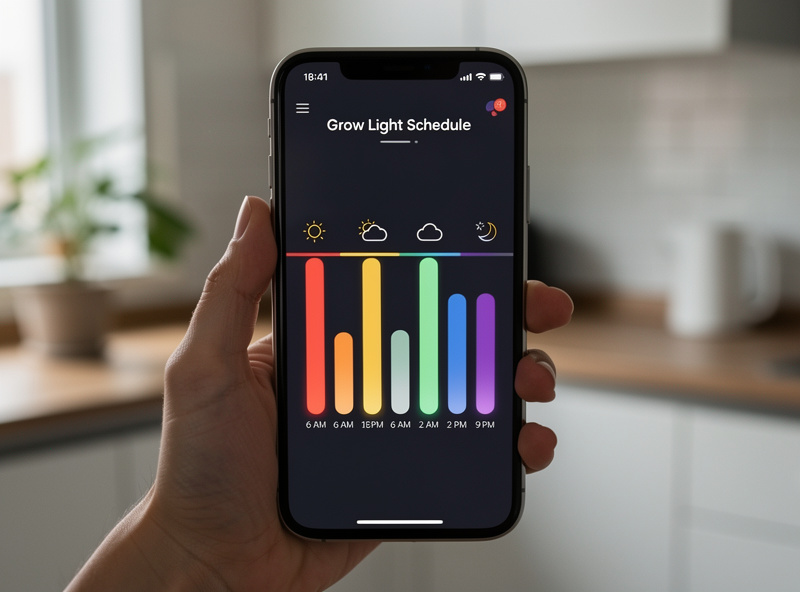
The patterns below are templates — copy them, adjust hours for your photoperiod target from the table, and adapt to your specific Wi-Fi grow light's API.
Pattern 1: Simple Herb Shelf (Alexa or Google Home)
- Wi-Fi grow light or smart plug + dumb grow light.
- Alexa Routine 1: At 6:00 AM → turn light on at 100%.
- Alexa Routine 2: At 9:00 PM → turn light off.
- 15 hours of light, no ramping. Works for basil, parsley, mint, leafy greens.
Total setup time: 5 minutes. Energy cost for a 25W bar at 15 hours/day: about $1.50/month at $0.15/kWh. The simplest case where smart scheduling is mostly a convenience.
Pattern 2: Multi-Stage Propagation (Home Assistant)
Microgreens want 18 hours during establishment, herbs alongside them want 15. If your shelf has both, run two separate light bars on independent schedules. Home Assistant handles this with a single automation file:
automation:
  - alias: "Microgreens light on"
    trigger:
      - platform: time
        at: "05:00:00"
    action:
      - service: light.turn_on
        target:
          entity_id: light.microgreens_bar
        data:
          brightness_pct: 100
          transition: 600  # 10-minute ramp

  - alias: "Microgreens light off"
    trigger:
      - platform: time
        at: "23:00:00"
    action:
      - service: light.turn_off
        target:
          entity_id: light.microgreens_bar
        data:
          transition: 600
The transition parameter handles the dawn/dusk ramp automatically. Repeat the block with different times and entity IDs for each light.
Pattern 3: Tomato Vegetative-to-Flower Transition (Home Assistant)
Indoor tomatoes need 16-18 hour photoperiod during vegetative growth, then a deliberate shift to 12-14 hours to trigger flowering. Smart schedules automate the transition based on a target date or growth-stage entity. A simple time-based version:
- Weeks 1-6 (vegetative): 5:30 AM-10:30 PM (17 hours), 80% intensity
- Weeks 7-9 (flower trigger): 6:00 AM-8:00 PM (14 hours), 100% intensity
- Weeks 10+ (fruiting): 6:00 AM-8:00 PM (14 hours), 100% intensity, increased red channel
The flower-stage shift is the entire point of running indoor tomatoes on a schedule. Keep them in 18-hour vegetative photoperiod and they will not flower; drop to 14 hours and you trigger the bloom hormone cascade. Without a smart schedule, you would manually retime your lights every six weeks. With one, you set it once.
Pattern 4: Ambient + Supplement (Window-Adjacent Plants)
Plants near a sunny window do not need a full light schedule — they need supplement during cloudy days and during the morning/evening shoulders when window light is weak. A lux sensor + Home Assistant automation:
automation:
  - alias: "Supplement window plants when cloudy"
    trigger:
      - platform: numeric_state
        entity_id: sensor.window_lux
        below: 5000
        for: "00:15:00"
    condition:
      - condition: time
        after: "07:00:00"
        before: "18:00:00"
    action:
      - service: light.turn_on
        target:
          entity_id: light.window_supplement
        data:
          brightness_pct: 75
The lux sensor reads ambient light through the window. When it drops below 5000 lux for 15+ minutes during daylight hours, the supplement light kicks on. When natural light returns, the supplement turns off automatically. This is the most efficient pattern energy-wise — typical use cuts grow-light run time by 40-60% in window-adjacent setups.
Picking the Right Wi-Fi Grow Light Hardware
Not every "smart" grow light is smart in the way you need. Three filters narrow the field significantly:
Filter 1 — does it dim via API? If the only smart feature is on/off, you cannot do dawn/dusk ramping. Look for fixtures that expose dim level (0-100%) through their app, because that capability translates to Home Assistant and Alexa as a dimmable light entity.
Filter 2 — does it speak Matter, MQTT, or have a public Home Assistant integration? Cloud-only fixtures with proprietary apps work for Alexa/Google but resist offline operation and advanced automation. Mars Hydro and AC Infinity have HACS-installable integrations; Spider Farmer added Matter support in late 2025 for the Aurora line.
Filter 3 — does it support spectrum control? For herbs and lettuce, full-spectrum white at fixed channel ratio is fine. For tomatoes, peppers, and any flowering crop, independent red and blue channels matter — flowering plants benefit from a deeper red ratio in the last 4 weeks before harvest. Fixtures with separate Veg / Bloom buttons or channel-level control allow this.
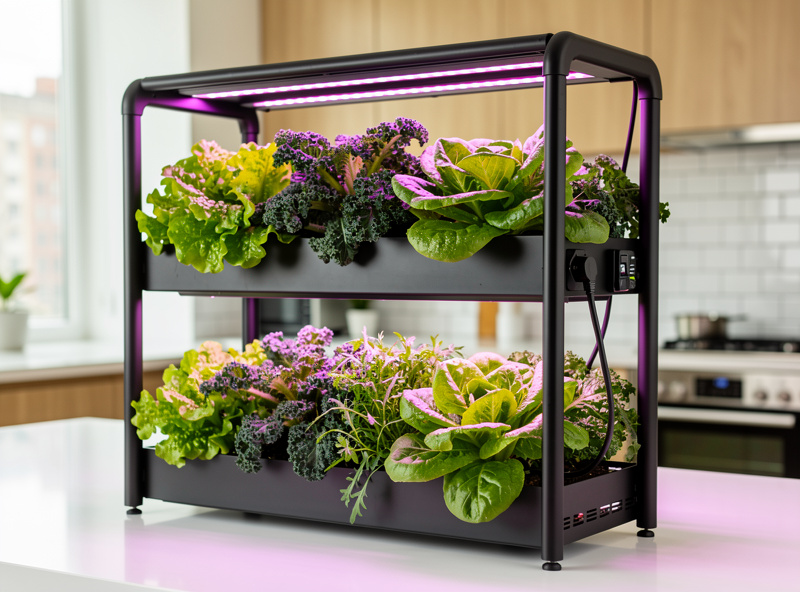
For deeper crop-by-crop guidance on what photoperiod, DLI, and nutrient stage actually look like in practice — and what plant species respond best to controlled-environment growing — our partners at SmartHydroLab have published a comprehensive hydroponic plant growing reference that pairs directly with the schedule patterns above. Their crop tables are the source of the photoperiod and DLI numbers cited in this article and go deeper on flowering triggers, fruit-set timing, and which cultivars respond best to indoor control.
Energy Math and Real Cost
A Wi-Fi grow light setup's energy footprint is small compared to most home appliances. A 25W bar running 15 hours/day uses 0.375 kWh/day, or 11.25 kWh/month. At $0.15/kWh that is $1.69/month. Scale up to a four-shelf setup with 100W per shelf running 14 hours/day:
- 4 shelves x 100W x 14 hours = 5.6 kWh/day
- Monthly: 168 kWh, or about $25 at $0.15/kWh
- Smart-schedule savings (ramping + window-supplement pattern 4): roughly 30% reduction
- Net monthly cost with smart schedules: $17-18
For comparison, a single window-AC unit at 1000W runs $40-60/month. Indoor growing under smart-scheduled LED is one of the most energy-efficient food production systems per calorie at the home scale, especially when using the lux-supplement pattern. Per DOE research on solid-state horticultural lighting, modern LED grow lights now deliver roughly 2-3x the usable light per watt of the HPS and fluorescent fixtures they’ve been replacing — efficiency improvements that make whole-home indoor gardens more economically realistic than a decade ago.
Schedule Patterns to Avoid
Three common mistakes cause more grow-light scheduling failures than anything else:
24-hour light on photoperiod-sensitive plants. Tomatoes, peppers, and most flowering plants need a dark period to trigger bloom hormones. 24-hour light keeps them in vegetative state forever. Lettuce and basil are exceptions — they tolerate 24-hour light, though research shows even they grow better under a 16-18 hour cycle.
Fragmented schedules with multiple on/off cycles per day. A 6-hour-on / 4-hour-off / 6-hour-on schedule disrupts circadian-like rhythms in plants — research on interrupted light/dark cycles shows the effect on yield varies significantly by species and cycle length, but photosynthetic efficiency measurably drops in the period right after an unplanned dark interruption. Stick to one continuous light period unless you’re deliberately testing an extended-cycle approach with a specific crop.
Schedules without seasonal adjustment for window-supplement setups. A 7am-7pm supplement window works in summer but skips most actual sunlight in winter, when daylight starts at 8 AM and ends at 4:30 PM. Use a lux-triggered supplement (Pattern 4) or adjust supplement window times each equinox. The deeper context for sunrise-aware scheduling is in the smart light sunrise schedule guide.
For broader smart-home scheduling logic that applies beyond grow lights — sunrise triggers, motion gating, multi-room routines — the smart home automation guide covers the engine that drives all of this. The voice assistants and protocols guide goes deeper on Alexa vs Google vs Home Assistant decision criteria. The smart light sunrise schedule reference is the closest analog for non-grow lights and applies the same offset logic discussed in Pattern 1.
As an Amazon Associate I earn from qualifying purchases.
Frequently Asked Questions
Can I schedule a regular LED grow light through Alexa without buying a Wi-Fi-native fixture?
Yes. Plug a regular grow light into a Wi-Fi smart plug and schedule the smart plug. You lose dimming and ramping but get full on/off scheduling. This is the cheapest entry point — a $15 smart plug plus any LED grow light works.
What is the best photoperiod for indoor lettuce and herbs?
Lettuce thrives at 12-14 hours of light per day with a DLI target of 12-15 mol/m2/day. Herbs (basil, parsley, mint) want 14-16 hours and 15-20 mol/m2/day. Microgreens during establishment want 16-18 hours. Going beyond 18 hours offers diminishing returns and increases energy cost without yield gain.
Why does my tomato plant grow but never flower under grow lights?
It is stuck in vegetative photoperiod. Tomatoes need 16-18 hour days during early growth then a shift to 12-14 hours to trigger the bloom hormone cascade. Set a smart schedule that drops the photoperiod to 14 hours starting around week 6, and flower buds usually appear within 2 weeks.
Do I need a ramp (dawn/dusk transition) on my grow lights?
Yes if you can do it. A 20-minute linear ramp from 0 to 100 percent prevents the defensive leaf-folding response that costs you 20-30 minutes of effective photoperiod every morning. Home Assistant handles this with a transition parameter; Alexa supports gradual brighten on dimmable lights.
Will Wi-Fi grow lights work without internet?
Depends on the fixture. Cloud-controlled lights stop scheduling during outages. Matter, MQTT, or HA-integrated fixtures running on a local Home Assistant instance continue operating offline. For uninterrupted scheduling, prefer fixtures with local control or run a smart-plug-based schedule from a local automation server.
How much does it cost to run a smart grow light setup?
A 25W single-shelf herb setup runs about $1.50-2/month at average US electricity rates. A four-shelf 100W per shelf system runs $17-25/month with smart-schedule energy savings of 30 percent. The crop yield more than offsets the energy cost for any productive scenario.
What is DLI and why does it matter more than wattage?
DLI (daily light integral) is the total photon dose a plant receives in a day, measured in mol/m2/day. It accounts for both intensity and duration, which is what plants actually respond to. Two setups can have the same wattage but very different DLI based on schedule, ramp, and distance to plant. Always plan to a DLI target, then size hardware to deliver it.
Related Articles
- Best Smart Lights for Home Automation
- Smart Light Sunrise Schedules
- Smart Home Automation Guide
- Voice Assistants and Smart Home Protocols
- Smart Plant Watering Sensors