Smart Blinds Guide: Local-Control Motorized Shades (2026)
Smart blinds are the automation upgrade I keep recommending first to anyone past the smart-plug stage, because they touch comfort, privacy, heat, and circadian light all at once. In my setup, every shade is an entity my hub can read and move, and the rules that drive them run locally on a Home Assistant box — so they keep working when the internet is down. That last part is the whole game. A well-tuned sun-load automation on a south-facing room flattens the afternoon temperature swing by 3-4°C and noticeably cuts cooling load.
I have spent years wiring window coverings into a local-first home automation system: roller shades on motors, cellular shades on battery tubular drives, a few cheap blinds I converted myself with a stepper and an ESP32, and curtains on a track motor. Some of that gear was worth the money and some of it taught me an expensive lesson about cloud-only devices. This guide is the map of the whole cluster — what to buy, what to convert, how to automate it, and which protocol to standardize on so the shades still listen when the manufacturer’s server has a bad day.
What “smart blinds” actually means
A smart blind is just a window covering with a motor and a radio that your hub can address as an entity. The covering can be a roller shade, cellular (honeycomb) shade, venetian blind, roman shade, or a curtain on a track — the “smart” part is the drive and the protocol, not the fabric. The cheapest version is a tubular battery motor inside a roller tube; the cleanest is a hardwired motor on a low-voltage transformer.
The decision that matters more than the brand is the radio. In my experience a shade you control over Matter-over-Thread, Zigbee, or Z-Wave behaves like a real part of the house — sub-second response, local control, schedules that survive an outage. A shade that only speaks to its own cloud app over Wi-Fi behaves like a gadget you rent. I run almost everything on Zigbee and Thread for exactly that reason, and I cover the radio tradeoffs in depth in my Zigbee vs Z-Wave vs Wi-Fi breakdown and the newer Matter explainer.
Why local control is the only rule that matters here
Window coverings are a daily, load-bearing automation: shades down at sunset for privacy, up at sunrise so the bedroom wakes naturally, a south-facing bank dropping automatically when the sun load spikes in July. When those run on a cloud round-trip, every one of them inherits the cloud’s latency and downtime. A blind that takes four seconds to acknowledge a tap, or refuses to move because a server is unreachable, fails the only test that counts: does it still work when the internet doesn’t?
The way I have it wired, the motor talks Zigbee or Thread to a coordinator on my hub, the hub runs the automation engine locally, and the cloud is optional. If my fiber drops, the sunset routine still fires off the hub’s own clock and my local sun calculation. That is the difference between a smart home and a pile of apps, and it is why I steer people toward hub-controlled shades over app-only ones even when the app-only one is cheaper up front. The reliability math is in my do-you-need-a-hub guide.
The cluster: where to go next
This hub is the overview. Each piece of the system has its own deep dive, and I would read them in roughly this order depending on where you are:
- Buying ready-made: my best smart blinds for 2026 rundown compares the motorized shades and blinds worth the money, by protocol and by use case.
- Going bigger or hardwired: the motorized window shades guide covers tubular vs. roller-tube motors, battery vs. wired, and sizing a drive to a heavy shade.
- Doing it cheap: my DIY smart blind conversion walks through motorizing dumb blinds with a stepper, an ESP32, and ESPHome for a fraction of retail.
- Curtains, not blinds: automating curtains with track motors and rod-driven openers is a different mechanical problem — covered separately.
- Making them actually smart: light and shade automation scenes is where the payoff lives — tying shades to sun position, presence, and lighting.
- The sensor layer: window sensors for home automation explains how contact and position sensors turn open/closed state into real triggers.
Protocols compared: how your shades should talk
This is the table I wish someone had handed me before I bought my first motorized shade. Range and battery numbers are typical real-world figures from running these radios on my own mesh, not lab maximums.
| Protocol | Local control | Typical battery life (shade motor) | Mesh / range | Best for |
|---|---|---|---|---|
| Matter-over-Thread | Yes (local by design) | 6-12 months on a tubular motor | Self-healing Thread mesh via border routers | New builds standardizing on Matter |
| Zigbee | Yes, with a coordinator | 6-12 months | Strong mesh through mains repeaters | Most DIY and hub-first setups |
| Z-Wave | Yes, with a controller | Up to 12+ months | Long range, low congestion (sub-GHz) | Thick walls, large homes |
| Wi-Fi (hub-bridged) | Sometimes (bridge-dependent) | Often wired or frequent charging | Per-device to the router, no mesh | One-off shades near the AP |
| Wi-Fi (cloud-only app) | No — cloud round-trip | Varies | Per-device, no mesh | Avoid for core automations |
If you take one thing from that table: pick the radio your hub already speaks. A perfect shade on a protocol you do not run is worse than a good shade on the radio your coordinator already manages. I standardized my coverings on Zigbee (managed through Zigbee2MQTT) and Thread so they share the mesh with my sensors and relays.
The shade types, and which ones automate well
Not every covering motorizes equally well, and the fabric you pick changes the mechanical problem. Here is how the common types behave once you put a motor on them, based on what I run and what I have helped friends install.
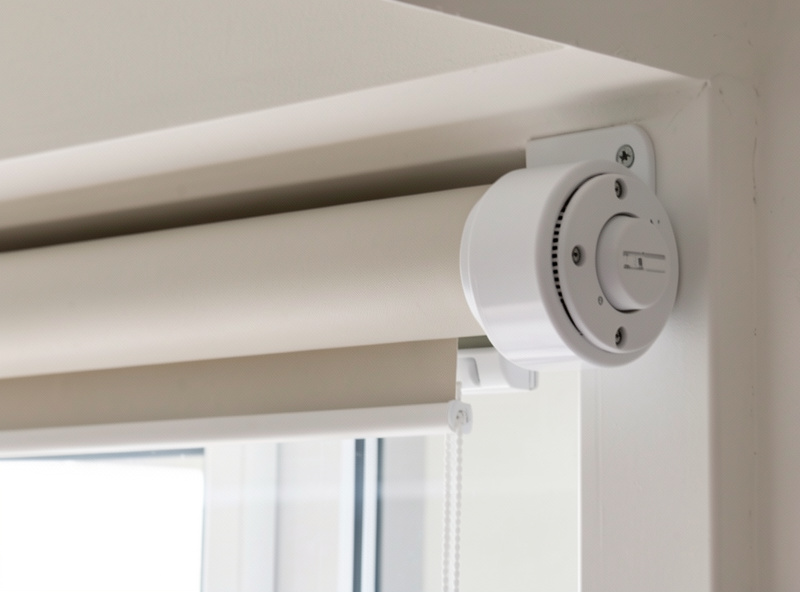
Roller shades are the easiest to automate and the cheapest to convert — a single tube, a tubular motor inside it, done. They are my default recommendation for a first motorized window because the drive is hidden, the mechanism is simple, and a retrofit motor turns an existing roller into a smart one in twenty minutes. Light-filtering or blackout fabric both work the same mechanically.
Cellular (honeycomb) shades are the ones I keep on the windows that actually matter for temperature. The honeycomb traps an insulating air pocket, so a motorized cellular shade dropping on sun-load does double duty — privacy plus a real R-value at the glass. They are heavier, so size the motor up; an underpowered drive will stall on a wide blackout cellular.
Venetian and horizontal blinds add a second axis: raise/lower and tilt. The good motorized versions expose tilt as its own entity, which is where the magic is — I tilt the slats to bounce daylight onto the ceiling without losing the view, instead of just dumping the shade down. This is also the type most worth a DIY conversion, because the tilt rod is easy to drive with a small stepper.
Roman shades and curtains are the heaviest and fussiest. Curtains I handle with a track motor rather than a tubular drive — a different build entirely, covered in the curtain automation guide and the automatic curtain opener roundup. Roman shades work but need a motor matched carefully to the lift weight.
Measuring, mounting, and the gotchas nobody warns you about
The single most common smart-shade regret I hear is a sizing or mounting mistake, not a software one. Measure the window opening to the millimetre and decide inside-mount versus outside-mount before you order — inside-mount looks cleaner but leaves light gaps at the edges that undermine a blackout shade for a nursery or a south bedroom. Outside-mount kills the gaps but needs wall or frame depth for the bracket and the motor housing.
Two gotchas specific to the smart version. First, leave the motor accessible: a battery tubular you have to dismount the whole shade to recharge is a shade you will stop recharging. Build in clearance or run that window on a wire. Second, plan the radio path. A Zigbee or Thread shade at the far corner of the house needs a mains-powered repeater between it and the coordinator, or it drops off the mesh intermittently — and an intermittent shade is worse than a dumb one because you stop trusting it. I keep a smart plug or relay acting as a router on every floor for exactly this reason, the same mesh-health discipline I describe in the protocol guide.
One more: USB-3 interference. If your coordinator stick is plugged straight into the back of a mini-PC next to a USB-3 SSD, it will quietly wreck your 2.4 GHz Zigbee mesh and you will blame the shades. Put the coordinator on a short USB extension, antenna away from the noise. That one fix has rescued more “flaky smart blind” complaints than any firmware update.
Battery, wired, or solar: powering the motor
Most retail smart shades ship with a rechargeable tubular motor good for six to twelve months per charge in normal daily use — one open and one close a day. That is fine until you have eight of them and recharging becomes a chore you resent. My rule: battery motors for windows where running a wire is genuinely impractical, and a small solar trickle panel on any sun-facing battery shade so it tops itself up and I never touch it.
For a permanent install, hardwired low-voltage motors on a transformer are the right answer — no batteries, instant response, and they vanish into the wall. That is more work and usually a professional or confident DIY job, and it is the path the motorized shades guide covers in detail. Whatever you choose, size the motor to the shade weight; an underpowered drive stalling halfway up a heavy cellular shade is the most common failure I see.
Where smart blinds earn their keep
Automations sell the hardware. These are the four that justified the cost in my house, in order of how much I would miss them:
Sun-load management. A south- and west-facing bank of shades that drops automatically when the sun angle and an outdoor illuminance reading say the room is about to bake. In summer this measurably flattens the afternoon temperature swing and takes load off the climate system — the same logic I use for weather-based automations generally.
Privacy on a schedule. Shades down at civil dusk, calculated locally from sun position, not a fixed clock — so they track the seasons without me editing anything twice a year.
Wake light. Bedroom shade easing up at alarm time so the room brightens with real daylight. Paired with my sunrise lighting routine on dark Swedish winter mornings, it is the automation guests always ask about.
Away presence. Random-ish open/close while the house is empty so it looks lived-in. This is where the sensor layer and presence detection matter — the shades react to state, not just a timer.
Buy ready-made or convert it yourself?
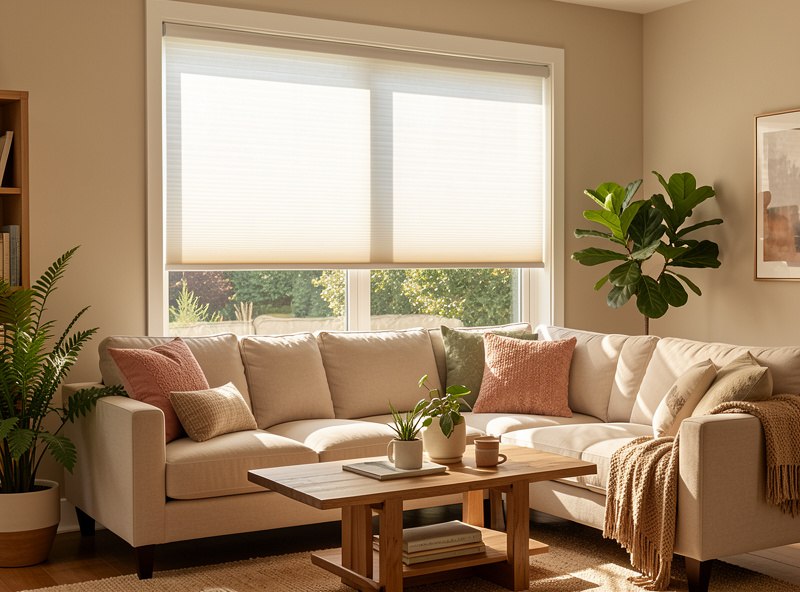
Retail smart shades are the no-fuss path: measure, order, mount, pair. You pay for that convenience — a quality motorized cellular shade is not cheap, and a whole house of them adds up fast. The upside is clean looks, a real warranty, and a motor matched to the shade.
Conversion is where the local-control crowd has the most fun and saves the most money. A tubular retrofit motor drops into the roller tube of blinds you already own, or you go full DIY with a stepper, a 3D-printed bracket, and an ESP32 running ESPHome — which gives you a shade that is local by definition, no cloud anywhere. Half the brackets holding sensors and motors in my house came off my own printer. I lay the whole build out in the DIY conversion guide, and if you want the broader automation context first, the smart home automation guide is the parent overview for the whole site.
The total cost of living with smart shades
The sticker price is the part people compare, and it is the wrong number. What matters is the cost of living with the shade over five years, and that is where cloud-only bargains turn expensive. A cheap Wi-Fi shade that depends on a manufacturer’s app is one acquisition or one discontinued-server announcement away from being a manual shade you paid smart-shade money for. I have watched it happen across the wider smart-home market enough times to treat it as a when, not an if.
Run the math the way I do. A local-protocol shade — Zigbee, Z-Wave, or Matter-over-Thread — keeps working regardless of the brand’s corporate fortunes, because the intelligence lives on your hub, not their cloud. That alone is worth paying a little more up front. Then add the boring operating costs: battery recharges (eliminated by a wired motor or a solar panel), the occasional repeater to keep a far window on the mesh, and the time cost of an app-per-brand setup versus everything answering to one rule engine.
My honest guidance after years of this: buy fewer, better, local shades rather than a houseful of cheap cloud ones. Start with the two or three windows where automation pays off most — the bedroom for wake light, the south-facing room for sun-load — prove the value, then expand on the same protocol. A staged rollout on one radio is far cheaper to live with than a drawer of half-charged remotes and five apps that each control one window. The reliability-first framing here is the same one I apply to the sensor layer and the rest of the automation stack.
Don’t forget the windows themselves
Shades automate light; window sensors automate everything else. A contact sensor on the window frame tells the hub when a window is open, which is what lets me pause heating on an open window, hold a shade up while the window is cracked, and fold window state into the security routine. Cheap Zigbee contact sensors are the highest-value-per-dollar device in my whole setup. The full treatment is in the window sensors guide, and they pair naturally with the broader sensor buyer’s guide and door-sensor notifications.
One more crossover worth mentioning, because it is the reason I run one hub instead of five apps: the same rule engine that lowers my shades also runs the grow-light schedules, the curing-chamber compressor, and the sauna pre-heat. Every project in the house that uses electricity is a candidate for the same automation brain. Shades are just the most visible one — and they pair well with the automatic curtain openers I cover separately and the broader automation ideas list.
As an Amazon Associate I earn from qualifying purchases.
Frequently Asked Questions
Do smart blinds work without Wi-Fi or the internet?
Yes, if they use a local protocol like Zigbee, Z-Wave, or Matter-over-Thread and a local hub. The motor talks to a coordinator and the automations run on the hub itself, so schedules keep firing during an internet outage. Cloud-only Wi-Fi shades stop responding when their server is unreachable.
How long do smart blind batteries last?
A typical rechargeable tubular motor lasts six to twelve months per charge on one open and one close per day. Adding a small solar trickle panel on a sun-facing window usually keeps it topped up so you never recharge it manually. Heavier shades and more cycles per day shorten that.
Can I make my existing dumb blinds smart?
Yes. A tubular retrofit motor drops into the roller tube of existing roller shades, and a stepper plus an ESP32 running ESPHome can motorize venetian or cellular blinds for a fraction of retail. A DIY ESPHome conversion is local by design with no cloud dependency at all.
Which protocol is best for smart blinds?
Pick the radio your hub already runs. Zigbee and Matter-over-Thread are the most common local choices for shades, with strong mesh through mains-powered repeaters; Z-Wave suits thick walls and large homes. The key requirement is local control, not a specific brand.
Are motorized shades worth the cost?
They are if you automate them. Sun-load management, scheduled privacy, and wake-light routines are what justify the price; a motorized shade you only open from an app is an expensive convenience. Tie them to sun position, presence, and lighting and the value is real and daily.
Do I need a hub for smart blinds?
For reliable local automation, yes. A hub running Home Assistant or similar lets shades respond instantly, run schedules during outages, and react to sensors and presence. Some Matter and Bluetooth shades work standalone, but you lose the cross-device automations that make them worthwhile.