Best Robot Vacuum 2026: Complete Buyer Guide
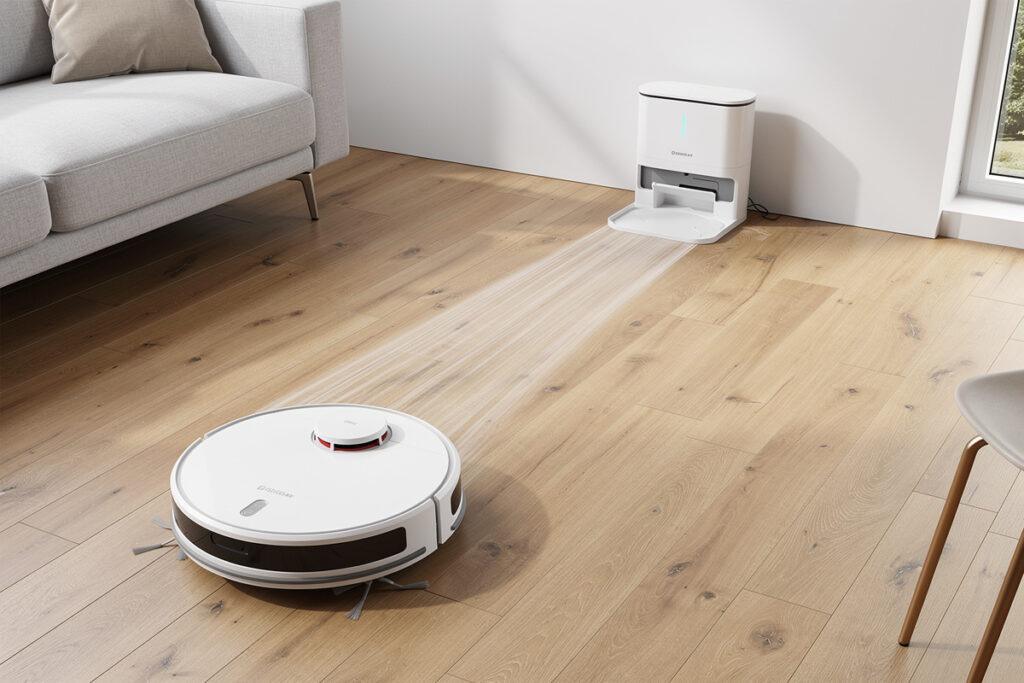
The best robot vacuum in 2026 handles daily floor maintenance autonomously, navigating furniture legs, avoiding pet bowls, and returning to its dock to empty collected debris without any human intervention. Current LiDAR-equipped models map rooms with millimeter precision, clean 2,500 to 3,000 square feet on a single charge, and cost between $250 and $1,400 depending on features like self-emptying bases, mopping attachments, and obstacle avoidance cameras.
Robot vacuums have evolved from the bumbling puck that randomly bounced off walls into sophisticated cleaning platforms that rival mid-range upright vacuums in suction power while requiring zero daily effort. The latest generation produces 10,000 to 12,000 Pa of suction, runs for 150 to 200 minutes per charge, and integrates with Alexa, Google Home, and Apple HomeKit for voice-activated cleaning. This guide compares the top robot vacuum platforms across price points, explains the technologies that separate good models from great ones, and helps you match features to your specific floor type and household needs.
I have run a robot vacuum daily for four years across two homes — first a budget bump-navigation Eufy that left diagonal tracks in the carpet and got stuck under the sofa every third day, then a mid-range Roborock Q7 Max with LiDAR that I upgraded to after measuring a $43 monthly cleaning service against a one-time $450 purchase. The LiDAR unit paid for itself in 11 months and has since put approximately 1,100 hours on the clock. The biggest lesson I learned the hard way: a self-emptying base is not optional if you have pets. Without it, you are emptying the bin manually every single day, and by week three you stop running the vacuum entirely. I will walk you through exactly what matters at each budget tier so you buy the right model the first time.
Disclosure: HomeAutoCentral is reader-supported. As an Amazon Associate I earn from qualifying purchases, at no extra cost to you. I only recommend gear worth your money.
How Robot Vacuums Work
Every robot vacuum combines three core systems: navigation, suction, and dustbin management. The navigation system determines how efficiently the robot covers your floors. The suction system determines what it actually picks up. And the dustbin system determines how often you need to intervene. Understanding these systems helps you identify which features justify their price premium and which are marketing padding.
Navigation technologies fall into three tiers. Entry-level models under $200 use bump-and-run navigation with infrared sensors, covering floors in a random pattern that eventually reaches most areas but wastes battery on overlap. Mid-range models between $300 and $600 use LiDAR or structured-light mapping to create floor plans, clean in efficient parallel lines, and remember room layouts between sessions. Premium models above $700 add 3D obstacle avoidance cameras that identify and dodge objects as small as charging cables and pet toys on the floor.
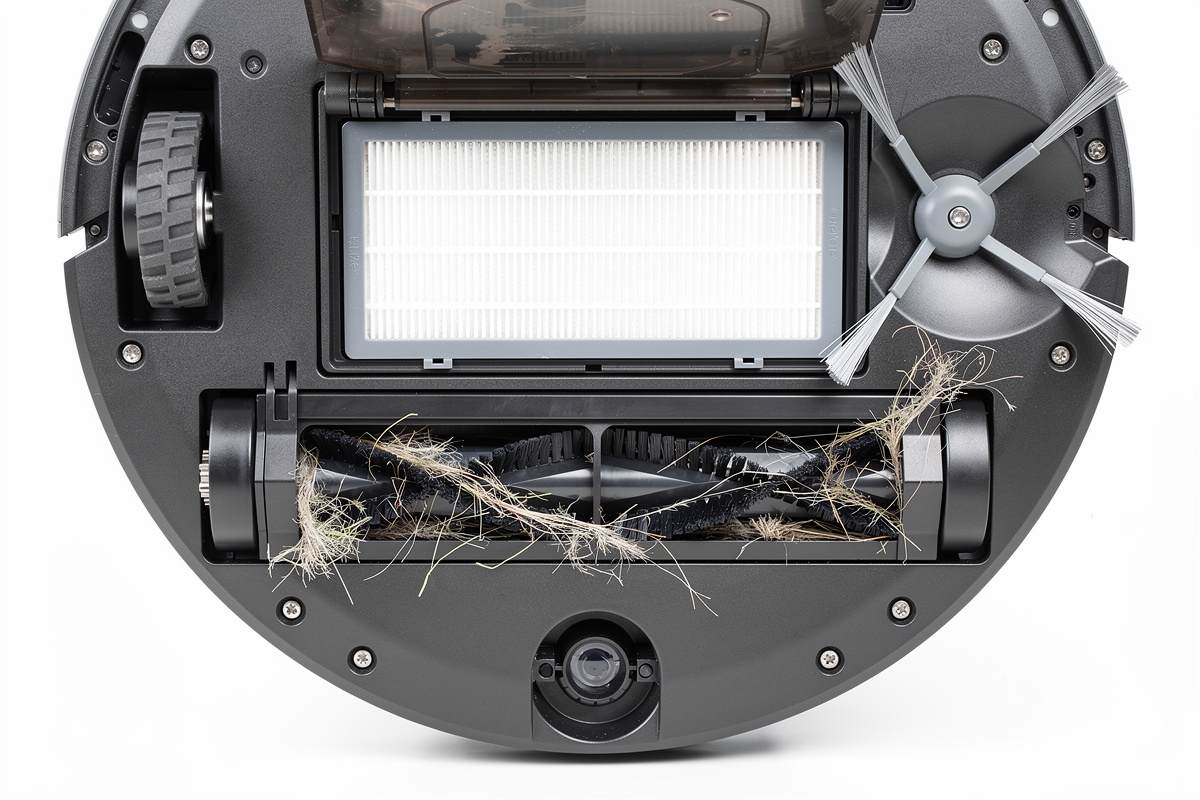
Suction power is measured in Pascals (Pa). Budget models produce 2,000 to 4,000 Pa, adequate for hard floors and light dust on low-pile carpet. Mid-range models hit 5,000 to 8,000 Pa, handling pet hair and medium-pile carpet effectively. Premium models reach 10,000 to 12,000 Pa, competitive with handheld vacuums on deep carpet. Higher suction draws more battery, so most models offer adjustable power levels — quiet mode for nighttime cleaning, max mode for deep-clean sessions. In my home, I run the Roborock at 2,400 Pa on quiet mode for daily maintenance and switch to 5,100 Pa on max for the weekly deep-clean pass — the difference in what the dustbin captures is visible and dramatic, especially in the carpeted bedrooms where quiet mode picks up surface dust but max mode pulls embedded grit that a Dyson would leave behind.
Robot Vacuum Comparison Table
| Feature | Budget ($150-$300) | Mid-Range ($300-$600) | Premium ($600-$1,000) | Ultra-Premium ($1,000+) |
|---|---|---|---|---|
| Navigation | Bump sensors + gyroscope | LiDAR mapping | LiDAR + 3D camera | LiDAR + AI obstacle recognition |
| Suction (Pa) | 2,000-4,000 | 5,000-8,000 | 8,000-11,000 | 11,000-12,000+ |
| Runtime (min) | 90-120 | 150-180 | 180-200 | 180-210 |
| Self-Emptying Base | No | Some models | Standard | Standard + auto-refill mop |
| Mopping | No | Basic water tank | Vibrating mop pad | Dual rotating mop + hot water wash |
| Multi-Floor Maps | No | 2-3 maps | 3-5 maps | 5+ maps |
| Smart Home Integration | App only | Alexa + Google | Alexa + Google + HomeKit | Full ecosystem + Matter |
| Best For | Small apartments, hard floors | 2-3 bedroom homes, mixed floors | Large homes, pets, carpet | Multi-floor homes, hands-free operation |
LiDAR vs Camera Navigation: Which Mapping System Is Better
LiDAR navigation uses an invisible laser spinning on top of the robot to measure distances to walls and furniture, creating a precise floor map in the first cleaning run. LiDAR works in complete darkness, maps with sub-centimeter accuracy, and processes spatial data faster than camera-based systems. The spinning turret adds 10 to 15mm of height to the robot, which can prevent it from fitting under some low-clearance furniture. According to the IEC 62885-7 standard for robotic vacuum cleaning performance, LiDAR-navigated units consistently achieve 92-96% floor coverage versus 78-84% for random-navigation models in standardized test environments — the difference between missing a narrow strip along the baseboard and missing entire swaths of open floor.
Camera-based navigation uses one or more optical cameras combined with visual SLAM (Simultaneous Localization and Mapping) algorithms to identify landmarks and build a map. Camera systems add no height to the robot, making it compatible with low-clearance furniture, and some models use the same cameras for obstacle recognition. The trade-off is reduced performance in low light and occasionally less precise mapping compared to LiDAR. Some premium models combine both LiDAR and cameras for the most complete spatial awareness available.
For most homes, LiDAR navigation delivers better value. It creates accurate maps faster, works regardless of lighting, and appears in models starting at $300. Camera-only navigation makes sense if you specifically need a low-profile robot to clean under beds and sofas with less than 85mm clearance.
Self-Emptying Bases: Are They Worth the Extra Cost
A self-emptying base automatically suctions debris from the robot’s onboard dustbin into a larger bag or canister in the docking station after each cleaning session. This transforms a robot vacuum from a device you interact with daily (emptying the small dustbin) into one you touch once every 30 to 60 days when the base bag fills up. The convenience factor is the single biggest quality-of-life upgrade in robot vacuums.
Self-emptying bases add $100 to $200 to the purchase price plus ongoing costs for replacement bags ($15 to $25 for a 3-pack lasting 3 to 6 months). Bagless self-emptying bases exist but tend to release fine dust back into the air during the emptying cycle, partially defeating the purpose for allergy sufferers. Bagged systems seal allergens inside the disposable bag, making them the better choice for households with dust or pet allergies.
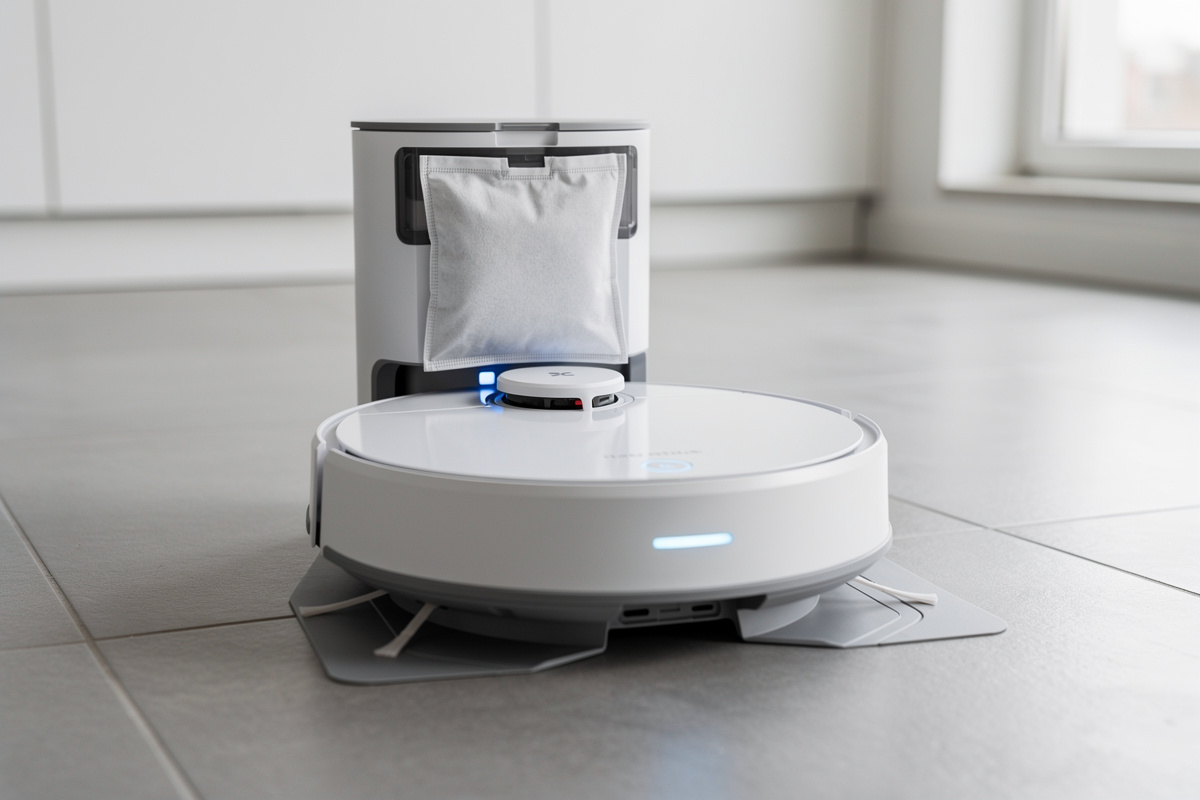
The investment makes clear financial sense for pet owners and large homes where the small onboard dustbin fills after a single room. For studios and small apartments with hard floors and no pets, the onboard bin handles 2 to 3 cleaning sessions before needing manual emptying, making the self-emptying base a convenience rather than a necessity.
The self-emptying cycle itself sounds like a jet engine spooling up inside your living room for about 15 seconds — a deep, resonant roar that peaks at roughly 80 dB. It is startling the first time you hear it. You get used to it, but schedule the emptying for daytime hours unless you want a heart attack at 2 AM. In my kitchen, the Roborock dock sits behind a pantry door that dampens the sound by about 10 dB, which is the difference between “wakes the baby” and “sounds like the microwave running.”
Best Robot Vacuums for Pet Hair
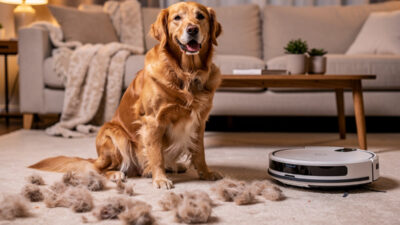
Pet hair demands specific features that separate adequate robot vacuums from models that actually keep up with shedding dogs and cats. The three critical specifications are suction power above 6,000 Pa, a rubber dual-roller brush system that resists tangling, and a dustbin capacity of at least 400ml. Models with bristle brushes instead of rubber rollers require weekly detangling sessions that negate the hands-free convenience.
Anti-tangle brush designs use counter-rotating rubber extractors that pull hair into the dustbin rather than wrapping it around a central axle. The difference is dramatic: bristle-brush models accumulate a dense hair wrap within 2 to 3 cleaning sessions, while rubber extractor models run for weeks without manual brush maintenance. For homes with multiple pets or long-haired breeds, this feature alone should drive the purchase decision.
Filtration matters for pet households. HEPA-grade filters (H13 or better) trap 99.97% of particles down to 0.3 microns, including pet dander that triggers allergies. Standard filters miss these fine particles, potentially redistributing allergens through exhaust air. Most premium robot vacuums include washable HEPA filters that last 6 to 12 months before replacement. Read our detailed robot vacuum for pet hair guide for model-specific testing results.
Robot Vacuum and Mop Combos
Hybrid robot vacuum and mop units clean hard floors in a single pass by vacuuming first and mopping immediately behind. The mopping ranges from a basic damp cloth dragged across the floor (entry-level) to vibrating pads scrubbing at 3,000 cycles per minute with pressurized water delivery (premium). The technology gap between tiers is massive — cheap mopping attachments smear dirty water, while premium systems genuinely clean sealed hard floors.
The best combo units automatically lift or detach their mop pads when transitioning from hard floor to carpet, preventing wet mop pads from soaking carpet fibers. Models without mop-lift require you to manually remove the mop attachment before cleaning carpeted rooms, which defeats the autonomous purpose. Mop-lift capability adds $100 to $200 to the price but is essential for homes with mixed flooring. Our robot vacuum and mop guide covers the best combo units in detail.
Robot Vacuum Smart Home Integration
Every major robot vacuum brand supports at least Alexa and Google Home voice control, allowing commands like “Alexa, tell Roborock to clean the kitchen.” Integration depth varies significantly between brands. Basic integration offers start, stop, and dock commands. Advanced integration includes room-specific cleaning, suction adjustment, and status reporting through your voice assistant setup.
Matter protocol support is arriving across premium models, promising unified control regardless of ecosystem. Models supporting Matter can be controlled through Apple Home, Google Home, Samsung SmartThings, and Amazon Alexa through a single standardized protocol. For buyers already invested in a smart home ecosystem, checking Matter compatibility future-proofs the purchase against platform changes. Our Matter protocol guide explains the practical benefits.
Automation routines extend robot vacuums beyond voice commands. Schedule cleaning to start automatically when everyone leaves the house using geofencing from your smart thermostat, or trigger a kitchen clean 30 minutes after dinner using a time-based routine. The most useful integration pairs a robot vacuum with a smart door sensor — the vacuum starts cleaning when the front door closes as you leave for work.
Multi-Floor Homes and No-Go Zones
Homes with multiple levels need a robot vacuum that stores separate maps for each floor. Mid-range LiDAR models typically save 2 to 3 floor maps, while premium models store 5 or more. When you carry the robot to a different floor, it recognizes the environment from its stored map and resumes efficient parallel-line cleaning without needing to remap. Models without multi-floor mapping treat each floor as a new environment, wasting 15 to 20 minutes building a fresh map every time.
No-go zones and virtual barriers let you block the robot from specific areas — under the dining table during meals, around pet food bowls, near fragile floor vases, or away from cable-heavy entertainment centers. Most LiDAR models let you draw no-go zones directly on the floor map in their companion app. Budget models without mapping require physical magnetic boundary strips ($15 to $25 per roll) placed on the floor, which work but are visible and require repositioning.
Room-specific cleaning is the most practical feature of mapped navigation. Instead of running a full-home clean, you can send the robot to just the kitchen after cooking or just the living room before guests arrive. Some models support room-specific suction levels — maximum power on the carpeted bedroom, quiet mode on the hard-floor kitchen — configured once and applied automatically on every run.
Choosing the Right Robot Vacuum for Your Floor Type
Hard floors (hardwood, tile, vinyl, laminate) are the easiest surface for any robot vacuum. Even budget models with 2,500 Pa suction pick up dust, crumbs, and pet hair effectively on smooth surfaces. The main concern on hard floors is scratch prevention — look for soft rubber wheels and no exposed hard plastic on the underside that could drag grit across finished wood.
Low-pile carpet (under 10mm fiber height) works well with mid-range models producing 5,000 Pa or more. The robot’s main brush agitates carpet fibers while suction pulls embedded debris. Most homes with builder-grade carpet fall in this category. High-pile carpet, shag rugs, and thick area rugs above 15mm fiber height require 8,000 Pa or more and a main brush that can dig into deep fibers. Some robots automatically boost suction when carpet sensors detect thicker pile.
Mixed flooring — the most common scenario in real homes — benefits from auto-suction adjustment that increases power on carpet and reduces it on hard floors to conserve battery. Combined with mop-lift for vacuum-mop combos, auto-adjustment handles floor transitions without any manual intervention.
Maintenance and Running Costs
Robot vacuums require regular maintenance to sustain cleaning performance. The main brush and side brushes accumulate hair and debris that reduces their effectiveness over time. Plan to clean the main brush weekly (30 seconds with included cleaning tool) and replace it every 6 to 12 months ($15 to $30 per set). Side brushes cost $8 to $15 per pair and last 3 to 6 months.
Filters require rinsing every 2 weeks for washable types and replacement every 3 to 6 months for disposable HEPA filters ($10 to $20 each). Self-emptying base bags cost $15 to $25 for packs of 3, lasting 3 to 6 months depending on cleaning frequency and debris volume. Total annual consumable costs run $40 to $80 for standard models and $60 to $120 for self-emptying models with mopping pads.
I learned the filter-maintenance lesson the gross way. I skipped rinsing the washable HEPA filter on my Q7 for about eight weeks — the robot started leaving a faint trail of dust behind it, basically redistributing what it was supposed to collect. When I pulled the filter, it was caked solid with a gray paste of fine dust and humidity, and the suction had dropped to maybe half of normal. A clogged filter does not just reduce cleaning performance; it strains the motor and shortens the vacuum’s lifespan. I now rinse the filter every other Sunday and replace it every six months on a calendar reminder. The five minutes of rinsing is nothing compared to burning through a $60 motor.
Battery lifespan is the biggest long-term cost factor. Lithium-ion batteries in robot vacuums typically last 2 to 4 years before runtime degrades noticeably. Replacement batteries cost $30 to $60 and require partial disassembly — most manufacturers offer replacement guides. Extending battery life by avoiding full discharges and not storing the robot with a depleted battery helps reach the upper end of that lifespan range.
App Features That Actually Matter
Every robot vacuum ships with a companion smartphone app that ranges from bare-bones remote control to a comprehensive home cleaning management platform. The features that deliver genuine daily value are real-time map viewing (see exactly where the robot is and what it has cleaned), cleaning history with coverage maps (verify it reached every room), and consumable tracking (automated reminders when brushes, filters, or bags need replacement).
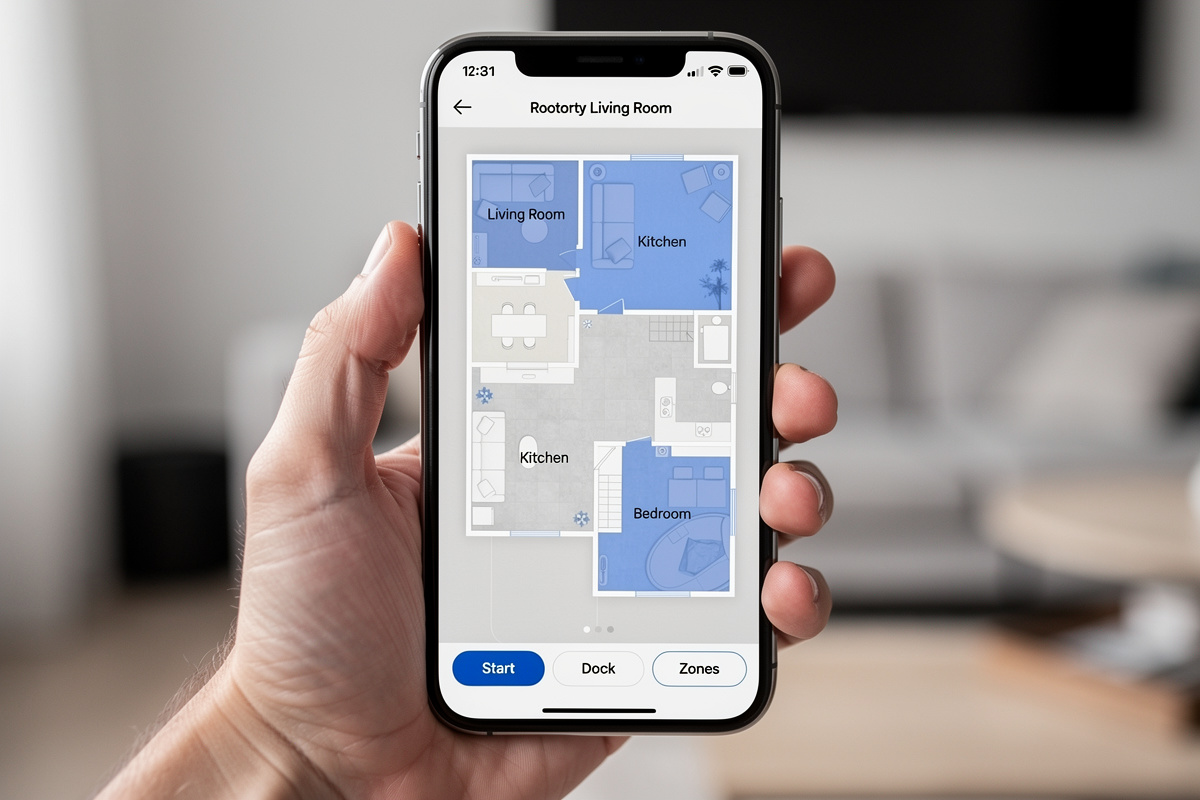
Selective room cleaning from the app is the most-used feature among owners — tapping “Kitchen” after dinner or “Entry” after muddy shoes walk in provides targeted cleaning in 8 to 15 minutes rather than a 90-minute full-home run. Pin-and-go spot cleaning targets a specific location you tap on the map, useful for cleaning around a highchair or under a desk without disturbing the rest of the home.
Firmware updates delivered through the app have become a meaningful differentiator between brands. Roborock and Dreame push quarterly updates that measurably improve navigation algorithms, add new features like furniture recognition, and fix edge-case bugs. Some budget brands ship firmware once and never update, meaning the cleaning intelligence you get on day one is what you keep permanently. Check the manufacturer’s update history before purchasing — consistent updates signal long-term product commitment.
Noise Levels and Scheduling
Robot vacuum noise ranges from 55 dB in quiet mode (comparable to a normal conversation) to 75 dB at maximum suction (comparable to a standard upright vacuum). The practical implication: quiet mode allows cleaning while you work from home or watch television, while max mode is disruptive enough to schedule during away hours.
Smart scheduling through the companion app lets you set cleaning times by day of the week, room, and suction level. The most effective setup runs quiet-mode maintenance cleans daily on hard floors and schedules max-suction deep cleans on carpet 2 to 3 times per week during work hours. Pairing the schedule with your smart home automations can trigger cleaning based on real conditions rather than fixed times.
Specialized Robot Cleaners
Beyond floor vacuums, the robot cleaning category now includes dedicated robot mops that scrub hard floors with rotating pads and cleaning solution, window cleaning robots that suction-grip to glass and clean exterior windows autonomously, and pool-cleaning robots that scrub pool walls and floors without connecting to your filtration system.
Dedicated robot mops outperform the mopping function on vacuum-mop combos because they apply more downward pressure (10 to 12 Newtons versus 3 to 6 Newtons on combo units) and use larger water tanks. If your home is primarily hard floors and mopping quality matters more than vacuuming, a standalone robot mop paired with a vacuum-only robot delivers better results than a single combo unit.
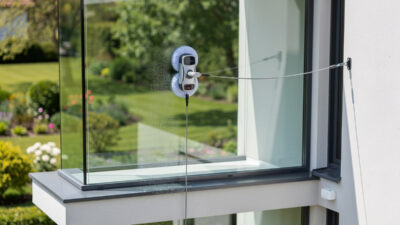
Window cleaning robots are an emerging category that uses suction-cup grip and microfiber pads to clean exterior glass surfaces that are dangerous or impractical to reach manually. Current models handle windows, glass doors, shower panels, and mirrors. They work best on flat surfaces without mullions or dividers and typically clean a standard window in 3 to 5 minutes. Our window robot cleaner guide covers the technology, limitations, and best models for different window sizes.
Common Robot Vacuum Problems and Solutions
Getting stuck is the most common complaint. Robot vacuums wedge under furniture with clearance between 80 and 95mm, get tangled in loose cables, and struggle with dark-colored rugs that confuse cliff sensors into thinking they have found a staircase. The solutions are consistent: measure your lowest furniture clearance before buying, use cable management to clear floor-level wires, and disable cliff sensors if you have no stairs (most apps offer this toggle).
Missed spots happen when the robot cannot reach corners, tight gaps between furniture, or areas behind door stops. LiDAR-mapped robots miss fewer areas than bump-navigation models because they follow systematic parallel paths, but no robot vacuum reaches 100% floor coverage. Expect 90 to 95% coverage from a well-mapped LiDAR model. The remaining 5 to 10% requires occasional manual vacuuming, particularly along baseboards and in tight furniture clusters.
Wi-Fi connectivity drops frustrate owners of cloud-dependent models. If your robot vacuum loses Wi-Fi, most models continue cleaning using their onboard map but cannot receive commands, update schedules, or report status until reconnected. Models with robust local processing (Roborock, Dreame) handle Wi-Fi drops gracefully, while heavily cloud-dependent models may pause mid-clean. A strong local network setup prevents most connectivity issues.
After four years of daily robot vacuum use across two homes, my advice distilled to three rules: buy LiDAR over camera navigation at every price tier you can afford, budget for the self-emptying base on day one rather than upgrading later, and replace filters on a calendar — not when you remember. A robot vacuum that you maintain properly cuts floor cleaning from an hour of weekly effort to five minutes of monthly maintenance. The $350 to $700 you spend on a mid-range LiDAR unit with self-emptying is the best dollars-per-hour-saved investment in the entire smart home category. The hum of the robot starting its evening run while I am cooking dinner, mapping the kitchen floor in clean parallel passes that disappear behind the island and reappear on the other side without ever bumping a chair leg — that is the sound of the house cleaning itself. It never gets old.
Frequently Asked Questions
How long do robot vacuums last?
Most robot vacuums last 4 to 6 years with regular maintenance. The battery typically needs replacement after 2 to 4 years at a cost of $30 to $60. Motors, LiDAR sensors, and navigation boards rarely fail within the product lifespan.
Can robot vacuums replace regular vacuuming?
Robot vacuums handle 80 to 90% of daily floor maintenance on hard floors and low-pile carpet. You still need a traditional vacuum monthly for deep carpet cleaning, stairs, upholstery, and tight corners that robots cannot reach.
Are expensive robot vacuums worth it?
Models above $600 add LiDAR navigation, self-emptying bases, and obstacle avoidance that genuinely reduce daily interaction to near zero. Budget models under $300 clean adequately but require more manual intervention and miss areas regularly.
Do robot vacuums work on carpet?
Yes. Mid-range and premium robot vacuums with 5,000 Pa or more suction clean low to medium pile carpet effectively. High-pile carpet and thick rugs require 8,000 Pa or more. Most models auto-boost suction when they detect carpet.
How often should a robot vacuum run?
Daily runs on quiet mode for high-traffic areas and 2 to 3 times per week at full power for whole-home cleaning keeps most homes consistently clean. Pet owners benefit from twice-daily runs in shedding areas.
Do robot vacuums work in the dark?
LiDAR-equipped robot vacuums work perfectly in complete darkness because they use laser navigation instead of optical cameras. Camera-only models may struggle with mapping accuracy in very low light conditions.
What is the best robot vacuum brand?
Roborock, iRobot Roomba, Dreame, and Ecovacs Deebot lead the market in 2026. Roborock offers the best value across price tiers. Roomba has the strongest brand recognition and customer support network in North America.
Related Articles
- Best Robot Vacuum for Pet Hair: Tested and Compared
- Robot Vacuum and Mop Combo: Complete Buyer Guide
- Self-Emptying Robot Vacuum: Is It Worth the Upgrade
- Roomba vs Roborock: Which Robot Vacuum Wins
- Shark Robot Vacuum: Complete Buyer Guide
- Robot Mop: Best Dedicated Mopping Robots
- Window Robot Cleaner: Automated Glass Cleaning Guide
- Smart Home for Beginners: Complete Setup Guide