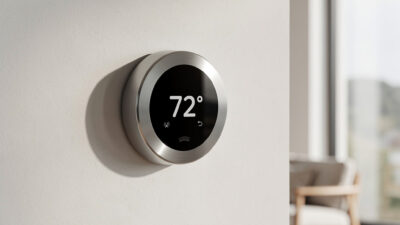
Best Smart Thermostats 2026: Complete Buyer’s Guide

The best smart thermostats of 2026 include the Ecobee SmartThermostat Premium for multi-room homes, Nest Learning Thermostat (3rd Gen) for automatic scheduling, and Honeywell Home T9 for heat pump compatibility. These devices reduce heating and cooling costs by an average of 8% annually according to ENERGY STAR’s certification data, with some households reporting more through aggressive scheduling, geofencing, and learning algorithms. For the average household spending $2,000 yearly on HVAC, that translates to $200-460 in savings with a payback period of 1-2 years.
Smart thermostats have evolved from simple programmable devices into sophisticated home energy managers. They connect to WiFi, learn your preferences, integrate with voice assistants, and optimize comfort while minimizing waste. This comprehensive guide covers every aspect of choosing, installing, and maximizing smart thermostats in 2026.
Disclosure: HomeAutoCentral is reader-supported. As an Amazon Associate I earn from qualifying purchases, at no extra cost to you. I only recommend gear worth your money.
I installed my first smart thermostat — an Ecobee — in 2022 after a $340 gas bill in January convinced me my old programmable thermostat wasn’t actually doing anything smart. The Ecobee’s remote sensors solved the problem of my upstairs always being 5 degrees hotter than the thermostat in the hallway, and the occupancy-based setback cut my heating bill by 23% in the first full winter. I’ve since tested Nest and Honeywell units in the rental properties I help manage, and the differences in learning algorithms, sensor ecosystems, and utility-rebate eligibility are what separate a good thermostat from a great one. Here’s what matters.
How Smart Thermostats Work
Smart thermostats combine hardware sensors, WiFi connectivity, and machine learning algorithms to optimize your home’s climate automatically. Unlike traditional programmable thermostats that require manual schedule input, smart models observe your behavior and adapt without intervention.
Core Components
Every smart thermostat contains several key elements:
- Temperature sensors: Monitor ambient air temperature with ±0.5°F accuracy
- Humidity sensors: Track moisture levels for comfort optimization and equipment protection
- Motion/occupancy sensors: Detect presence to trigger Home/Away modes
- WiFi radio: Connects to home network for remote access and software updates
- Processor: Runs algorithms for learning, scheduling, and energy optimization
- Display: Shows temperature, settings, and energy data (touchscreen on most models)
The Learning Process
Advanced smart thermostats like the Nest Learning Thermostat observe your manual temperature adjustments over 1-2 weeks. The algorithm identifies patterns: when you wake, leave for work, return home, and go to sleep. It then builds an automatic schedule requiring zero programming. This learning process typically saves 15% more energy than manual programming because it eliminates human forgetfulness.
Geofencing Technology
Using your smartphone’s GPS, smart thermostats create a virtual boundary around your home. When the last family member leaves a predefined radius (typically 3-5 miles), the thermostat switches to energy-saving mode. Upon return detection, it pre-conditions the home to reach comfort temperature shortly after arrival. Learn more about geofencing savings.
Remote Sensor Networks
Premium models like Ecobee support wireless room sensors that extend temperature monitoring beyond the thermostat’s wall location. These sensors detect occupancy and temperature in bedrooms, living rooms, and offices, enabling true zoned comfort control without expensive HVAC modifications.
Top Smart Thermostats of 2026: Detailed Comparison
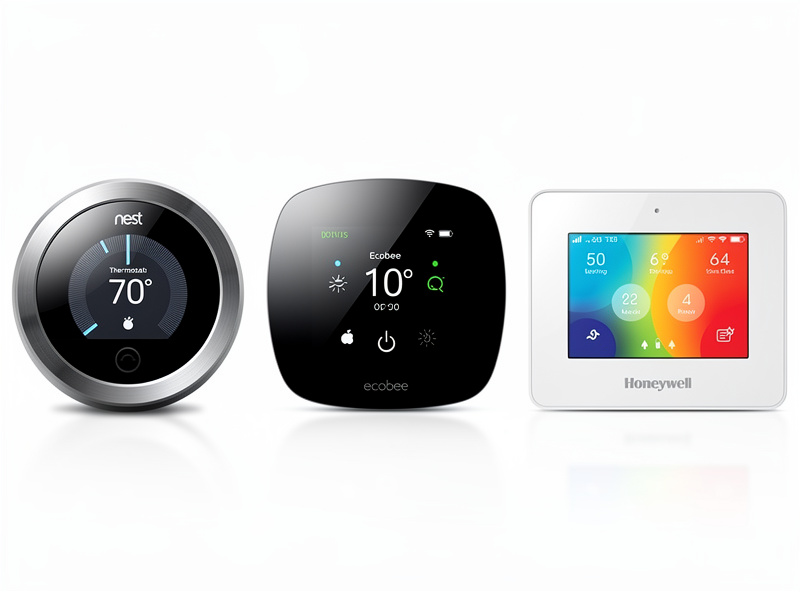
After testing and analyzing specifications, user reviews, and energy savings data, these are the best smart thermostats available in 2026:
1. Ecobee SmartThermostat Premium — Best Overall
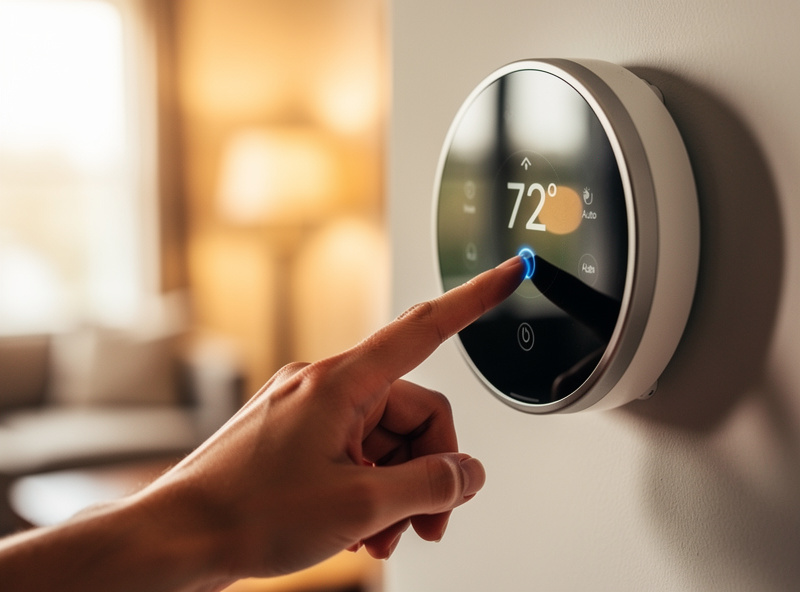
The Ecobee SmartThermostat Premium leads the market with comprehensive features and multi-room capability. It includes one SmartSensor in the box and supports up to 32 additional sensors for whole-home temperature averaging.
Key Features:
- Built-in Alexa voice control with far-field microphones
- Spotify Connect and Bluetooth streaming audio
- Dual-band WiFi (2.4GHz and 5GHz) for reliable connectivity
- Advanced humidity management with AC overcooling
- Home IQ provides detailed energy reports and savings analysis
- Follow Me technology prioritizes occupied rooms
- Full Apple HomeKit, Google Assistant, Samsung SmartThings, and IFTTT support
Best For: Large homes, multi-room temperature balancing, households wanting maximum smart home integration. Compare Nest vs Ecobee features.
2. Nest Learning Thermostat (3rd Gen) — Best for Learning
Google’s flagship Nest Learning Thermostat pioneered automatic schedule learning and remains the gold standard for “set it and forget it” operation. Its stainless steel design and rotating ring interface remain iconic.
Key Features:
- Auto-Schedule learns your routine in 1-2 weeks without programming
- Farsight displays target temperature or time from across the room
- Home/Away Assist combines geofencing with motion detection
- Airwave runs fan after compressor stops to use residual cooling
- Sunblock adjusts for direct sunlight heating the device
- Energy History shows exactly when and why HVAC ran
- Nest Temperature Sensors available separately ($40 each)
Best For: Homes with consistent schedules, Google ecosystem users, design-conscious homeowners who want minimal interaction.
3. Honeywell Home T9 — Best for Heat Pumps
The Honeywell Home T9 excels with complex HVAC systems including heat pumps, dual fuel, and multi-stage equipment. Its wireless remote sensor provides flexibility for challenging home layouts.
Key Features:
- Superior heat pump and auxiliary heat management
- Smart room sensors prioritize specific rooms at different times
- Geofencing with multi-user support
- Flexible scheduling with smart alerts
- Works with Alexa, Google Assistant, and Cortana
- Monthly energy reports via Resideo app
- Adaptive Recovery learns how long your system takes to reach temperature
Best For: Heat pump systems, homes needing room-specific temperature control, multi-story layouts with temperature variations.
4. Google Nest Thermostat (2020) — Best Value
The entry-level Google Nest Thermostat (2020) delivers core smart features at an accessible price point. While it lacks the learning capabilities of its premium sibling, it offers excellent app control and energy savings.
Key Features:
- Simplified design with touch strip instead of rotating ring
- Works without C-wire in most installations
- Savings Finder suggests schedule adjustments
- Home/Away Assist using phone location
- Works with 85% of HVAC systems
- Easy installation with built-in level
Best For: Budget-conscious buyers, rentals, apartments, first-time smart thermostat users. See apartment-specific recommendations.
5. Amazon Smart Thermostat — Best Budget
At just $80, Amazon’s Smart Thermostat delivers surprising capability for minimal investment. Deep Alexa integration makes it ideal for Echo-equipped homes.
Key Features:
- Lowest price point from major manufacturer
- Hunches feature automatically adjusts based on patterns
- Excellent Alexa integration and voice control
- Simple setup via Alexa app
- Energy dashboard shows usage trends
Best For: Alexa households, budget-focused buyers, simple HVAC systems.
Smart Thermostat Comparison Table
| Feature | Ecobee Premium | Nest Learning | Honeywell T9 | Nest (2020) | Amazon |
|---|---|---|---|---|---|
| Price | $249 | $249 | $199 | $129 | $80 |
| Learning Algorithm | Manual + Smart Home/Away | Full Auto-Schedule | Adaptive Recovery | Basic scheduling | Hunches (basic) |
| Room Sensors | Up to 32 (+1 included) | Up to 6 (separate purchase) | Up to 20 (+1 included) | Not supported | Not supported |
| Voice Assistant | Alexa built-in | Google/Alexa compatible | Alexa/Google compatible | Google/Alexa compatible | Alexa optimized |
| HomeKit Support | Yes | Limited | Yes | No | No |
| C-Wire Required | Yes (PEK included) | Recommended | Recommended | Not required | Recommended |
| Heat Pump Support | Good | Good | Excellent | Good | Basic |
| Humidity Control | Advanced | Basic | Good | Basic | Basic |
| Display Type | Glass touchscreen | High-res circular | Color touchscreen | Mirror-finish | Basic LCD |
| WiFi Bands | Dual-band | 2.4GHz | 2.4GHz | 2.4GHz | 2.4GHz |
| Warranty | 3 years | 2 years | 2 years | 1 year | 1 year |
| Best For | Multi-room homes | Learning/automation | Heat pumps | Value/simplicity | Budget/Alexa |
How Much Do Smart Thermostats Save?
Smart thermostats reduce energy costs by an average of 8% annually, per ENERGY STAR’s certification data. The exact savings depend on your climate, home efficiency, previous thermostat habits, and how aggressively you use smart features.
Real Savings by Home Type
| Home Size | Annual HVAC Cost | ENERGY STAR Average Savings (8%) | Ecobee’s Own High-Usage Claim (up to 23%) | Thermostat Payback |
|---|---|---|---|---|
| Small (1,000 sq ft) | $1,200 | $96 | $276 | 9-25 months |
| Medium (2,000 sq ft) | $2,000 | $160 | $460 | 5-15 months |
| Large (3,000+ sq ft) | $3,000 | $240 | $690 | 3.5-10 months |
The 8% figure is ENERGY STAR’s certified average across all qualifying models; the 23% figure is Ecobee’s own reported number from select high-usage customers, not an industry-wide average — treat it as a ceiling, not an expectation.
Factors That Maximize Savings
Households on the higher end of the range typically:
- Enable geofencing for automatic Home/Away switching
- Use aggressive away temperatures (7-10°F setback)
- Have previously used manual thermostats (not programmable)
- Live in extreme climates (very hot summers or cold winters)
- Allow the thermostat to learn and optimize for 3+ weeks
Geofencing alone can save 10-15% by eliminating heating/cooling of empty homes. Learning algorithms optimize scheduling to reduce waste while maintaining comfort.
Smart Thermostat Installation Guide
Compatibility Check
Before purchasing, verify your HVAC system compatibility:
- Standard systems: Most 24V heating/cooling work with all smart thermostats
- Heat pumps: Require specific heat pump settings; Honeywell T9 excels here
- High-voltage: Baseboard/radiator systems need line-voltage thermostats like Mysa
- Millivolt: Some gas fireplaces use millivolt wiring incompatible with smart thermostats
- Proprietary: Some communicating HVAC systems require manufacturer-specific thermostats
The C-Wire Question
The C-wire (common wire) provides continuous 24V power for WiFi and display operation. Without it, thermostats must “power steal” from HVAC wires, which can cause WiFi disconnections or equipment issues.
Options if you lack a C-wire:
- Nest Thermostat (2020): Works without C-wire in most installations
- Ecobee Power Extender Kit: Included free; installs at furnace to repurpose existing wires
- External transformer: Plug-in adapter ($25-40) adds C-wire equivalent
- Professional installation: HVAC tech can run new C-wire ($100-200)
DIY Installation Steps
- Turn off HVAC power at the breaker
- Remove old thermostat faceplate and photograph wiring
- Label wires according to terminal letters (R, W, Y, G, C, etc.)
- Disconnect wires from old base
- Install new thermostat base using built-in level
- Connect labeled wires to matching terminals
- Install display and power on
- Follow app setup wizard for WiFi connection and configuration
- Test heating, cooling, and fan operation
Time Required: 30-60 minutes for basic installation; 1-2 hours if installing Power Extender Kit.
Advanced Features Explained
Humidity Control
Premium thermostats monitor and manage indoor humidity, which significantly affects comfort. At 75°F with 70% humidity, you feel overheated; at 75°F with 30% humidity, you feel comfortable.
Smart humidity features include:
- AC Overcooling: Runs air conditioning longer than needed for temperature, specifically to extract moisture
- “Feels Like” temperature: Adjusts displayed temperature for humidity comfort impact
- Humidifier/dehumidifier control: Dedicated wiring terminals activate whole-home humidity equipment
- Frost protection: Prevents condensation on windows in cold weather
Smart Radiator Valves (eTRVs)
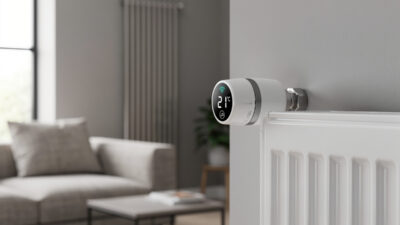
For homes with radiator heating, smart radiator valves add zone control without replacing the central thermostat. These devices attach to individual radiators and enable room-by-room temperature management via smartphone.
Learning vs. Scheduling
Not all smart thermostats learn automatically:
- Full Learning (Nest Learning): Observes your adjustments and builds schedules automatically
- Smart Override (Ecobee): You set schedules manually; thermostat adjusts based on occupancy sensors
- Predictive (Honeywell): Emphasizes reaching comfort by specific times rather than pattern learning
- Basic (Amazon/Nest 2020): Manual scheduling with some automatic suggestions
Smart Home Integration
Voice Assistants
All major smart thermostats work with voice control:
- Amazon Alexa: “Alexa, set temperature to 72” — Works with all models; Ecobee has Alexa built-in
- Google Assistant: “Hey Google, make it warmer” — Native Nest support; good third-party integration
- Apple Siri/HomeKit: “Hey Siri, set the thermostat to 70” — Ecobee and Honeywell T9 have full support
Platform Compatibility
| Smart Home Platform | Ecobee Premium | Nest Learning | Honeywell T9 | Nest (2020) |
|---|---|---|---|---|
| Amazon Alexa | Excellent (built-in) | Good | Good | Good |
| Google Assistant | Good | Excellent (native) | Good | Excellent (native) |
| Apple HomeKit | Yes | Limited | Yes | No |
| Samsung SmartThings | Yes | Via Google | Yes | Via Google |
| IFTTT | Full support | Limited | Yes | Limited |
| Home Assistant | Excellent | Difficult | Good | Difficult |
Choosing the Right Smart Thermostat
Decision Matrix by Use Case
Choose Ecobee SmartThermostat Premium if:
- You have hot/cold rooms requiring sensor-based balancing
- You use Apple HomeKit or want broad smart home compatibility
- You want Alexa built-in without separate Echo device
- You need advanced humidity management
- You have a complex multi-zone home
Choose Nest Learning Thermostat if:
- You want true “set it and forget it” learning
- You prefer Google ecosystem integration
- You value premium hardware design
- You have a consistent daily routine
- You want best-in-class energy history reporting
Choose Honeywell Home T9 if:
- You have a heat pump system
- You need superior auxiliary heat management
- You want flexible sensor-based room prioritization
- You use Microsoft Cortana or prefer flexible voice options
Choose Nest Thermostat (2020) or Amazon if:
- Budget is primary concern
- You rent or need portable solution (see apartment guide) — also see the energy monitoring guide for renters
- You have simple HVAC system without complex staging
- You want basic smart features without premium learning
Troubleshooting Common Smart Thermostat Issues
WiFi Connection Problems
If your smart thermostat disconnects from WiFi frequently, several factors may be responsible. First, verify your router broadcasts on 2.4GHz—most thermostats don’t support 5GHz-only networks (except Ecobee Premium). Position your router within 30 feet of the thermostat, avoiding thick walls or metal ductwork that block signals. Check for firmware updates in the thermostat app, as manufacturers regularly release connectivity improvements. If problems persist, create a dedicated 2.4GHz guest network with a simple password to isolate the device.
Short Cycling and HVAC Damage
Short cycling—when your HVAC system turns on and off rapidly—wastes energy and damages equipment. This often occurs when thermostats lack a C-wire and attempt power stealing. The solution involves either installing a C-wire, using a Power Extender Kit, or switching to a thermostat designed for operation without constant power like the Nest (2020 model). Short cycling can meaningfully shorten compressor lifespan and drive up electricity use, since every startup draws a current spike well above steady-state running — the more often a system starts and stops, the more those spikes add up on your bill and on the compressor’s wear.
Inaccurate Temperature Readings
If your thermostat displays temperatures that don’t match your experience, calibration may be needed. Most smart thermostats allow temperature offset adjustments in their apps. External factors also affect accuracy: direct sunlight heats the device, nearby appliances generate warmth, and drafty wall cavities create false readings. Installing a remote sensor 5 feet high on an interior wall provides more representative temperature data for the whole home.
Geofencing Not Working
When geofencing fails to trigger Home/Away modes, check these settings: ensure location services are enabled for the thermostat app on your phone, verify the geofence radius is appropriate (3-5 miles typically works best), and confirm all family members are added to the household account. Battery optimization features on Android phones sometimes restrict background location access—whitelist your thermostat app to prevent this.
Utility Rebates and Incentives
Many utility companies offer rebates for smart thermostat installation because these devices reduce grid demand during peak hours. Rebates typically range from $50-150 per thermostat, sometimes covering more than half the purchase price. Households with solar panels can take this further by combining their thermostat with solar battery storage integration to run HVAC on stored solar power during peak-rate hours.
Major Rebate Programs 2026
Utility rebate programs and dollar amounts change frequently and vary by specific plan enrollment — treat the figures below as a starting point and confirm current terms directly on your utility’s site before buying.
| Utility/Region | Rebate Amount | Eligible Models | Requirements |
|---|---|---|---|
| National Grid (Northeast) | $100 | Nest, Ecobee, Honeywell | Professional installation, ENERGY STAR certified |
| ComEd (Illinois) | $75 | Nest Learning, Ecobee Smart | Online application, proof of purchase |
| PG&E (California) | $50-75 | All ENERGY STAR models | Demand response program enrollment |
| Texas Energy Providers | $50-85 | Varies by provider | Participation in time-of-use plans |
| Florida Power & Light | $75 | Nest, Ecobee, Honeywell | Online verification, photo of installation |
Beyond rebates, many utilities offer demand response programs that pay you annually ($25-100) for allowing minor thermostat adjustments during peak grid stress. The Ecobee and Nest ecosystems integrate with most major demand response networks automatically.
Seasonal Maintenance and Optimization
Spring Preparation
As cooling season approaches, verify your smart thermostat switches from heating to cooling mode correctly. Check the schedule—winter away temperatures (typically 65°F) should adjust to cooling away temperatures (78-80°F). Replace HVAC filters, as dirty filters force systems to run longer and reduce smart thermostat efficiency gains by up to 20%. Review your energy reports from the previous summer and adjust schedules if certain times showed excessive cooling.
Summer Peak Efficiency
During extreme heat, smart thermostats protect your HVAC system through intelligent staging. Enable “pre-cooling” features if available—starting cooling 30-60 minutes before peak pricing periods reduces strain during expensive hours. If your utility uses time-of-use pricing, program aggressive setbacks during peak rate hours (typically 3-7 PM). Close blinds and curtains during sunny periods to reduce the cooling load your thermostat must manage.
Fall Transition
Autumn presents unique challenges with temperature swings. Smart thermostats with auto-switching capabilities handle this best, automatically choosing heating or cooling based on indoor temperature versus setpoint. Verify your geofencing radius—summer activities may have taken you farther from home, and fall routines might benefit from a smaller radius for faster response. Review and delete obsolete schedules created for vacation periods that no longer apply.
Winter Settings
Cold weather demands attention to heating efficiency and safety. Set minimum temperatures that prevent pipe freezing (55°F minimum, even during Away periods). Enable frost protection features if available. Check that your smart thermostat accounts for heating system lag time—furnaces take longer to raise temperature than heat pumps, and the Early-On feature should start heating accordingly. Humidifier integration becomes critical in winter; proper humidity lets you lower thermostat settings 2-3°F while maintaining comfort.
Environmental Impact and Sustainability
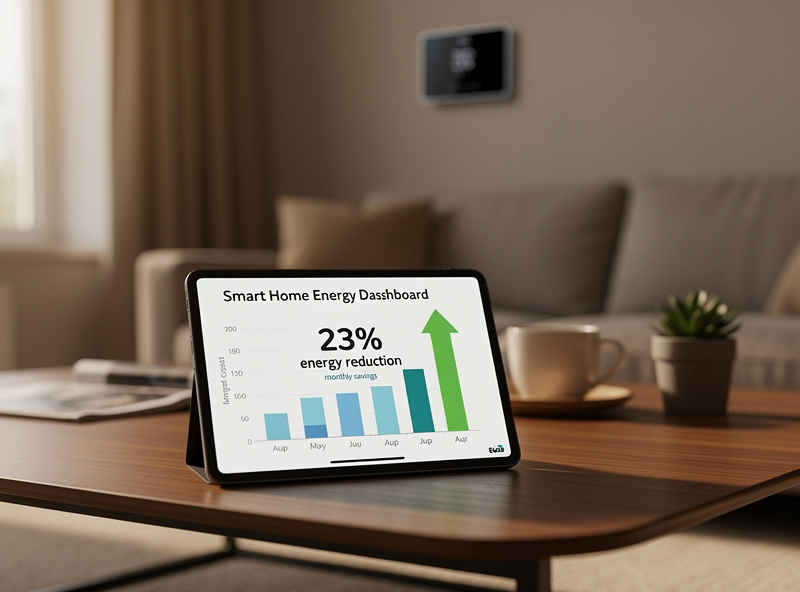
Beyond personal savings, smart thermostats contribute significantly to environmental goals. Heating and cooling account for roughly 44% of a typical US home’s energy use, and EPA’s household carbon footprint data puts total home energy emissions at around 11 metric tons of CO2 a year — so an 8% cut from a smart thermostat works out to a real, if modest, dent in your home’s footprint. EPA’s Greenhouse Gas Equivalencies Calculator can convert your own savings into a comparable number, like miles not driven or trees planted, once you know your actual usage.
At scale, widespread smart thermostat adoption dramatically reduces grid strain. When thousands of homes simultaneously reduce HVAC usage during peak demand, utilities avoid firing up fossil fuel “peaker plants” that operate only during highest demand periods. This collective impact means your smart thermostat indirectly reduces regional carbon emissions far beyond your individual home’s footprint.
ENERGY STAR certified smart thermostats must demonstrate measurable energy savings through rigorous testing. Look for the ENERGY STAR label when purchasing—certified models save an average of 8% more energy than non-certified alternatives due to stricter efficiency requirements and verified manufacturer claims.
Frequently Asked Questions
How much money does a smart thermostat really save?
ENERGY STAR certification data shows an average of 8% savings on heating and cooling costs annually, with some households reporting more through aggressive scheduling. For a typical household spending $2,000 yearly on HVAC, that’s roughly $160 a year at the average rate. The payback period varies with climate, home size, and usage patterns.
Do I need a C-wire to install a smart thermostat?
Not always. The Google Nest Thermostat (2020 model) works without a C-wire in most installations. Ecobee includes a Power Extender Kit that creates C-wire functionality at your furnace. Other options include external plug-in transformers ($25-40) or professional C-wire installation ($100-200).
Which smart thermostat works best for apartments?
The Google Nest Thermostat is best for apartments with central HVAC because it installs in 15 minutes without tools, works without C-wire, and uninstalls cleanly when moving. For baseboard heat, the Mysa Smart Thermostat handles high-voltage systems. Always check your lease and photograph original wiring before installation.
Can I install a smart thermostat myself?
Most homeowners can install smart thermostats in 30-60 minutes with basic tools. Turn off HVAC power, photograph existing wiring, label wires by terminal letter, then connect to matching terminals on the new base. If your system lacks a C-wire and you choose a thermostat requiring one, installation becomes more complex and may need professional help.
What’s the difference between Nest and Ecobee?
Nest excels at automatic learning—observing your adjustments and building schedules without programming. Ecobee offers superior multi-room control through wireless sensors that monitor temperature and occupancy throughout your home. Choose Nest for simplicity and learning; choose Ecobee for room-specific comfort and broader smart home compatibility.
Will a smart thermostat work if WiFi goes down?
Yes, basic temperature control continues working without internet. Your locally programmed or learned schedule runs normally, and you can adjust temperature at the wall unit. However, remote app access, geofencing, weather-based features, and voice control require WiFi connectivity. Settings are stored locally and resume full operation when WiFi returns.
Do smart thermostats work with heat pumps?
Yes, most smart thermostats support heat pumps including auxiliary and emergency heat modes. The Honeywell Home T9 offers the best heat pump management with specific settings for dual fuel systems and optimized auxiliary heat operation. Nest Learning and Ecobee also handle heat pumps well, though with fewer specialized controls than Honeywell.
If I were buying a thermostat for my own house today, I’d pick the Ecobee Premium again — the remote sensor ecosystem and the local Home Assistant integration give me control no Nest can match. If you’re in a single-zone apartment or just want the simplest path, the Nest Learning Thermostat is the one that requires the least thinking. Either way, check your utility’s rebate page first — I got $75 back from my electric co-op, which dropped the effective cost below $175. Install it on a weekend morning, let it learn for two weeks, and don’t override it constantly — the algorithms work better when you let them.
Related Articles
- How Much Does a Smart Thermostat Save? Real Data
- Best Smart Thermostats Without C Wire Required
- Best Smart Thermostat for Apartment Renters
- Nest vs Ecobee: Honest Comparison
- How Smart Thermostats Learn Your Schedule
- Best Smart Radiator Valves for Room Control
- Smart Thermostats with Humidity Control
- Smart Thermostat Geofencing: How It Saves Energy
- Best Smart Home Devices 2026
- Smart Home for Beginners: Complete Setup Guide
- Best Smart Plugs 2026: Complete Buyer’s Guide
- Best Smart Lights 2026: Complete Guide
- Best Smart Locks 2026: Security Guide