Smart Home for Renters: The Local-Control Guide (2026)
You can run a genuinely useful smart home in a rental without a single drill hole, a single rewired switch, or a single line on your security deposit. In my own setup the renter-safe layer — plug-in relays, battery sensors, and a small local hub — covers roughly 80% of what people think they need wiring for, and all of it comes with me when the lease ends.
This guide is the map for the whole cluster. I run a local-first Home Assistant install on an Intel N100 mini-PC, with Zigbee and Z-Wave coordinators and a few Matter-over-Thread devices hanging off it. None of that requires owning the building. What it requires is choosing devices that mount with adhesive, screw into existing fixtures, or simply plug in — and a rule engine that keeps working when the internet (or the landlord) doesn’t cooperate. Below I lay out the renter-friendly philosophy, the device categories that matter, and links to every deep-dive in this cluster.
What “renter-friendly” actually means
Renter-friendly means reversible: every device either plugs in, sticks on with removable adhesive, or replaces something you screw back the way you found it. The test I use is simple — if I can uninstall the whole system in an afternoon and leave zero marks, it passes. About 95% of my apartment-grade gear clears that bar.
The other half of the definition is portability. A rental smart home is not a building upgrade; it is a kit you own. When you move, the hub, the sensors, the plugs, and the automations travel with you. That changes which devices make sense: anything hard-wired into the wall, anything that needs the landlord’s electrician, and anything that only works through a manufacturer cloud account you can’t easily migrate all score badly in a rental. I cover the move itself in detail in the portable smart home setup for moving guide, because packing a smart home down is its own skill.
Start with the hub, not the gadgets
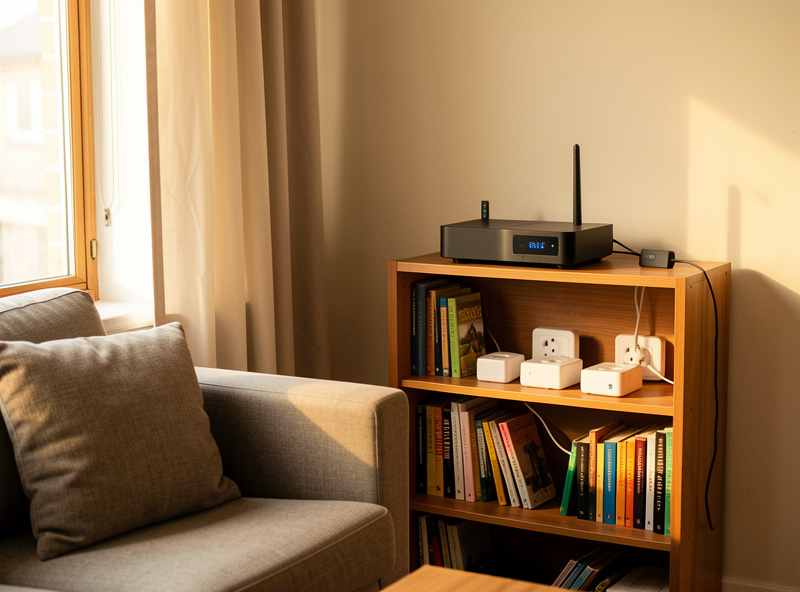
The single best decision a renter can make is to put a local hub at the center instead of stacking app-per-device ecosystems. A local hub means your automations run on hardware you own, in your apartment, with response times in the tens of milliseconds rather than a round-trip to a server farm. When your Wi-Fi drops, the lights still come on.
You do not need my N100 box to start. A Raspberry Pi or a Home Assistant Green will run the same software, and an Echo or a SmartThings hub will get you part of the way. What matters is the principle: the brain lives with you, the devices are sensors and actuators hanging off it, and no manufacturer gets a vote on when your routines fire. I keep my IoT devices on their own VLAN — see the separate Wi-Fi network for IoT guide — but in a rental even a guest SSID on a standard router is a reasonable first step. The point is local control first; the cloud is the exception, never the dependency.
If you want the shortest possible path from nothing to working, the smart home starter kit for renters lays out exactly what to buy first, in what order, and why.
The plug is the building block
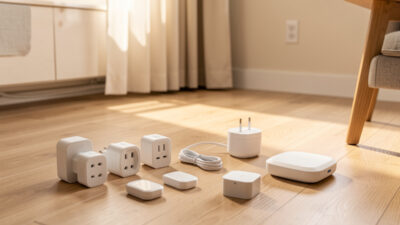
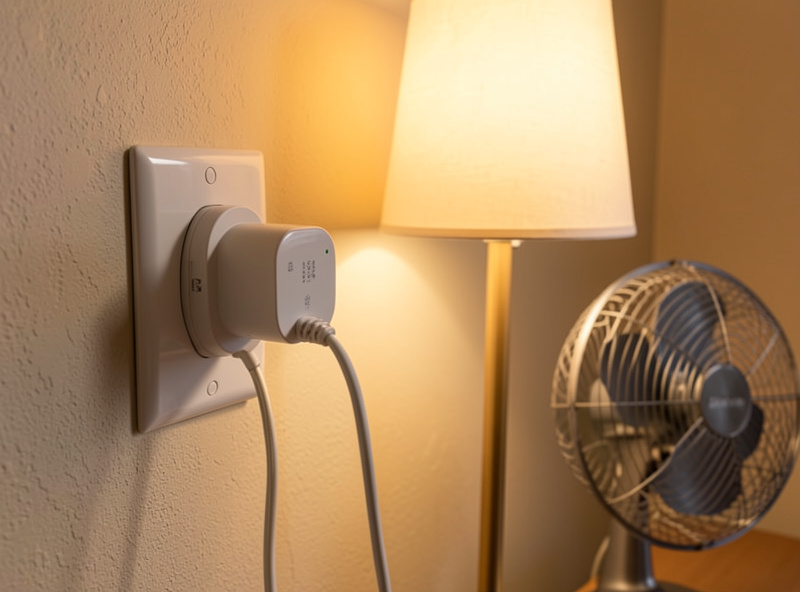
In a rental, the smart plug and the in-wall-free relay do the heavy lifting. A plug-in energy-reporting smart plug turns any lamp, fan, heater, or appliance into an automatable device with no wiring at all — and it reports power draw so you can see what is actually costing you money. In my setup, plugs run schedules, presence-based shutoffs, and “everyone left” routines.
This is why I push renters toward smart plugs and smart switches over smart bulbs in most rooms. A smart bulb is dead the moment someone flips the dumb wall switch; a smart plug under a lamp keeps the lamp controllable and keeps the physical switch working. The full argument lives in the plug-in smart home automation guide, and the broader buying logic — including which categories are worth the premium and which are not — is in the renter-friendly smart devices guide. If you only read one supporting article, read those two. For background on why I trust this category at all, the are smart plugs worth it breakdown and the smart plug vs smart switch comparison both feed straight into the renter case.
Locks without drilling
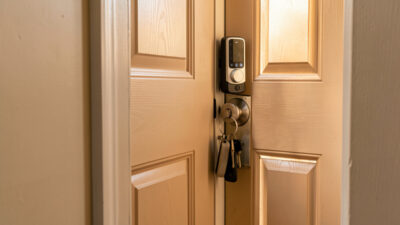
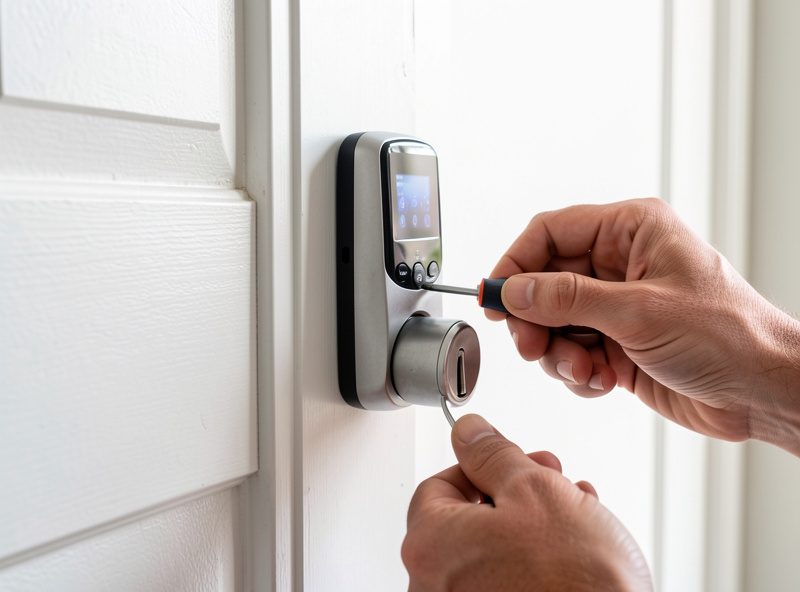
Smart locks scare renters because they picture a contractor pulling the door apart. In practice, the most popular renter locks replace only the interior thumb-turn of an existing deadbolt — the exterior keyway stays untouched, so the landlord’s key still works and nothing visible changes. Installation is a screwdriver job that reverses in ten minutes.
That retrofit-over-the-deadbolt approach is the renter sweet spot, and I cover every mounting style — retrofit, adhesive keypads, and full replacements you can swap back — in the no-drill smart lock options guide. For the buying side, our existing best smart locks for renters roundup and the broader best smart locks guide pair well with it. I run my own lock on Z-Wave with local codes logged to the hub, because a lock that only works through a vendor cloud is a lock that can lock you out on the vendor’s bad day.
Sensors are the real engine
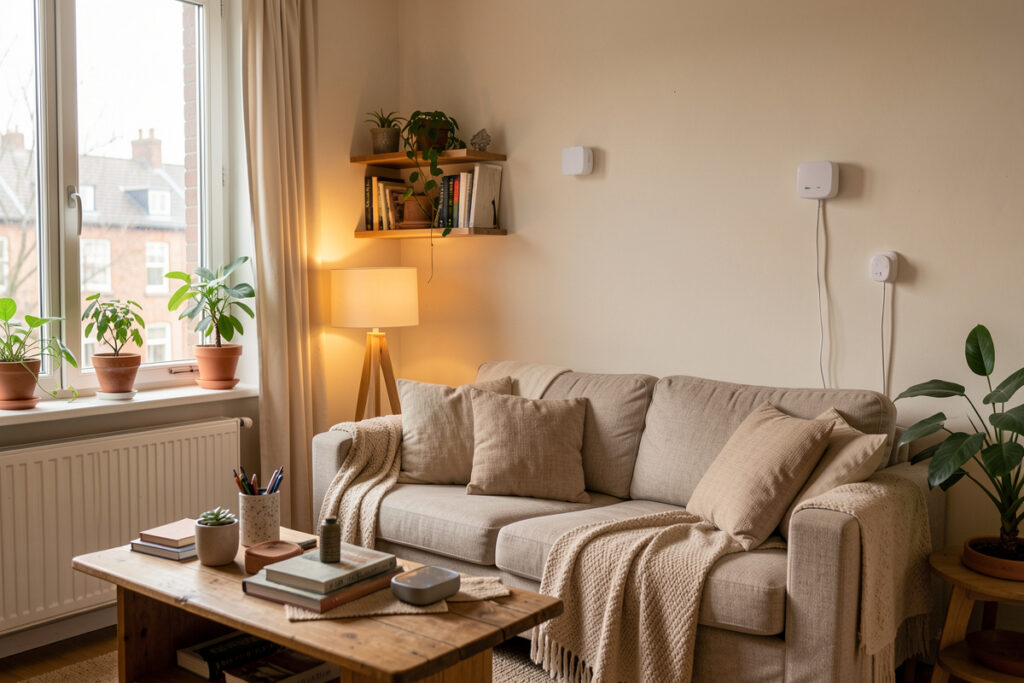
A smart home is not a pile of app-controlled gadgets; it is presence plus state plus automations. The devices that make a rental feel genuinely smart are the cheap ones nobody photographs: door and window contacts, temperature and humidity sensors, leak sensors near the dishwasher, and motion or mmWave presence sensors. All of them are battery-powered and stick on with adhesive — the most renter-friendly category there is.
mmWave presence sensors are worth calling out because they detect that a person is actually in a room, not just that something moved — so the lights don’t switch off while you sit still reading. I run PIR motion in cheap zones and mmWave where true presence matters. None of it touches the walls. The energy-monitoring side of this — watching what your appliances actually draw — is covered in the smart home energy monitoring for renters guide, which is the single most landlord-proof way to cut a power bill.
Climate and lighting you can take with you
Heating and cooling are where renters assume they’re stuck, but plenty of it is portable. A smart plug on a space heater or a window AC unit gives you scheduled, presence-aware climate without touching the building’s HVAC — and our smart thermostat for apartment renters guide covers the cases where a swappable thermostat is allowed. Lighting is even easier: smart bulbs in existing fixtures or plug-in modules under lamps, with the dumb switches left alone. The smart lights for apartment renters guide walks through no-wiring lighting in detail.
The thread running through all of it is the same: choose the version of each device that screws into, plugs into, or sticks onto what’s already there. If a “smart” upgrade needs an electrician, it’s not a renter upgrade — it’s the landlord’s project, and the landlord-friendly smart home upgrades guide covers how to have that conversation (and which upgrades are worth proposing).
The network underneath it all
Dozens of chatty devices on a flat apartment Wi-Fi network is how a smart home turns flaky. Apartments add a specific problem: you’re sharing the 2.4 GHz band with twenty neighbors, and that’s exactly the band most cheap smart devices use. Channel congestion, not weak signal, is usually the real culprit behind a device that “keeps dropping.”
I deal with this two ways. First, push as many devices as possible onto Zigbee and Z-Wave, which run on their own radios and don’t fight your neighbors for Wi-Fi airtime — the Wi-Fi vs Zigbee and Zigbee vs Z-Wave vs Wi-Fi comparisons explain the tradeoffs. Second, tune the Wi-Fi that’s left. The apartment-specific playbook — picking a clear channel, dealing with neighbor congestion, and small-space mesh — is in the apartment Wi-Fi optimization guide, and for general coverage problems see how to fix Wi-Fi dead zones, the best mesh Wi-Fi picks, and the full smart home Wi-Fi setup guide. If a single device keeps dropping, the disconnecting-device pattern guide diagnoses it.
Where Matter and Thread fit in a rental
Matter is the newest piece of the renter puzzle, and for once the hype points in a renter’s favor. Matter is a device standard and Thread is the low-power mesh it often rides on, and the combination is built around exactly what a renter cares about: local control, working across ecosystems, and not being chained to one manufacturer’s cloud account. A Matter-over-Thread sensor or plug binds to a local hub and can be driven by Home Assistant, Apple Home, or Google interchangeably — so the device outlives any single app.
In practice you need a Thread border router for those devices to reach your network, and many recent smart speakers and hubs already include one, so check what you own before buying another box. I run a handful of Matter-over-Thread devices alongside my Zigbee and Z-Wave gear rather than replacing them, because Zigbee is still cheaper and more abundant for the bulk sensor layer. The honest 2026 read for a renter: buy Matter where it is offered and priced sensibly, especially for gear you want to carry between homes and ecosystems, but do not pay a premium to rip out working Zigbee or Z-Wave devices just to chase the label. The principle that matters — local control that survives an outage and a move — is the same one behind every radio choice in this cluster.
How the renter device categories compare
Not every category is equally renter-friendly. The table below is the quick reference I’d hand a friend who just signed a lease: how each layer mounts, whether it travels, and how it behaves when the cloud is down.
| Category | Install method | Reversible? | Travels when you move? | Works if cloud is down? |
|---|---|---|---|---|
| Smart plugs / relays | Plug in | Fully | Yes | Yes (with local hub) |
| Battery sensors (contact, motion, leak) | Adhesive | Fully | Yes | Yes |
| Retrofit smart lock | Replaces interior thumb-turn | Fully | Yes | Yes (local codes) |
| Smart bulbs | Screw into fixture | Fully | Yes | Depends on hub |
| Plug-in / window-unit climate | Plug in | Fully | Yes | Yes (with local hub) |
| Hard-wired switch / thermostat | Wiring | No | No | Varies |
The pattern is obvious once it’s laid out: the top of the table is the renter’s whole world, and the bottom row is the landlord’s project. Build everything you can from the reversible categories first.
One rule engine for everything
The reason I keep harping on a local hub is that it lets a small set of cheap devices do a surprising amount of work. The same Home Assistant install that runs my apartment-grade plugs and sensors also runs the grow-light schedules, the curing-chamber compressor, and the sauna pre-heat over in the workshop — one rule engine for the whole place. Every project that uses electricity is a candidate for automation, and a renter’s kit is just the smallest, most portable version of that idea.
You do not need a workshop to benefit. The automations that earn their keep in a rental are mundane: lights that follow you room to room, a heater that won’t run in an empty apartment, a leak sensor that texts you before the floor is ruined, a lock that logs who came and went. None of it looks impressive in a product video. All of it keeps working when the internet doesn’t — which, in a building you don’t control, is exactly the point.
Security and monitoring without the building’s help
Renters often assume security means a system the landlord installs. It doesn’t. A DIY camera into a local recording pipeline, a few door contacts, and a retrofit lock give you real monitoring you fully own and take with you. I keep cameras on a local NVR with on-box detection so no footage leaves the apartment and there’s no subscription. The renter-specific security build is covered in our home security system for renters guide, and it pairs naturally with the lock and sensor layers above.
One renter-specific caveat on cameras: keep them pointed at your own space, not shared hallways or a neighbor’s door, and a local-only recording pipeline keeps you on the right side of that line because nothing is streamed to a third party. In a building you share, a camera that records to your own hub rather than a company’s cloud is both the more private choice and the easier one to justify if a neighbor ever asks what it is doing.
What a renter smart home actually costs
You can get a real, automated setup running for well under the price of a single high-end “smart” appliance. A local hub on a small mini-PC or a dedicated box, a Zigbee coordinator stick, three or four energy-reporting plugs, a handful of contact and motion sensors, and a retrofit lock is the core — and most of that is in the cheap-sensor tier, not the headline-gadget tier.
The mistake I see renters make is spending the whole budget on two photogenic devices — a video doorbell and a color bulb set — and skipping the sensors and the hub that make anything automatic. Flip that. Spend on the boring layer first: the plugs that report power, the contacts that tell the hub a door is open, the leak sensor that saves your deposit. Those are also the cheapest things in the kit. A solid set of energy-monitoring smart plugs and a couple of Zigbee contact sensors will do more for the “smart” feeling than any single flashy device. As an Amazon Associate I earn from qualifying purchases.
The cost that actually bites renters is the recurring one: subscriptions. A cloud camera plan, a “premium automation” tier, a lock that charges for activity history — those add up far past the hardware over a lease. A local hub kills almost all of it, which is the real long-run savings.
Avoiding cloud lock-in (the renter trap)
The single worst purchase a renter can make is a device that only works through one manufacturer’s cloud account. It feels fine in the store. Then the company changes its app, deprecates the model, or simply has a bad server day — and your routine breaks through no fault of your own. In a building you don’t control, you want every layer you can control to actually be under your control.
My rule is to judge every device by one question: does it still work when the cloud is down? Zigbee and Z-Wave devices bound to a local hub pass automatically — they talk to your hub, not a server. Matter-over-Thread is heading the same direction. Wi-Fi devices are the gamble: some expose local control, many don’t. When a Wi-Fi gadget is cloud-only, I either flash open firmware onto it where the hardware allows, or I don’t buy it. That standard alone filters out most of the devices renters later regret, and it’s the throughline behind every recommendation in the renter-friendly smart devices guide.
The renter mistakes I see most
After enough integrations, the failure patterns repeat. The first is buying smart bulbs for rooms with a wall switch everyone uses — the bulb loses power and the automation dies. Use a plug or a relay there and leave the switch alone. The second is putting forty Wi-Fi devices on the same SSID as the laptops and then wondering why everything is flaky; segment the IoT gear, even if it’s just onto a guest network. The apartment Wi-Fi optimization guide covers the apartment-specific version of this.
The third mistake is naming. The day you have thirty entities called “Plug 1” through “Plug 30,” your automations become unreadable and you stop building them. Name devices by room and function from day one — “kitchen-counter-lamp,” not “Plug 14.” It sounds fussy; it’s the difference between a smart home you keep extending and one you abandon. And the fourth is treating voice control as the system. Voice is one way to poke the automations; it is not the automation. If your “smart home” stops working the moment the speaker can’t reach its cloud, you have a voice remote, not a smart home.
Get those four right and the rest of this cluster is just choosing good versions of each device. Start with the starter kit, lean on plug-in automation, and add the no-drill lock and sensors as you go.
Frequently Asked Questions
Can you have a smart home in a rental apartment?
Yes. A renter-friendly smart home uses plug-in devices, adhesive battery sensors, and retrofit locks that leave no marks. In my setup this reversible layer covers about 80% of what people think they need wiring for, and all of it moves with you when the lease ends.
Do renters need permission for a smart home?
For plug-in devices, adhesive sensors, smart bulbs, and retrofit locks that reuse the existing deadbolt, no permission is needed because nothing is altered. Permission only comes up for hard-wired switches, thermostats, or doorbells that change the building, which are the landlord-friendly upgrade conversation.
What is the best smart home hub for renters?
A local-control hub like Home Assistant, SmartThings, or an Echo with a built-in hub is best because automations run on hardware you own and keep working when the internet drops. A local hub also lets cheap Zigbee and Z-Wave sensors do most of the work without flooding your Wi-Fi.
Will a smart home raise my electricity bill?
Hubs and sensors draw only a few watts total. In practice a smart home usually lowers the bill, because energy-reporting plugs and presence-based shutoffs stop heaters, lamps, and appliances running in empty rooms. Monitoring what each device actually draws is the most landlord-proof way to cut usage.
Can I take my smart home with me when I move?
Yes, if you build it from plug-in and adhesive devices on a hub you own. The hub, plugs, sensors, and locks all uninstall in an afternoon and re-pair at the new place. Avoid hard-wired devices and cloud-only accounts you cannot migrate.
Should renters use smart bulbs or smart plugs?
Smart plugs in most rooms, smart bulbs only where color and brightness control genuinely matter. A smart bulb stops responding the moment someone flips the dumb wall switch, while a smart plug under a lamp keeps the lamp automatable and keeps the physical switch working.
Related Guides
Every deep-dive in the Smart Home for Renters cluster: