Best Smart Plugs 2026: Complete Buyer Guide
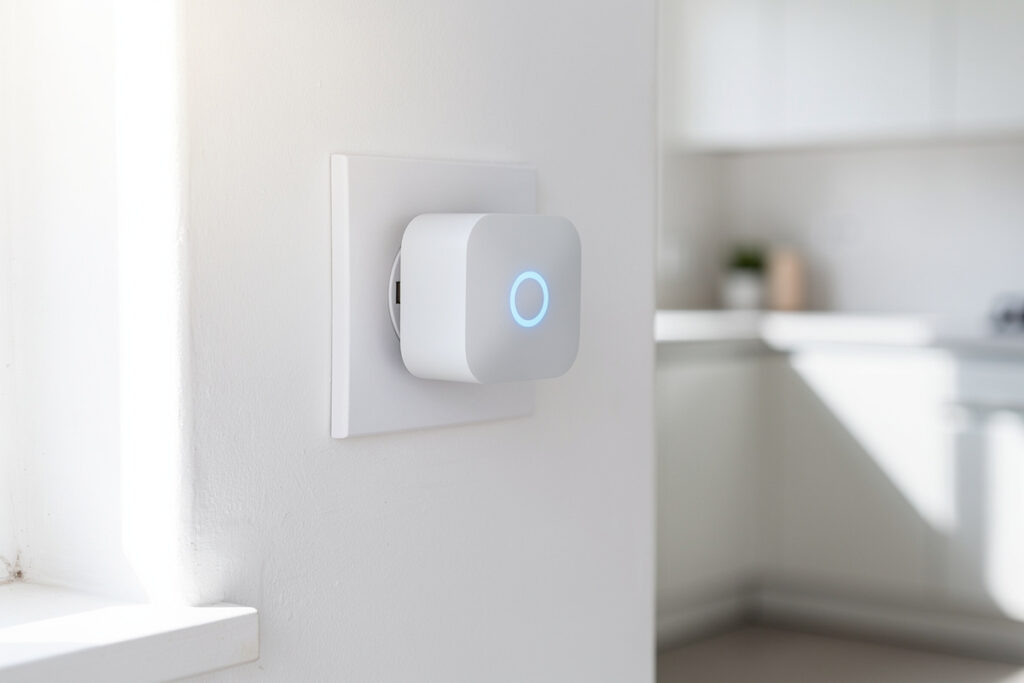
The best smart plug of 2026 is the TP-Link Kasa EP25 for most homeowners, offering reliable WiFi connectivity, energy monitoring, Matter support, and seamless Alexa and Google integration at under $15. Smart plugs transform any standard outlet into a programmable, remote-controllable switch, eliminating standby power waste, automating daily routines, and serving as the most affordable entry point into home automation. For a typical household using 6-8 smart plugs strategically, annual energy savings of $90-180 pay for the entire investment within 12-18 months.
Unlike complex smart home devices requiring professional installation, smart plugs work immediately. Plug one into your wall outlet, connect your lamp or appliance, download the app, and control your device from anywhere within five minutes. No wiring, no tools, no hub required. This accessibility makes smart plugs the ideal first smart home purchase for renters, beginners, and anyone wanting immediate automation benefits without commitment.
This comprehensive guide compares the top smart plugs of 2026, explains how to choose based on your specific needs, details energy-saving strategies, and shows how smart plugs integrate with broader smart home ecosystems. Whether you want to eliminate phantom power drain, automate your morning coffee, or control holiday lights remotely, the right smart plug delivers measurable value from day one.
Disclosure: HomeAutoCentral is reader-supported. As an Amazon Associate I earn from qualifying purchases, at no extra cost to you. I only recommend gear worth your money.
I’ve been running smart plugs in my house since 2020 — I started with a single Kasa to control a lamp, then added plugs for the entertainment center, coffee maker, and my 3D printer power supply. Today I have 12 smart plugs running through my Home Assistant hub, and they collectively save me about $120 a year in phantom load elimination alone. I’ve also burned through two cheap no-name plugs that failed within 6 months — lesson learned: stick with brands that have actual firmware update histories. Here’s how the top picks in 2026 compare.
Quick Comparison: Best Smart Plugs 2026
| Smart Plug | Best For | Price | Key Features |
|---|---|---|---|
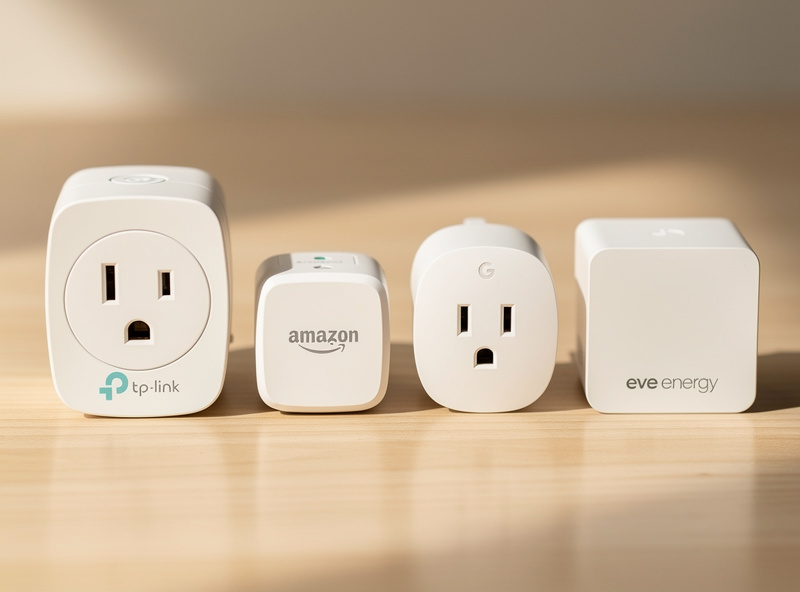
| TP-Link Kasa EP25 | Best overall | $12-15 | Energy monitoring, Matter, compact |
| Amazon Smart Plug | Alexa users | $25 | Zero setup, local processing |
| Google Nest Plug | Google Home | $20 | Thread, seamless integration |
| Eve Energy | HomeKit/privacy | $40 | No cloud, Thread, energy monitoring |
| Wyze Plug | Budget choice | $8-10 | Basic, reliable, no frills |
| Kasa Outdoor EP40 | Outdoor use | $18-22 | Weather resistant, dual outlet |
How Smart Plugs Work
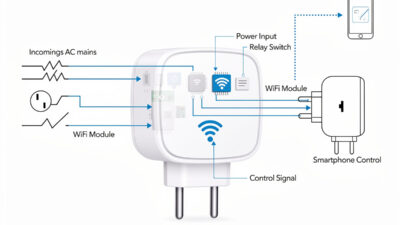
Smart plugs function as WiFi-enabled gatekeepers between your wall outlet and electrical devices. When you tap “off” in your smartphone app, a relay switch inside the plug physically breaks the electrical circuit, cutting power completely to the connected device. When you tap “on,” the relay reconnects the circuit, restoring power.
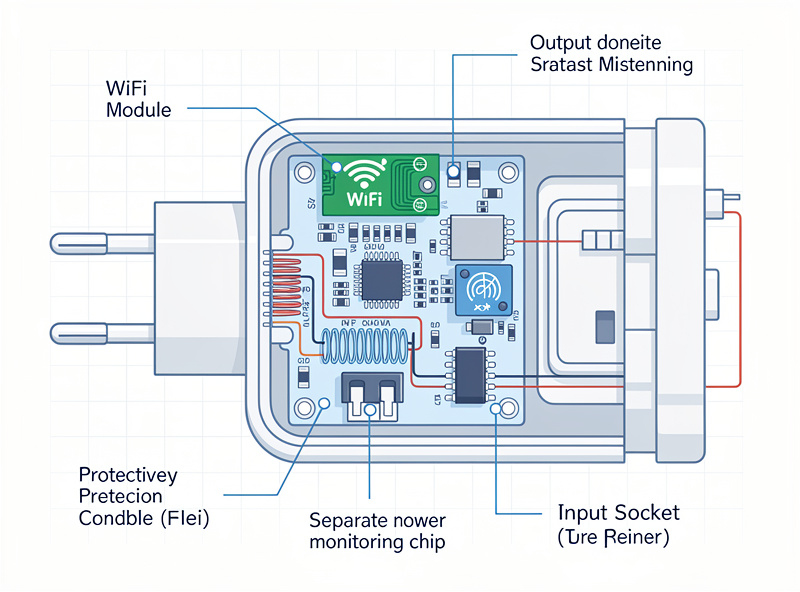
The communication path flows: smartphone app → cloud server (if internet-based) → home WiFi router → smart plug → relay activation → device power. This entire cycle completes in under two seconds. The plug draws minimal standby power—typically 0.5-1 watt—to maintain WiFi connectivity, costing approximately $1-2 annually in electricity.
Advanced models add energy monitoring capabilities, measuring real-time wattage consumption and tracking usage over time. This data identifies energy-hungry devices and quantifies savings from automated scheduling. For households wanting circuit-level tracking beyond individual outlets, see the comparison of whole-home energy monitors vs smart plugs. For a detailed explanation of smart plug mechanics, see the Smart Plug Explained guide.
Energy Savings and Financial Benefits
Smart plugs deliver measurable financial returns through three mechanisms: phantom load elimination, runtime optimization, and usage pattern insights from energy monitoring. To identify which devices in your home will benefit most from smart plug control, run a smart home energy audit first.
Phantom Load Elimination
Electronics in “off” mode continue drawing 5-10 watts continuously to maintain clocks, listen for remotes, and power indicator lights. Lawrence Berkeley National Laboratory’s standby-power research (backed by DOE data) puts phantom loads at roughly 5-10% of residential electricity use. Smart plugs cutting power to six common devices—television, sound system, gaming console, computer monitor, printer, and coffee maker—eliminate approximately $5-8 in monthly electricity costs. At $15 per smart plug, the $90 investment recovers in 11-18 months, after which savings accumulate indefinitely.
Runtime Optimization
Running devices only when needed prevents waste. Pre-cooling your home 30 minutes before arrival costs significantly less than cooling an empty house all day. A space heater on a smart plug warming your bedroom 20 minutes before wake-up consumes a fraction of the energy used by heating the entire room overnight. For more specific scenarios, read the analysis of smart plug energy savings.
| Device | Phantom Load | Annual Cost (Uncontrolled) | Savings with Smart Plug |
|---|---|---|---|
| Television (modern LED) | 5-8 watts | $7-12 | $5-10 |
| Desktop computer + monitor | 15-25 watts | $20-35 | $15-30 |
| Gaming console | 10-15 watts | $15-22 | $12-18 |
| Cable box/DVR | 20-45 watts | $30-65 | $25-55 |
| Sound system | 5-10 watts | $7-15 | $5-12 |
Choosing the Right Smart Plug for Your Needs
Smart plug selection depends on your ecosystem, technical requirements, and specific use cases. Consider these factors before purchasing.
Smart Home Ecosystem Compatibility
Your existing smart home setup dictates compatible plug choices. Amazon Smart Plug works exclusively with Alexa, offering zero-configuration setup for Echo households. Google Nest Plug integrates natively with Google Home and supports Thread protocol for faster response times. Eve Energy serves Apple HomeKit users with local processing and no cloud dependency. For households using multiple platforms, the TP-Link Kasa EP25 works with Alexa, Google, and supports Matter protocol for future-proof cross-platform compatibility. Compare Alexa vs Google Home to choose your primary ecosystem.
Energy Monitoring Requirements
Energy monitoring transforms smart plugs from convenience devices into money-saving tools. Plugs with built-in wattage meters—like the Kasa EP25 and Eve Energy—display real-time consumption and historical usage data through their apps. This visibility identifies energy hogs, tracks cost savings, and verifies automation effectiveness. Pair scheduled smart plug operation with time-of-use pricing optimization on utility plans that charge variable rates by hour. Basic plugs without monitoring cost less but provide no consumption visibility.
Specialized Use Cases
Different scenarios require specific smart plug features:
- Outdoor use: Requires weather-resistant models like the Kasa EP40 with IP64 rating and operating temperature range of -4°F to 122°F
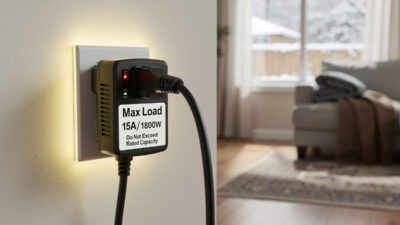
- High-draw appliances: Space heaters and air conditioners need plugs rated for 15 amps (1800 watts) minimum—check device labels before purchasing
- Compact spaces: Standard plugs blocking adjacent outlets require mini form factors like the Kasa EP10, allowing two plugs per duplex outlet
- HomeKit/ privacy focus: Eve Energy uses Thread protocol with no cloud processing, keeping data local and private
For outdoor-specific guidance, read the outdoor smart plug guide — covers IP64 weatherproofing, timer programming, and the models that handle 20A holiday lighting loads. For appliance-specific information, read Smart Plug for Space Heater.
Top Smart Plug Recommendations by Category
Best Overall: TP-Link Kasa EP25
The Kasa EP25 earns my top recommendation through exceptional reliability, broad compatibility, and feature completeness — it’s the model I run on 8 of my 12 plugs and the one I’ve never had to factory-reset. Energy monitoring tracks consumption in real-time. Matter protocol support ensures future compatibility as the smart home standard evolves. The compact design fits side-by-side in standard outlets. Kasa’s app interface remains intuitive, scheduling works flawlessly, and integration with both Alexa and Google occurs without complications. At $12-15, no competitor matches this value proposition.
Best for Alexa Users: Amazon Smart Plug
Amazon’s first-party plug prioritizes seamless Echo integration. Setup requires zero configuration—plug it in, and Alexa discovers it automatically. Local processing means commands execute even during internet outages. The downside: no energy monitoring and Alexa exclusivity. For pure Alexa households wanting simplicity over features, this plug delivers. See the guide on Best Smart Plugs for Alexa for alternatives.
Best for Google Home: Google Nest Plug
Google’s official plug integrates natively with Google Home, supporting Thread protocol for faster, more reliable local communication. If your home uses Google Assistant as the primary interface, this plug responds quicker than WiFi-only alternatives. Matter support ensures future compatibility. However, no energy monitoring and Google exclusivity limit flexibility.
Best for HomeKit/Privacy: Eve Energy
Eve Energy targets privacy-conscious Apple users. Thread protocol enables local control without cloud dependency. No account creation, no data sharing, no internet requirement for basic operation. Energy monitoring tracks consumption locally. The $40 price reflects premium positioning, but for users prioritizing privacy within the Apple ecosystem, no alternative matches Eve’s commitment.
Best Budget: Wyze Plug
Wyze delivers basic smart plug functionality at under $10. Reliable WiFi connectivity, Alexa and Google support, and scheduling work as expected. The Wyze app is straightforward, though less polished than competitors. No energy monitoring and less robust build quality than premium options, but for cost-conscious buyers wanting automation basics, Wyze represents unbeatable value.
Best Outdoor: Kasa EP40
Outdoor smart plugs require weather resistance and durability. The Kasa EP40 features IP64 rating against dust and water splashes, operating reliably from -4°F to 122°F. Dual independently controlled outlets maximize utility for holiday lights, fountain pumps, and garden equipment. The 300-foot WiFi range handles challenging outdoor placements. For comprehensive outdoor guidance, see the outdoor smart plug guide.
Installation and Setup Guide
Installing a smart plug takes under five minutes with no tools required. Follow this process for reliable results.
Step-by-Step Setup
- Choose location: Select an outlet with strong WiFi signal. Avoid locations behind furniture or inside cabinets that block wireless communication
- Plug in the smart adapter: Insert firmly into the wall outlet until flush
- Download manufacturer app: Kasa, SmartLife, Amazon Alexa, Google Home, or Eve—depending on your plug
- Create account and add device: Follow app prompts to connect plug to your 2.4GHz WiFi network (most plugs do not support 5GHz)
- Plug in your appliance: Connect lamp, fan, or device to the smart plug
- Rename the device: Use descriptive names like “Bedroom Lamp” or “Coffee Maker” for voice control clarity
- Test functionality: Toggle on/off through the app to verify connection
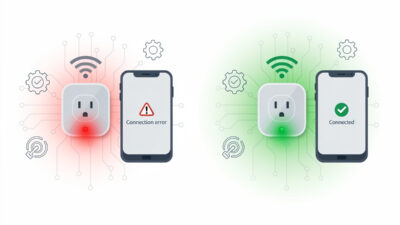
For detailed troubleshooting when setup fails, read the Smart Plug Not Connecting to WiFi guide.
Voice Assistant Integration
After app setup, add the plug to your voice assistant for hands-free control. In Alexa, discover devices through the Alexa app, then use commands like “Alexa, turn on the bedroom lamp.” Google Home users find plugs appear automatically or add them through the Home app. Test voice commands to ensure recognition before relying on them.
Scheduling Configuration
Scheduling transforms smart plugs from remote switches into true automation tools. Set coffee makers to turn on 10 minutes before your alarm. Schedule lamps to simulate occupancy while traveling. Create sunrise simulations by gradually turning on bedroom lights. Configure multiple schedules for different days—weekday morning routines differ from weekend patterns. For advanced scheduling techniques, see the smart plug scheduling guide guide.
Smart Home Integration and Automation
Smart plugs function as actors in broader home automation scenarios, responding to triggers from sensors, other devices, and environmental conditions.
Sensor-Based Automation
Integrate smart plugs with temperature sensors and humidity sensors for climate-responsive control. When a temperature sensor detects a room exceeding 78°F, automatically activate a fan plugged into a smart outlet. When humidity drops below 30%, trigger a humidifier. These automations maintain comfort while optimizing energy use.
Routine Integration
Create comprehensive routines combining multiple devices. A “Good Morning” routine might turn on the coffee maker, open smart curtains, and start sunrise-simulating lights simultaneously. A “Leaving Home” routine ensures all non-essential devices power down. Routines execute through Alexa, Google Home, or smart home hubs like SmartThings.
IFTTT and Advanced Workflows
IFTTT (If This Then That) enables cross-platform automation beyond native integrations. Turn on a fan when the local temperature exceeds 85°F. Flash lights when your favorite team scores. Send notifications when a washer finishes cycling. While native integrations offer faster response times, IFTTT connects devices that otherwise cannot communicate.
Common Smart Plug Issues and Solutions
Smart plugs occasionally experience connectivity problems, scheduling failures, or compatibility issues. Here are solutions to the most common problems.
WiFi Connection Problems
Most connection failures stem from 5GHz network attempts—smart plugs require 2.4GHz WiFi. Move plugs closer to routers during initial setup, then reposition after connection establishes. Factory reset plugs showing persistent connection issues by holding the button for 10+ seconds, then reconfigure from scratch. For comprehensive troubleshooting, see the WiFi connection guide.
Voice Control Failures
When voice commands fail, check device naming first. Names like “lamp” conflict with multiple lamps. Rename to “bedroom lamp” or “living room lamp.” Ensure the voice assistant app shows the plug as online and responsive. Re-discover devices in Alexa or Google Home if commands stop working unexpectedly.
Scheduling Malfunctions
Schedules fail when time zones misconfigure or daylight saving time changes disrupt timing. Verify time settings in the plug’s app match your location. For complex schedules across multiple plugs, consider centralized hub management through SmartThings or Hubitat rather than individual app scheduling.
Smart Plug vs Smart Switch: Which Should You Choose?
Smart plugs and smart switches both enable remote lighting control but serve different scenarios. Understanding the distinction ensures appropriate investment.
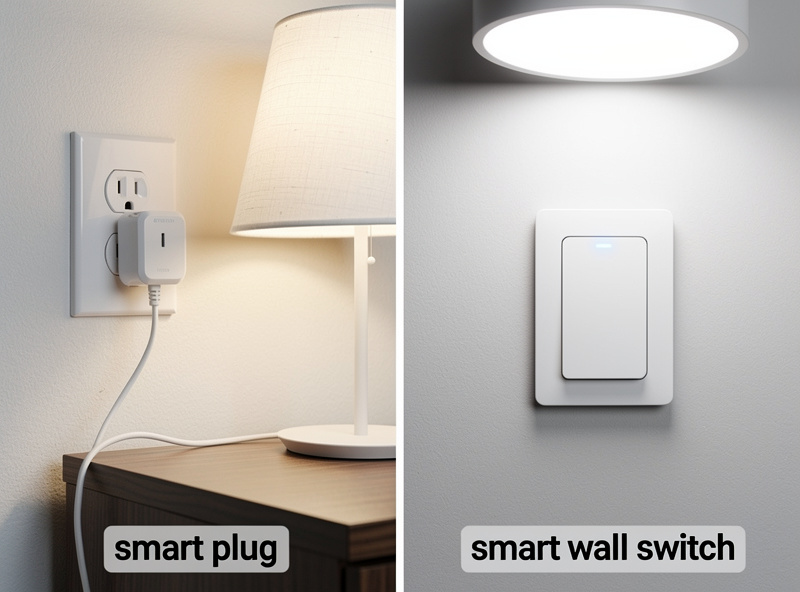
Choose smart plugs when: You rent and cannot modify wiring, you want portable control you can move between rooms, you need temporary automation for seasonal items like holiday lights, or you control plug-in appliances rather than hardwired fixtures.
Choose smart switches when: You own your home, you want wall-switch control that works for everyone (including guests unfamiliar with apps), you control ceiling lights or hardwired fixtures, or you prefer cleaner aesthetics without visible plug adapters.
For detailed comparison including installation differences and cost analysis, read the Smart Plug vs Smart Switch guide.
Are Smart Plugs Worth It? Value Analysis
Smart plug value depends entirely on usage patterns. Active users automating multiple devices achieve payback within 12-18 months through energy savings alone. Passive users controlling a single lamp occasionally find traditional timers more cost-effective.
High-Value Scenarios:
- Entertainment centers with multiple phantom-drawing devices
- Home offices with computers, monitors, and peripherals
- Seasonal lighting requiring automated schedules
- Frequent travelers needing occupancy simulation
- Energy-conscious households tracking consumption
Lower-Value Scenarios:
- Single-lamp control in rarely-used rooms
- Devices already on programmable mechanical timers
- Users without smartphones or WiFi
- Temporary setups lasting less than one year
For honest cost-benefit analysis including payback calculations and real user scenarios, read Are Smart Plugs Worth It?.
Safety Considerations and Best Practices
Smart plugs are generally safe when used correctly, but electrical devices require respect. Follow these guidelines for trouble-free operation.
Load Capacity Limits
Standard smart plugs support 10-15 amps (1200-1800 watts). Never exceed these ratings. Space heaters, air conditioners, and microwave ovens often draw 1500+ watts and require heavy-duty smart plugs specifically rated for high loads. Check appliance labels for wattage before purchasing plugs.
Outdoor Use Precautions
Indoor smart plugs used outdoors risk electric shock and fire hazards. Only IP64-rated outdoor models like the Kasa EP40 belong outside. Even outdoor-rated plugs require GFCI-protected outlets and weather covers. Never expose any smart plug to direct water contact. Always use IP64-rated models for outdoor applications.
Power Strip Safety
Never plug smart plugs into power strips or extension cords. Daisy-chaining creates fire hazards, exceeds electrical ratings, and potentially voids warranties. Smart plugs belong directly in wall outlets. Need multiple smart outlets? Purchase multi-outlet smart plugs designed for that purpose rather than chaining single-outlet models.
If I were building a smart home from scratch tomorrow, the first three things I’d buy are a Zigbee coordinator, a temperature sensor, and a 4-pack of Kasa EP25 smart plugs. The plugs alone — on the entertainment center, the office desk, the coffee maker, and a box fan — pay for themselves in under a year from phantom load savings, and they become the building blocks for every automation you’ll add later. Start with energy-monitoring plugs on your highest-draw devices, wire the automations through your hub of choice, and don’t buy the $8 no-name brand — buy once and actually use them for years.
Related Articles
- Smart Plug Explained: How They Work, Setup, and Troubleshooting
- Are Smart Plugs Worth It? Complete Value Analysis
- Smart Plug vs Smart Switch: Which Do You Need?
- Smart Plug Not Connecting to WiFi: Quick Fix
- Smart Plug for Space Heater: What to Know
- Best Smart Plugs for Alexa: Top 5 Picks
- Best Smart Power Strips for Energy Monitoring
- Smart Home for Beginners: Complete Setup Guide
- Best Smart Home Devices 2026: Top Picks
- Zigbee vs Z-Wave vs WiFi: Smart Home Protocols
What is the best smart plug for 2026?
The TP-Link Kasa EP25 is the best smart plug for most homeowners in 2026, offering reliable WiFi, energy monitoring, Matter protocol support, and seamless Alexa and Google integration at under $15 per plug.
Do smart plugs save money on electricity?
Yes, smart plugs save money by eliminating phantom power draw from devices in standby mode. A typical household using 6-8 smart plugs strategically saves $90-180 annually, recovering the investment within 12-18 months.
Can smart plugs work without WiFi?
Most smart plugs require WiFi for remote control and voice assistant integration. However, some models like Eve Energy use Thread protocol and can operate locally without internet for basic on/off functions within your home network.
Are smart plugs safe to leave plugged in?
Yes, certified smart plugs from reputable brands meet strict safety standards (UL, ETL). They include thermal protection and should only be used with devices within their rated capacity—typically 10-15 amps (1200-1800 watts) for standard plugs.
Can I use a smart plug with a space heater?
Only if the smart plug is rated for high-draw appliances (15+ amps). Standard smart plugs supporting 10-15 amps may overheat with space heaters drawing 1500+ watts. Check both the heater’s wattage and the plug’s maximum rating before using.
What is the difference between a smart plug and a smart switch?
Smart plugs insert into existing outlets for plug-in devices, requiring no installation. Smart switches replace wall switches to control hardwired fixtures like ceiling lights. Choose plugs for rentals and plug-in appliances; choose switches for owned homes and hardwired lighting.
How many smart plugs can I add to my network?
Most home routers support 50-100 WiFi devices. However, performance degrades as you approach router limits. For extensive setups with 50+ devices, consider Zigbee or Z-Wave smart plugs using a dedicated hub rather than WiFi-based plugs.