Smart Home Pet Automation: The Local-First Guide
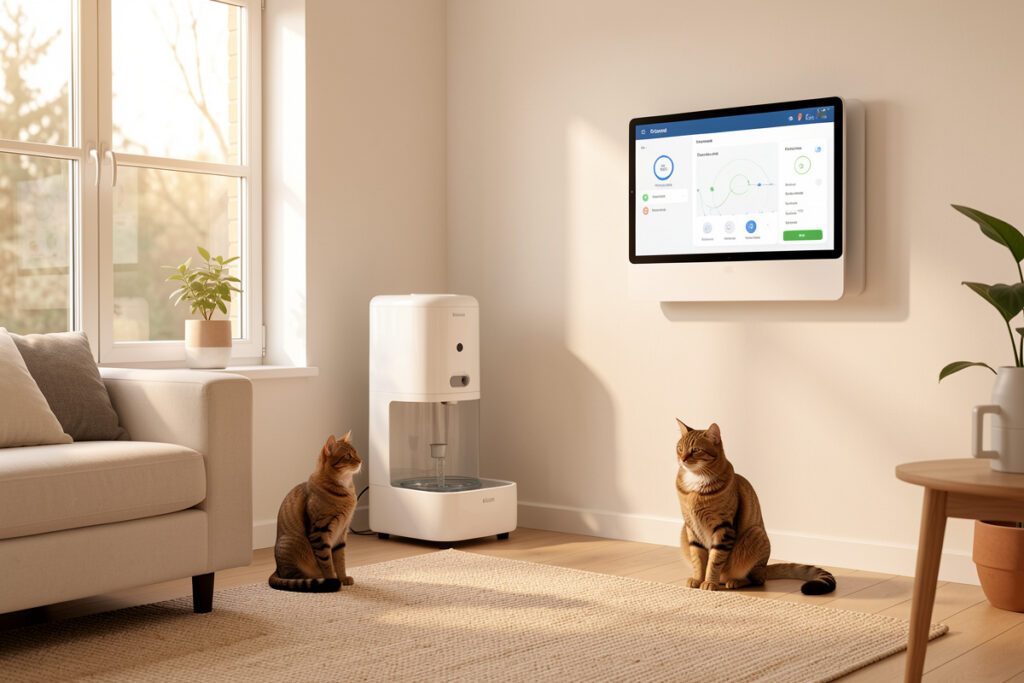
Smart home pet automation means letting one local rule engine — not six phone apps — handle feeding, water, doors, cameras, tracking, and litter. In my setup, a self-hosted Home Assistant hub runs all of it, and the routines keep working when the internet doesn’t. That single design choice is the whole game.
I have run a local-first smart home in Sweden for years, and pets were the first thing that pushed me past “gadgets” and into genuine automation. A cat that eats at 06:00 whether or not your broadband is up does not care that a cloud feeder’s servers are down. This guide is the map I wish I had: which pet devices are actually worth automating, which protocol to run them on, and how to wire them into routines that survive an outage. Every recommendation here is judged by one question — does it still work when the cloud is down?
What Pet Automation Actually Means (And What It Doesn’t)
Pet automation is presence, state, and rules — not a pile of app-controlled gadgets. A feeder that you trigger from your phone is a remote control. A feeder that dispenses on a local schedule, skips the morning portion when the camera confirms last night’s bowl is still full, and pings you only when something is wrong — that is automation. The difference is whether a rule engine, running in your house, makes the decision.
The marketing version of a “smart” pet home is six separate apps, each with its own login, its own cloud, and its own monthly fee. The version that actually earns its keep is a handful of sensors and actuators hanging off one hub. In my automations, the pet layer shares the same coordinator, the same MQTT message bus, and the same presence logic that runs the lights and the heating. One brain, many limbs. That is the framing influencer house tours skip, and it is the only one that scales past three devices without turning your phone into a junk drawer of apps.
The Hub Is the Brain — Everything Else Is a Sensor or an Actuator
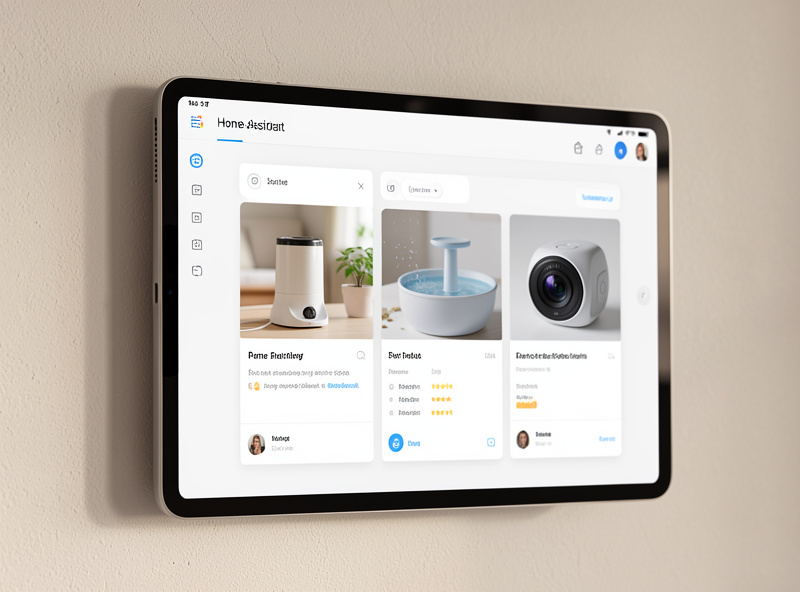
Before you buy a single pet device, decide where the intelligence lives. In my setup it lives on a dedicated mini-PC running Home Assistant — an Intel N100 box with an SSD, not an SD-card Pi I’m afraid to reboot. The hub is the brain; the feeder, the fountain, the door, and the litter box are just limbs. If you are starting from zero, my Home Assistant setup walkthrough covers the foundation, and the protocol comparison explains why I don’t put load-bearing automations on cloud Wi-Fi.
Why local first? Three reasons I have lived. Reliability: a Zigbee or Z-Wave feeder keeps its schedule when your router reboots; a cloud feeder does not. Latency: a local rule fires in well under a second; a round-trip to a manufacturer’s server and back can stall a treat-dispense long enough that your dog wanders off. Privacy: a local-recording camera keeps your living room out of someone else’s data center. The cheapest device is rarely the cheapest to live with, and “works with the app” is not the same as “works.”
Choosing the Radio: Zigbee, Z-Wave, Thread, or Wi-Fi
Pet gear is scattered around the edges of the house — the laundry room litter box, the back-door pet flap, the kitchen feeder — exactly the places where a weak signal kills a flaky Wi-Fi device. This is where radio choice matters. On my Zigbee mesh, every mains-powered plug and relay is also a repeater, so a battery contact sensor on the pet door three rooms away still reports reliably. I run a dedicated Zigbee coordinator on a USB extension cable with the antenna away from the USB-3 noise — that one detail quietly fixes more “my sensor keeps dropping off” problems than any firmware update.
Matter is the one to watch for pet gear. The promise is that a Matter-over-Thread feeder or door joins your hub locally without a vendor app in the middle, and the early devices that honor that are the ones I reach for first. The reality in 2026 is that pet-specific Matter hardware is still thin, so I read the spec sheet carefully — “works with Matter” sometimes still hides a cloud bridge. My explainer on what Matter actually is separates the marketing from what ships. Z-Wave I reserve for the long-range battery devices and anything lock-adjacent, because its lower frequency punches through walls better and the network is less crowded. Thread and Matter cover the newer gear through a border router. Most pet devices today are still Wi-Fi-and-cloud, which is precisely the category I try to de-cloud or avoid. When a device only speaks to its own app, you have bought a subscription, not an automation. My Wi-Fi vs Zigbee breakdown and the range and interference guide go deep on the tradeoffs.
The Six Pet Devices Worth Automating
Not every pet gadget deserves a place in your automations. After years of adding, removing, and re-flashing this category, these are the six that pay back the effort — each gets its own detailed guide, linked below.
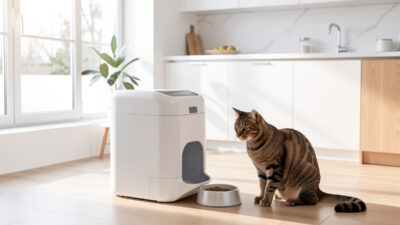
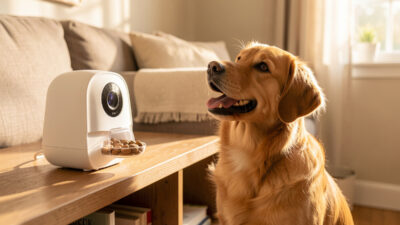
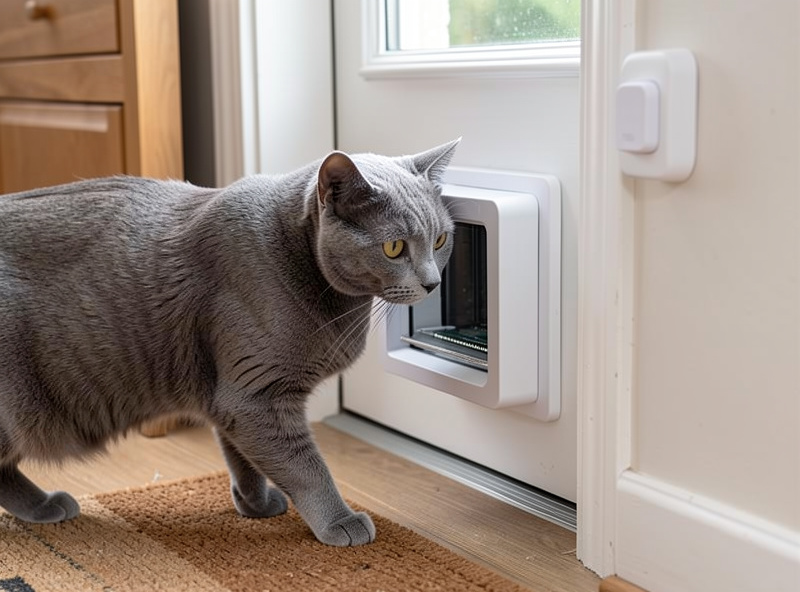
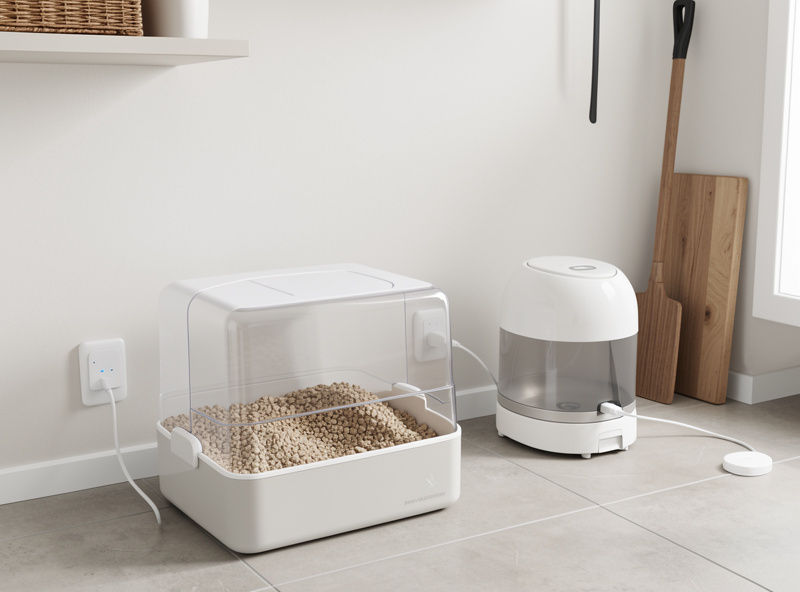
An automatic pet feeder is the anchor device: scheduled portions, gap-fed against overeating, and a local fallback so the 06:00 meal happens regardless of your network. A smart water fountain earns its spot mostly through sensing — low-water and pump-fault alerts matter more than app control. A pet camera with a treat dispenser turns “checking in” into a real interaction, and the good ones record locally. A microchip pet door is the single best privacy-and-security upgrade — your cat in, the neighbour’s tom out — and it should fail to a safe state when the battery dies. A GPS tracker is your outdoor safety net, and the decision is all about network type and battery life. A self-cleaning litter box is the highest-effort device to automate well, but it removes the chore people most want gone.
Once those are in place, the real value comes from tying them together — which is exactly what my dedicated guide on building pet routines covers, from “everyone left” cleaning cycles to vacation feeding modes.
| Device | Best protocol | Local control? | Automation payoff | Buy-first rank |
|---|---|---|---|---|
| Automatic feeder | Zigbee / Wi-Fi (local API) | Yes, with fallback | High — daily, scheduled | 1 |
| Microchip pet door | RFID + Zigbee bridge | Yes (offline-capable) | High — security + privacy | 2 |
| Self-cleaning litter box | Wi-Fi (de-cloud where possible) | Partial | High — removes the worst chore | 3 |
| Pet camera + treat | Wi-Fi + local NVR (Frigate) | Yes (RTSP models) | Medium — interaction + monitoring | 4 |
| Water fountain | Wi-Fi / dumb + power-clamp | Sensing, not control | Medium — fault alerts | 5 |
| GPS tracker | LTE-M / Bluetooth network | App + webhook | Situational — outdoor only | 6 |
Presence, Schedules, and the Rules That Tie It Together
The schedule is the floor, not the ceiling. A feeder on a plain timer is fine; a feeder that knows whether anyone is home is better. In my automations, presence comes from sensors and room logic — mmWave and motion sensors, door contacts, energy reporting — not “a phone joined the Wi-Fi,” which is unreliable the moment a guest visits or your phone sleeps. My presence-detection guide explains why mmWave changed how I trigger everything.
With real presence, pet routines get smart. “Everyone left” can start the litter cycle and the robot vacuum so the house is clean before anyone returns; my pet-hair vacuum pick handles the fallout from a self-cleaning box. A vacation mode keeps feeding on schedule, raises the camera’s alert sensitivity, and texts you a daily “the cat ate” confirmation. None of this needs cloud; it is local sensors feeding local rules. The message bus underneath it all is MQTT, which is how a feeder, a contact sensor, and a camera that were never designed to talk to each other end up cooperating.
The Cloud Problem With Pet Gear
Pet devices are some of the worst offenders for cloud lock-in, because the business model is recurring revenue: subscription camera footage, app-gated feeding history, “premium” features behind a paywall. I treat every pet device as a potential liability until proven otherwise. The questions I ask before buying: does it have a local API or a documented integration? Will it keep its core function — feeding, water, door access — with the internet unplugged? Can the camera give me a plain RTSP stream for a local NVR pipeline instead of forcing footage into someone’s data center?
This is the same reason I segment all of it onto its own network. Dozens of chatty IoT devices on the flat home LAN is how a smart home turns flaky and how a cheap cloud camera becomes a foothold. A dedicated IoT VLAN — or at minimum a separate IoT SSID — keeps the pet camera away from your laptops and lets you watch exactly what each device phones home about. For privacy specifically, my notes on indoor camera privacy apply doubly to a camera pointed at the room your pet lives in.
What I’d Buy First — A Sane Build Order
You do not buy all six at once. Start with the feeder, because it is the device whose schedule you will rely on every single day, and the one where a local fallback matters most. Add a microchip door next if you have an indoor-outdoor pet — it pays back in security and in the litter and hair you stop tracking through the house. The self-cleaning box comes third, paired with the vacuum routine. Camera, fountain, and tracker are situational add-ons you layer in once the core is solid.
Throughout, lean on smart plugs and relays as the building block. A good energy-reporting smart plug turns a dumb feeder or fountain into a monitored device — you can see the pump’s power draw and catch a stalled motor before your pet runs dry. My broader plug-in automation guide shows how far you can get with no wiring at all, and the sensor buyer’s guide covers the contacts and presence sensors the pet layer leans on. If you want the wider picture of how all these routines fit a whole-home setup, the automation ideas roundup is a good next stop.
Mistakes I Made So You Don’t Have To
I trusted a cloud-only feeder in a core automation once, and the first time its servers hiccuped, the morning feed simply didn’t happen — no error, no fallback, just an empty bowl and a confused cat. Now anything load-bearing has a local schedule that runs even if every cloud is dark. I also under-estimated entity naming: forty pet-related entities named inconsistently turned a simple “is the cat fed” automation into an afternoon of detective work. Name everything by location and function from day one.
The last one: I put a chatty Wi-Fi pet camera on the main network “just to test it,” and watched it hammer the LAN with cloud chatter. Onto the IoT VLAN it went, and the flakiness vanished. Pet gear is built to phone home; your job is to decide what it is allowed to say and to whom. When automations misbehave, by the way, the trigger is almost always the culprit, not the action — my guide on debugging triggers has saved me hours on exactly this.
Keeping the Pet Layer Alive Through a Power Cut
Everyone plans for the internet going down; almost nobody plans for the power going down, and for pet automation that is the more dangerous outage. If the hub loses power, every rule stops, and the feeder’s local fallback only helps if the feeder itself still has power and its own onboard clock. In my setup the hub, the network switch, and the Zigbee coordinator all sit on a small UPS, roughly a 600–800 VA unit, which carries the brain through the 10–20 minute cuts that make up the vast majority of real outages. The cat gets fed, the door keeps deciding, and the cameras keep recording locally.
Battery devices need their own discipline. A microchip door, a contact sensor, or a battery feeder all fail at the worst possible time if you ignore the low-battery warning, so every battery-powered entity in my install reports its level to the hub, and a single automation nags me when any of them drops below about 20%. That one rule has done more for reliability than any hardware upgrade — a dead coin cell in a pet door at 2am is exactly the silent failure the whole local-first approach is meant to prevent.
Mains devices deserve a second look too. A feeder or fountain that forgets its schedule after a power blink is a liability dressed up as a smart device, so I want either an onboard clock with battery backup or a device whose schedule lives on the hub, so a five-second flicker never wipes the timetable. The energy-reporting plugs earn their keep here as well: when power returns, the hub can confirm each always-on motor actually came back, instead of assuming it did.
If you want a number to size against, measure the idle draw of your hub and switch — a Home Assistant mini-PC and a small network switch together pull on the order of 15–25 watts, so even a modest 650 VA UPS rated around 390 watts gives you well over an hour of runway at that load, far more than most cuts demand. The goal is not to ride out a day-long blackout; it is to make the common, brief outage a complete non-event, so you never come home to a stalled feeder and a reset clock.
The Real Cost of a “Smart” Pet Home
The sticker price is the smallest number in this hobby. A cloud feeder at a low up-front price that gates feeding history or camera access behind a monthly fee will out-cost a slightly pricier local device within a year, and you never own the data. I budget pet automation the way I budget the rest of the house: hardware once, no recurring fee if I can help it, and a hard preference for anything with a documented local integration so the device outlives the company that made it.
Run the math device by device. A subscription pet camera is the obvious trap — the camera is cheap, the footage plan is forever. A self-cleaning litter box with app-locked cycle scheduling is a subtler one. Against that, a local-recording camera feeding a home NVR and a feeder with a local API cost more on day one and nothing on day 400. The other hidden cost is reliability: a device that fails silently when its cloud is down has a real price the day your pet goes unfed. When I compare options in each of the device guides below, total-cost-and-reliability is the lens, not the headline price. The same logic drives how I think about monitoring power draw on every always-on pet motor.
One Hub for the Whole House — Not a Pet Silo
The reason I push so hard on a single local hub is that pets are not a separate system; they are one more set of inputs and outputs on the rule engine that already runs your home. The same Home Assistant install that dispenses the cat’s breakfast runs the grow-light schedule in my workshop, the curing-chamber compressor, and the sauna pre-heat — one rule engine for the whole house, every project that uses electricity treated as a candidate for automation. That cross-pollination is the payoff of doing it locally: a “we’re away” routine doesn’t just feed the cat, it sets back the heating, arms the cameras, and starts the vacuum, because every device lives on the same brain.
As an Amazon Associate I earn from qualifying purchases.
Build the pet layer as part of that whole, not as an island of single-purpose apps. A door contact you added for the pet flap can also tell your security routine someone used the back door. The presence sensors you installed for the lights decide whether the feeder skips a portion. An energy-reporting plug bought for a lamp can watch a fountain pump for stalls. When everything answers to one hub, each device you add makes every other device a little smarter — which is exactly the opposite of the six-apps-six-clouds sprawl most pet gear pushes you toward. For the practical recipes that tie it all together, the dedicated pet routines guide is your next stop.
Frequently Asked Questions
Do I need Home Assistant to automate pet devices?
No, but it is the difference between remote control and real automation. Many feeders and doors run on their own apps. A local hub like Home Assistant lets you combine them with presence sensors and schedules so the routines keep working during an internet outage.
Will smart pet devices keep working if my internet goes down?
Only if they have local control. Zigbee and Z-Wave devices keep their schedules offline. Cloud-only Wi-Fi devices usually stop. This is why I prioritize devices with a local API or fallback schedule for anything as important as feeding.
Which protocol is best for pet automation?
Zigbee for most sensors and edge devices because every mains-powered plug repeats the mesh, Z-Wave for long-range and lock-adjacent gear, and Wi-Fi only for cameras you can route to a local NVR. Avoid cloud-only Wi-Fi for anything load-bearing.
Are smart pet cameras a privacy risk?
Cloud cameras send footage from inside your home to a third-party server, often behind a subscription. I use local-recording models on an isolated IoT VLAN so the video never leaves the house. Always check whether a camera offers a plain RTSP stream before buying.
What pet device should I automate first?
The feeder. It runs every day, the schedule matters most, and a local fallback means the meal happens even during a network outage. A microchip pet door is the strong second pick for indoor-outdoor pets.
Can I put all my pet devices on one hub?
Yes, and you should. One hub running MQTT lets a feeder, a contact sensor, and a camera that were never designed to talk to each other cooperate in a single routine. It also means one app instead of six.
Related Guides
- Best Automatic Pet Feeder for a Smart Home
- Smart Microchip Pet Door Guide
- Best Automatic Self-Cleaning Litter Box
- Pet Camera With Treat Dispenser, Reviewed
- Smart Home Automation for Pets: Building the Routines
- Best Pet GPS Tracker Comparison